https://github.com/datalayer/examples
Ξ Examples for Datalayer.
https://github.com/datalayer/examples
datalayer examples
Last synced: about 1 year ago
JSON representation
Ξ Examples for Datalayer.
- Host: GitHub
- URL: https://github.com/datalayer/examples
- Owner: datalayer
- Created: 2023-10-15T12:51:46.000Z (over 2 years ago)
- Default Branch: main
- Last Pushed: 2025-03-23T14:05:12.000Z (about 1 year ago)
- Last Synced: 2025-04-02T17:38:32.467Z (about 1 year ago)
- Topics: datalayer, examples
- Language: Jupyter Notebook
- Homepage: https://datalayer.io
- Size: 15.7 MB
- Stars: 7
- Watchers: 3
- Forks: 1
- Open Issues: 1
-
Metadata Files:
- Readme: README.md
Awesome Lists containing this project
README
[](https://datalayer.io)
[](https://github.com/sponsors/datalayer)
# Ξ Datalayer Examples
This repository contains Jupyter notebook examples showcasing scenarios where [Datalayer](https://datalayer.io) proves highly beneficial. Datalayer allows you to **scale Jupyter Kernels** from your local JupyterLab or CLI to the cloud, providing the capability to run your code on **powerful GPU(s) and CPU(s)**. 🚀
The [Technical validation](#technical-validation) section delves into system checks and performance benchmarks to ensure optimal GPU and CPU utilization, while the [Use cases](#use-cases) section explores typical AI scenarios where scaling proves essential.
💡 Note that you can use any notebook within Datalayer without requiring any code changes.
## Getting started
```bash
pip install datalayer jupyterlab
git clone https://github.com/datalayer/examples.git datalayer-examples
cd datalayer-examples
jupyter lab
```
Read the [documentation website](https://docs.datalayer.io) to know more about how setup Datalayer. Don't worry, it is easy 👍
You just need to install the package, open JupyterLab, click on the `Jupyter kernels` tile in the JupyterLab launcher, create an account, wait a bit for your Kernels to be ready, and then just assign a Remote Kernel from any Notebook kernel picker.

## Technical validation
1. [GPU sanity checks](#gpu-sanity-checks)
1. [Performance comparison of CPU and GPU serial and parallel execution](#performance-comparison-of-cpu-and-gpu-serial-and-parallel-execution)
### 1. [GPU sanity checks](https://github.com/datalayer/examples/tree/main/gpu-check)
This notebook contains scripts and tests to perform GPU sanity checks using PyTorch and CUDA. The primary goal of these checks is to **ensure** that the **GPU resources meet the expected requirements**.
### 2. [Performance comparison of CPU and GPU serial and parallel execution](https://github.com/datalayer/examples/tree/main/parallel-comparison)
This notebook explores the performance **differences between serial and parallel execution on CPU and GPU** using PyTorch. We'll compare the execution times of **intensive computational tasks** performed sequentially on CPU and GPU, as well as in parallel configurations.
## Use cases
1. [Face detection on YouTube video with OpenCV](#opencv-face-detection)
1. [Image classification model training with fast.ai](#image-classifier-with-fastai)
1. ['Personalized' text-to-image model creation with Dreambooth](#dreambooth)
1. [Text generation using the Transformers library](#text-generation-with-transformers)
1. [Instruction tuning for Mistral 7B on Alpaca dataset](#mistral-instruction-tuning)
### 1. [OpenCV Face Detection](https://github.com/datalayer/examples/tree/main/opencv-face-detection)
This example utilizes **OpenCV** for **detecting faces** in YouTube videos. It uses a traditional Haar Cascade model, which may have limitations in accuracy compared to modern deep learning-based models. It also utilizes **parallel computing across multiple CPUs** to accelerate face detection and video processing tasks, optimizing performance and efficiency. Datalayer further enhances this capability by enabling seamless scaling across multiple CPUs.


### 2. [Image Classifier with Fast.ai](https://github.com/datalayer/examples/tree/main/fastai-classifier)
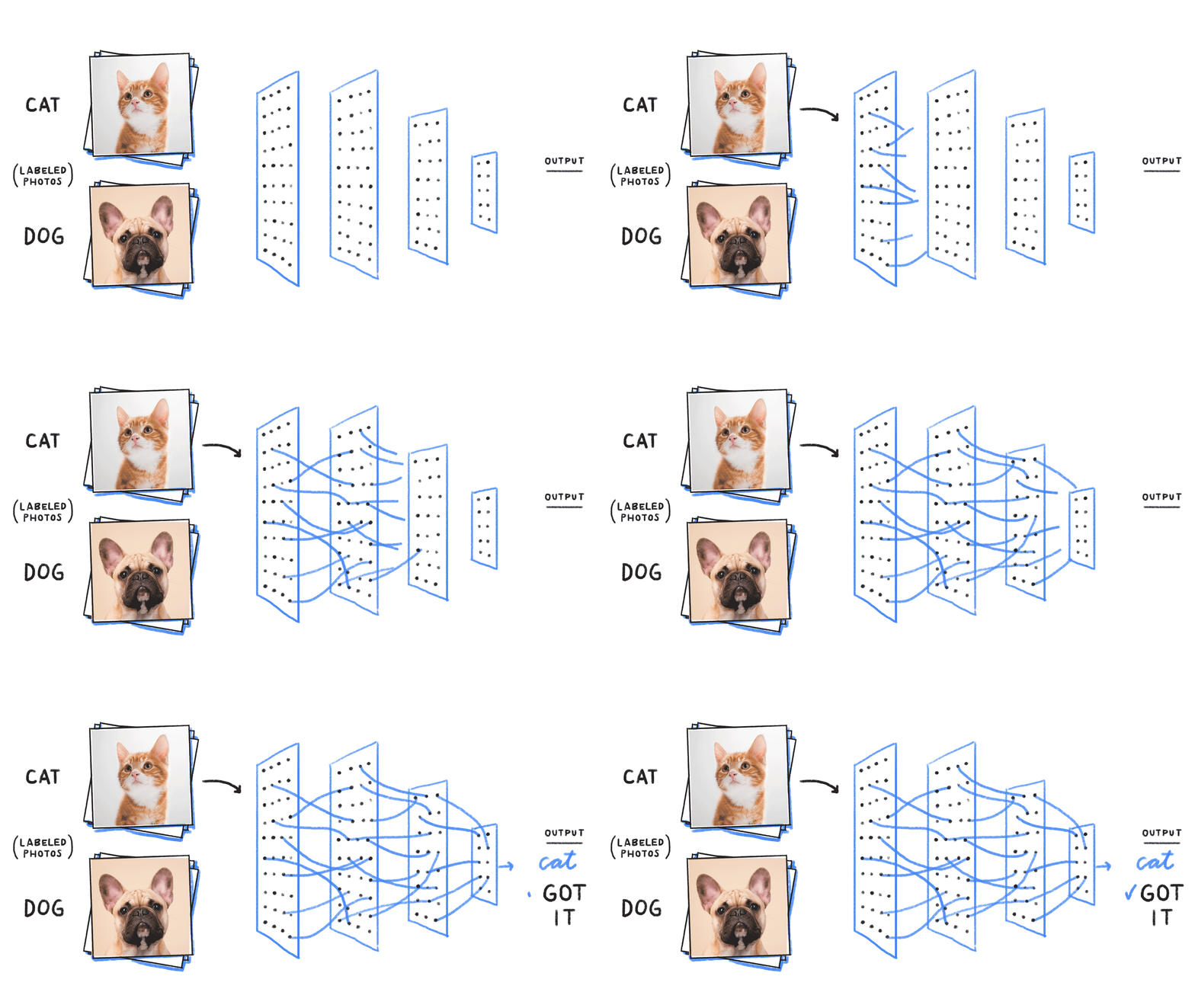
This example demonstrates how to build a model that **distinguishes cats from dogs** in pictures using the fast.ai library. Due to the computational demands of training a model, a **GPU is required**.
### 3. [Dreambooth](https://github.com/datalayer/examples/tree/main/dreambooth)
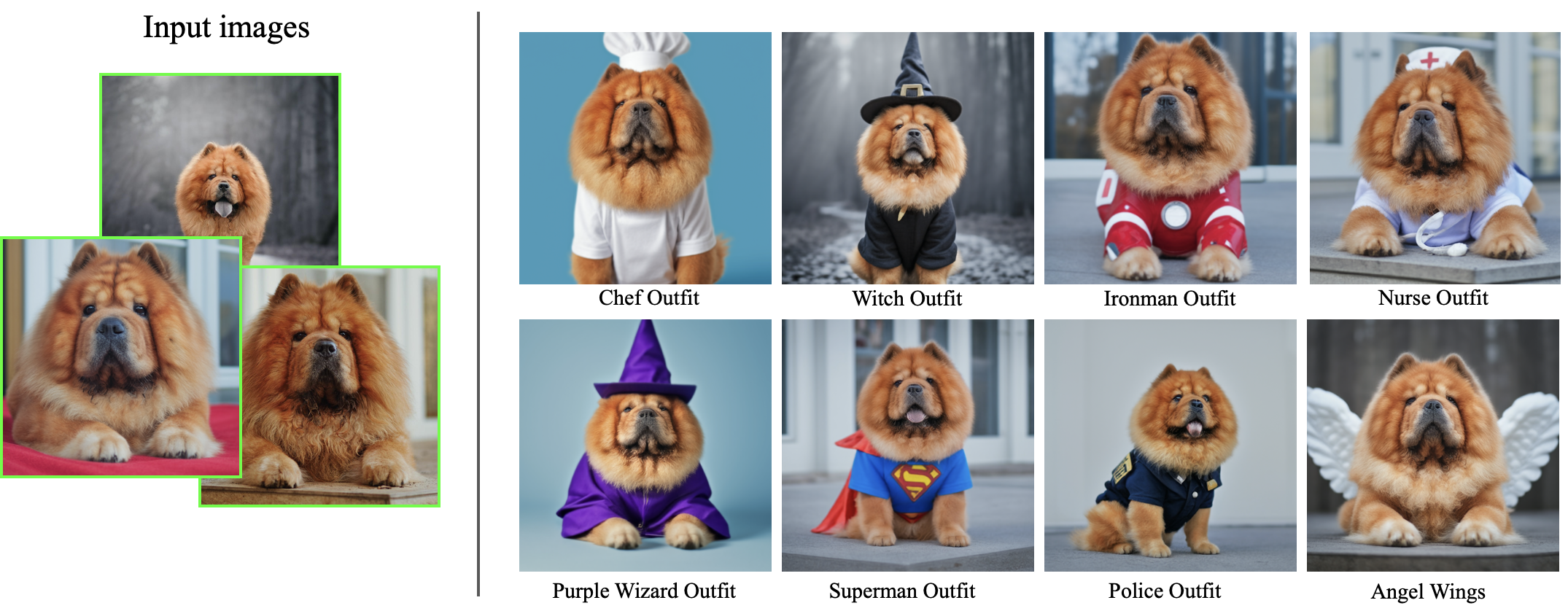
This example uses the Dreambooth method which takes as input a few images (typically 3-5 images suffice) of a subject (e.g., a specific dog) and the corresponding class name (e.g. "dog"), and returns a **fine-tuned/'personalized' text-to-image model** (source: [Dreambooth](https://dreambooth.github.io/)). To do this fune-tuning process, **GPU is required**.
### 4. [Text Generation with Transformers](https://github.com/datalayer/examples/tree/main/transformers-text-generation)
Those notebook examples demonstrate how to leverage Datalayer's **GPU kernels** to accelerate text generation using **Gemma** model and the HuggingFace Transformers library.

#### [Transformers Text Generation](https://github.com/datalayer/examples/tree/main/transformers-text-generation/transformers-text-generation.ipynb)
This notebook uses Gemma-7b and Gemma-7b-it which is the instruct fine-tuned version of Gemma-7b.
#### [Sentiment Analysis with Gemma](https://github.com/datalayer/examples/tree/main/transformers-text-generation/gemma-sentiment-analysis.ipynb)
This example demonstrates how you can leverage Datalayer's [**Cell Kernels**](https://github.com/datalayer/examples?tab=readme-ov-file#cell-kernel) feature on JupyterLab to **offload specific tasks**, such as sentiment analysis, **to a remote GPU** while keeping the rest of your code running locally. By selectively using remote resources, you can **optimize both performance and cost**. This hybrid approach is perfect for tasks like sentiment analysis via llm where some parts of the code require more computational resources than others. For a detailed explanation and step-by-step guide on using Cell Kernels, check out our [blog post](https://datalayer.blog/2024/08/23/cell-kernels) on this specific example.
### 5. [Mistral Instruction Tuning](https://github.com/datalayer/examples/tree/main/mistral-instruct-tuning)
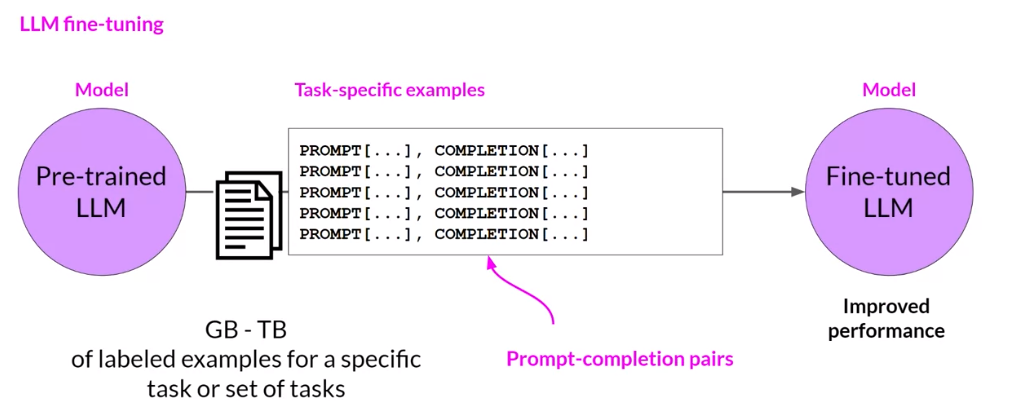
**Mistral 7B** is a large language model (LLM) that contains 7.3 billion parameters and is one of the most powerful models for its size. However, this base model is not instruction-tuned, meaning it may struggle to follow instructions and perform specific tasks. By fine-tuning Mistral 7B on the Alpaca dataset using [**torchtune**](https://github.com/pytorch/torchtune), the model will significantly improve its capabilities to perform tasks such as conversation and answering questions accurately. Due to the computational demands of fine-tuning a model, a **GPU is required**.
## Datalayer Advanced Features
### CLI Execution
Datalayer supports the remote execution of code using the **CLI**. Refer to this [page](https://docs.datalayer.io/cli/) for more information.
CLI Remote Execution

Sharing State between Notebook and CLI

When using the same Kernel, variables defined in a notebook can be used in the CLI and vice versa. This holds also true when using multiple notebooks connected to the same kernel, for example.
### Cell Kernel
Datalayer offers the possibility to use **cell-specific Kernels**, allowing you to execute specific cells with different kernels. This feature **optimizes costs** by enabling you to, for example, leverage the local CPU for data preparation and reserving the powerful (and often more expensive) GPU resources for intensive computations.
Cell Kernel execution
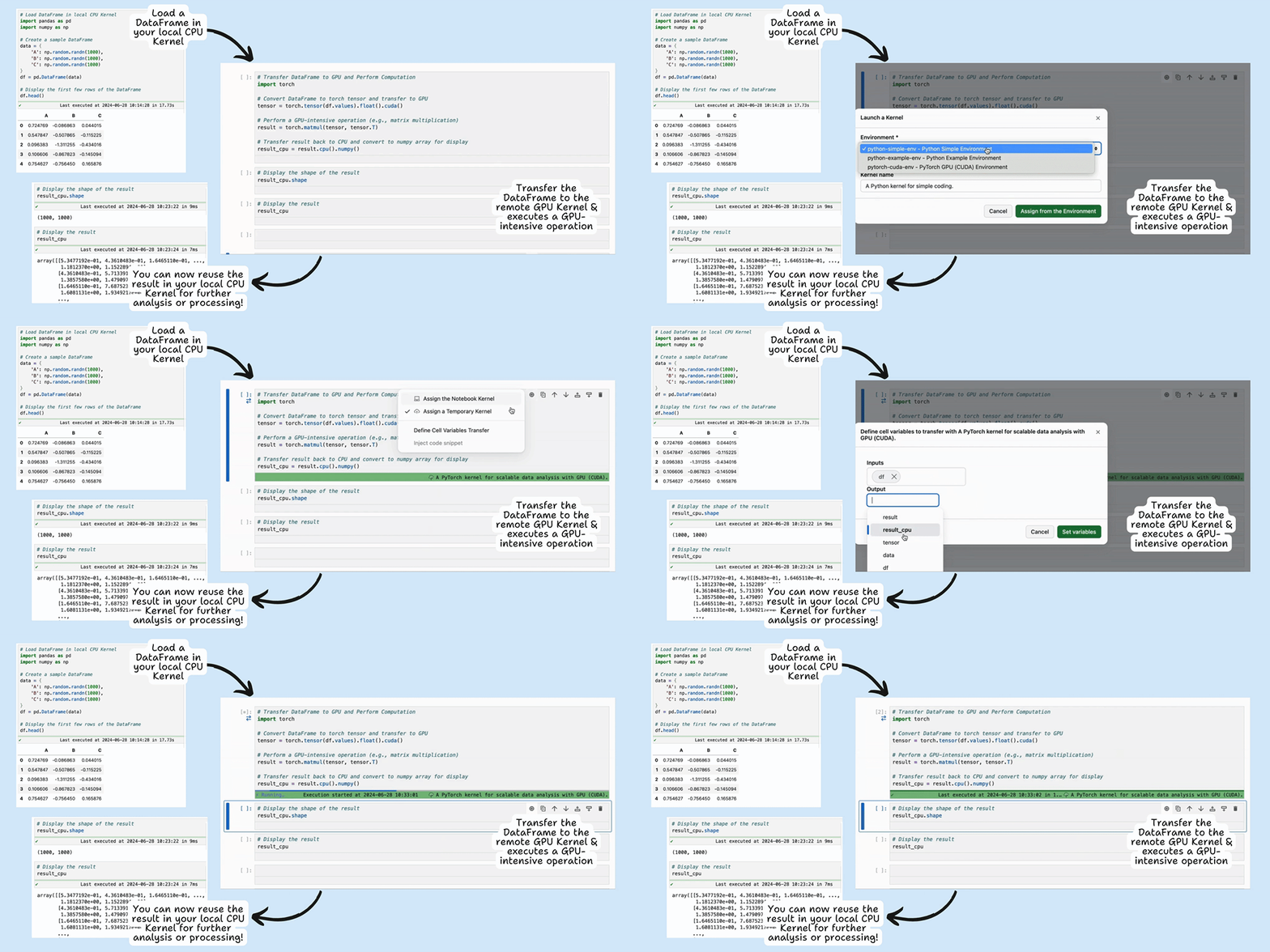
The remote GPU Kernel is utilized only for the duration of the cell computation, minimizing costs.