https://github.com/datalayer-examples/jupyter-nextjs-example
🪐 ⚛️ Jupyter Next.js example.
https://github.com/datalayer-examples/jupyter-nextjs-example
jupyter nextjs react
Last synced: 9 months ago
JSON representation
🪐 ⚛️ Jupyter Next.js example.
- Host: GitHub
- URL: https://github.com/datalayer-examples/jupyter-nextjs-example
- Owner: datalayer-examples
- Created: 2023-09-01T05:04:12.000Z (almost 3 years ago)
- Default Branch: main
- Last Pushed: 2025-07-17T18:30:19.000Z (12 months ago)
- Last Synced: 2025-07-17T22:09:25.822Z (12 months ago)
- Topics: jupyter, nextjs, react
- Language: TypeScript
- Homepage: https://jupyter-ui.datalayer.tech
- Size: 44.9 KB
- Stars: 4
- Watchers: 1
- Forks: 0
- Open Issues: 4
-
Metadata Files:
- Readme: README.md
Awesome Lists containing this project
README
[](https://datalayer.io)
[](https://github.com/sponsors/datalayer)
# Jupyter UI for Next.js
> Live example on https://jupyter-nextjs-example.vercel.app
This is a [Next.js](https://nextjs.org/) project bootstrapped with [`create-next-app`](https://github.com/vercel/next.js/tree/canary/packages/create-next-app).
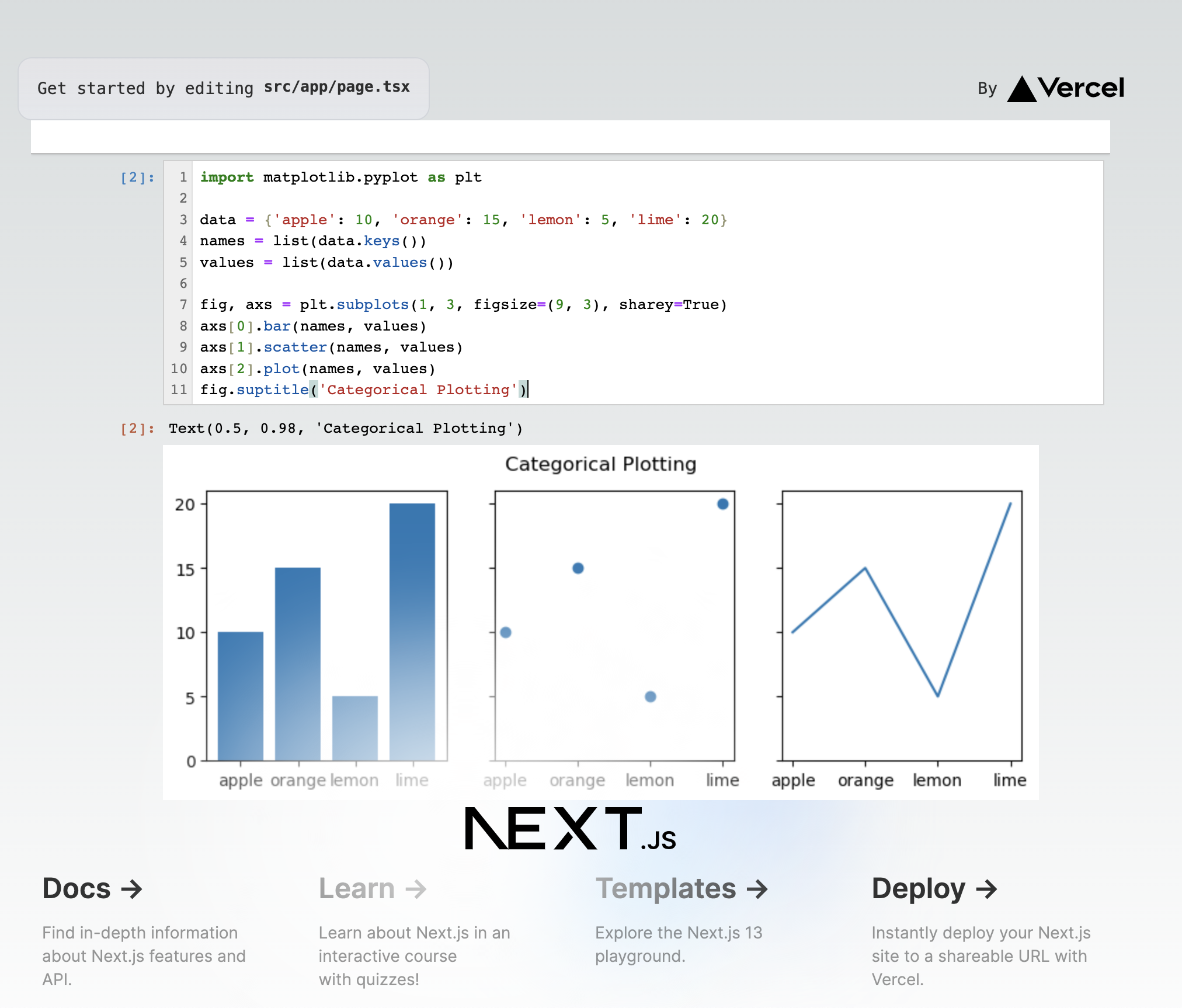
Read more on the [documentation website](https://jupyter-ui.datalayer.tech/docs/examples/next-js) (ensure you have tne needed [development environment](https://jupyter-ui.datalayer.tech/docs/develop/setup)).
## Getting Started
First, run the development server.
```bash
npm i
npm run dev
```
Open [http://localhost:3000](http://localhost:3000) with your browser to see the result.
You can start editing the page by modifying `app/page.tsx`. The page auto-updates as you edit the file.
## Production Build
To create a production build, you first need to patch `@jupyter-widgets/controls` to avoid issues with early loadings via `require.js`.
```patch
diff --git a/node_modules/@jupyter-widgets/controls/lib/index.js b/node_modules/@jupyter-widgets/controls/lib/index.js
index 0063f69..ade0862 100644
--- a/node_modules/@jupyter-widgets/controls/lib/index.js
+++ b/node_modules/@jupyter-widgets/controls/lib/index.js
@@ -22,5 +22,5 @@ export * from './widget_tagsinput';
export * from './widget_string';
export * from './widget_description';
export * from './widget_upload';
-export const version = require('../package.json').version;
+export const version = "0.1.0";
//# sourceMappingURL=index.js.map
\ No newline at end of file
diff --git a/node_modules/@jupyter-widgets/controls/src/index.ts b/node_modules/@jupyter-widgets/controls/src/index.ts
index 912458d..5edaa11 100644
--- a/node_modules/@jupyter-widgets/controls/src/index.ts
+++ b/node_modules/@jupyter-widgets/controls/src/index.ts
@@ -24,4 +24,4 @@ export * from './widget_string';
export * from './widget_description';
export * from './widget_upload';
-export const version = (require('../package.json') as any).version;
+export const version = "5.0.12";
```
You can create a static version of the application that you will find under the `out` folder.
```bash
npm run build
npm start
```
## ⚖️ License
Copyright (c) 2025 Datalayer, Inc.
Released under the terms of the MIT license (see [LICENSE](https://github.com/datalayer/jupyter-ui/blob/main/LICENSE).