https://github.com/datamade/lascaux
:globe_with_meridians: Web API for printing high resolution PDF maps
https://github.com/datamade/lascaux
Last synced: about 1 year ago
JSON representation
:globe_with_meridians: Web API for printing high resolution PDF maps
- Host: GitHub
- URL: https://github.com/datamade/lascaux
- Owner: datamade
- License: mit
- Created: 2014-06-23T22:02:34.000Z (about 12 years ago)
- Default Branch: master
- Last Pushed: 2018-03-16T20:38:57.000Z (over 8 years ago)
- Last Synced: 2025-03-24T16:38:13.531Z (over 1 year ago)
- Language: Python
- Homepage: http://lascaux.datamade.us/
- Size: 6.43 MB
- Stars: 17
- Watchers: 4
- Forks: 4
- Open Issues: 3
-
Metadata Files:
- Readme: README.md
- License: LICENSE
Awesome Lists containing this project
README
# Lascaux
Web API for printing high resolution PDF maps.
### Usage
Lascaux works by passing in a link to a set of [map tiles](https://www.mapbox.com/foundations/how-web-maps-work/) (similar to how [Leaflet](http://leafletjs.com/) loads in [TileLayers](http://leafletjs.com/reference.html#tilelayer)) and returning a high resolution PDF for printing. You can also set the map center, zoom level and size of your desired PDF.
Parameters:
* `center` - Latitude,longitude of map center
* `dimensions` - Height,width of desired map in pixels. Defaults to *1275,1650* (8.5" x 11" letter size). Another useful size is *2550,3300* (11" x 17" tabloid size)
* `zoom` - Number indicating the zoom level from 1 (the whole world) to 20 (a city block). Defaults to 17.
Optional parameters:
* `overlay_tiles` - Your map data tile layer in this format: `http://{s}.somedomain.com/blabla/{z}/{x}/{y}.png`. *these tiles should support transparency*
* `base_tiles` By default, we use tiles from [Open Street Map](http://www.openstreetmap.org/#map=13/41.8846/-87.6822). If you want to provide your own, however, you can do so by providing an encoded URL to your own tile layer. Expects the same format as `overlay_tiles`
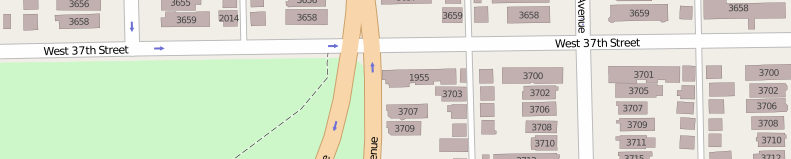
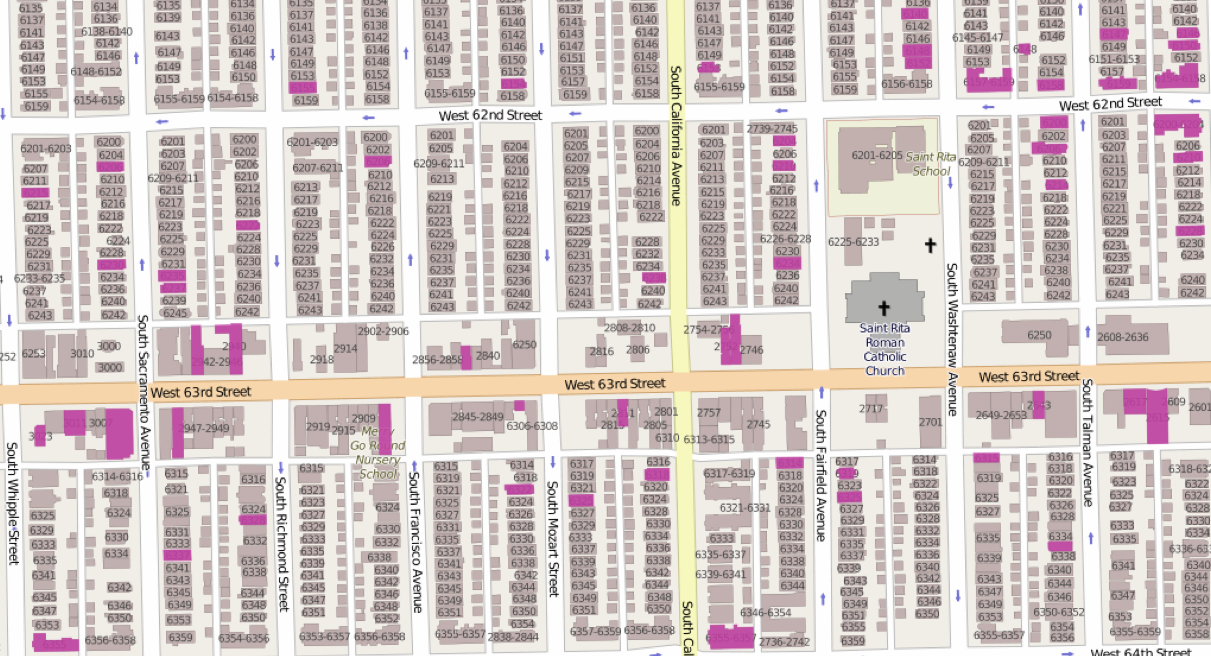
We use Open Street Map tiles because they show building addresses for zoom 17 and above. Here's what they look like:
Here's some other `base_tiles` that are good for printing:
[MapBox streets](https://a.tiles.mapbox.com/v4/datamade.hnmob3j3/page.html?access_token=pk.eyJ1IjoiZGF0YW1hZGUiLCJhIjoiaXhhVGNrayJ9.0yaccougI3vSAnrKaB00vA#3/0.00/0.00)
`https://{s}.tiles.mapbox.com/v3/datamade.hn83a654/{z}/{x}/{y}.png`

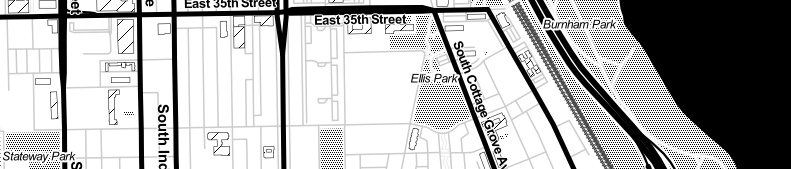
[Toner, by Stamen](http://maps.stamen.com/#toner/12/37.7706/-122.3782)
`http://d.tile.stamen.com/toner/{z}/{x}/{y}.png`
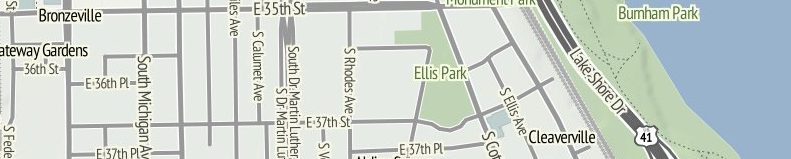
[Terrain, by Stamen](http://maps.stamen.com/#terrain/12/37.7706/-122.3782)
`http://c.tile.stamen.com/terrain/{z}/{x}/{y}.jpg`
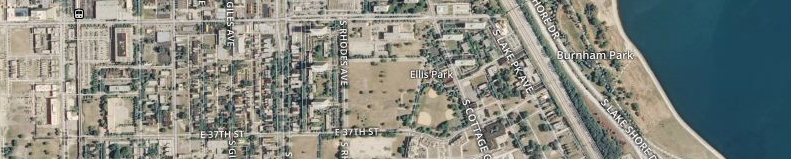
[Satellite by MapBox](https://a.tiles.mapbox.com/v4/datamade.k92mcmc8/page.html?access_token=pk.eyJ1IjoiZGF0YW1hZGUiLCJhIjoiaXhhVGNrayJ9.0yaccougI3vSAnrKaB00vA#3/44.47/-100.81)
`http://a.tiles.mapbox.com/v3/datamade.k92mcmc8/{z}/{x}/{y}.png`
#### Basic example
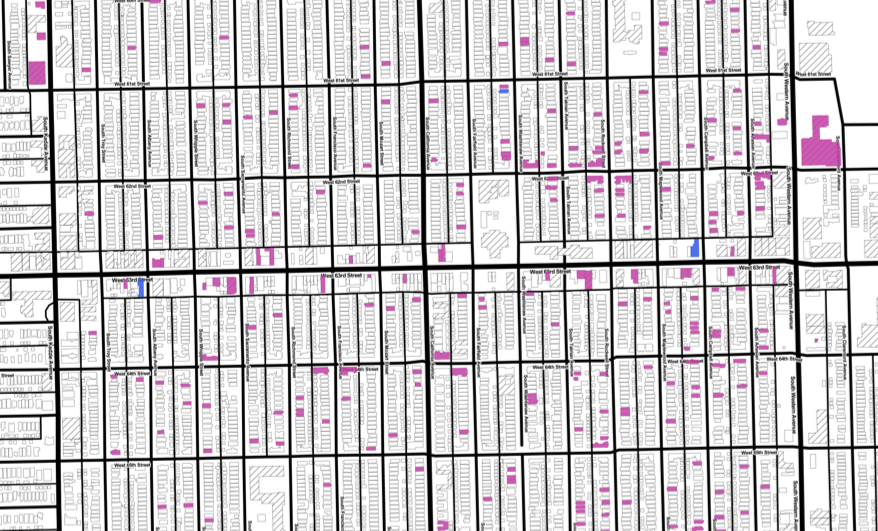
Here's an 11" x 17" map of vacant properties around S 55th and W California on Chicago's South Side provided by [LocalData](http://localdata.com/) and [Southwest Organizing Project](http://www.swopchicago.org):
http://lascaux.datamade.us/api?center=-87.69358,41.786456&dimensions=2550,3300&zoom=17&overlay_tiles=http://localdata-tiles.herokuapp.com/06a311f0-4b1a-11e3-aca4-1bb74719513f/filter/Is-property-vacant/Yes/tiles/{z}/{x}/{y}.png
[](http://lascaux.datamade.us/api?center=-87.69358,41.786456&dimensions=2550,3300&zoom=17&overlay_tiles=http://localdata-tiles.herokuapp.com/06a311f0-4b1a-11e3-aca4-1bb74719513f/filter/Is-property-vacant/Yes/tiles/{z}/{x}/{y}.png)
#### Custom `base_tiles` example
You can pass in your own `base_tiles` if you don't like ours. Here's the same LocalData map with [Stamen's Toner base tiles](http://maps.stamen.com/toner/#12/37.7706/-122.3782):
http://lascaux.datamade.us/api?center=-87.69358,41.786456&dimensions=2550,3300&zoom=17&overlay_tiles=http://localdata-tiles.herokuapp.com/06a311f0-4b1a-11e3-aca4-1bb74719513f/filter/Is-property-vacant/Yes/tiles/{z}/{x}/{y}.png&base_tiles=http://d.tile.stamen.com/toner/{z}/{x}/{y}.png
[](http://lascaux.datamade.us/api?center=-87.69358,41.786456&dimensions=2550,3300&zoom=17&overlay_tiles=http://localdata-tiles.herokuapp.com/06a311f0-4b1a-11e3-aca4-1bb74719513f/filter/Is-property-vacant/Yes/tiles/{z}/{x}/{y}.png&base_tiles=http://d.tile.stamen.com/toner/{z}/{x}/{y}.png)
### Making a request in python
``` python
>>> import requests
>>> params = {
'center': [-87.69358, 41.786456],
'dimensions': [2550, 3300], # tabloid size
'zoom': 17,
'overlay_tiles': 'http://localdata-tiles.herokuapp.com/06a311f0-4b1a-11e3-aca4-1bb74719513f/filter/Is-property-vacant/Yes/tiles/{z}/{x}/{y}.png'
}
>>> r = requests.get('http://lascaux.datamade.us', params=params)
>>> with open('my_map.pdf', 'wb') as f:
f.write(r.content)
```
That should give you a file called ``my_map.pdf`` in your current working directory
### Installation
**Setting up Python and OpenCV**
This is by far the biggest hassle. Once it is done, however, it never needs to
be done again. These instructions work on Ubuntu 12.04. You’ll probably need to
modify them to suit your particular environment. These directions also assume
you have [virtualenvwrapper](http://virtualenvwrapper.readthedocs.org/en/latest/)
setup as well.
```bash
$ mkvirtualenv printmatic
$ pip install numpy
$ sudo apt-get install cmake libgtk2.0-dev pkg-config libavcodec-dev \
libavformat-dev libswscale-dev libamd2.2.0 libblas3gf libc6 libgcc1 \
libgfortran3 liblapack3gf libumfpack5.4.0 libstdc++6 build-essential \
gfortran libatlas-dev libatlas-base-dev libblas-dev liblapack-dev libjpeg-dev \
libpng-dev libtiff-dev libjasper-dev
$ wget -O opencv-2.4.9.zip http://downloads.sourceforge.net/project/opencvlibrary/opencv-unix/2.4.9/opencv-2.4.9.zip?r=http%3A%2F%2Fopencv.org%2Fdownloads.html&ts=1403558615&use_mirror=softlayer-dal
$ mkdir src && mv opencv-2.4.9.zip src && cd src
$ unzip opencv-2.4.9.zip
$ cd opencv-2.4.5/
$ mkdir release
$ cd release
$ cmake -DMAKE_BUILD_TYPE=RELEASE -DCMAKE_INSTALL_PREFIX=$VIRTUAL_ENV/local/ \
-DPYTHON_EXECUTABLE=$VIRTUAL_ENV/bin/python \
-DPYTHON_PACKAGES_PATH=$VIRTUAL_ENV/lib/python2.7/site-packages \
-DINSTALL_PYTHON_EXAMPLES=ON ..
$ make -j8 # Set the number here to the number of processing cores you have
$ make install
```
### Mac install
#### Make a virtual environment
$ mkvirtualenv printmatic
#### Install the required libraries
$ pip install -r requirements.txt
#### Install OpenCV
This is a hassle. Maybe use brew?
I already had OpenCV installed, and had to copy `cv2.so` to my virtualenv's
`site-packages`. This probably can be dealt with better by some `PATH`
manuvering.
#### Install Cairo
Getting Cairo set up has been a major pain. The most common problems are caused
by it simply not being found. Try:
export PKG_CONFIG_PATH=/usr/X11/lib/pkgconfig
(or just add it right to your `PATH`)
On Ubuntu you should be able to get libcairo and the appropriate header files thusly:
```bash
$ sudo apt-get install libcairo2-dev
```
### Running the app
$ python app.py