https://github.com/datarohit/django-htmx-finance-tracker
A simple finance tracker app built with Django and HTMX, enabling seamless tracking and management of personal finances with dynamic interactions. Lightweight, intuitive, and efficient for everyday use.
https://github.com/datarohit/django-htmx-finance-tracker
daisyui django django-allauth heroicons htmx tailwindcss whitenoise
Last synced: 2 months ago
JSON representation
A simple finance tracker app built with Django and HTMX, enabling seamless tracking and management of personal finances with dynamic interactions. Lightweight, intuitive, and efficient for everyday use.
- Host: GitHub
- URL: https://github.com/datarohit/django-htmx-finance-tracker
- Owner: DataRohit
- License: mit
- Created: 2024-12-17T05:45:56.000Z (over 1 year ago)
- Default Branch: master
- Last Pushed: 2024-12-21T13:31:04.000Z (over 1 year ago)
- Last Synced: 2026-01-26T08:47:23.798Z (5 months ago)
- Topics: daisyui, django, django-allauth, heroicons, htmx, tailwindcss, whitenoise
- Language: JavaScript
- Homepage:
- Size: 1.97 MB
- Stars: 1
- Watchers: 1
- Forks: 0
- Open Issues: 0
-
Metadata Files:
- Readme: readme.md
- License: license
Awesome Lists containing this project
README
# 💸 Django HTMX Finance Tracker
A lightweight and intuitive finance tracker app built with Django and HTMX. Track, manage, and visualize your personal finances with ease using dynamic interactions.
---
## 🚀 Features
1. **🏠 Home Page**
- View an overview of your finance tracker.
2. **📜 List Transactions**
- Display a detailed list of all transactions.
3. **➕ Add New Transaction**
- Seamlessly create new transactions.
4. **✏️ Update Transaction**
- Edit existing transaction details.
5. **❌ Delete Transaction**
- Remove transactions effortlessly.
6. **🔍 Get Transaction**
- Fetch details of specific transactions.
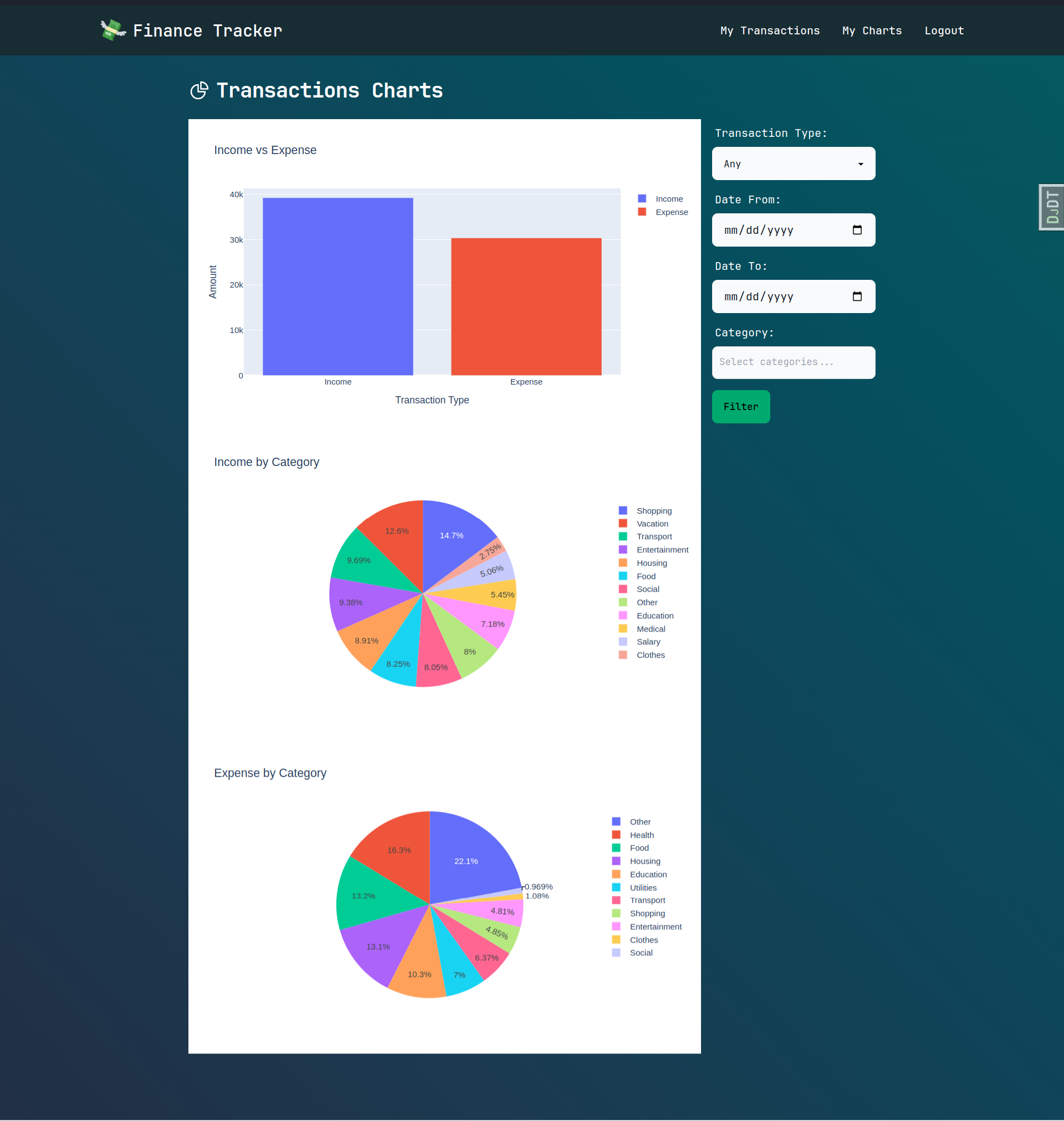
7. **📊 Transaction Charts**
- Visualize your transactions with interactive bar and pie charts using Plotly.
8. **📤 Export Transactions**
- Export your transaction data to a CSV file for safekeeping.
9. **📥 Import Transactions**
- Import transactions from a CSV file to keep your data organized.
---
## 🛠️ Technologies Used
- **Backend**: Django
- **Frontend**: HTMX, Tailwind CSS, DaisyUI
- **Authentication**: Django Allauth
- **Visualization**: Plotly
- **CSV Operations**: Django Import Export
### Installed Packages
```python
"corsheaders",
"allauth",
"allauth.account",
"allauth.socialaccount",
"debug_toolbar",
"django_extensions",
"django_filters",
"widget_tweaks",
"django_htmx",
"template_partials",
"import_export",
```
---
## ✨ Highlights
- **Dynamic UI**: Built with HTMX for smooth and responsive interactions.
- **Customizable Styles**: Tailwind CSS and DaisyUI for beautiful and consistent styling.
- **Secure Authentication**: User authentication powered by Django Allauth.
- **Data Insights**: Visualize transactions with bar and pie charts.
- **Seamless CSV Handling**: Easily import and export transactions.
---
## 💻 Installation
1. **Clone the Repository**
```bash
git clone https://github.com/DataRohit/Django-HTMX-Finance-Tracker.git
cd Django-HTMX-Finance-Tracker
```
2. **Set Up Virtual Environment**
```bash
python -m venv venv
source venv/bin/activate # Linux/Mac
venv\Scripts\activate # Windows
```
3. **Install Dependencies**
```bash
pip install -r requirements.txt
```
4. **Run Migrations**
```bash
python manage.py migrate
```
5. **Start Development Server**
```bash
python manage.py runserver
```
---
## 📷 Screenshots
- 📊 Transaction Charts
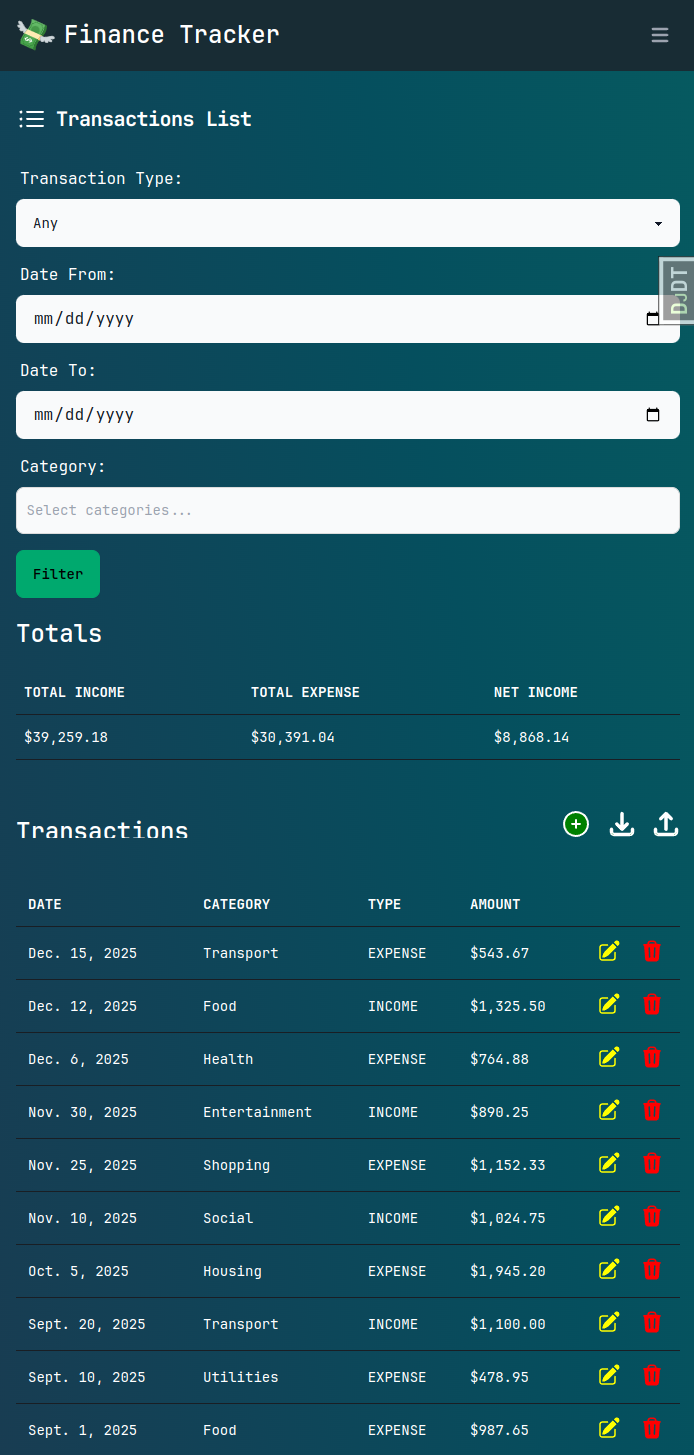
- 💻 Responsive UI
---
## 📜 License
This project is licensed under the [MIT License](./license).
---
## 📩 Contributions
Feel free to fork the repository and submit pull requests for improvements or new features.
---
**💸 Happy Tracking!**