https://github.com/datastaxdevs/demo-generativeai-with-java
Show how to build a project to do generative Ai with Java
https://github.com/datastaxdevs/demo-generativeai-with-java
Last synced: about 1 year ago
JSON representation
Show how to build a project to do generative Ai with Java
- Host: GitHub
- URL: https://github.com/datastaxdevs/demo-generativeai-with-java
- Owner: datastaxdevs
- Created: 2023-09-12T08:46:14.000Z (almost 3 years ago)
- Default Branch: main
- Last Pushed: 2023-11-10T12:21:15.000Z (over 2 years ago)
- Last Synced: 2023-11-10T14:47:19.891Z (over 2 years ago)
- Language: Java
- Size: 1.67 MB
- Stars: 0
- Watchers: 5
- Forks: 0
- Open Issues: 0
-
Metadata Files:
- Readme: README.MD
Awesome Lists containing this project
README
# Demo of Generative AI with Java
[](https://gitpod.io/#https://github.com/datastaxdevs/demo-generativeai-with-java)
[](http://www.apache.org/licenses/LICENSE-2.0)
[](https://discord.com/widget?id=685554030159593522&theme=dark)
## 📋 Table of content
### Week 1
- [01. Create Astra Account](#-1---create-your-datastax-astra-account)
- [02. Create Astra Token](#-2---create-an-astra-token)
- [03. Copy the token](#-3---copy-the-token-value-in-your-clipboard)
- [04. Open Gitpod](#-4---open-gitpod)
- [05. Setup CLI](#-5---set-up-the-cli-with-your-token)
- [06. Create Database](#-6---create-destination-database-and-a-keyspace)
- [07. Setup env variables](#-7---setup-env-variables)
- [08. Register to OpenAI](#-8---register-to-openai)
- [09. Setup Project](#-9---setup-project)
- [10. Vector Search](#-10---vector-search)
- [11. Retrieve Augmented Generation](#-11---rag-for-retrieve-augmented-generation)
### Week 2
- [Slides](./genai-with-java.pdf)
- [12. Setup project](#-12---setup-project)
- [13. Ingest document](#-13---ingest-document)
- [14. Chap Completion](#-14---chat-completion)
## WEEK1

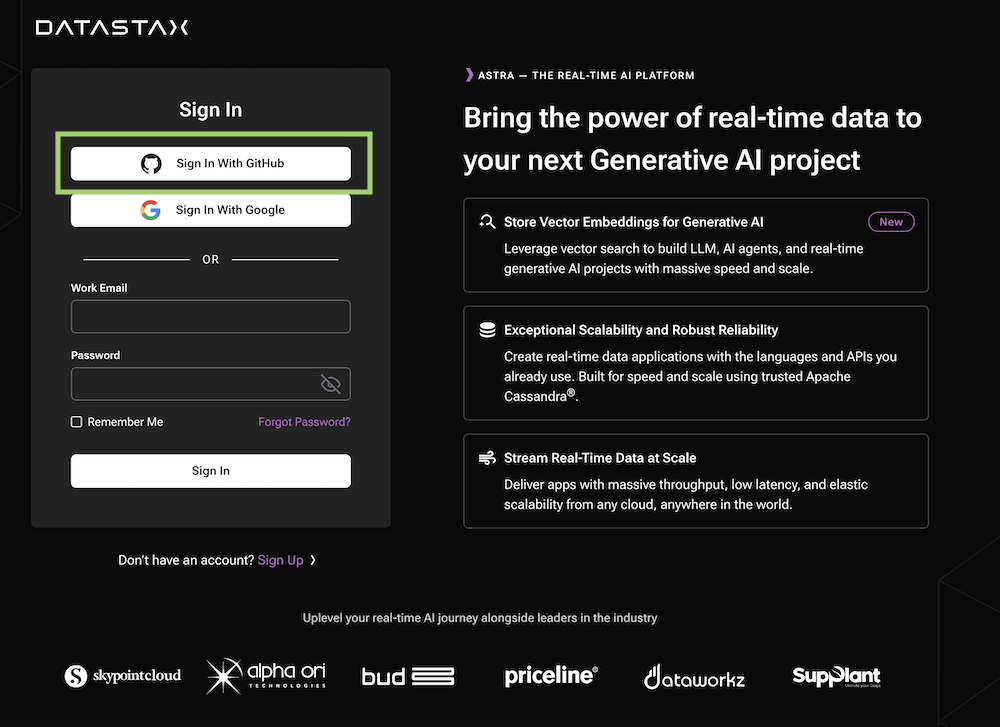
#### ✅ `1` - Create your DataStax Astra account
> ℹ️ Account creation tutorial is available in [awesome astra](https://awesome-astra.github.io/docs/pages/astra/create-account/)
_click the image below or go to [https://astra.datastax./com](bit.ly/3QxhO6t)_
#### ✅ `2` - Create an Astra Token
> ℹ️ Token creation tutorial is available in [awesome astra](https://awesome-astra.github.io/docs/pages/astra/create-token/#c-procedure)
- `Locate `Settings` (#1) in the menu on the left, then `Token Management` (#2)
- Select the role `Organization Administrator` before clicking `[Generate Token]`

The Token is in fact three separate strings: a `Client ID`, a `Client Secret` and the `token` proper. You will need some of these strings to access the database, depending on the type of access you plan. Although the Client ID, strictly speaking, is not a secret, you should regard this whole object as a secret and make sure not to share it inadvertently (e.g. committing it to a Git repository) as it grants access to your databases.
```json
{
"ClientId": "ROkiiDZdvPOvHRSgoZtyAapp",
"ClientSecret": "fakedfaked",
"Token":"AstraCS:fake"
}
```
#### ✅ `3` - Copy the token value in your clipboard
You can also leave the windo open to copy the value in a second.
#### ✅ `4` - Open Gitpod
>
> ↗️ _Right Click and select open as a new Tab..._
>
> [](https://gitpod.io/#https://github.com/datastaxdevs/https://gitpod.io/#https://github.com/datastaxdevs/demo-generativeai-with-java)
>

#### ✅ `5` - Set up the CLI with your token
_In gitpod, in a terminal window:_
- Login
```bash
astra login --token AstraCS:fake
```
- Validate your are setup
```bash
astra org
```
> **Output**
> ```
> gitpod /workspace/workshop-beam (main) $ astra org
> +----------------+-----------------------------------------+
> | Attribute | Value |
> +----------------+-----------------------------------------+
> | Name | cedrick.lunven@datastax.com |
> | id | f9460f14-9879-4ebe-83f2-48d3f3dce13c |
> +----------------+-----------------------------------------+
> ```
#### ✅ `6` - Create destination Database and a keyspace
> ℹ️ You can notice we enabled the Vector Search capability
- Create db `workshop_beam` and wait for the DB to become active
```
astra db create demo-genai -k genai --vector --if-not-exists
```
> 💻 Output
>
> ```console
> [INFO] Database 'demo-genai' does not exist. Creating database 'demo-genai' with keyspace 'genai'
> [INFO] Enabling vector search for database demo-genai
> [INFO] Database 'demo-genai' and keyspace 'genai' are being created.
> [INFO] Database 'demo-genai' has status 'PENDING' waiting to be 'ACTIVE' ...
> [INFO] Database 'demo-genai' has status 'ACTIVE' (took 112341 millis)
> [OK] Database 'demo-genai' is ready.
> ```
- List databases
```
astra db list
```
> 💻 Output
>
> ```
> +--------------------------+--------------------------------------+-----------+-------+---+-----------+
> | Name | id | Regions | Cloud | V | Status |
> +--------------------------+--------------------------------------+-----------+-------+---+-----------+
> | demo-genai | 9e54ff00-57e2-47ed-8699-f94d5dd11b6f | us-east1 | gcp | ■ | ACTIVE |
> +--------------------------+--------------------------------------+-----------+-------+---+-----------+
> ```
- Describe your db
```
astra db describe demo-genai
```
> 💻 Output
>
> ```console
> +------------------+-----------------------------------------+
> | Attribute | Value |
> +------------------+-----------------------------------------+
> | Name | demo-genai |
> | id | 9e54ff00-57e2-47ed-8699-f94d5dd11b6f |
> | Status | ACTIVE |
> | Cloud | GCP |
> | Regions | us-east1 |
> | Default Keyspace | genai |
> | Creation Time | 2023-09-12T08:55:36Z |
> | | |
> | Keyspaces | [0] genai |
> | | |
> | | |
> | Regions | [0] us-east1 |
> | | |
> +------------------+-----------------------------------------+
> ```
#### ✅ `7` - Setup env variables
- Create `.env` file with variables
```bash
astra db create-dotenv demo-genai
```
- Display the file
```bash
cat .env
```
- Load env variables
```
set -a
source .env
set +a
env | grep ASTRA
```
#### ✅ `8` - Register to OpenAI
- Access to [OpenAI platform](https://platform.openai.com/) and register.

- In your profile, go to `View API KEYS`, create a new key and copy the value in your clipboard.
You have a free trial for a month of so.

```java
EXPORT OPENAI_API_KEY=
```
#### ✅ `9` - Setup project
This command will allows to validate that Java ,
maven and lombok are working as expected and you can connect.
> Note:
> To create the project i simply when with the astra sdk arachetype as follow
> ```
> mvn archetype:generate \
> -DarchetypeGroupId=com.datastax.astra \
> -DarchetypeArtifactId=spring-boot-3x-archetype \
> -DarchetypeVersion=0.6.9 \
> -DinteractiveMode=false \
> -DgroupId=com.datastax.demo \
> -DartifactId=genai-demo \
> -Dversion=1.0-SNAPSHOT
> ```
> and added the vector dependency:
> ```xml
>
> com.datastax.astra
> astra-sdk-vector
> ${astra-sdk-starter.version}
>
> ```
- Run connection test:
```
mvn test -Dtest=ConnectionTest#shouldBeConnectedTest
```
- Run OpenAI Test:

```
mvn test -Dtest=OpenAiTest#shouldTestOpenAICreateEmbeddings
```
#### ✅ `10` - Vector Search
- Ingest data

```
mvn test -Dtest=GenerativeAITest#shouldIngestDocuments
```
- Open a cqlsh (in a new terminal)
```
astra db cqlsh genai-demo -k genai
select row_id, metadata_s, blob_text, vector from philosophers
```
- Similarity Search
```
mvn test -Dtest=GenerativeAITest#shouldSimilaritySearchQuotes
```
- Similarity Search + MetaData (by Author)
```
mvn test -Dtest=GenerativeAITest#shouldSimilaritySearchQuotesFilteredByAuthor
```
- Similarity Search + MetaData (by Tags)
```
mvn test -Dtest=GenerativeAITest#shouldSimilaritySearchQuotesFilteredByTags
```
- Similarity Search with a threshold
```
mvn test -Dtest=GenerativeAITest#shouldSimilaritySearchQuotesWithThreshold
```
#### ✅ `11` - RAG for Retrieve Augmented Generation
The Full Monty.....
```
mvn test -Dtest=GenerativeAITest#shouldGenerateQuotesWithRag
```
## WEEK 2
#### ✅ `12` - Setup Project
- Check list of running db
```console
astra db list
```
- Resume Db if needed (or create a new once)
```json
astra db resume langchain4j
astra db create langchain4j --if-not-exists
```
- Make sure you setup the env variables (`$ASTRA_APPLICATION_TOKEN`)
```bash
astra db create-dotenv langchain4j
set -a
source .env
set +a
env | grep ASTRA
```
Go the `application.yaml` and check values are correct for your
```yaml
astra:
database:
name: langchain4j
keyspace: langchain4j
table: langchain4j
```
#### ✅ `13` - Ingest Document
```java
@Test
@DisplayName("02. Should Ingest a document")
@EnabledIfEnvironmentVariable(named = "ASTRA_DB_APPLICATION_TOKEN", matches = "Astra.*")
@EnabledIfEnvironmentVariable(named = "OPENAI_API_KEY", matches = "sk.*")
void should_Ingest_Document() {
Document document = FileSystemDocumentLoader.loadDocument(path, DocumentType.TXT);
DocumentSplitter splitter = DocumentSplitters
.recursive(100, 10,
new OpenAiTokenizer(GPT_3_5_TURBO));
EmbeddingStoreIngestor.builder()
.documentSplitter(splitter)
.embeddingModel(embeddingModel)
.embeddingStore(embeddingStore)
.build().ingest(document);
}
```
#### ✅ `14` - Chat Completion
```java
@Test
@DisplayName("03. Should Chat Completion")
@EnabledIfEnvironmentVariable(named = "ASTRA_DB_APPLICATION_TOKEN", matches = "Astra.*")
@EnabledIfEnvironmentVariable(named = "OPENAI_API_KEY", matches = "sk.*")
void should_chat_completion(){
.. //check code in the class
}
```