https://github.com/datchley/mysystem
My usual configs, scripts, etc for my *nix/OS X machines I work on
https://github.com/datchley/mysystem
Last synced: about 1 year ago
JSON representation
My usual configs, scripts, etc for my *nix/OS X machines I work on
- Host: GitHub
- URL: https://github.com/datchley/mysystem
- Owner: datchley
- Created: 2013-07-22T13:51:20.000Z (almost 13 years ago)
- Default Branch: master
- Last Pushed: 2015-01-14T01:00:46.000Z (over 11 years ago)
- Last Synced: 2025-03-29T05:43:01.780Z (over 1 year ago)
- Language: VimL
- Size: 500 KB
- Stars: 7
- Watchers: 2
- Forks: 0
- Open Issues: 1
-
Metadata Files:
- Readme: README.md
Awesome Lists containing this project
README
mysystem
========
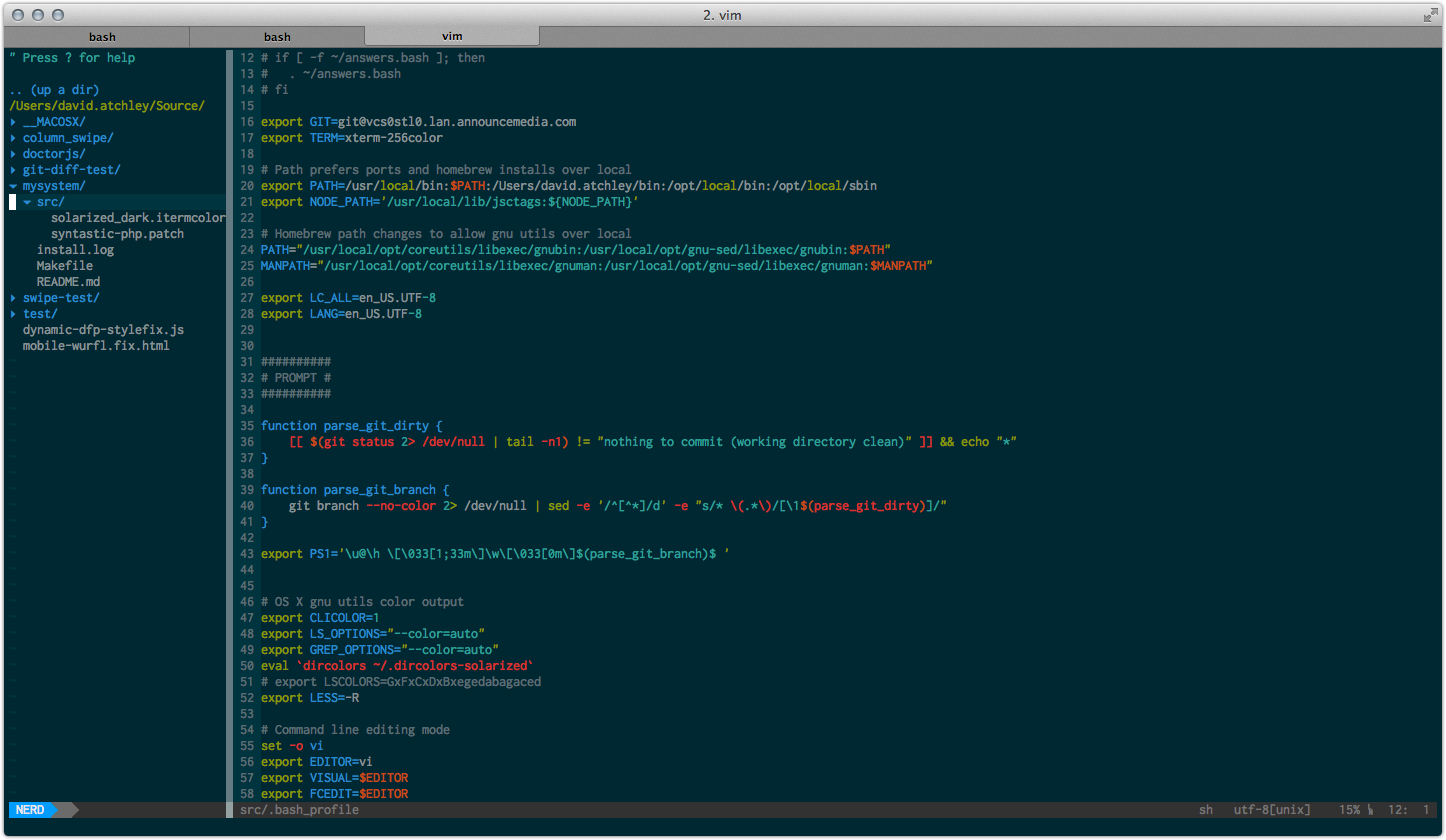
My usual configs, scripts, etc for my Linux/OS X machines I work on. Downloading this
directly to your home directory and running the install script will setup the following:
* .vimrc - customized vimrc (commented) to work with Pathogen and plugins included
* .bash_profile - a custom bash profile
* vim plugins - vim plugins and .vim/ directory things
- Syntastic - syntax highlighting and lint for most languages
- NerdTree & NerdTree Tabs - for project/navigation within vim
- Ack - For fast searching of file, buffer and other content (integrated into NerdTree with 'ms' command)
- CtrlP - Ctrl-P like fuzzy finder popup similar to Sublime's Ctrl-P
- Vim Airline - a pure vim powerline drop in for an awesome status line in vim
- Solarized color scheme
- Fugitive - git integration for vim
* vim color themes folder for syntax highlighting
Installation
------------
To install, run the following:
```
$ git clone https://github.com/datchley/mysystem.git
$ cd mysystem
$ git submodule init
$ git submodule update
$ make install
```
iTerm2 Color Scheme
-------------------
You can install the Solarized color scheme for iTerm2 as follows:
1. In iTerm2, open “iTerm2 > Preferences > Profiles > Colors”, and click “Load Presets…”
2. Select the file "Solarized Dark.itermcolors.xml in the src/ of this repository
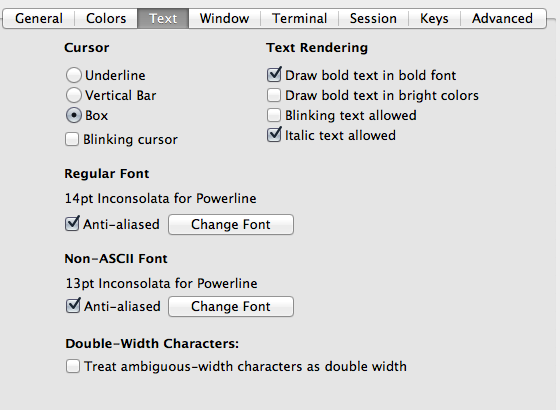
iTerm 2 settings in your profile should set the following:
* terminal emulation - xterm-256color
* draw bold text in bright colors - unchecked
* treat ambiguous width chars as double width - unchecked
* set your font to one of the [patched powerline fonts](https://github.com/Lokaltog/powerline-fonts)
External Requirements
---------------------
The only thing you'll need outside of this repository is the Ack program, which you
can find at http://beyondgrep.com/