https://github.com/davep/hike
A Markdown browser for the terminal
https://github.com/davep/hike
browser chui documentation file-browser file-viewer markdown markdown-viewer python python3 termianl terminal-based tui
Last synced: over 1 year ago
JSON representation
A Markdown browser for the terminal
- Host: GitHub
- URL: https://github.com/davep/hike
- Owner: davep
- License: gpl-3.0
- Created: 2025-02-07T09:34:16.000Z (over 1 year ago)
- Default Branch: main
- Last Pushed: 2025-04-07T09:43:57.000Z (over 1 year ago)
- Last Synced: 2025-04-07T10:25:41.998Z (over 1 year ago)
- Topics: browser, chui, documentation, file-browser, file-viewer, markdown, markdown-viewer, python, python3, termianl, terminal-based, tui
- Language: Python
- Homepage: https://hike.davep.dev
- Size: 1.93 MB
- Stars: 44
- Watchers: 1
- Forks: 1
- Open Issues: 2
-
Metadata Files:
- Readme: README.md
- Changelog: ChangeLog.md
- Contributing: CONTRIBUTING.md
- Funding: .github/FUNDING.yml
- License: LICENSE
Awesome Lists containing this project
README
# Hike
[](https://hike.davep.dev/)
[](https://github.com/davep/hike/actions)
[](https://github.com/davep/hike/commits/main/)
[](https://github.com/davep/hike/issues)
[](https://github.com/davep/hike/releases)
[](https://github.com/davep/hike/blob/main/LICENSE)
[](https://github.com/davep/hike/blob/main/pyproject.toml)
[](https://pypi.org/project/hike/)
## Introduction
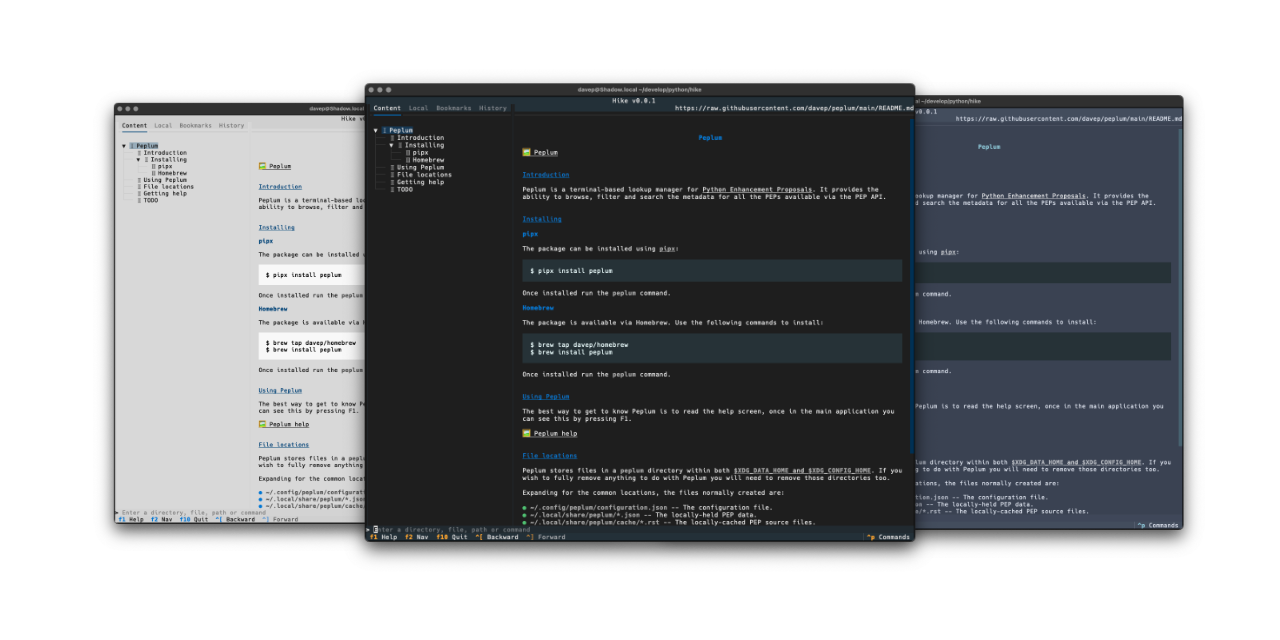
Hike is a [Markdown](https://commonmark.org/help/) browser for the terminal.
It provides the ability to browse for and view local Markdown files, as well
as Markdown files that can be downloaded from the web. It also has shortcuts
that make it easy to view Markdown files on popular git forges.
## Installing
### pipx
The application can be installed using [`pipx`](https://pypa.github.io/pipx/):
```sh
pipx install hike
```
### Homebrew
The package is available via Homebrew. Use the following commands to install:
```sh
brew tap davep/homebrew
brew install hike
```
### Other installation methods
The following installation methods have been provided by third parties;
please note that I can't vouch for them myself so use them at your own risk.
#### X-CMD
The application can be installed using [`x-cmd`](https://x-cmd.com):
```sh
x install hike
```
## Using Hike
Once you've installed Hike using one of the above methods, you can run the
application using the `hike` command.
The best way to get to know Hike is to read the help screen. Once in the
application you can see this by pressing F1.
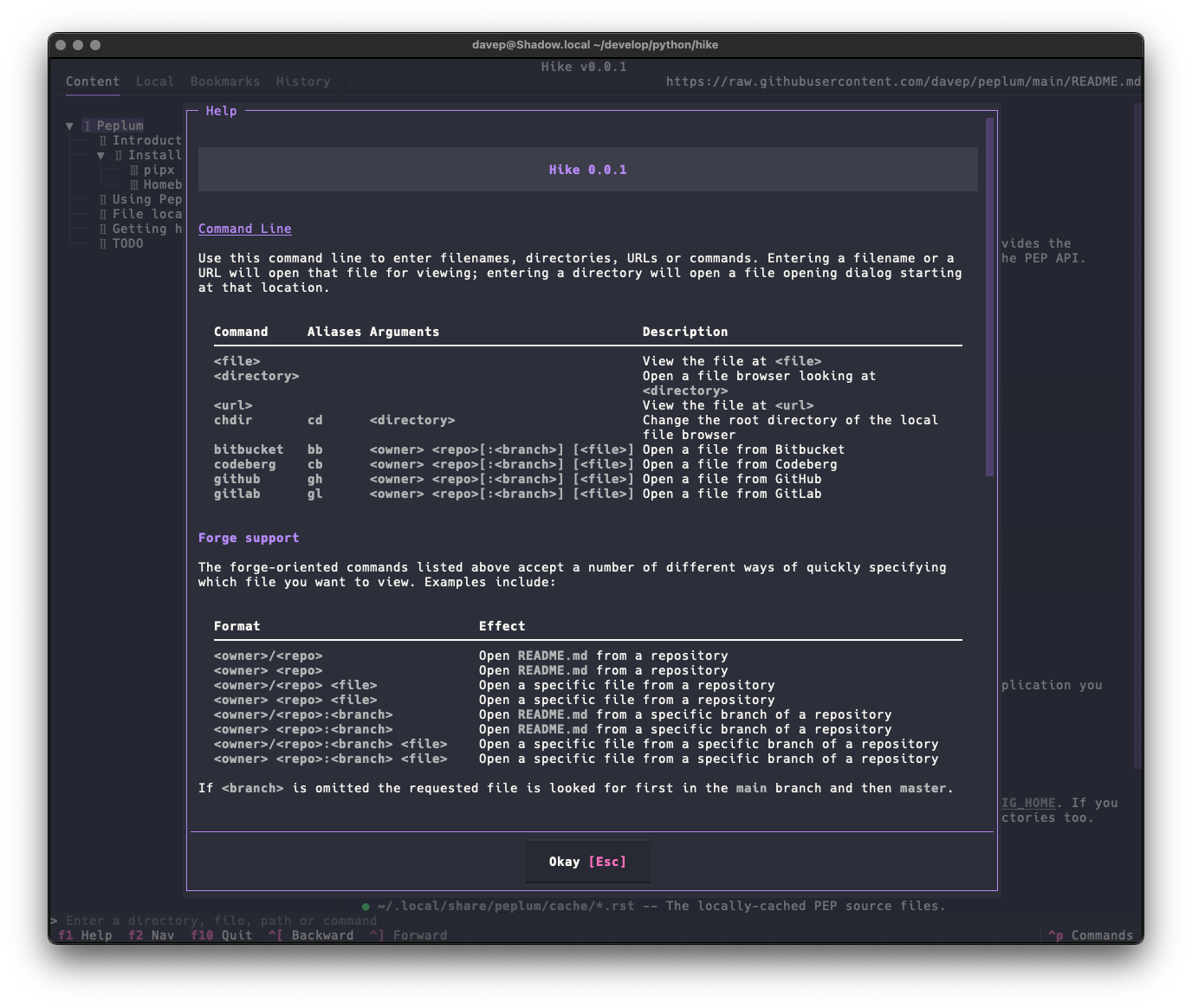
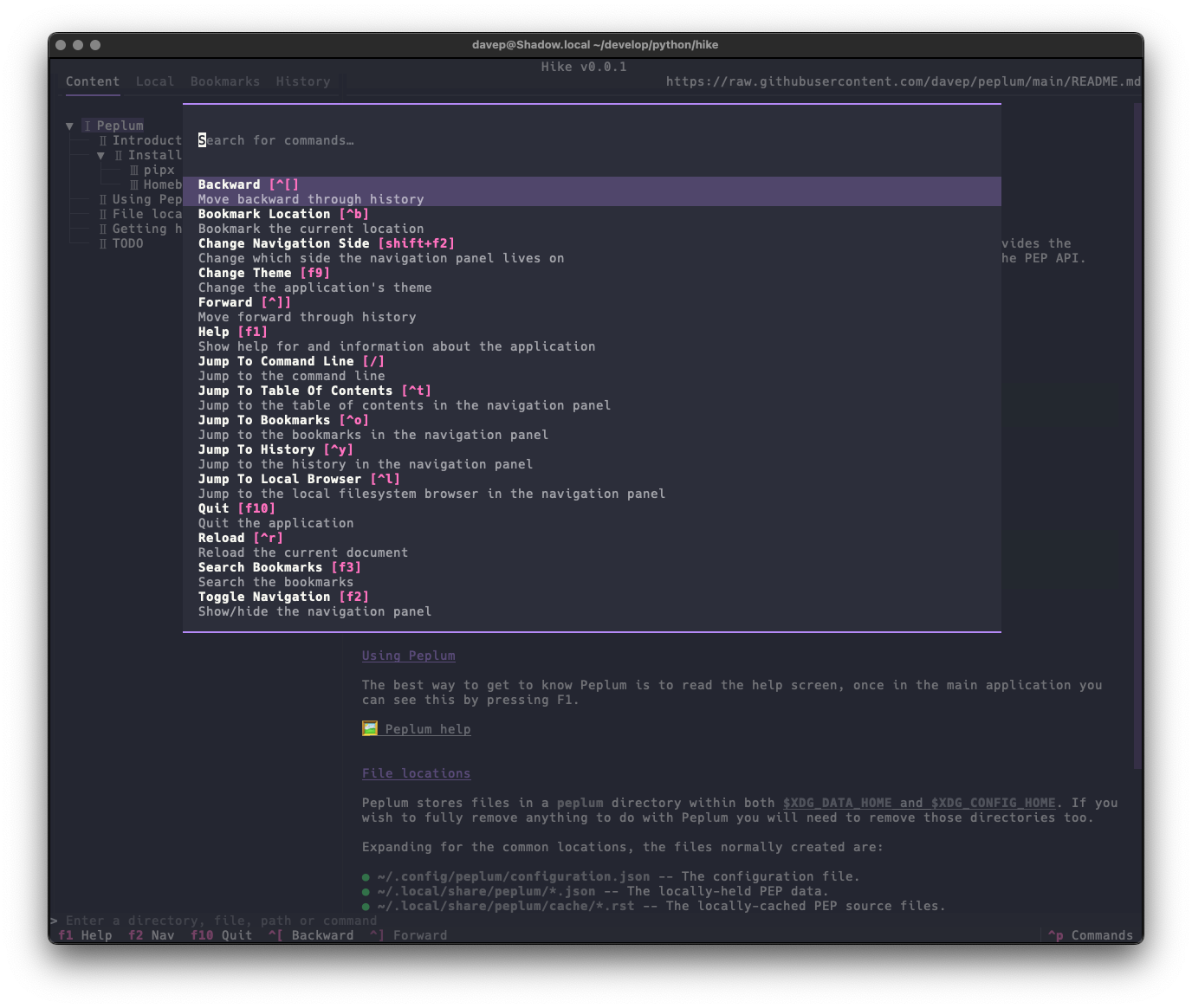
Commands can also be discovered via the command palette
(ctrl+p):
For more information and details on configuring Hike, see [the online
documentation](https://hike.davep.dev/).
## Features
- A command line where file names, URLs and commands can be entered.
- A local file browser.
- A simple bookmarking system.
- A browsing history.
- The ability to edit markdown documents in the local filesystem, either
using your editor of choice or a simple builtin editor.
- Commands for quickly loading and viewing files held on GitHub, GitLab,
Codeberg and Bitbucket.
- A command palette to make it easy to discover commands and their keys.
- A rich help screen to make it easy to discover commands and their keys.
- [Possibly more as time goes on](https://github.com/davep/hike/issues?q=is%3Aissue+is%3Aopen+label%3ATODO).
### Editing
As mentioned above, Hike has support for editing markdown documents you're
viewing from the local filesystem. While a builtin editor is provided, use
of your own choice of editor is supported. If Hike finds that `$VISUAL` or
`$EDITOR` are set in your environment then the resulting command will be
used to edit the document (with `$VISUAL` being tried first, followed by
`$EDITOR`).
## File locations
Hike stores files in a `hike` directory within both
[`$XDG_DATA_HOME` and
`$XDG_CONFIG_HOME`](https://specifications.freedesktop.org/basedir-spec/latest/).
If you wish to fully remove anything to do with Hike you will need to
remove those directories too.
Expanding for the common locations, the files normally created are:
- `~/.config/hike/configuration.json` -- The configuration file.
- `~/.local/share/hike/*.json` -- The locally-held data.
## Getting help
If you need help, or have any ideas, please feel free to [raise an
issue](https://github.com/davep/hike/issues) or [start a
discussion](https://github.com/davep/hike/discussions).
## TODO
See [the TODO tag in
issues](https://github.com/davep/hike/issues?q=is%3Aissue+is%3Aopen+label%3ATODO)
to see what I'm planning.
[//]: # (README.md ends here)