https://github.com/davichoso/react-native-video360
A react native module to play 360 videos, using the SGPlayer for iOS, and Google VR for Android
https://github.com/davichoso/react-native-video360
360 native player react react-native react-native-video-360 video video-360
Last synced: about 1 year ago
JSON representation
A react native module to play 360 videos, using the SGPlayer for iOS, and Google VR for Android
- Host: GitHub
- URL: https://github.com/davichoso/react-native-video360
- Owner: davichoso
- Created: 2020-01-03T21:35:29.000Z (over 6 years ago)
- Default Branch: master
- Last Pushed: 2021-04-02T17:44:58.000Z (over 5 years ago)
- Last Synced: 2025-05-31T19:39:04.743Z (about 1 year ago)
- Topics: 360, native, player, react, react-native, react-native-video-360, video, video-360
- Language: Objective-C
- Homepage:
- Size: 64.6 MB
- Stars: 14
- Watchers: 2
- Forks: 11
- Open Issues: 1
-
Metadata Files:
- Readme: README.md
Awesome Lists containing this project
README
# react-native-video360
React Native module to play 360 videos, using the SGPlayer for iOS, and Google VR for Android, this plugin was tested using react native 0.61
[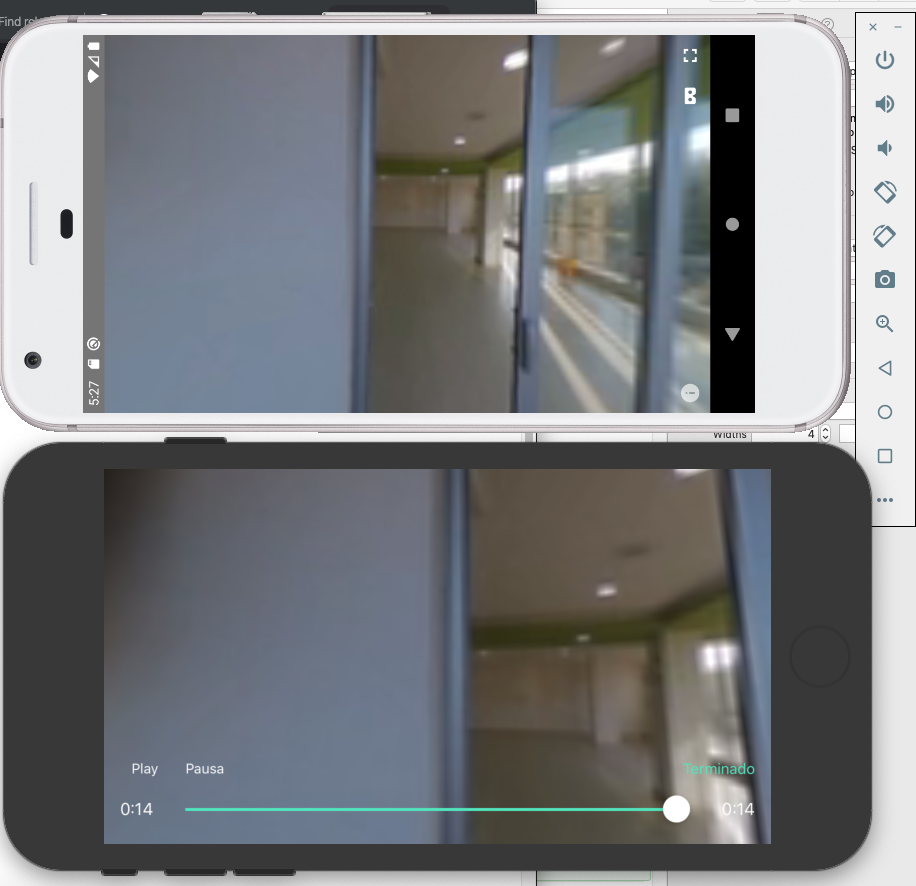](https://raw.githubusercontent.com/davichoso/react-native-video360/master/360.png "360")
## Getting started
`npm i react-native-video360plugin --save`
### Notes
- This component was tested in React Native 0.61 with automatic linking, but I think that it should work in older versions linking manually.
- don't forget to run 'pod install' in iOS folder
cd ios && pod install
- in Android test in a real device or android Q simulator I don't know but VR SDK fails in a lot of simulators but not in real devices.
- in iOS if you want to run in a real device go to Pods-> Development Pods -> react-native-video-360 -> react-native-video360.podspec open it and uncoment production and comment simulator lines, then run 'pod install' again. I wanted to build the framework for all architectures but it didn't worked, ill try to fix this in the future
```
# dev simulator
# s.ios.vendored_frameworks = 'Frameworks/SGPlayer.framework','Frameworks/SGPlatform.framework'
# production
s.ios.vendored_frameworks = 'Frameworks/arm/SGPlayer.framework','Frameworks/arm/SGPlatform.framework'
```
### IOS USAGE
```javascript
```
Video Modes
```
if(modeVideo == 1)
_playerView.demoType = DemoType_AVPlayer_VR;
if(modeVideo == 2)
_playerView.demoType = DemoType_AVPlayer_VR_Box;
if(modeVideo == 3)
_playerView.demoType = DemoType_AVPlayer_Normal;
```
but I use like this, wraping it in a modal that is triggered by a button that sets the url and the video mode.
```javascript
{ setModalVisible(false)}}>
close
```
#### video modes
```javascript
if(modeVideo == 1)
_playerView.demoType = DemoType_AVPlayer_VR; // 360
if(modeVideo == 2)
_playerView.demoType = DemoType_AVPlayer_VR_Box; // 360 with glases
if(modeVideo == 3)
_playerView.demoType = DemoType_AVPlayer_Normal; // normal
```
## Android Usage
same as ios
```javascript
```
it also can have this props
```
volume={1}
displayMode='embedded'
enableInfoButton={true}
enableFullscreenButton={true}
enableCardboardButton={true}
enableTouchTracking={true}
hidesTransitionView={false}
```
I have taken the android part of code from here
https://github.com/altafan/react-native-gvr-video-android/tree/master/android/src/main/java/com/gvrvideo
iOS the player from here
https://github.com/libobjc/SGPlayer
## TODO
- implement SeekBar in android, it is almost done in the code.. but a soon as i have time ill finish it.
- complete documentation and javascript interfaces
Questions? davichoso@gmail.com