https://github.com/davidkarlsen/flyway-operator
k8s operator for Flyway migrations
https://github.com/davidkarlsen/flyway-operator
database database-management flyway kubernetes kubernetes-controller kubernetes-operator operator schema
Last synced: over 1 year ago
JSON representation
k8s operator for Flyway migrations
- Host: GitHub
- URL: https://github.com/davidkarlsen/flyway-operator
- Owner: davidkarlsen
- License: apache-2.0
- Created: 2023-09-07T07:32:08.000Z (almost 3 years ago)
- Default Branch: main
- Last Pushed: 2024-04-30T12:23:45.000Z (about 2 years ago)
- Last Synced: 2024-05-02T01:14:11.570Z (about 2 years ago)
- Topics: database, database-management, flyway, kubernetes, kubernetes-controller, kubernetes-operator, operator, schema
- Language: Go
- Homepage:
- Size: 286 KB
- Stars: 6
- Watchers: 2
- Forks: 1
- Open Issues: 7
-
Metadata Files:
- Readme: README.md
- Contributing: CONTRIBUTING.md
- License: LICENSE
Awesome Lists containing this project
README
# flyway-operator
[Kubernetes-operator](https://kubernetes.io/docs/concepts/extend-kubernetes/operator/) to apply [Flyway migrations](https://flywaydb.org/).
## Badges

[](https://goreportcard.com/report/github.com/davidkarlsen/flyway-operator)

[](https://codecov.io/gh/davidkarlsen/flyway-operator)

[](https://artifacthub.io/packages/search?repo=flyway-operator)
[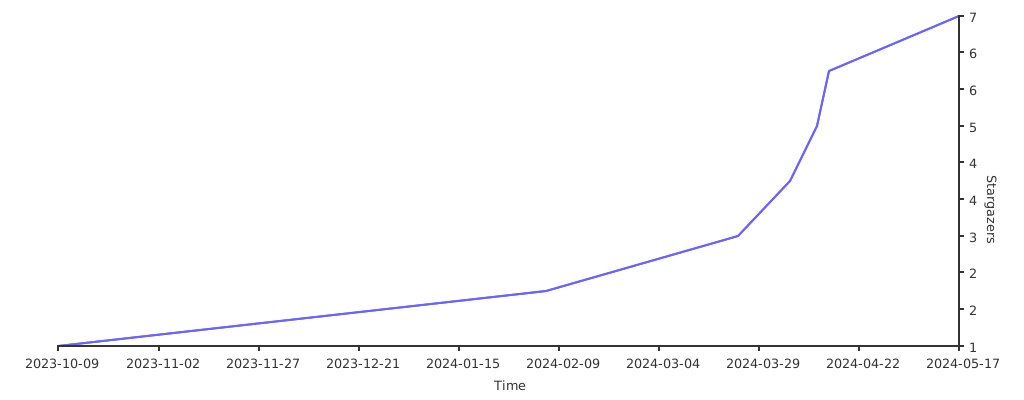](https://starchart.cc/davidkarlsen/flyway-operator)
## Description
The operator will spawn [Jobs](https://kubernetes.io/docs/concepts/workloads/controllers/job/) using the
[flyway-docker image](https://hub.docker.com/r/flyway/flyway).
See `config/samples` for example CRs.
It is still an early project and I want to further develop some day-2 elements as described in the [backlog](https://github.com/davidkarlsen/flyway-operator/issues?q=is%3Aissue+is%3Aopen+label%3Aenhancement).
## Getting Started
You’ll need a Kubernetes cluster to run against. You can use [KIND](https://sigs.k8s.io/kind) to get a local cluster for testing, or run against a remote cluster.
**Note:** Your controller will automatically use the current context in your kubeconfig file (i.e. whatever cluster `kubectl cluster-info` shows).
### Running on the cluster
See [INSTALLING.md](INSTALLING.md)
## Contributing
See the [contribution guide](CONTRIBUTING.md)