https://github.com/dbluhm/bash-notes
A bash markdown note taking tool.
https://github.com/dbluhm/bash-notes
bash bash-script goyo markdown neovim note-taking notes
Last synced: about 1 year ago
JSON representation
A bash markdown note taking tool.
- Host: GitHub
- URL: https://github.com/dbluhm/bash-notes
- Owner: dbluhm
- License: mit
- Created: 2017-07-11T20:56:13.000Z (almost 9 years ago)
- Default Branch: master
- Last Pushed: 2018-10-13T01:50:30.000Z (over 7 years ago)
- Last Synced: 2025-06-14T05:04:17.664Z (about 1 year ago)
- Topics: bash, bash-script, goyo, markdown, neovim, note-taking, notes
- Language: Shell
- Size: 674 KB
- Stars: 5
- Watchers: 2
- Forks: 3
- Open Issues: 0
-
Metadata Files:
- Readme: README.md
- License: LICENSE
Awesome Lists containing this project
README
Notes
============
Notes is a simple CLI program for taking notes in Markdown using your preferred text editor.
This is mostly for my personal use. I'll admit to taking a few shortcuts so my code isn't the prettiest thing in the world. But it works for me.
Suggested Dependencies
--------------------------
- I recommend using [Neovim](https://neovim.io/) as your editor with [Vim-Plug](https://github.com/junegunn/vim-plug) and [Goyo](https://github.com/junegunn/goyo.vim). Using Vim or NeoVim allows you to create and edit your notes exactly the way you want.
- [Ag](https://github.com/ggreer/the_silver_searcher) is used for searching. It's faster than `grep`, which is used in it's place if `ag` can't be found.
Getting Started
---------------------
The `notes.sh` command will by default create your notes and notebooks inside of `$HOME/.notes`.
You can change this option by changing the value of `NOTESDIR` in `notes.sh`. Note that this value will also need to be changed in the notes_completion file as well or tab completion will not work.
### Installation ###
Installing notes is incredibly simple. Just symlink `notes.sh` to an appropriate location like `~/.local/bin` as `notes`:
```bash
ln -s ~/PATH_TO_NOTES_EXEC_DIR/notes.sh ~/.local/bin/notes
```
Next, in order to enable tab completion, notes_completion needs to be included by your `.bashrc` file. This is commonly done by including a whole `bash-completion.d` directory or simply sourcing the file.
If you use the `bash-completion.d` method, ensure something like the following is included in your `.bashrc` or `.profile`:
```bash
# Local bash completions
if [ -d ~/.bash-completion.d ]; then
for f in ~/.bash-completion.d/*
do
source $f
done
fi
```
Then make sure that `notes_completion` is symlinked into the `bash-completion.d` directory.
If you choose to just source `notes_completion` into your `.bashrc`, then the following is sufficient:
```bash
#Source notes_completion for tab completion
source ~/PATH_TO_NOTES_EXEC/notes_completion
```
You should now be able to use the `notes` command and have tab completion.
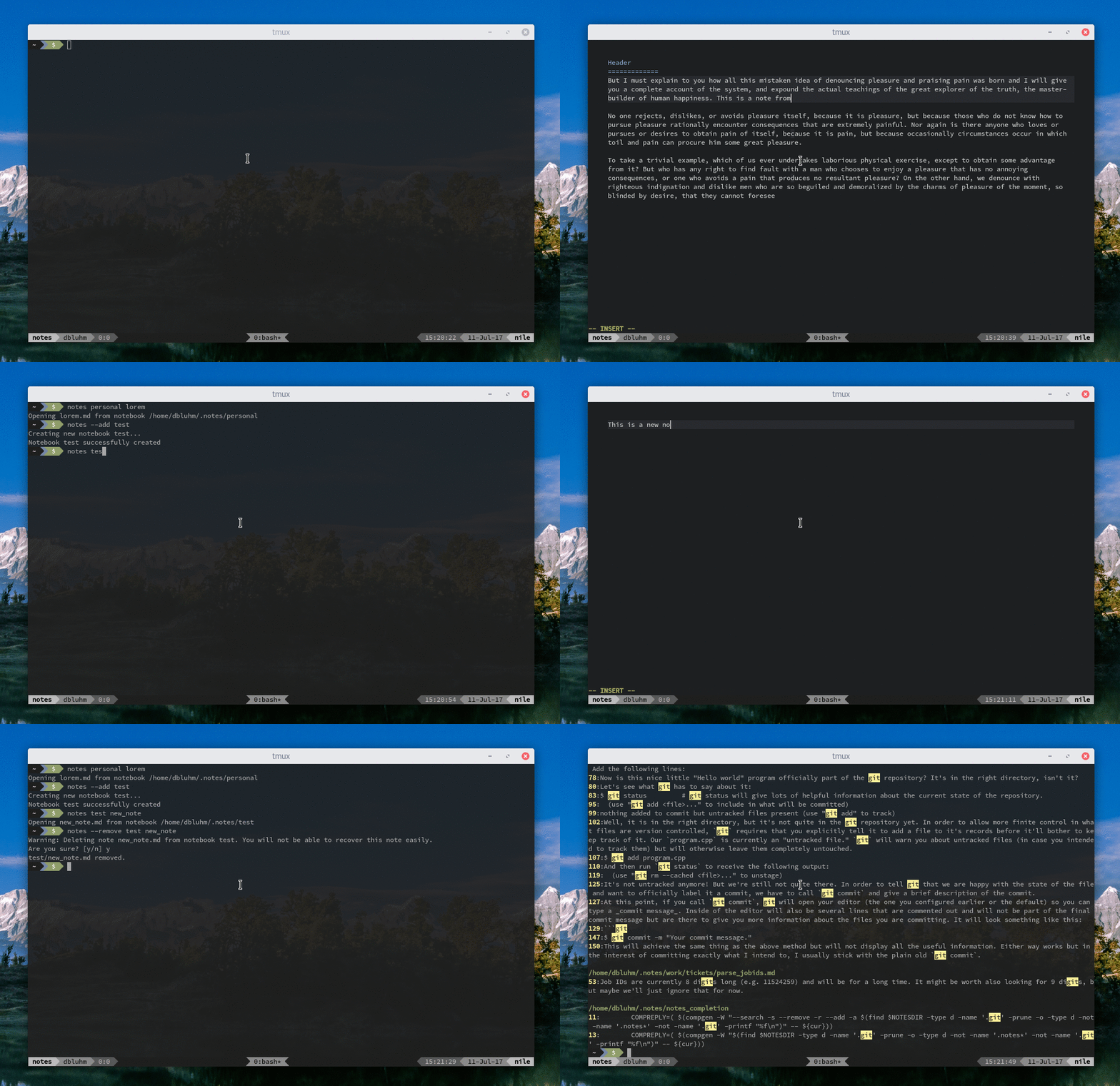
### Usage ###
```
Usage:
notes notebook [nested notebook ...] [note]
Edit or create a note. Omitting a note name will create a new note but
leave it unnamed.
notes [--search|-s] SEARCH_TERM
Search notes for SEARCH_TERM.
notes [--remove|-r] notebook [nested notebook ...] [note]
Remove an entire notebook or just a note within a notebook.
notes [--add|-a] [parent notebook ...] notebook
Create a new notebook
```