https://github.com/dcooney/block-manager
Globally manage WordPress blocks, patterns, and block categories from a central admin location inside WordPress.
https://github.com/dcooney/block-manager
disable-blocks disabled-blocks gutenberg gutenberg-blocks gutenberg-plugin manage-blocks wordpress wordpress-plugin
Last synced: 5 months ago
JSON representation
Globally manage WordPress blocks, patterns, and block categories from a central admin location inside WordPress.
- Host: GitHub
- URL: https://github.com/dcooney/block-manager
- Owner: dcooney
- License: gpl-2.0
- Created: 2020-01-03T22:30:26.000Z (over 6 years ago)
- Default Branch: main
- Last Pushed: 2026-01-14T19:10:52.000Z (5 months ago)
- Last Synced: 2026-01-14T19:52:20.483Z (5 months ago)
- Topics: disable-blocks, disabled-blocks, gutenberg, gutenberg-blocks, gutenberg-plugin, manage-blocks, wordpress, wordpress-plugin
- Language: JavaScript
- Homepage: https://wordpress.org/plugins/block-manager/
- Size: 6.89 MB
- Stars: 9
- Watchers: 2
- Forks: 2
- Open Issues: 2
-
Metadata Files:
- Readme: README.md
- License: LICENSE.txt
Awesome Lists containing this project
README
# Block Manager for WordPress
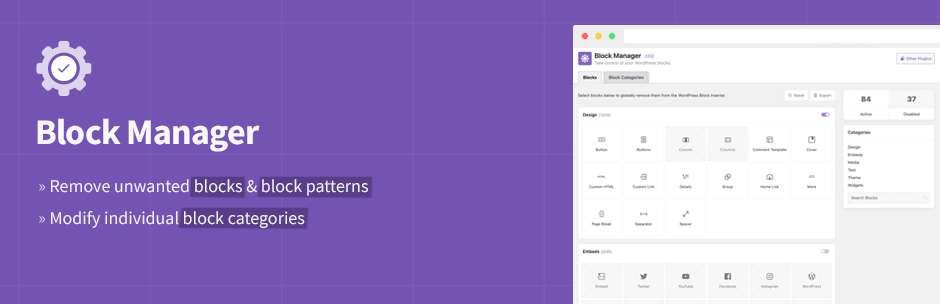
Disable unwanted blocks and patterns, organize blocks by changing categories - complete control over your WordPress Block Editor experience.
- ✅ **Disable Blocks** - Remove unwanted blocks from the Block Inserter and Editor.
- ✅ **Disable Patterns** - Hide block patterns you don't need with a single click.
- ✅ **Change Block Categories** - Reorganize blocks by updating their categories for better workflow.
» [Download Plugin](https://wordpress.org/plugins/block-manager/)
Block Manager gives you complete control over the WordPress Block Editor. Simplify your editing experience by removing clutter and organizing blocks exactly how you need them. Perfect for client sites, custom workflows, and maintaining a clean, focused Block Editor.

## KEY FEATURES
### Disable Blocks
- Globally remove any block from the Block Inserter and Block Editor.
- Disable block variations individually while keeping the core block.
- Control Embed blocks (Twitter, Facebook, YouTube, etc.) to remove unwanted options.
- Toggle entire block categories on/off with one click.
### Disable Block Patterns
- Remove unwanted block patterns with a simple toggle.
- Hide core WordPress patterns that don't fit your site.
- Clean up the pattern library for a focused editing experience.
### Change Block Categories
- Update the category of any block to better organize your Block Inserter.
- Create a custom workflow that matches your editing process.
- Improve findability by grouping related blocks together.
### Additional Features
- **Code Hooks**: Use filters to control blocks and patterns via `functions.php`.
- **Search and Filter**: Quickly locate blocks and patterns with built-in search.
- **Export Options**: Generate code snippets for syncing across environments.
- **Status Reports**: View active and disabled blocks at a glance.
» [View on WordPress](https://wordpress.org/plugins/block-manager/)