https://github.com/dczajkowski/terminalmaterialtheme
This is a Material Theme for your Terminal window in Mac OSX
https://github.com/dczajkowski/terminalmaterialtheme
mac-osx macos material-theme terminal theme
Last synced: about 2 months ago
JSON representation
This is a Material Theme for your Terminal window in Mac OSX
- Host: GitHub
- URL: https://github.com/dczajkowski/terminalmaterialtheme
- Owner: DCzajkowski
- License: other
- Created: 2016-03-29T13:37:59.000Z (about 10 years ago)
- Default Branch: master
- Last Pushed: 2016-06-26T23:18:44.000Z (almost 10 years ago)
- Last Synced: 2025-02-27T04:32:36.641Z (over 1 year ago)
- Topics: mac-osx, macos, material-theme, terminal, theme
- Language: Python
- Size: 225 KB
- Stars: 0
- Watchers: 3
- Forks: 0
- Open Issues: 0
-
Metadata Files:
- Readme: README.md
- License: LICENSE.md
Awesome Lists containing this project
README
# Terminal Material Theme
* [Overview](#overview)
* [Installation](#installation)
* [Screenshots](#screenshots)
* [Credits](#credits)
* [License](#license)
* [Issues](#issues)
## Overview
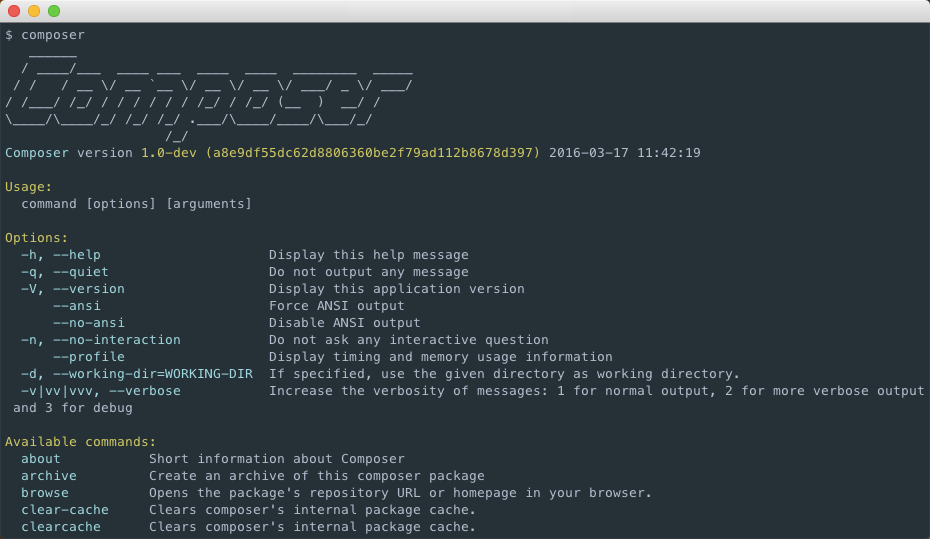
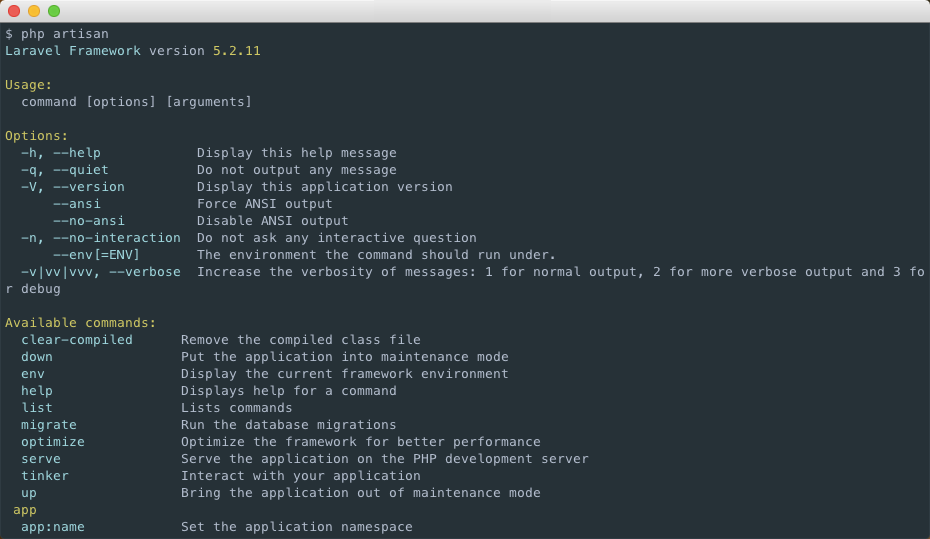
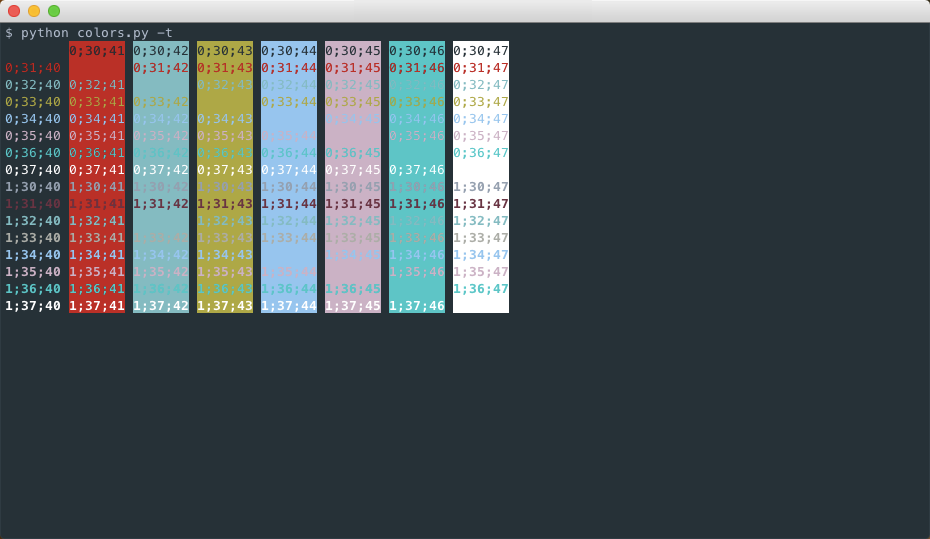
This is a material theme for Terminal window on Mac OSX. It is based on a [Sublime Text theme](https://github.com/equinusocio/material-theme) I highly suggest to use.
There are also other editors such as *Atom*, *Vim*, *IntelliJ IDEA* and more that support the material theme.
This theme is somewhat similar to [this one](https://gist.github.com/mvaneijgen/4c56701215847dd5ddcf) although was created entirely from scratch and without even knowing that one existed. I believe my theme is made with more care, but judge on your own :)
## Installation
The only file you will really need is `MaterialDesign.terminal`. You can download it and don't care about the other.
1. Open your `Terminal` app. (`cmd` + `space`, then type `terminal` + `enter`).
2. Type `cmd` + `,`.
3. Navigate to `Profiles` tab.
4. Click the gear icon.
5. Click `Import...`.
6. Choose downloaded `MaterialDesign.terminal` file.
7. Choose imported file as your default theme.
8. Enjoy!
## Screenshots
## Credits
Proudly made by Dariusz Czajkowski.
Check out my website here: http://dczajkowski.com/
And check out my Twitter profile here: http://twitter.com/CzajkowskiDarek
## License
The license can be found in the `LICENSE.md` file.
## Issues
Any issues report here, at the [GitHub repo](https://github.com/CzajekDC/TerminalMaterialTheme). For any personal inquires, you can contact me via contact form at my [website](http://dczajkowski.com/#/contact).