https://github.com/dd3tech/dd360-handler-shortcuts
VS code extension to open Aws links directly from lambda declarations
https://github.com/dd3tech/dd360-handler-shortcuts
Last synced: about 1 year ago
JSON representation
VS code extension to open Aws links directly from lambda declarations
- Host: GitHub
- URL: https://github.com/dd3tech/dd360-handler-shortcuts
- Owner: dd3tech
- Created: 2024-01-21T02:52:31.000Z (over 2 years ago)
- Default Branch: main
- Last Pushed: 2024-01-22T03:27:00.000Z (over 2 years ago)
- Last Synced: 2025-02-04T20:38:18.556Z (over 1 year ago)
- Language: TypeScript
- Homepage: https://marketplace.visualstudio.com/items?itemName=jafb-dev.dd360-handler-shortcuts
- Size: 355 KB
- Stars: 1
- Watchers: 0
- Forks: 0
- Open Issues: 0
-
Metadata Files:
- Readme: README.md
- Changelog: CHANGELOG.md
Awesome Lists containing this project
README
# DD360 Handler shortcuts
Simple VS code extension to open AWS Console links of Lambda & Cloudwatch dashboards directly from lambda Yaml declarations of serverless framework.
## Features
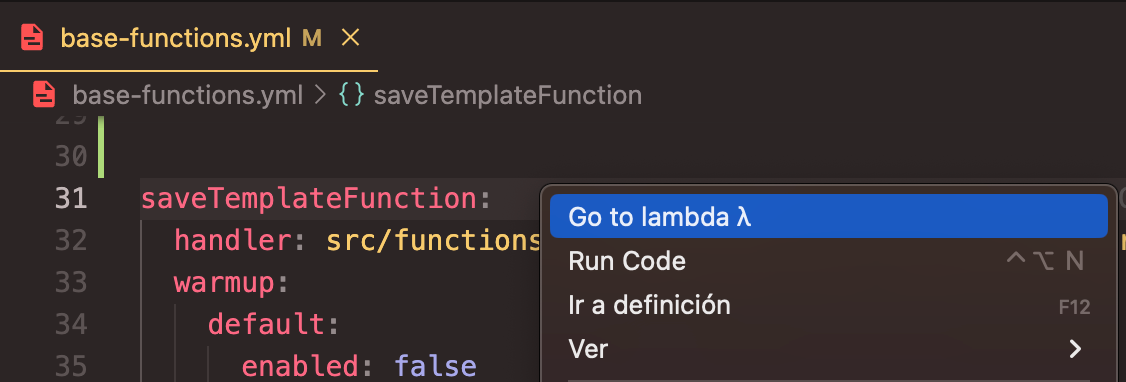
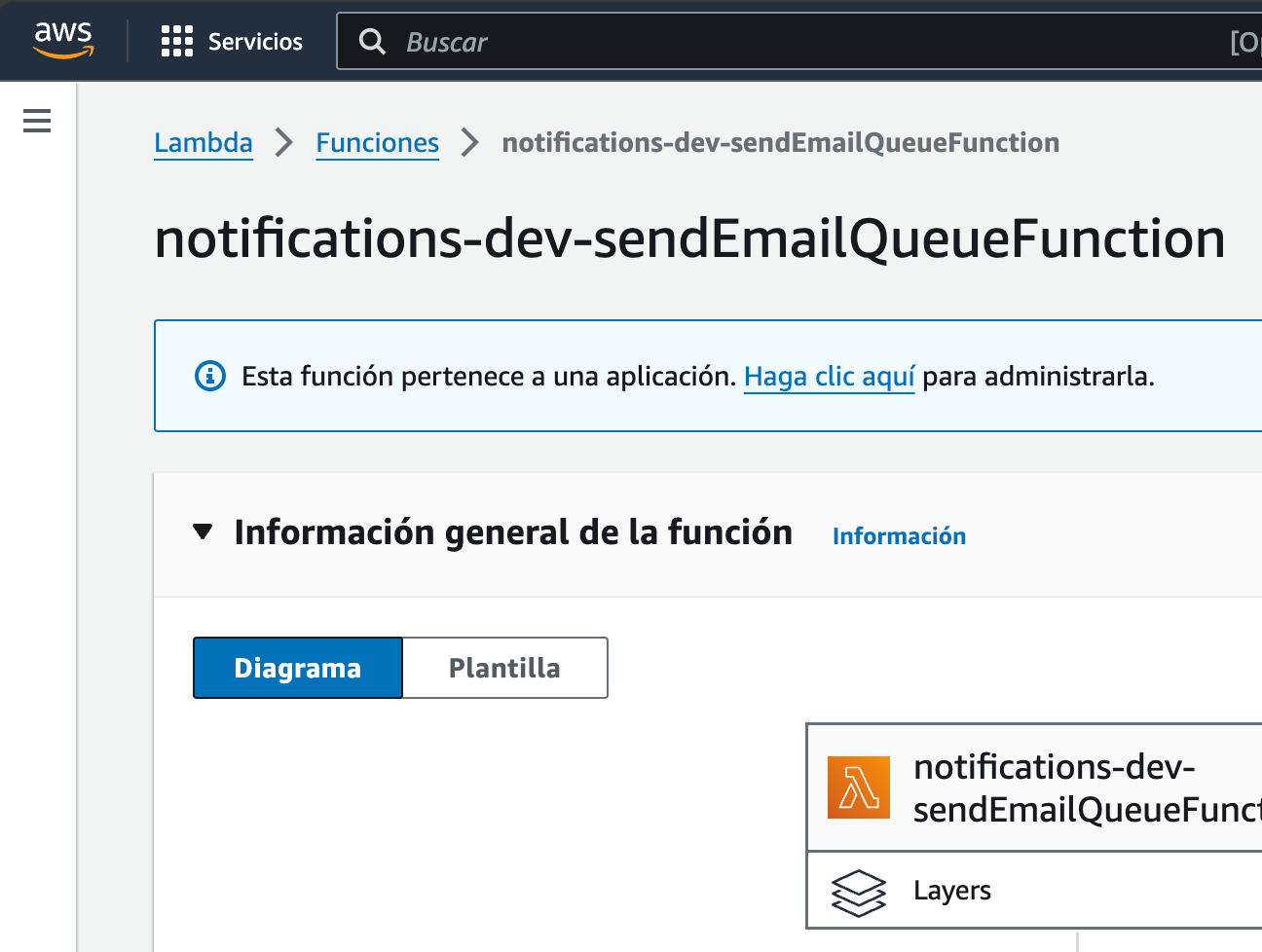
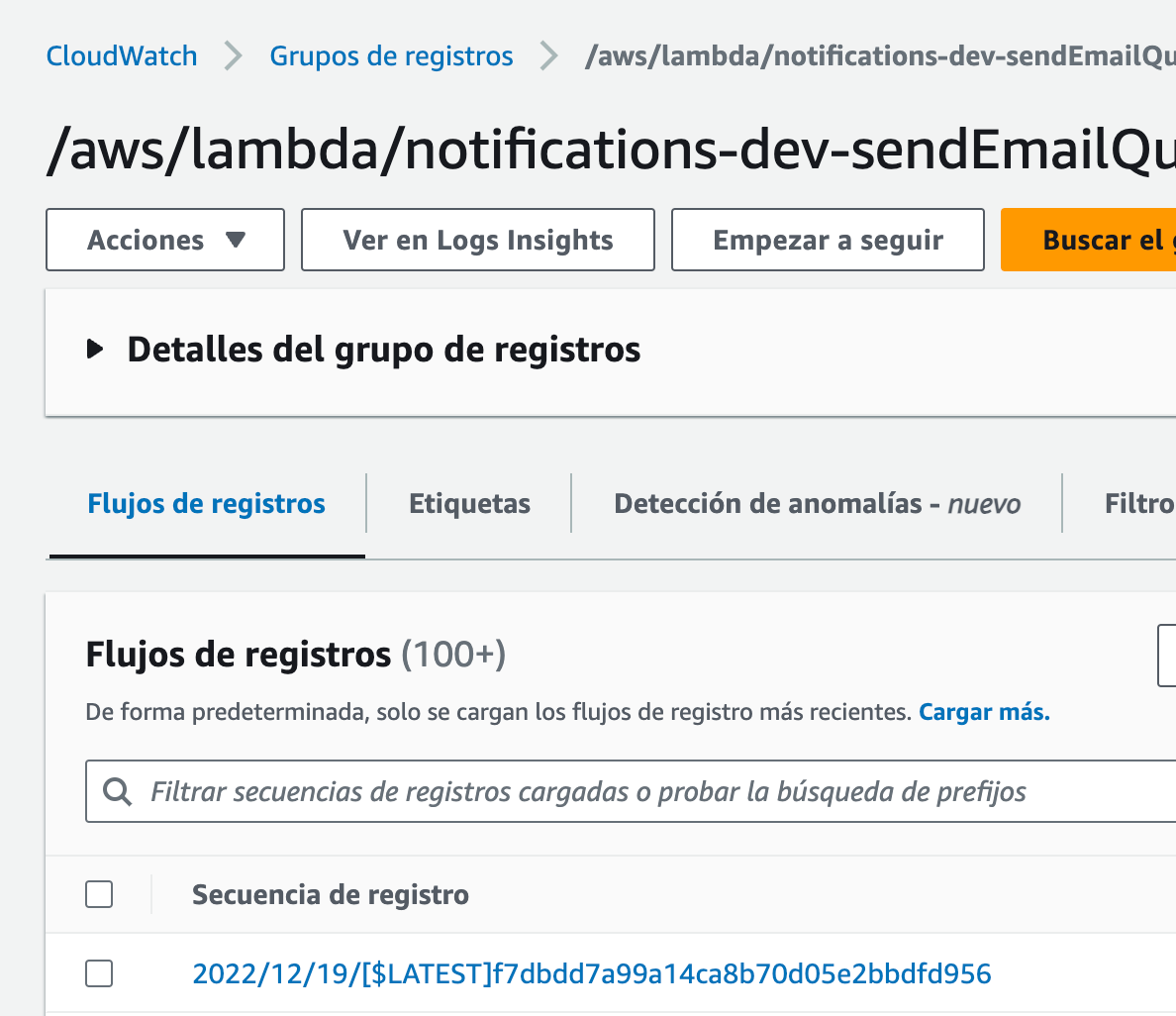
This extension let you right click a lambda delcaration on Yaml file, then open the AWS dashboards in the default web browser:
##### 1. Right click on lambda name:
##### 2. Automatically opens both Lambda & Cloudwatch:
#### Considerations
This functionality supports search the `serverless.yml` config across:
- Simple project workspace
- Multiple workspaces
- Mono-repo arquitecture with simple or multiple workspaces
Only works on `Yaml` based serverless configuration. For now does not work with Typescript serverless declarations.
## Extension Settings
Coming soon 🚧 For now, we have static deafult `STAGE` & `REGION` config
## Release Notes
### 0.0.1
Initial release with basic features.