https://github.com/deftask/deftask-cli
deftask command line
https://github.com/deftask/deftask-cli
Last synced: 4 months ago
JSON representation
deftask command line
- Host: GitHub
- URL: https://github.com/deftask/deftask-cli
- Owner: deftask
- Created: 2018-11-13T20:55:09.000Z (over 7 years ago)
- Default Branch: master
- Last Pushed: 2019-01-30T10:20:51.000Z (over 7 years ago)
- Last Synced: 2025-12-18T20:16:01.539Z (6 months ago)
- Language: Common Lisp
- Size: 72.3 KB
- Stars: 18
- Watchers: 4
- Forks: 0
- Open Issues: 1
-
Metadata Files:
- Readme: README.md
Awesome Lists containing this project
- awesome-lisp-companies - command-line app
- awesome-cl-software - Deftask - Painless task management for teams. [Partly Open Source]. (Applications / Productivity)
README
# deftask-cli
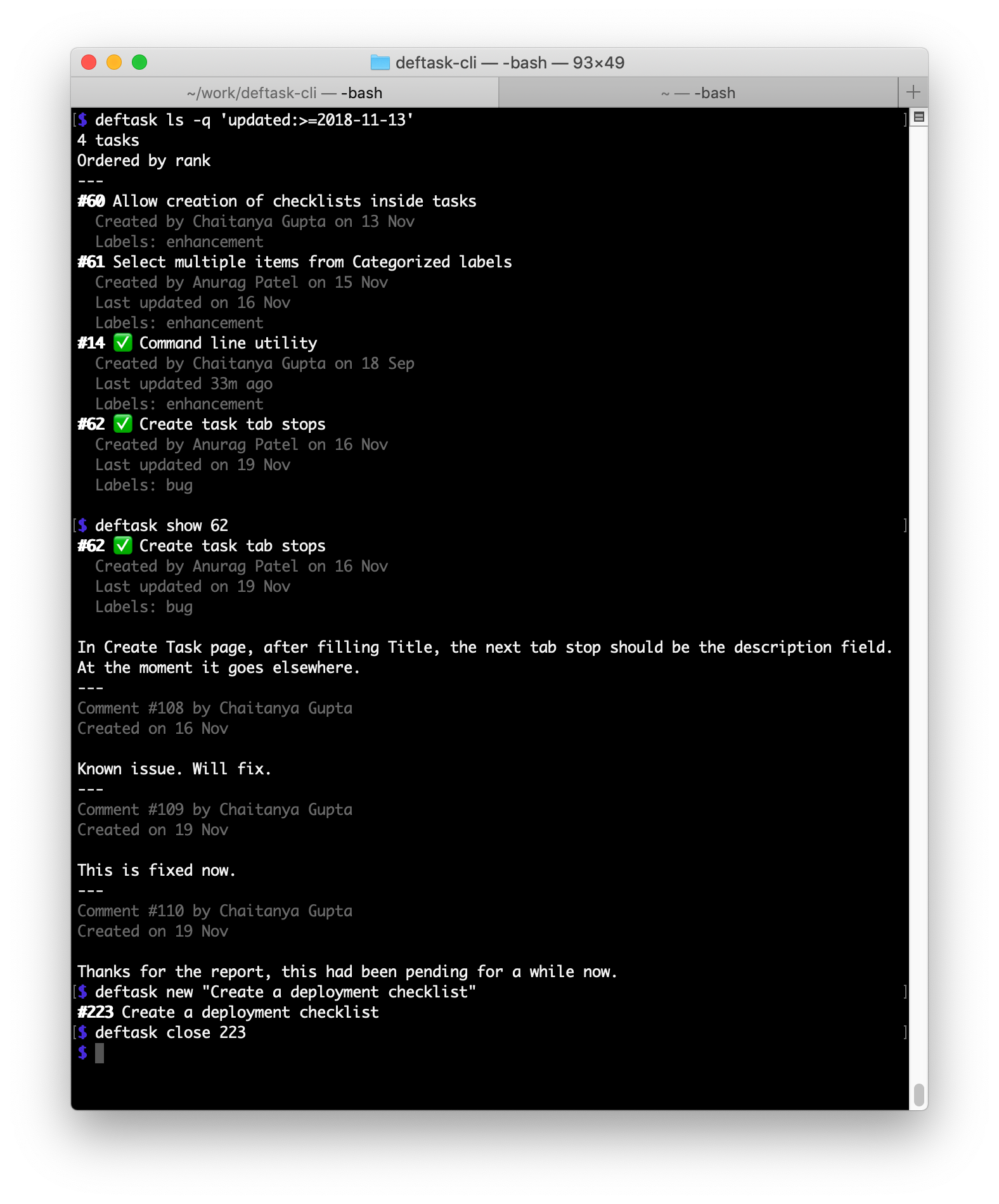
This is the comamnd line client for [deftask][]. It works on macOS and Linux.
## Installation
### Binary
You can download a binary for macOS or Linux from the [releases][] page. Unpack
the tarball and place the binary in your `PATH`.
### Source
To install from source,
1. Install [SBCL][sbcl]
2. Install [quicklisp][]. Do ensure that you add quicklisp to your `~/.sbclrc`
by running `(ql:add-to-init-file)`.
3. Download [termcolor][] under `~/quicklisp/local-projects`
4. Optionally, download [this fork][cl-json-fork] of cl-json under
`~/quicklisp/local-projects`. The fork [fixes][cl-json-pr] cl-json's handling
of [non-BMP][unicode-planes] unicode characters. Without it, characters like
certain emojis will not render correctly.
5. Download the [source code][deftask-cli] for deftask-cli under `~/quicklisp/local-projects`
6. Run `sbcl`
7. Run the following commands under SBCL
```
* (ql:quickload "deftask-cli")
* (deftask-cli:build-image)
```
8. This will install the `deftask` binary under your current directory. You
should copy this binary to a directory in your `PATH`.
## Usage
### Getting the access token
To use the command-line app, you need the API access token.
1. Sign up on [deftask.com](https://deftask.com)
2. Create a new project if you don't have any
3. Create a new access token on https://deftask.com/settings/tokens and copy it
4. Set the access token via `deftask config token ACCESS_TOKEN`
### Examples
List all your projects
```
$ deftask projects
#1 Project A
#2 Project B
#3 Project C
```
List tasks for a project (uses the project-id obtained from the project list in
the previous command)
```
$ deftask ls --project 1
```
Save this project as the default, so you don't need to write `--project 1` with every command
```
$ deftask config project 1
```
List tasks in a compact style
```
$ deftask ls --compact
```
You can also filter (`-q`) or re-order (`-o`) tasks
```
$ deftask ls -q label:bug -o newest
$ deftask ls -q creator 'creator:chaitanya AND created:>2018-11-01'
```
Create a new task
```
$ deftask new "title of the latest task"
Created #123
```
Show a single task and its comments
```
$ deftask show 123
```
Comment on a task
```
$ deftask comment 123 "some comment"
```
Close a task
```
deftask close 123
```
### List of commands
The following commands are available:
```
config Get or set configuration
project-config Get or set configuration for a project
projects List projects
new Create a new task
ls List tasks
show View a task
close Close a task
open Reopen a task
edit Edit a task
comment Comment on a task
edit-comment Edit a comment
```
For help on any command, use `deftask -h`.
## Support
For support, contact support@deftask.com.
[deftask]: https://deftask.com
[deftask-cli]: https://github.com/deftask/deftask-cli
[sbcl]: http://sbcl.org/
[quicklisp]: https://www.quicklisp.org/
[releases]: https://github.com/deftask/deftask-cli/releases
[termcolor]: https://github.com/chaitanyagupta/termcolor
[cl-json-fork]: https://github.com/chaitanyagupta/cl-json
[unicode-planes]: https://en.wikipedia.org/wiki/Plane_(Unicode)
[cl-json-pr]: https://github.com/hankhero/cl-json/pull/27