https://github.com/deklol/octuna
Self-hosted image host. Lightweight Node.js alternative to Imgur for your own domain. No accounts, no ads, no tracking. Drag and drop, paste, or pick. Short URLs, admin panel, scrypt-hashed auth, magic-byte upload validation, runs on a Raspberry Pi.
https://github.com/deklol/octuna
file-upload image-host image-hosting image-server image-upload imgur-alternative nodejs raspberry-pi screenshot-host self-hosted self-hosted-alternative uploader vps
Last synced: 2 days ago
JSON representation
Self-hosted image host. Lightweight Node.js alternative to Imgur for your own domain. No accounts, no ads, no tracking. Drag and drop, paste, or pick. Short URLs, admin panel, scrypt-hashed auth, magic-byte upload validation, runs on a Raspberry Pi.
- Host: GitHub
- URL: https://github.com/deklol/octuna
- Owner: deklol
- License: mit
- Created: 2026-05-03T20:40:43.000Z (about 2 months ago)
- Default Branch: main
- Last Pushed: 2026-05-03T20:47:57.000Z (about 2 months ago)
- Last Synced: 2026-05-03T22:27:06.193Z (about 2 months ago)
- Topics: file-upload, image-host, image-hosting, image-server, image-upload, imgur-alternative, nodejs, raspberry-pi, screenshot-host, self-hosted, self-hosted-alternative, uploader, vps
- Language: JavaScript
- Size: 141 KB
- Stars: 1
- Watchers: 0
- Forks: 0
- Open Issues: 0
-
Metadata Files:
- Readme: README.md
- License: LICENSE
Awesome Lists containing this project
README

# Octuna
Self-hosted image host. A small Node.js application for uploading images and short videos and serving them at short URLs from your own domain. No accounts, no ads, no tracking, no expiration. One runtime dependency, one JSON metadata file, one folder of uploads.
Octuna is intended as a self-hosted alternative to public image hosts (Imgur, ImgBB, Postimage, ImageShack) for users who want to keep their files on their own server, control their own URLs, and not rely on a third-party service that may add ads, charge a fee, or delete inactive uploads.
## Screenshots
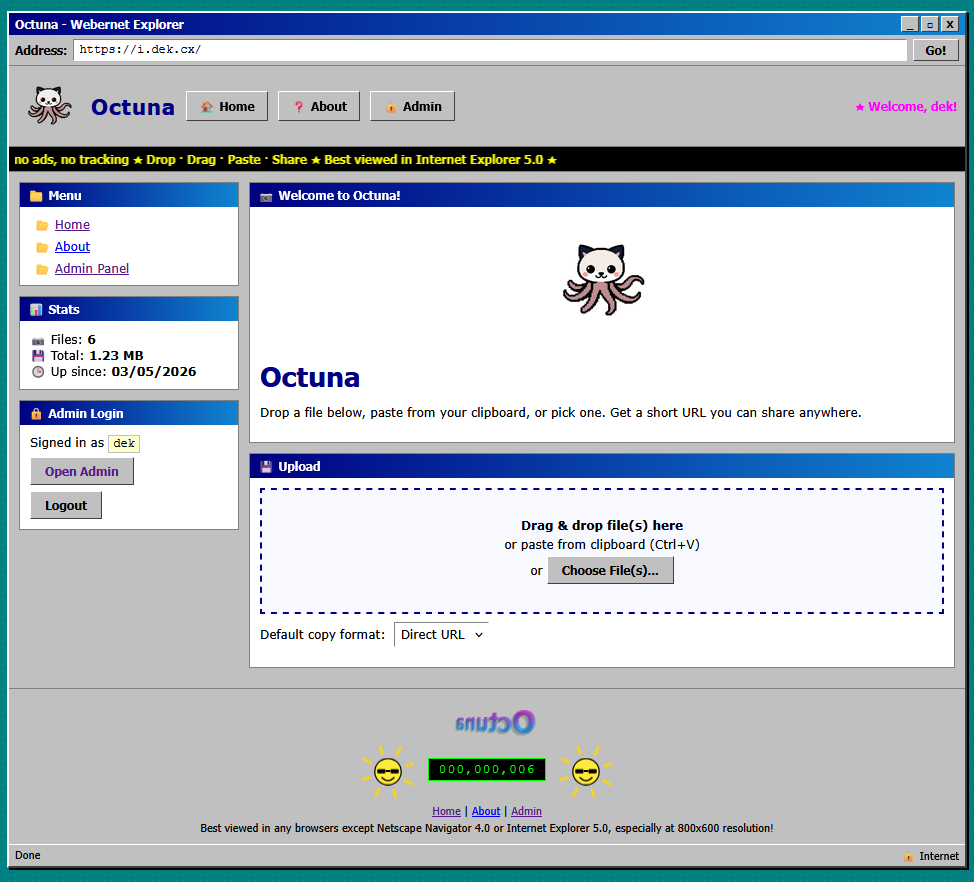
Homepage:
Admin panel:
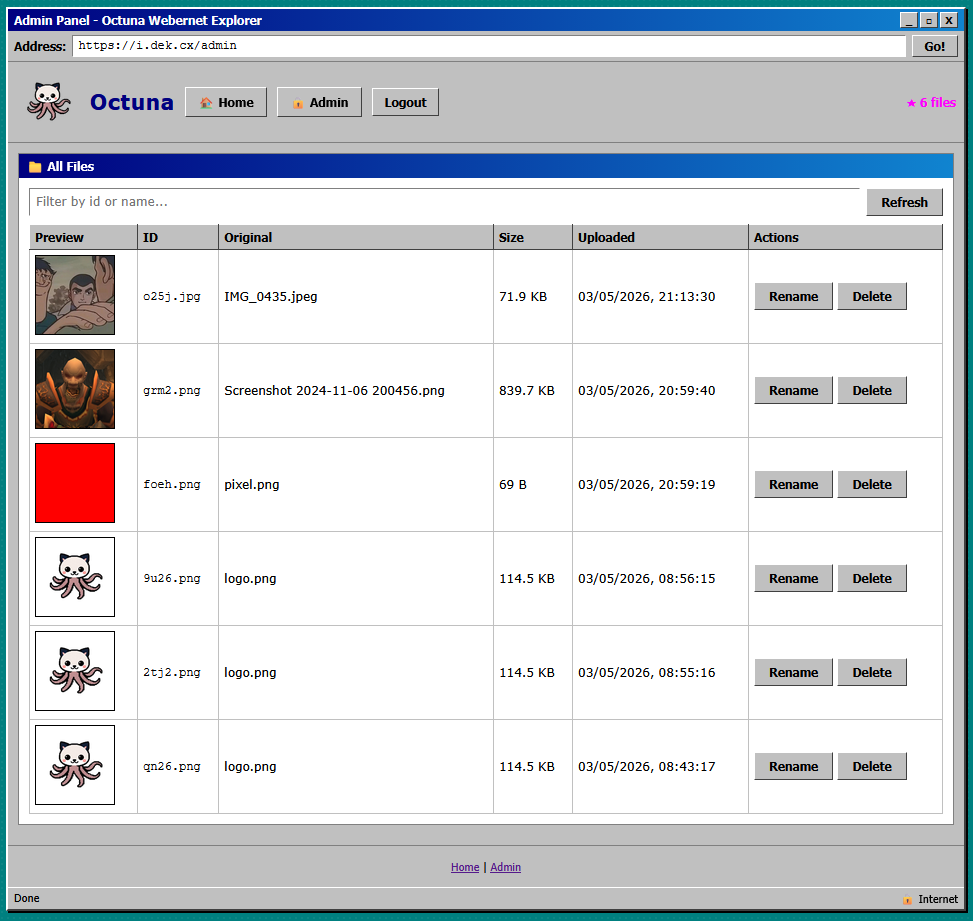
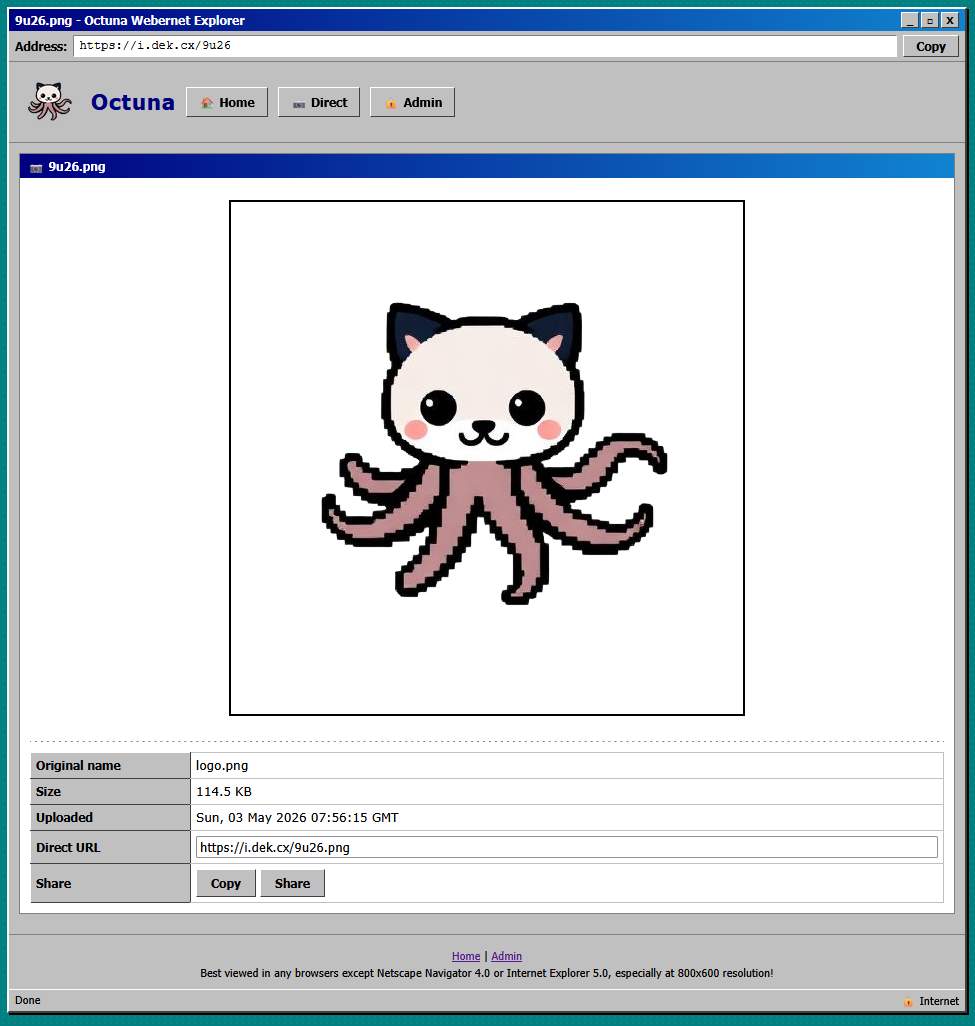
Image view page:
## Features
- Drag and drop, paste from clipboard, or file picker upload
- Multi-file upload with per-file progress and previews
- Short, random, URL-safe IDs (configurable length)
- Direct image links, view pages with Open Graph and Twitter Card metadata for link previews
- Copy as plain URL, Markdown, HTML, BBCode, or view-page link
- Public stats endpoint (file count, total size)
- Password-protected admin panel: gallery, search, rename, delete
- Single static config file, single JSON metadata file, single uploads directory
- Hard heap cap of 64 MB, runs comfortably on a 256 MB VPS or a Raspberry Pi
- Retro Web 1.0 interface skin (optional, all in CSS)
- Mobile responsive layout
- HTTPS-ready behind any reverse proxy (Nginx, Caddy, Apache, Traefik)
## Security
- Admin password hashed with scrypt (N=16384, r=8, p=1) and a 16-byte salt
- Constant-time username and hash comparison (no timing oracle)
- Server refuses to start until credentials are configured
- Stateless HMAC-signed session cookies (no server-side session store)
- Per-IP rate limits on login attempts, admin endpoints, and uploads
- Magic-byte validation on every upload (rejects files whose contents do not match the claimed MIME type)
- SVG uploads disabled by default (SVG can carry script payloads)
- Strict Content-Security-Policy, X-Frame-Options, X-Content-Type-Options, Referrer-Policy, Permissions-Policy, and HSTS headers on every response
- Uploaded files served with their true MIME type, `nosniff`, and a sandboxed CSP
- Path traversal prevented by strict ID validation before any filesystem access
- Configurable body size caps for JSON and uploads
## Stack
- Node.js 18 or newer
- One runtime dependency: [busboy](https://www.npmjs.com/package/busboy) for multipart parsing
- No framework, no database server, no native modules, no build step
The backend is approximately 500 lines of plain JavaScript using the Node built-in `http` module. Metadata is stored in a JSON file loaded once at startup. Uploads stream directly from the request to disk; downloads stream from disk to the response.
## Quick start
```
git clone https://github.com/deklol/octuna.git
cd octuna
cp config.example.json config.json
npm install
npm run setup
npm start
```
The setup script prompts for an admin username and password, hashes the password with scrypt, and writes the hash and a session secret into `config.json`. The server refuses to start until this has been done.
Open http://localhost:3030 to upload files. The admin panel is at http://localhost:3030/admin.
## Configuration
`config.json` keys:
| Key | Type | Notes |
|---|---|---|
| `port` | number | TCP port (default 3030) |
| `publicUrl` | string | Base URL used in returned links, e.g. `https://images.example.com` |
| `idLength` | number | Random ID length, 2 to 16 (default 4) |
| `maxUploadMB` | number | Per-file upload limit |
| `addressBarMode` | string | `real` shows the actual URL, `fixed` shows `addressBarFixed` |
| `addressBarFixed` | string | Optional override displayed in the retro address bar |
| `siteName` | string | Display name |
| `allowedTypes` | array | Whitelist of MIME types accepted at upload |
| `adminUser`, `adminSalt`, `adminHash`, `sessionSecret` | string | Set by `npm run setup`, do not edit by hand |
## Production deployment
Octuna is a long-running Node process that listens on a local port. Front it with any reverse proxy that handles TLS, then start it under any process supervisor.
### systemd
```
[Unit]
Description=Octuna image host
After=network.target
[Service]
Type=simple
User=www-data
WorkingDirectory=/srv/octuna
ExecStart=/usr/bin/node --max-old-space-size=64 server.js
Restart=on-failure
MemoryMax=128M
NoNewPrivileges=true
ProtectSystem=full
ProtectHome=true
PrivateTmp=true
ReadWritePaths=/srv/octuna/data
Environment=NODE_ENV=production
[Install]
WantedBy=multi-user.target
```
### Nginx
```
server {
listen 80;
server_name images.example.com;
client_max_body_size 30M;
location / {
proxy_pass http://127.0.0.1:3030;
proxy_http_version 1.1;
proxy_set_header Host $host;
proxy_set_header X-Real-IP $remote_addr;
proxy_set_header X-Forwarded-For $proxy_add_x_forwarded_for;
proxy_set_header X-Forwarded-Proto $scheme;
proxy_request_buffering off;
}
}
```
Then run `certbot --nginx -d images.example.com` to issue a Let's Encrypt certificate.
### Caddy
```
images.example.com {
reverse_proxy 127.0.0.1:3030
request_body {
max_size 30MB
}
}
```
Caddy obtains and renews TLS certificates automatically.
### pm2
```
npm install -g pm2
pm2 start "node --max-old-space-size=64 server.js" --name octuna
pm2 save && pm2 startup
```
## File layout
```
octuna/
server.js HTTP server and routes
setup.js interactive admin credential setup
config.json local configuration (gitignored)
config.example.json template
package.json
public/
index.html upload page
style.css retro CSS shell
app.js upload client (drag, drop, paste, progress)
logo.png
views/
image.html single-image view page
admin.html admin panel
about.html about page
data/
uploads/ uploaded files
meta.json id to metadata index
```
## Backups
Everything that matters is in `data/`. To back up an Octuna instance:
```
tar czf octuna-backup-$(date +%F).tgz data/
```
To restore on a new server, copy `data/` into place after `npm install`. Octuna will pick the metadata up at next start.
## Updating
Pull or copy the new `server.js`, `public/`, and `views/`. The `data/` folder stays. Restart the service.
## Rotating the admin password
```
npm run setup
```
Re-run any time. The new salt and hash overwrite the old ones in `config.json`. Restart the server for the change to take effect.
## ShareX integration
Octuna works as a ShareX custom uploader without any extra plugins or server changes. The `/upload` endpoint accepts a standard multipart POST with the file under field name `file` and returns JSON containing the public URL, which is exactly what ShareX needs.
A ready-to-use config is in [`octuna.sxcu.example`](octuna.sxcu.example). Copy it, replace `YOUR.DOMAIN.HERE` with your Octuna domain, save as `octuna.sxcu`, and double-click the file. ShareX will import it and prompt you to set Octuna as the active image and file uploader.
The config:
```json
{
"Version": "16.1.0",
"Name": "Octuna",
"DestinationType": "ImageUploader, FileUploader",
"RequestMethod": "POST",
"RequestURL": "https://YOUR.DOMAIN.HERE/upload",
"Body": "MultipartFormData",
"FileFormName": "file",
"URL": "{json:url}"
}
```
To configure manually in ShareX (Destinations, Custom uploader settings):
- Method: POST
- Request URL: `https://YOUR.DOMAIN.HERE/upload`
- Body: Form data (multipart)
- File form name: `file`
- URL: `{json:url}`
The same uploader works for the screenshot, image, and file destinations. After ShareX uploads, the direct image URL is placed on your clipboard.
If you want a view-page URL instead of the direct file URL, set `URL` to `{json:viewUrl}`.
Octuna's upload endpoint is open to anyone who can reach it. If you do not want public uploads, restrict access at the reverse proxy (allowlist your IP, basic auth, or a VPN) before exposing it.
## API
| Method | Path | Auth | Notes |
|---|---|---|---|
| GET | `/` | public | Upload page |
| GET | `/about` | public | About page |
| GET | `/api/stats` | public | Returns `{count, totalBytes}` |
| POST | `/upload` | public | Multipart, field name `file`. Returns `{id, ext, url, viewUrl}` |
| GET | `/:id` | public | View page for an upload |
| GET | `/:id.:ext` | public | Direct file |
| POST | `/admin/login` | public | JSON `{user, password}` |
| POST | `/admin/logout` | session | |
| GET | `/admin/me` | public | Returns session state |
| GET | `/admin` | session | HTML admin panel |
| GET | `/admin/list` | session | Returns all metadata records |
| POST | `/admin/rename` | session | JSON `{id, newId}` |
| POST | `/admin/delete` | session | JSON `{id}` |
## Why
Public image hosts have a long history of starting free, adding ads, restricting hotlinking, deleting inactive uploads, requiring sign-up, or shutting down entirely. If your screenshots, memes, gifs, asset previews, or forum images matter to you, host them yourself. Octuna is small enough to read in one sitting, runs on hardware you already have, and produces URLs you control.
## License
MIT. See [LICENSE](LICENSE).