https://github.com/desdaemon/odoo-lsp
Language server for Odoo Python/JS/XML
https://github.com/desdaemon/odoo-lsp
intellisense javascript lsp-server odoo odoo-tooling python tower-lsp xml
Last synced: 3 months ago
JSON representation
Language server for Odoo Python/JS/XML
- Host: GitHub
- URL: https://github.com/desdaemon/odoo-lsp
- Owner: Desdaemon
- License: other
- Created: 2023-08-18T23:10:15.000Z (almost 3 years ago)
- Default Branch: main
- Last Pushed: 2026-04-15T14:44:17.000Z (3 months ago)
- Last Synced: 2026-04-15T16:38:01.042Z (3 months ago)
- Topics: intellisense, javascript, lsp-server, odoo, odoo-tooling, python, tower-lsp, xml
- Language: Rust
- Homepage:
- Size: 3.55 MB
- Stars: 60
- Watchers: 7
- Forks: 6
- Open Issues: 28
-
Metadata Files:
- Readme: README.md
- Changelog: CHANGELOG.md
- License: LICENSE
Awesome Lists containing this project
README
# odoo-lsp
[](https://github.com/Desdaemon/odoo-lsp/actions/workflows/nightly.yml)
[](https://github.com/Desdaemon/odoo-lsp/actions/workflows/test.yml)
[](https://codecov.io/gh/Desdaemon/odoo-lsp)
[](https://docs.rs/odoo-lsp)
[](https://marketplace.visualstudio.com/items?itemName=Desdaemon.odoo-lsp)
[](https://open-vsx.org/extension/Desdaemon/odoo-lsp)
## Features
### Completion, definition and references for models, XML IDs and model fields
Works for `record`s, `template`s, `env.ref()` and other structures.
For VSCode, also includes schema-based validation and completions for Odoo XML.
[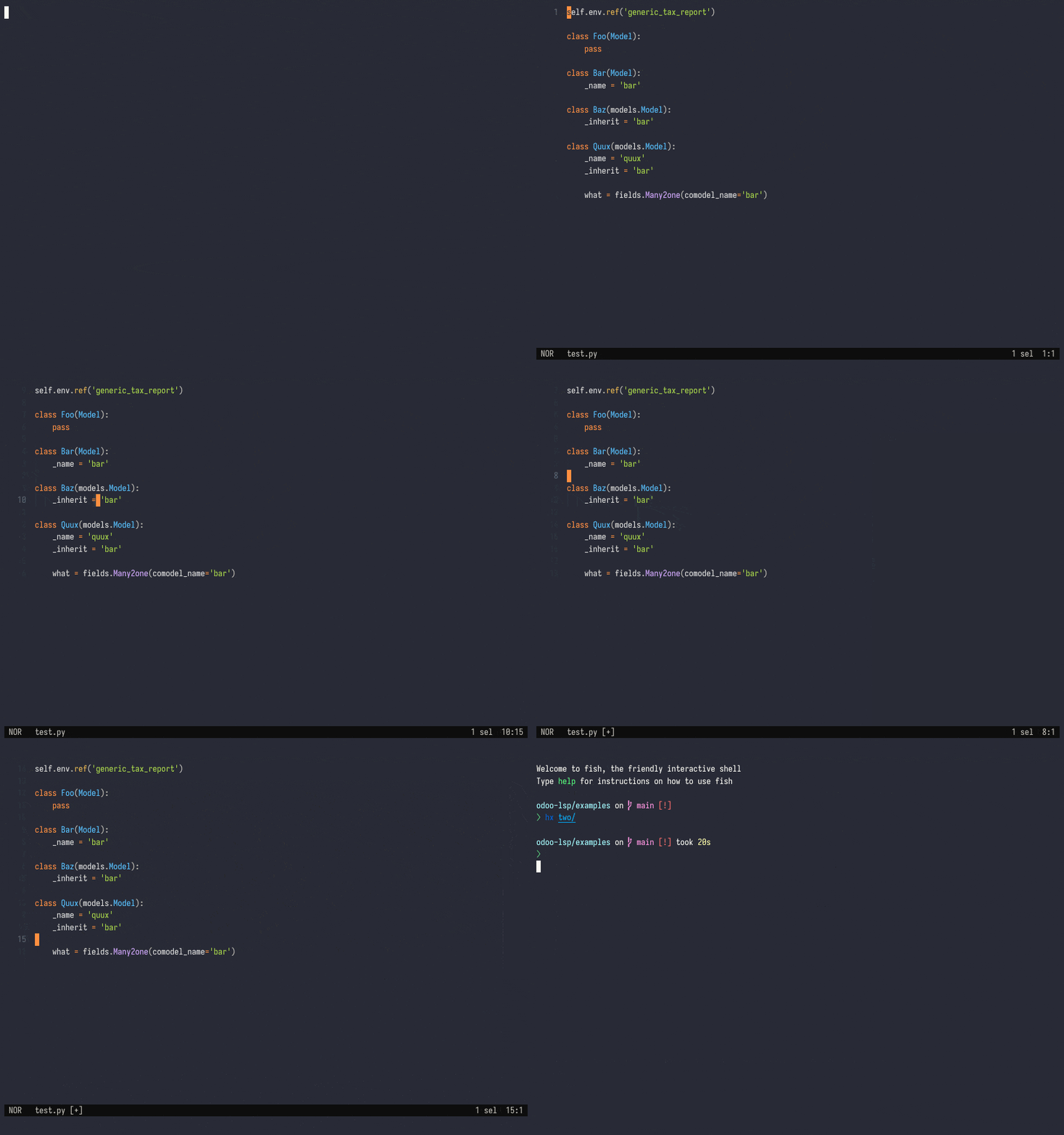](https://asciinema.org/a/604545)
### Browse models and XML records as workspace symbols
[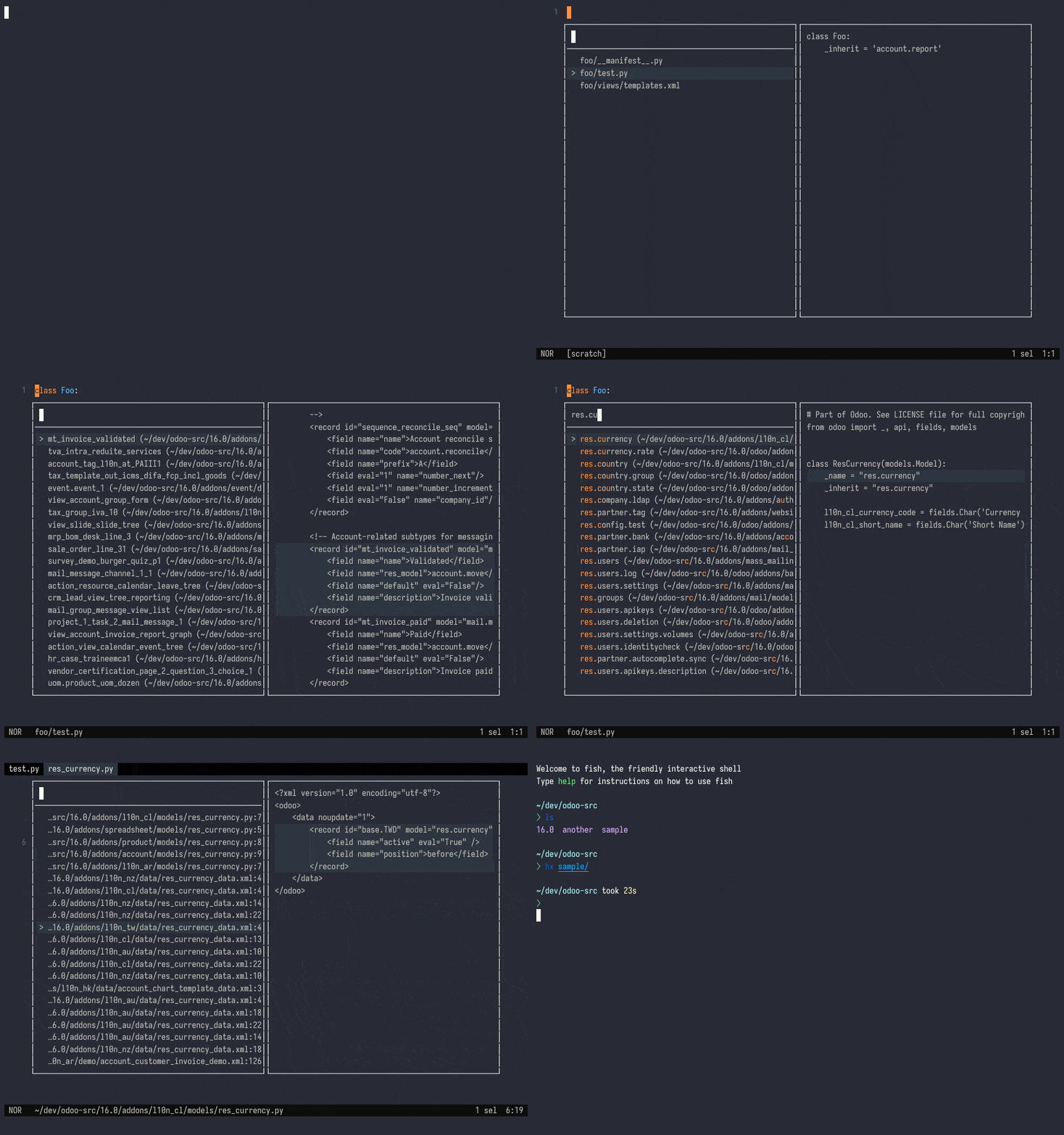](https://asciinema.org/a/604560)
### Syntax enhancements
Provides syntax highlighting in VSCode for Python, JavaScript, and XPath expressions in Odoo XML.
https://github.com/Desdaemon/odoo-lsp/assets/36768030/6003d5fe-9617-41df-ae3d-a704af77455c
For more features check out the [wiki].
## Install
The VSCode extension handles downloading the latest releases automatically; other editors need `odoo-lsp` on the path.
Nightly binaries are also available for major platforms, please check [Releases] for the latest downloads.
```bash
# One-line
curl -L https://github.com/Desdaemon/odoo-lsp/releases/latest/download/odoo-lsp-x86_64-unknown-linux-musl.tgz | tar -xzvf -
# Apple Silicon
curl -L https://github.com/Desdaemon/odoo-lsp/releases/latest/download/odoo-lsp-aarch64-apple-darwin.tgz | tar -xzvf -
# With cargo-binstall
cargo binstall odoo-lsp
# Install from source
cargo install odoo-lsp
# Update in-place, optionally with --nightly
odoo-lsp self-update
```
## Setup
For detailed usage instructions please check the [wiki] (work in progress).
### VSCode
odoo-lsp is available from the [Visual Studio Marketplace](https://marketplace.visualstudio.com/items?itemName=Desdaemon.odoo-lsp) and the
[Open VSX Registry](https://open-vsx.org/extension/Desdaemon/odoo-lsp). Alternatively, you can grab the latest nightly builds from [Releases].
### Zed
odoo-lsp is available from the [Zed extensions registry](https://zed.dev/extensions/odoo-lsp).
For more details read the extension-specific [README](./crates/extension-zed/README.md).
### Helix
See [.helix/languages.toml](./examples/.helix/languages.toml)
1. Ensure that you have `odoo-lsp` on your path
2. Determine your Helix runtime folder, e.g. `~/.config/helix/` on Linux
3. Modify `languages.toml` in your Helix runtime folder (create one if none exists) to include these lines:
```toml
[language-server]
# Update the path to match your setup
odoo-lsp.command = "odoo-lsp"
[[language]]
name = "xml"
language-servers = ["odoo-lsp"]
roots = [".odoo_lsp", ".odoo_lsp.json"]
[[language]]
name = "python"
roots = [
".odoo_lsp", ".odoo_lsp.json",
# add the default roots here
]
# Order is important here
language-servers = [
"odoo-lsp",
# add the default language servers here
"pylsp",
# and any you need
]
```
4. Alternatively, modify `$ROOT/.helix/languages.toml` where `$ROOT` is your Odoo modules root to include the above lines.
### Neovim (v0.11+)
Add a custom definition for nvim-lspconfig:
```lua
-- in ~/.config/nvim/lsp/odoo_lsp.lua
vim.lsp.config['odoo_lsp'] = {
cmd = { "odoo-lsp" },
filetypes = { "javascript", "xml", "python" },
root_markers = { { ".odoo_lsp", ".odoo_lsp.json" }, ".git" },
}
```
Then in your LSP configuration, for example [LazyVim](https://www.lazyvim.org/):
```lua
-- in ~/.config/nvim/lua/plugins/lsp.lua
return {
{
'neovim/nvim-lspconfig',
opts = {
servers = {
odoo_lsp = {},
-- enable these as needed
-- pyright = {},
}
},
},
}
```
For versions before v0.11, see [examples/init.lua](examples/init.lua).
## Troubleshooting
Run your editor with the `RUST_LOG` environment variable like below, e.g. for VSCode:
```shell
RUST_LOG=odoo_lsp=debug code ..
```
This will enable debug logs for the _LSP server_ itself, which can be seen via your editor's logging mechanism.
Please include these logs when opening an issue.
## Development
Don't know where to start? Run `cargo doc --bin odoo-lsp` for a quick overview of the codebase. All contributions welcome!
### VSCode extension
Once you have made your changes, run `pnpm install-for-vscode` to build and install the extension locally.
[wiki]: https://github.com/Desdaemon/odoo-lsp/wiki
[Releases]: https://github.com/Desdaemon/odoo-lsp/releases
[lsp-zero.nvim]: https://github.com/VonHeikemen/lsp-zero.nvim