https://github.com/devanfer02/ratemyubprof
rate my university brawijaya professors
https://github.com/devanfer02/ratemyubprof
Last synced: 5 months ago
JSON representation
rate my university brawijaya professors
- Host: GitHub
- URL: https://github.com/devanfer02/ratemyubprof
- Owner: devanfer02
- License: mit
- Created: 2025-03-14T16:49:41.000Z (over 1 year ago)
- Default Branch: master
- Last Pushed: 2025-11-15T22:49:10.000Z (7 months ago)
- Last Synced: 2025-11-16T00:21:54.054Z (7 months ago)
- Language: Go
- Homepage:
- Size: 335 KB
- Stars: 0
- Watchers: 1
- Forks: 0
- Open Issues: 0
-
Metadata Files:
- Readme: README.md
- License: LICENSE
Awesome Lists containing this project
README
# RateMyUBProf
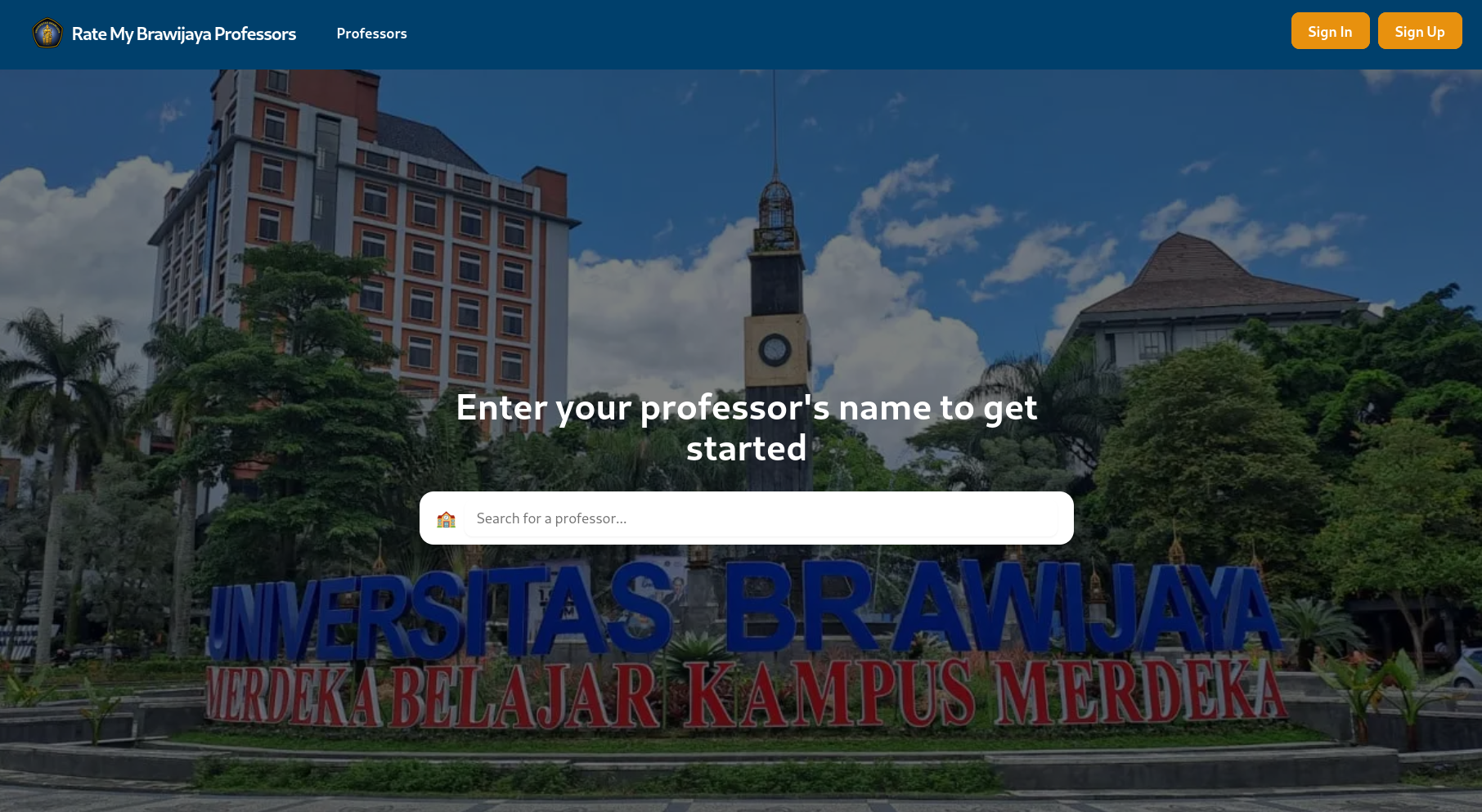
RateMyUBProf is a web application designed to help students rate and review professors at their university precisely Brawijaya University so other students could prepare the best for their upcomming class professor.
This application is using [Go v1.24](https://tip.golang.org/doc/go1.24), [PostgreSQL 16](https://www.postgresql.org/) and [RabbitMQ](https://www.rabbitmq.com/docs/download), make sure you already installed the required dependency for this application.
For client side repository, you can find it right in [this github repository](https://github.com/devanfer02/ratemyubprof-client)
## Backend Architecture
This golang backend repository use `Clean Architecture` for these reasons.
1. Clear separation of concerns.
Every layer in this repository has their own responsibility from controller (REST API), service (Business Logic) and repository (Database Interaction) so it's easier to develop and test individually
2. Independent of Framework/Database.
The application will work as expected even with different HTTP Framework, ORM Framework or Database since the business logic are isolated from these external concerns through dependency inversion.
3. Enhanced Testability.
Business logic can be tested in isolation using mock implementations, enabling fast unit tests without spinning up databases or web servers.
## Development Setup
You can use [devcontainer](https://docs.github.com/en/codespaces/setting-up-your-project-for-codespaces/adding-a-dev-container-configuration/introduction-to-dev-containers) to setup project development, just make sure you have installed docker already! Some commands that need root access like `docker` cli and running unit test (use `testcontainer-go`) need root access in devcontainer so make sure you run it with sudo if needed.
1. Clone the repository:
```zsh
git clone https://github.com/devanfer02/ratemyubprof.git
cd ratemyubprof
```
2. Setup environment variables file `env.json` from [env.example.json](./env.example.json).
3. Setup database environment variables file `.db.env` from `.db.env.example`.
3. Run the migration with migrate cli or application main entry and makefile
```zsh
make migrate-up # use migrate cli
make migrate # use defined method in main
```
3. Run the application
```zsh
make run # Basic go run
make air # Live reload with air
```
4. Access the application at `http://localhost:{PORT}`.
5. To run unit tests, just run the command
```zsh
make test
```
## Deployment
### Docker
1. Edit database credentials in `docker-compose.yml` file
2. Spin up the containers with `docker compose`
```zsh
docker compose up -d
```
2. Access the application at `http://localhost`.
### Kubernetes
1. Edit image name, configmap in [`deploy/kube`](./deploy/kube/) and other configurations
1. Apply the Kubernetes manifests
```zsh
kubectl apply -f deploy/kube
```
2. Access the application via the Kubernetes service.
## API Documentation
To view or access API Documentation, you can look up with below link
Postman Documentation : [API Doc](https://documenter.getpostman.com/view/27789368/2sB2x5FrnC)
## Contributing
Contributions are welcome! Please fork the repository and submit a pull request.
## License
This project is licensed under the MIT License. See the [`LICENSE`](./LICENSE) file for details.
## Tech Stacks
[](https://skillicons.dev)