https://github.com/devanshbatham/heaptruffle
Mine URLs from Browser's Heap Snapshot for fun and profit
https://github.com/devanshbatham/heaptruffle
Last synced: about 1 year ago
JSON representation
Mine URLs from Browser's Heap Snapshot for fun and profit
- Host: GitHub
- URL: https://github.com/devanshbatham/heaptruffle
- Owner: devanshbatham
- License: mit
- Created: 2023-08-06T20:28:56.000Z (almost 3 years ago)
- Default Branch: main
- Last Pushed: 2023-08-09T09:02:33.000Z (almost 3 years ago)
- Last Synced: 2025-03-29T05:12:20.698Z (about 1 year ago)
- Language: JavaScript
- Homepage:
- Size: 312 KB
- Stars: 64
- Watchers: 2
- Forks: 16
- Open Issues: 0
-
Metadata Files:
- Readme: README.md
- License: LICENSE
Awesome Lists containing this project
README
heaptruffle
Mine URLs from Browser's Heap Snapshot for fun and profit
🏗️ Install
⛏️ Usage
💡 How it Works
⚡ Inspiration
# Installation
Follow these steps to get `heaptruffle` up and running:
1. **Clone the Repository**:
```sh
git clone https://github.com/devanshbatham/heaptruffle
```
2. **Navigate to the Directory**:
```sh
cd heaptruffle
```
3. **Build the Docker Image**:
```sh
docker build -t heaptruffle .
```
4. **Make the script executable and move it to a directory in your PATH**:
```sh
sudo chmod +x heaptruffle
sudo mv heaptruffle /usr/local/bin/heaptruffle
```
Once done, you can invoke `heaptruffle` from any location in your terminal.
# Usage
### Using Docker:
- To run heaptruffle on single URL
```sh
docker run -it --rm -v "$PWD":/app/data --name heaptruffle-container heaptruffle --url http://example.com
```
- or, to run it on a file containing URLs.
```sh
docker run -it --rm -v "$PWD":/app/data --name heaptruffle-container heaptruffle --list urls.txt
```
- Save the output to a file (output.txt):
```sh
docker run -it --rm -v "$PWD":/app/data --name heaptruffle-container heaptruffle --url http://example.com --output /app/data/output.txt
```
- Increase concurrency to fetch URLs faster:
```sh
docker run -it --rm -v "$PWD":/app/data --name heaptruffle-container heaptruffle --list urls.txt --concurrency 10
```
### Using heaptruffle alias (after installation):
- To run heaptruffle:
```sh
heaptruffle --url https://example.com
```
- or
```sh
heaptruffle --list urls.txt
```
- Increase concurrency to fetch URLs faster:
```sh
heaptruffle --list urls.txt --concurrency 10
```
- Save the output to a file (output.txt):
```sh
heaptruffle --url https://example.com --output output.txt
```
- Use silent mode to suppress the ASCII banner:
```sh
heaptruffle --url https://example.com --silent
```
## Options
| Option | Alias | Type | Description |
|-----------------|-------|----------|---------------------------------------------------------------|
| `--url` | `-u` | `string` | URL address |
| `--list` | `-l` | `string` | File containing list of URLs |
| `--concurrency` | `-c` | `number` | Number of URLs to fetch concurrently (default: 5) |
| `--silent` | `-s` | `boolean`| Silent mode, does not display the ASCII banner (default: false)|
| `--output` | `-o` | `string` | File to save the output |
# How it Works
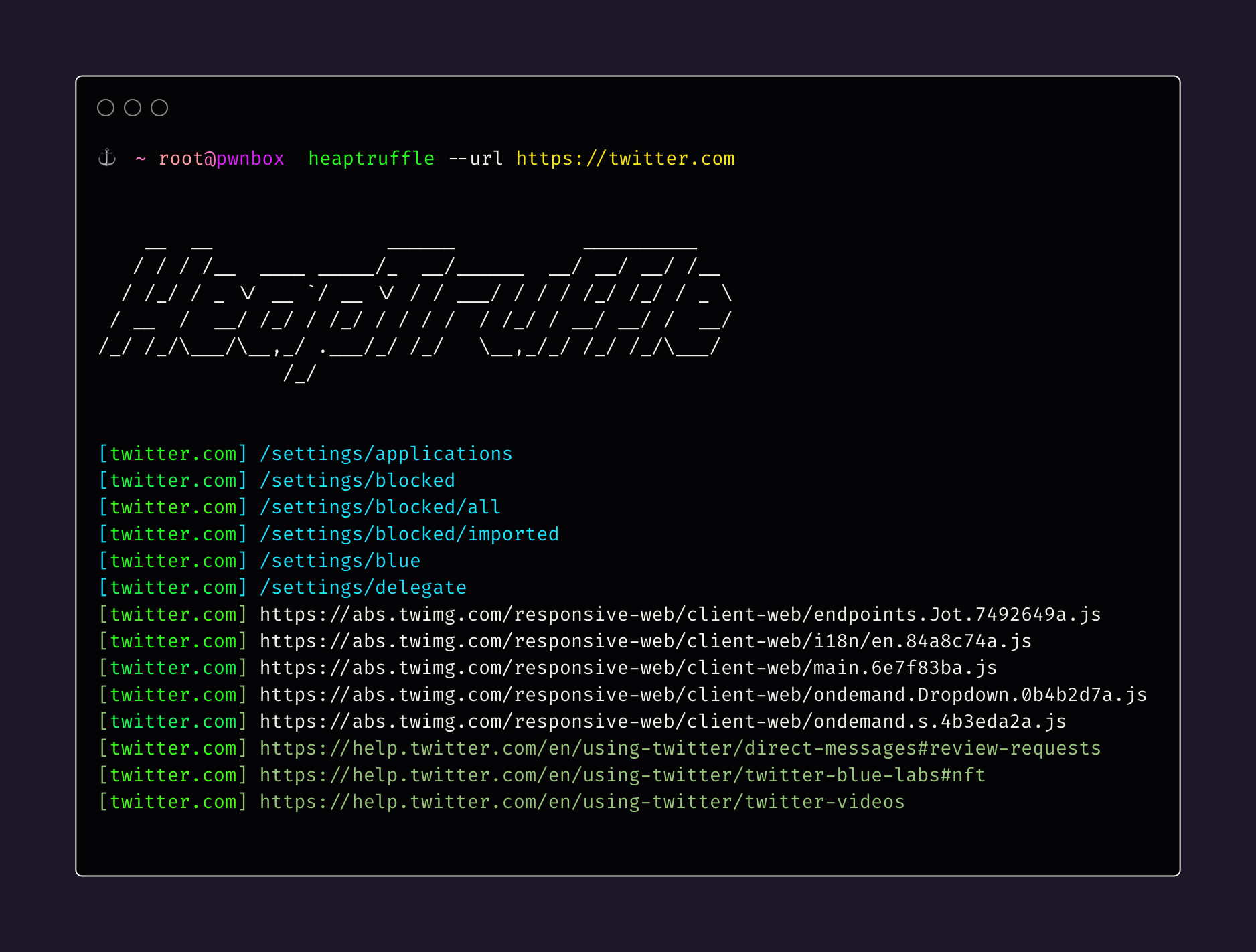
heaptruffle uses Puppeteer, a headless browser automation library, to load web pages and capture heap snapshots of the web pages' memory. These heap snapshots are then parsed using the `heapsnapshot-parser` library, allowing heaptruffle to extract URLs/endpoints from it.
The tool takes either a single URL or a file containing a list of URLs as input. It fetches each URL concurrently to speed up the process. For each URL, heaptruffle loads the web page, captures a heap snapshot, and then performs analysis to extract relevant paths from the snapshot. It identifies the URLs and paths accessed during the page's execution and outputs them to the console or a specified output file.
## Inspiration
This tool was inspired by the project [extract-relative-url-heapsnapshot](https://github.com/smiegles/extract-relative-url-heapsnapshot) by [smiegles](https://github.com/smiegles). I just improved it in my way and extended its functionality (concurrency, support for multiple URLs, pretty output, the ability to save the results in a file, dockerization, error handling, an easy-to-use setup script, etc).