https://github.com/developernidhisingh/travel
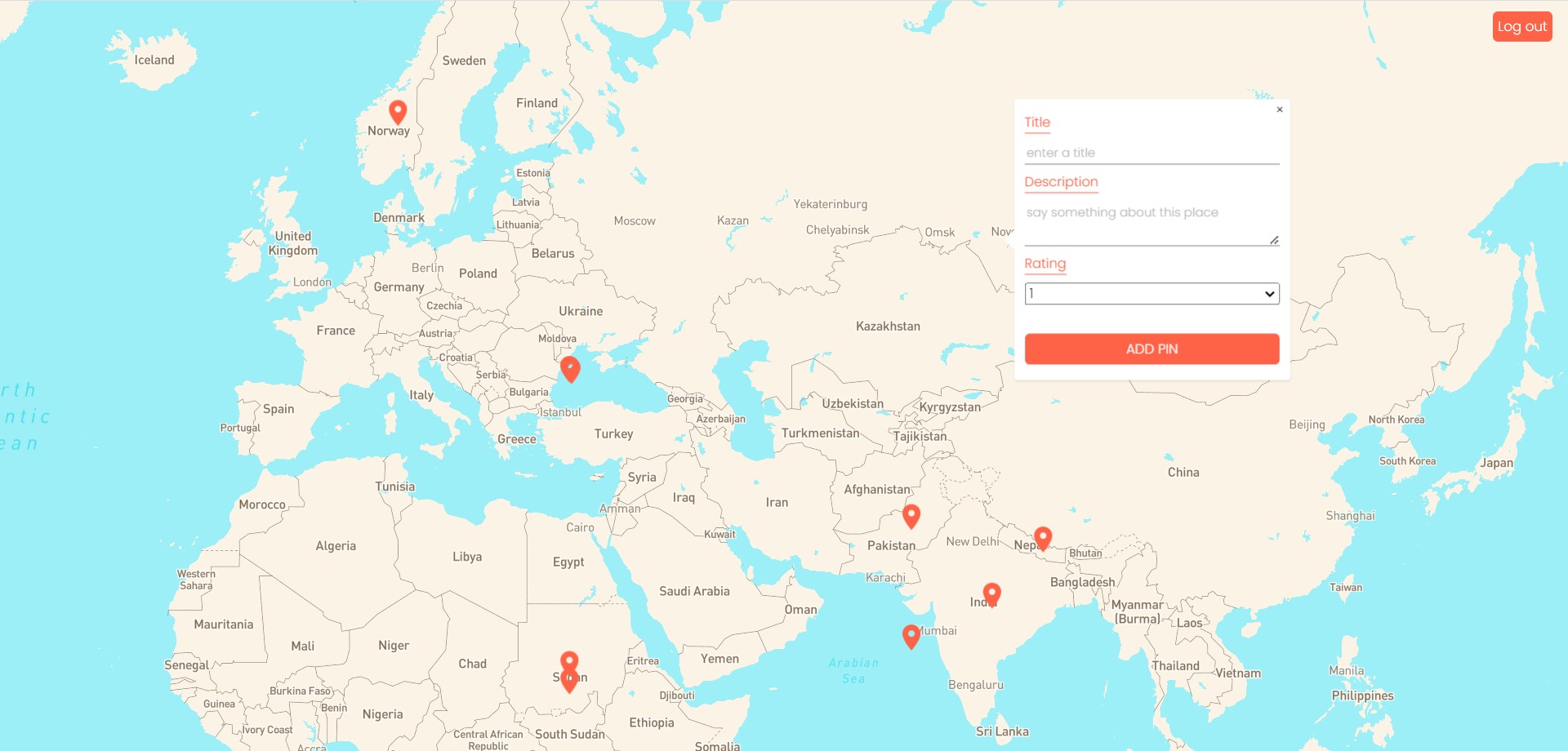
Travel App is a MERN (MongoDB, Express, React, Node.js) web application designed to allow users to pin locations on a world map and store information about those locations. This application provides a platform for travelers to keep track of their visited places, share their experiences with other travelers and also view others marked places.
https://github.com/developernidhisingh/travel
express mongodb nodejs reactjs
Last synced: 3 months ago
JSON representation
Travel App is a MERN (MongoDB, Express, React, Node.js) web application designed to allow users to pin locations on a world map and store information about those locations. This application provides a platform for travelers to keep track of their visited places, share their experiences with other travelers and also view others marked places.
- Host: GitHub
- URL: https://github.com/developernidhisingh/travel
- Owner: developernidhisingh
- Created: 2024-09-17T17:29:45.000Z (almost 2 years ago)
- Default Branch: backend
- Last Pushed: 2024-09-17T18:10:06.000Z (almost 2 years ago)
- Last Synced: 2025-03-23T12:15:11.230Z (over 1 year ago)
- Topics: express, mongodb, nodejs, reactjs
- Language: JavaScript
- Homepage:
- Size: 197 KB
- Stars: 0
- Watchers: 1
- Forks: 0
- Open Issues: 0
-
Metadata Files:
- Readme: README.md
Awesome Lists containing this project
README
# TravelMap
Travel App is a MERN (MongoDB, Express, React, Node.js) web application designed to allow users to pin locations on a world map and store information about those locations. This application provides a platform for travelers to keep track of their visited places, plan their trips, and share their experiences with other travelers.
## Features
* ### User registration and login
* ### Profile management
* ### World map with pinned locations
* ### Location search and filtering
* ### Location details page with photos and description
* ### Add new locations to the map <* /br>
## Technologies Used
* ### MongoDB for the database
* ### Express for the web application framework
* ### React for the frontend
* ### Node.js for server-side development
* ### Getting Started
* ### Clone this repository to your local machine.
* ### Navigate to the project directory in the terminal.
* ### Install the dependencies by running npm install.
Start the development server by running npm start.
Open the application in your web browser at http://localhost:4040.
## Contributing
Contributions are welcome! Please fork this repository and create a pull request with your changes.