https://github.com/devmount/stunden-check
StundenCheck is an open source web application for managing participation in initiative institutions.
https://github.com/devmount/stunden-check
Last synced: 4 months ago
JSON representation
StundenCheck is an open source web application for managing participation in initiative institutions.
- Host: GitHub
- URL: https://github.com/devmount/stunden-check
- Owner: devmount
- License: mit
- Created: 2022-08-14T19:55:16.000Z (almost 4 years ago)
- Default Branch: main
- Last Pushed: 2026-03-30T22:48:45.000Z (4 months ago)
- Last Synced: 2026-03-31T00:29:35.929Z (4 months ago)
- Language: PHP
- Homepage:
- Size: 1.15 MB
- Stars: 5
- Watchers: 2
- Forks: 0
- Open Issues: 0
-
Metadata Files:
- Readme: README.md
- License: LICENSE
Awesome Lists containing this project
README
# StundenCheck
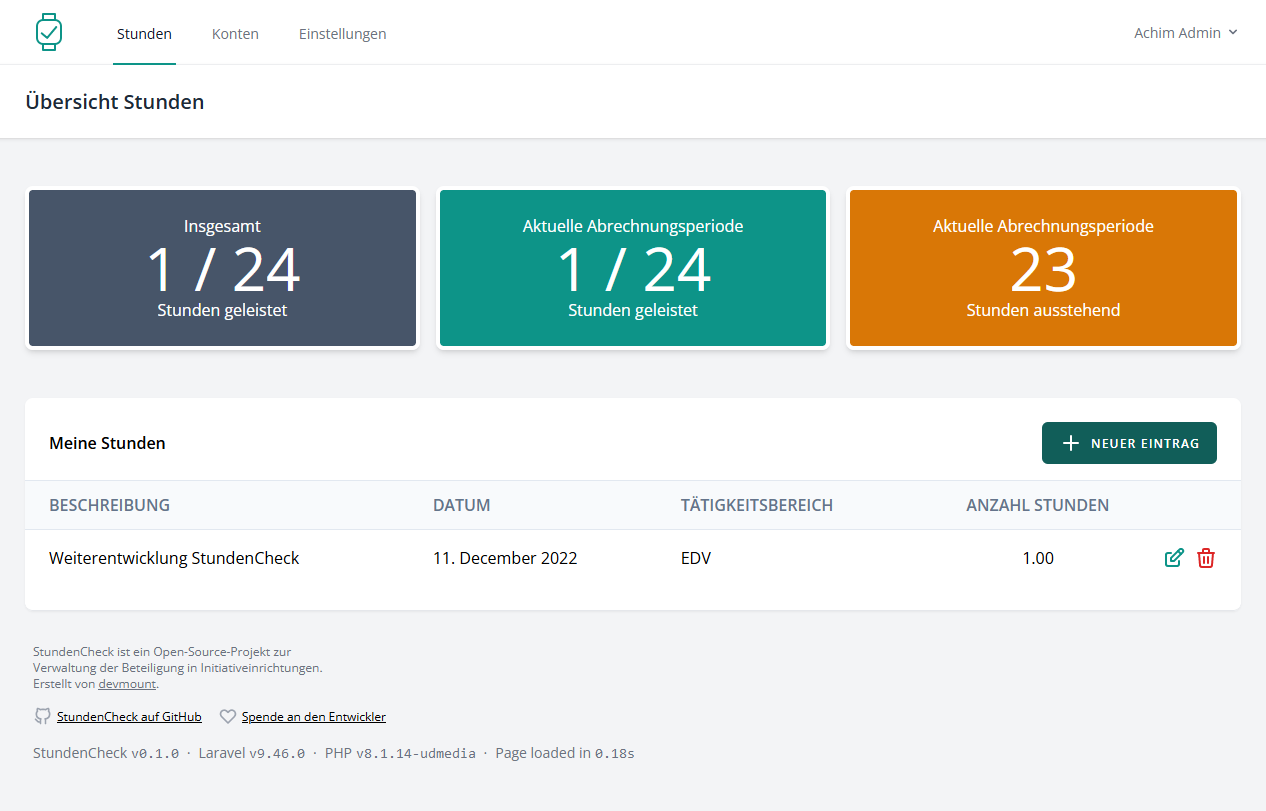
StundenCheck is an open source web application for managing participation in initiative institutions.
## Setup
Prerequisites:
- PHP ≥ 8.3
- Composer ≥ 2.4
- Node.js ≥ 24
```bash
git clone https://github.com/devmount/stunden-check # Get project files
cd stunden-check # Switch to app directory
composer install # Install dependencies
cp .env.example .env # Init environment configuration
nano .env # Set all env vars according to your web server environment
php artisan migrate # Create database structure
php artisan key:generate # Build a secure key for the app
php artisan db:seed # Create initial parameters, categories and admin user
npm i # Install frontend dependencies
```
## Development
If you don't want to start with an empty database, you can generate test accounts with fake data:
```bash
php artisan db:seed --class=TestDataSeeder # Fill database with fake test data
```
To start a local development server, run:
```bash
php artisan serve # Start dev webserver
npm run dev # Start dev frontend with hot module reload (HMR)
```
Now you can log in on with the initial admin user credentials (email: `admin@example.com`, password: `Joh.3,16`).
Alternatively you can use Docker and create all necessary containers by running:
```bash
ddev start
```
## Production
To build the application for production, run:
```bash
composer install --optimize-autoloader --no-dev
php artisan optimize # Cache configuration, events, routes, and views
npm run build
```
In `.env` set `APP_DEBUG` to _false_ and `APP_URL` to your _production url_. Change more values here if needed.
The webserver should be configured to serve the `public/` directory as root.
## Testing
The application provides unit and feature tests that can be run with:
```bash
php artisan test
```
If you have `pcov` or `xdebug` available, you can check the test coverage with:
```bash
php artisan test --coverage
```
## License
This project is based on the Laravel framework open-sourced software licensed under the [MIT license](https://opensource.org/licenses/MIT).