https://github.com/devnoname120/vhbb
Browse, download, and launch Vita homebrews!
https://github.com/devnoname120/vhbb
psvita vita
Last synced: about 1 year ago
JSON representation
Browse, download, and launch Vita homebrews!
- Host: GitHub
- URL: https://github.com/devnoname120/vhbb
- Owner: devnoname120
- License: other
- Created: 2017-04-09T10:54:04.000Z (about 9 years ago)
- Default Branch: master
- Last Pushed: 2024-03-10T23:08:16.000Z (about 2 years ago)
- Last Synced: 2025-03-29T11:09:45.232Z (about 1 year ago)
- Topics: psvita, vita
- Language: C
- Homepage: https://vhbb.download/
- Size: 10.7 MB
- Stars: 421
- Watchers: 38
- Forks: 39
- Open Issues: 26
-
Metadata Files:
- Readme: README.md
- License: license.txt
Awesome Lists containing this project
README

# Vita HomeBrew Browser [](https://dev.azure.com/devnoname120/devnoname120/_build/latest?definitionId=1&branchName=master) 
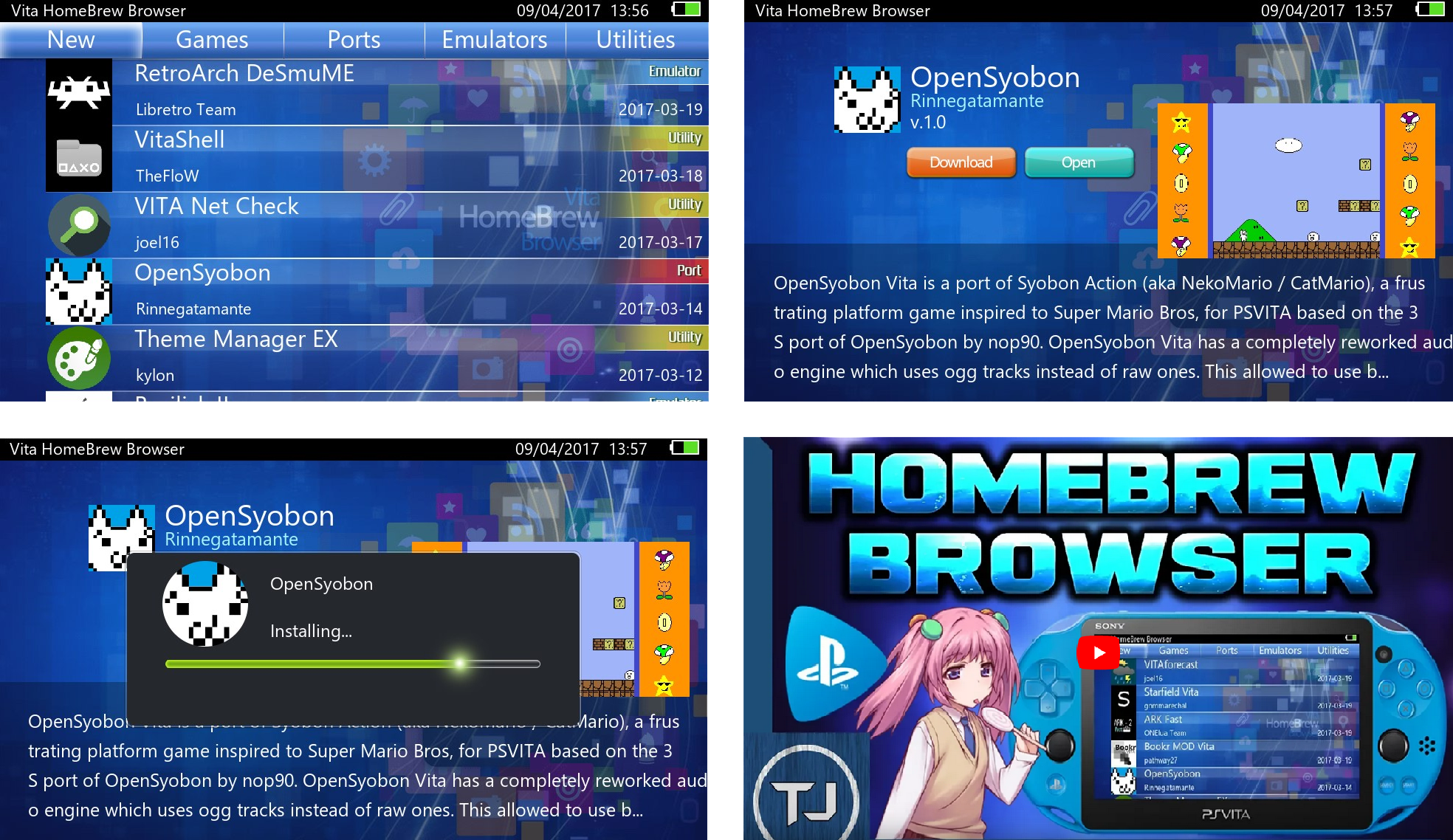
VHBB is an app store for the PS Vita. With it, you can browse homebrews from [VitaDB](https://vitadb.rinnegatamante.it/#/), see screenshots, videos, and install them for free!
In order to use VHBB, you can download [latest version](https://github.com/devnoname120/vhbb/releases/latest), transfer the VPK to your Vita, and install it with Vitashell. Note that you'll need to jailbreak your Vita in order to use this app: [here is a guide to jailbreak your PS Vita](https://vita.hacks.guide/). You can also click on the screenshots below to get a video tutorial.
[](https://www.youtube.com/watch?v=f9XRkWQyxfI)
# Development instructions
## Prerequisites
Optional:
- [vitacompanion](https://github.com/devnoname120/vitacompanion): automatically send and reload app after compilation, see [Running](#Running).
- debugnet: real-time logging that can be viewed from your computer, see [Logging](#Logging).
## Building
To build VHBB, you'll need to have the [vitasdk](https://vitasdk.org) installed and working.
Then run the following commands:
```
mkdir build
cd build
cmake .. -DDEBUGNET=OFF -DCMAKE_BUILD_TYPE=Release
make -j4
```
## Running
To run VHBB:
- send the generated `.vpk` to your vita:
- start an FTP server on your vita, for example [VitaShell](https://github.com/TheOfficialFloW/VitaShell/releases).
- upload the vpk to the vita using a FTP client.
- install the .vpk on your vita using a vpk installer, for example [VitaShell](https://github.com/TheOfficialFloW/VitaShell/releases).
- a new folder will be created under `ux0:/app/` named `/VHBB00001/`.
You can also use [vitacompanion](https://github.com/devnoname120/vitacompanion) in order to send and reload the application easily after compilation.
## Logging
Debug code prints text in order to help the debugging. Currently debugnet and file logging are supported.
Instructions to use debugnet:
- install [debugnet](https://github.com/psxdev/debugnet#readme)
- set the local IP of your computer in `debugnetip.txt`
- compile VHBB using `cmake .. -DDEBUGNET=ON`
- on your computer, listen to the port 18194
- with [netcat](http://nc110.sourceforge.net/): `nc -u -l -p 18194`
- with [socat](http://www.dest-unreach.org/socat/): `socat udp-recv:18194 stdout`
- install VHBB on your PS Vita and start it. The logging should display in the terminal.
Instructions to enable file logging:
- close VHBB
- launch it by pressing the special text ([image](https://user-images.githubusercontent.com/2824100/47955435-678b3700-df98-11e8-9ae5-cc7c3bc62e5a.png))
## Notes
- icon0.png, startup.png and bg.png must be using indexed palettes.
- PNG files created in some image editors will cause the .vpk intallation to crash.
You may use PNGO to optimise addition PNG files (included under `/tools/`),
or [pngquant](https://pngquant.org/).
## License
- Code and scripts inside the folder `src\vpk_install` are licensed under the terms of GNU GPLv3. Check the file `src/vpk_install/license.txt` for the complete conditions.
- The rest of the files (unless specified otherwise) are licensed under the terms of [CC by-nc-sa 4.0](https://creativecommons.org/licenses/by-nc-sa/4.0/). Check the file `license.txt` for the complete conditions.