https://github.com/devonchurch/blue-cheese
AWS PostgreSQL POC
https://github.com/devonchurch/blue-cheese
antd aws-rds postgresql react serverless typescript
Last synced: 3 months ago
JSON representation
AWS PostgreSQL POC
- Host: GitHub
- URL: https://github.com/devonchurch/blue-cheese
- Owner: devonChurch
- License: mit
- Created: 2018-12-15T02:29:23.000Z (over 7 years ago)
- Default Branch: master
- Last Pushed: 2019-01-01T22:51:34.000Z (over 7 years ago)
- Last Synced: 2025-02-02T08:29:47.484Z (over 1 year ago)
- Topics: antd, aws-rds, postgresql, react, serverless, typescript
- Language: TypeScript
- Size: 214 KB
- Stars: 0
- Watchers: 2
- Forks: 0
- Open Issues: 0
-
Metadata Files:
- Readme: README.md
- License: LICENSE
Awesome Lists containing this project
README
# Blue Cheese 🔵 🧀 💙 🧀 🔷 😋
[](https://prettier.io/) [](http://commitizen.github.io/cz-cli/) [](https://www.typescriptlang.org/)
## What
**A port from my original [Russian Fudge](https://github.com/devonChurch/russian-fudge/) GraphQL repository into using an RDS implementation.**
The architecture was an amalgamation of the following core components:
- [RDS (PostgreSQL)](https://aws.amazon.com/rds/postgresql/)
- [Serverless](https://serverless.com/)
- [Typescript](https://www.typescriptlang.org/)
The UI was generated with a [React](https://reactjs.org/) based design system called [Ant](https://ant.design/docs/react/introduce).
## Infrastructure
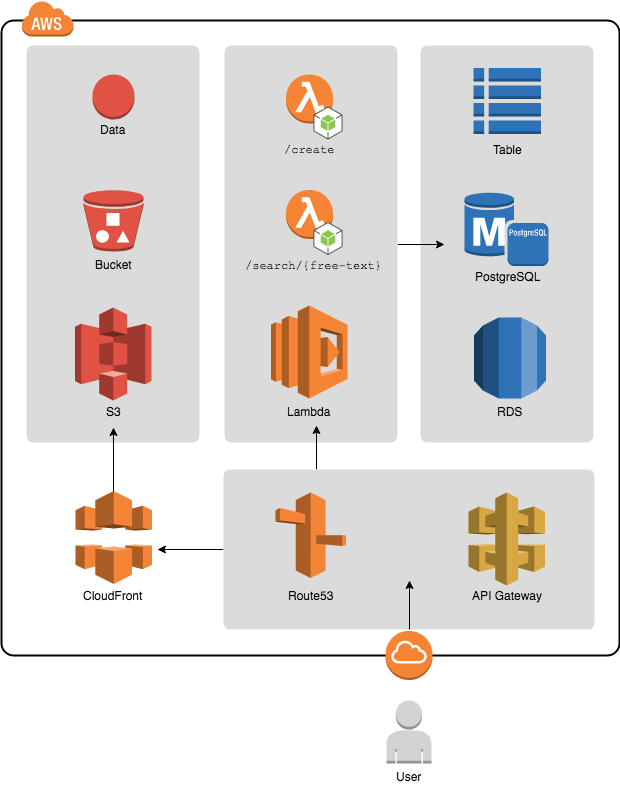
A simple infrastructure hooking a **React SPA** to an **Lambda / RDS** data hooks.
## Functionality
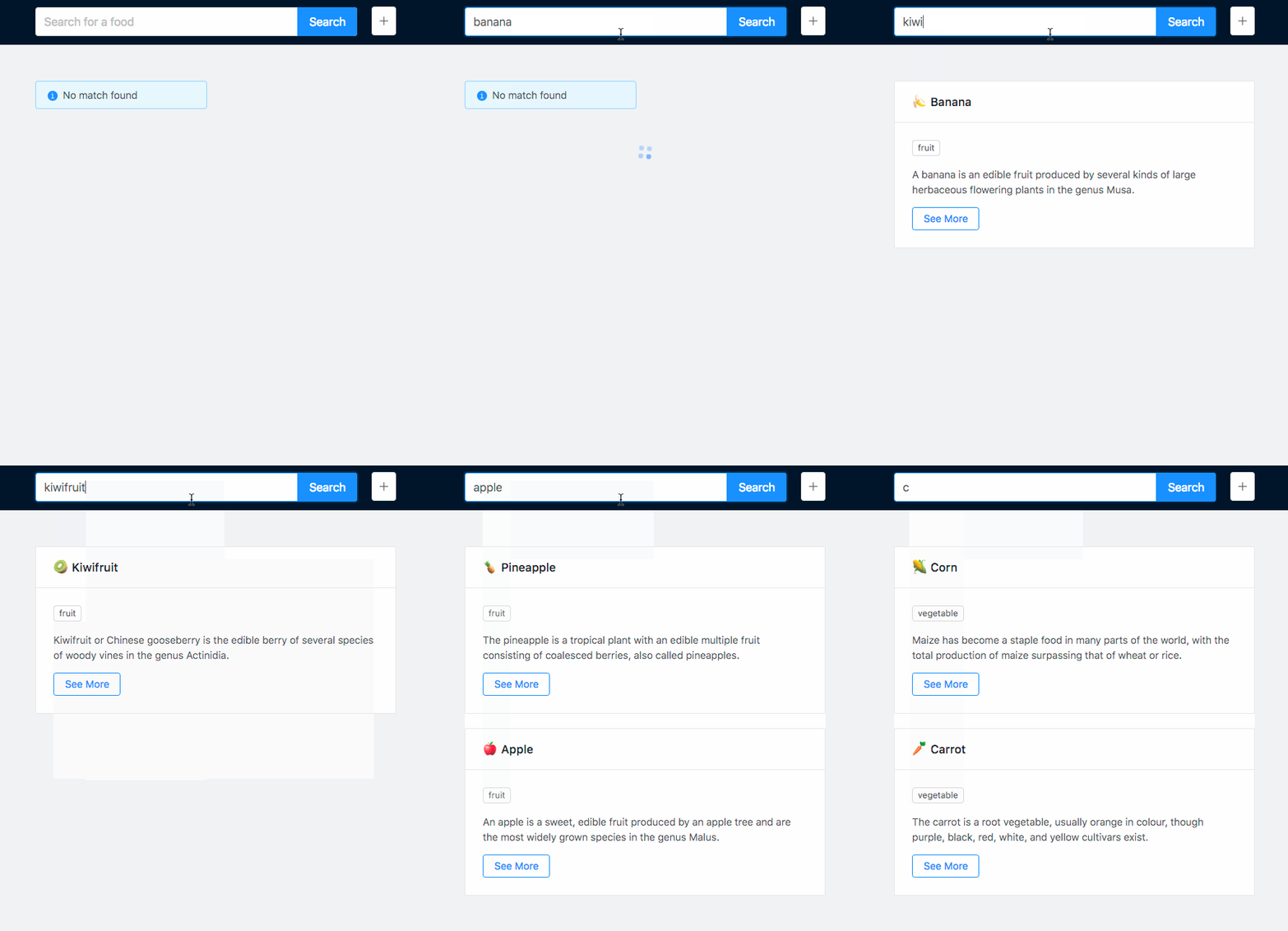
### Search
Users can _Free Text_ search against the titles of the "Food" cards.
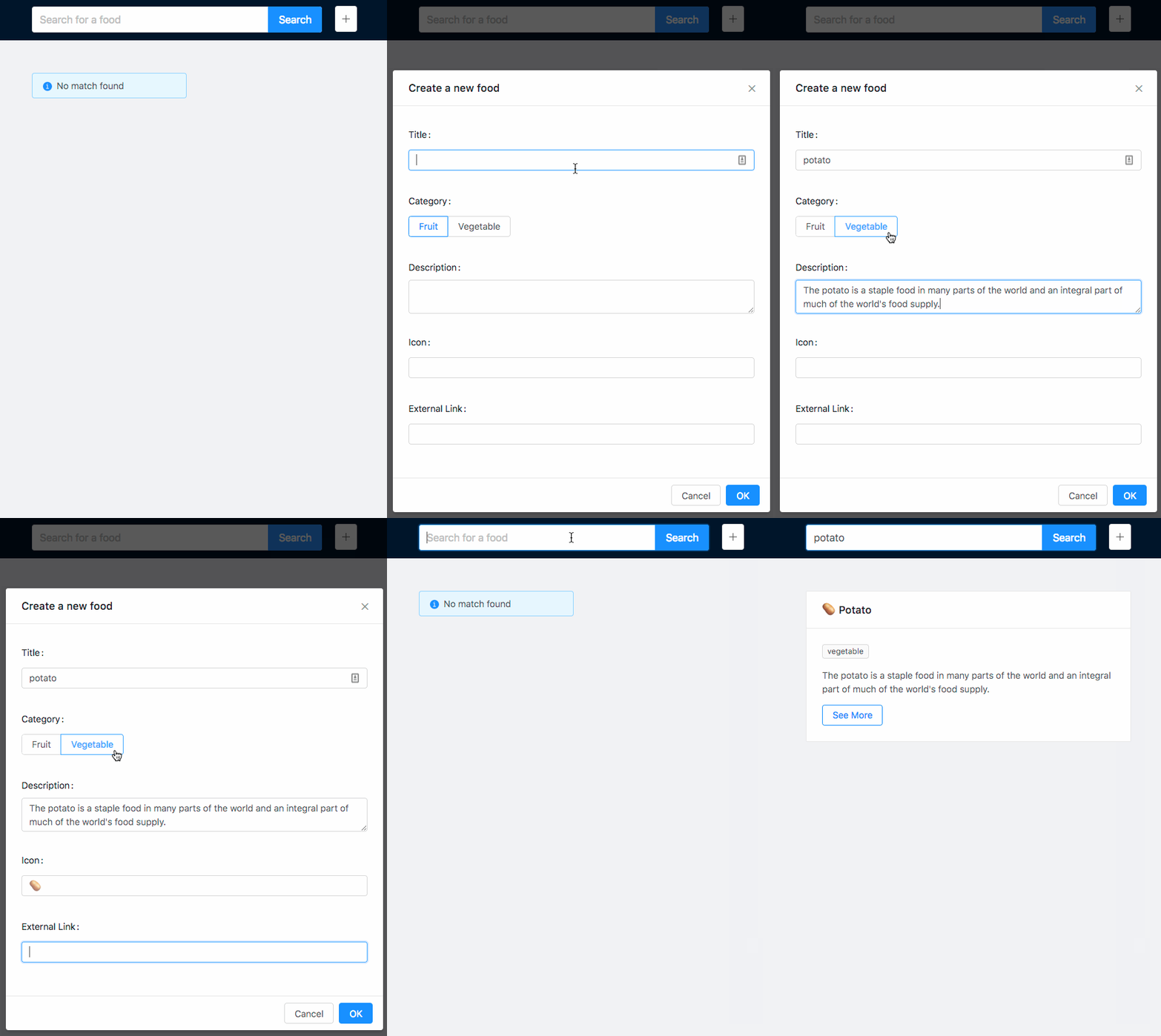
### Create
Users can create their own "Food" card directly inside the application.
## Installation
- Clone this repository
```
git clone https://github.com/devonChurch/blue-cheese.git && cd blue-cheese
```
- Install Node.js and project dependencies
```
nvm use && npm i
```
- Start _Serverless_ hooks on [Port 5000](http://localhost:5000/)
_(**Note:** you need to pass in your RDS credentials via **Environment Variables**)_
```
USER="john_smith" PASSWORD="a1B2c3D4e5F6g" npm run server
```
- Start _Create React App_ on [Port 3000](http://localhost:3000/)
```
npm start
```
## PG Admin
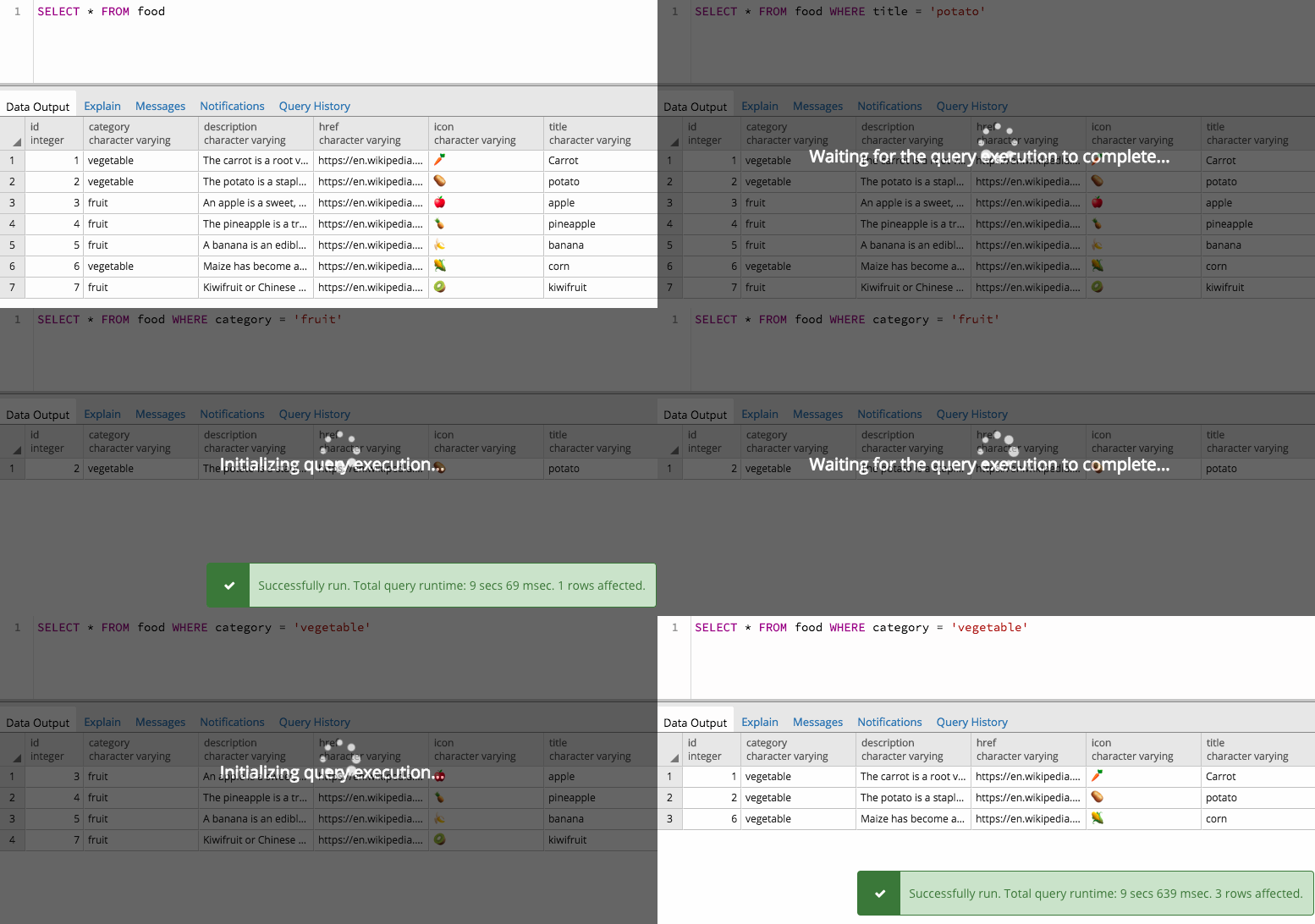
[](https://www.pgadmin.org/download/)
[PG Admin](https://www.pgadmin.org/download/) offers a nice interface to test and iterate your SQL queries. This can be run locally while connecting to an AWS RDS instance..