https://github.com/devrajdc/snapalyzer
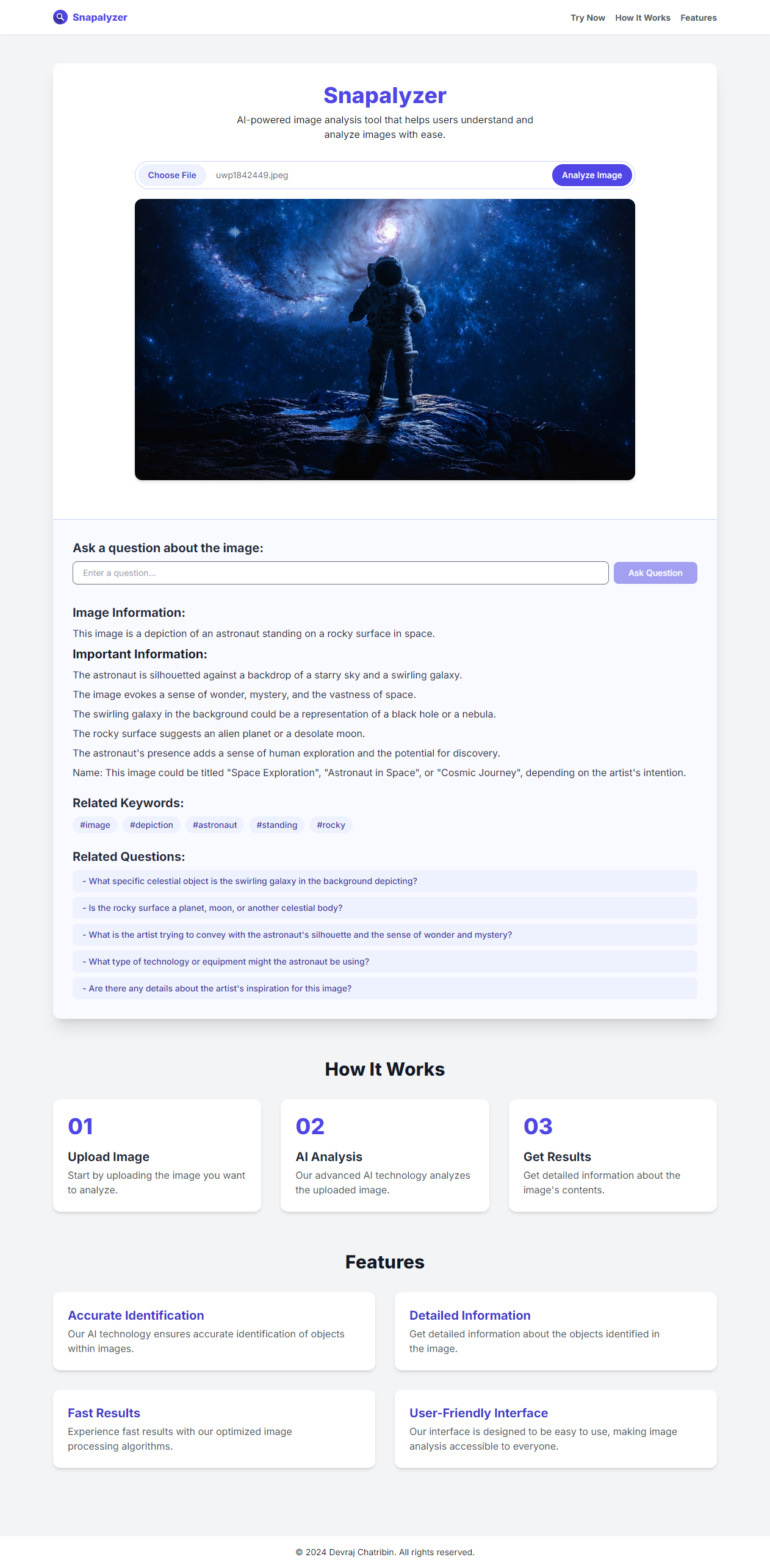
AI-powered image analysis tool that helps users understand and analyze images with ease.
https://github.com/devrajdc/snapalyzer
gemini google-generative-ai nextjs reactjs tailwindcss typescript
Last synced: 2 months ago
JSON representation
AI-powered image analysis tool that helps users understand and analyze images with ease.
- Host: GitHub
- URL: https://github.com/devrajdc/snapalyzer
- Owner: DevrajDC
- Created: 2024-09-18T05:57:16.000Z (almost 2 years ago)
- Default Branch: main
- Last Pushed: 2025-04-05T20:42:41.000Z (about 1 year ago)
- Last Synced: 2026-03-05T04:43:38.315Z (4 months ago)
- Topics: gemini, google-generative-ai, nextjs, reactjs, tailwindcss, typescript
- Language: TypeScript
- Homepage: https://snapalyzer.vercel.app
- Size: 1.38 MB
- Stars: 1
- Watchers: 1
- Forks: 0
- Open Issues: 0
-
Metadata Files:
- Readme: README.md
Awesome Lists containing this project
README
# Snapalyzer | AI Image Analyzer
## Project Overview
This Image Analyzer is a web application built with Next.js that uses Google's Gemini AI to analyze and provide detailed information about uploaded images. The app offers a user-friendly interface for image upload, displays AI-generated information about the image, and provides related keywords and questions for further exploration.
## Features
- Image upload and preview
- AI-powered image analysis using Google Gemini API
- Detailed information display about the identified image
- Related keywords generation for further exploration
- AI-generated related questions about the image
- Responsive design for various screen sizes
## Tech Stack
- Next.js 14 (React framework)
- TypeScript
- Tailwind CSS for styling
- Google Generative AI (Gemini API)
## Key Functionalities
1. **Image Upload**: Users can upload an image through the `ImageUploader` component.
2. **Image Analysis**: The uploaded image is sent to the Gemini AI API for analysis.
3. **Information Display**: The AI-generated information about the image is displayed in the `ResultDisplay` component.
4. **Related Keywords**: The app extracts and displays related keywords from the AI response.
5. **Related Questions**: The app generates and displays related questions about the image using a separate AI query.
6. **Regenerate Content**: Users can click on keywords to regenerate content with a focus on that specific aspect.
7. **Ask Related Questions**: Users can click on generated questions to get more specific information about the image.
## Setup and Installation
1. Clone the repository
2. Install dependencies: `npm install`
3. Set up environment variables:
- Create a `.env.local` file in the root directory
- Add your Google Gemini API key: `NEXT_PUBLIC_GOOGLE_GEMINI_API_KEY=your_api_key_here`
4. Run the development server: `npm run dev`
5. Open `http://localhost:3000` in your browser
## Deployment
This project can be easily deployed on platforms like Vercel or Netlify. Make sure to set up the environment variables in your deployment platform's settings.
## Future Improvements
- Implement user authentication for personalized experiences
- Add image categorization and tagging features
- Implement a gallery of previously analyzed images
- Optimize performance for faster image processing
- Add multi-language support for global users
## License
This project is licensed under the MIT License.
## Preview: