https://github.com/devture/passlite_browser_extension
Passlite is a fork of the Passbolt browser extension (https://github.com/passbolt/passbolt_browser_extension) with a focus on usage in certain enterprise environments
https://github.com/devture/passlite_browser_extension
Last synced: 14 days ago
JSON representation
Passlite is a fork of the Passbolt browser extension (https://github.com/passbolt/passbolt_browser_extension) with a focus on usage in certain enterprise environments
- Host: GitHub
- URL: https://github.com/devture/passlite_browser_extension
- Owner: devture
- License: agpl-3.0
- Created: 2020-01-24T14:31:35.000Z (over 6 years ago)
- Default Branch: v2.12.0-passlite
- Last Pushed: 2021-11-03T19:03:22.000Z (over 4 years ago)
- Last Synced: 2025-10-28T22:34:51.638Z (9 months ago)
- Language: JavaScript
- Size: 464 MB
- Stars: 2
- Watchers: 1
- Forks: 0
- Open Issues: 2
-
Metadata Files:
- Readme: README.md
- Changelog: CHANGELOG.md
- Contributing: CONTRIBUTING.md
Awesome Lists containing this project
README
# Passlite
Passlite is a browser addon, which is a **fork** of the [Passbolt](https://github.com/passbolt/passbolt_browser_extension) browser addon.
The goal is to have an addon, which is more suitable for a managed (corporate) environment,
in which users do not create and manage passwords by themselves, but rather just use whatever is shared with them.
The following changes have been made compared to the original Passbolt addon:
- logos and names have been changed to prevent confusion with the original Passbolt addon. We'd like to credit Passbolt immensely for the great work that they've done, but we don't want to detract from their brand or cause confusion. Passlite is mostly compatible, but it's not Passbolt.
- some filtering features (by group, Favorites, etc.) have been removed to simplify the UI. Only the "Shared with me" filter has been preserved.
- "create new password" and "copy password" functionality has been removed
- a `X-Passlite: 1` HTTP header is sent during initial `/auth/verify.json` setup requests to signify that it's the Passlite fork that is making the request. It's up to the server to make or not make use of this header.
- a `Makefile` has been added, to make it simpler to publish source code
This addon can work with the original and default [Passbolt API server](https://github.com/passbolt/passbolt_api).
The original Passbolt README follows below.
-------------------------------------------------------------------------
____ __ ____
/ __ \____ _____ ____/ /_ ____ / / /_
/ /_/ / __ `/ ___/ ___/ __ \/ __ \/ / __/
/ ____/ /_/ (__ |__ ) /_/ / /_/ / / /_
/_/ \__,_/____/____/_.___/\____/_/\__/
Open source password manager for teams
(c) 2019 Passbolt SA
https://www.passbolt.com
## Licence
Passbolt is distributed under [Affero General Public License v3](http://www.gnu.org/licenses/agpl-3.0.html)
## About passbolt
Passbolt is an open source password manager for teams. It allows to securely share and store credentials.
For instance, the wifi password of your office, or the administrator password of a router, or your organisation social media account password,
all of them can be secured using Passbolt.
You can try a demo of passbolt at [https://demo.passbolt.com](https://demo.passbolt.com).
You will need to install a plugin, you can find a step by step guide in the website
[help section](https://www.passbolt.com/help/start/firefox)
Or, of course, you can use the code in this repository to build it yourself and run it!
## About passbolt browser extension
A browser extension is needed to maintain a higher level of security, e.g. to ensure the integrity of the
cryptographic code and provide a secure random number generator. In the future it will also be used to provide feature such as
auto filling your passwords when visiting known websites.
### How does it look like?
[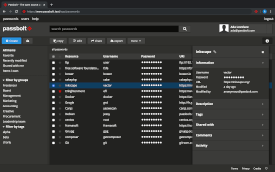](https://raw.githubusercontent.com/passbolt/passbolt_styleguide/master/src/img/screenshots/teaser-screenshot-login.png)
[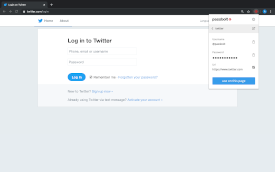](https://raw.githubusercontent.com/passbolt/passbolt_styleguide/master/src/img/screenshots/teaser-screenshot4.png)
[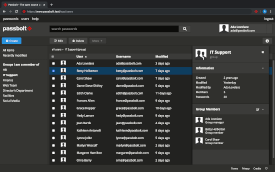](https://raw.githubusercontent.com/passbolt/passbolt_styleguide/master/src/img/screenshots/teaser-screenshot-share.png)
# Contributing
Please check ```CONTRIBUTING.md``` for more information about how to get involved.
### Reporting a security Issue
If you've found a security related issue in Passbolt, please don't open an issue in GitHub.
Instead contact us at security@passbolt.com. In the spirit of responsible disclosure we ask that the reporter keep the
issue confidential until we announce it.
The passbolt team will take the following actions:
- Try to first reproduce the issue and confirm the vulnerability.
- Acknowledge to the reporter that we’ve received the issue and are working on a fix.
- Get a fix/patch prepared and create associated automated tests.
- Prepare a post describing the vulnerability, and the possible exploits.
- Release new versions of all affected major versions.
- Prominently feature the problem in the release announcement.
- Provide credits in the release announcement to the reporter if they so desire.
# Quick how-to for developers
This is just a quick getting started guide, for more information and productivity tips checkout CONTRIBUTING.md
## Prerequisite
You will need ```node```, ```grunt``` and the dependencies listed in ```packages.json```.
```
git clone git@github.com:passbolt/passbolt_browser_extension.git
cd passbolt_browser_extension
npm install
```
For convenience you can also install ```web-ext``` (for firefox), ```crx``` (for chrome) globally,
otherwise can can be found in ```node_modules```.
```
sudo npm install web-ext -g
sudo npm install crx -g
```
## Quick bundling the build/all source
The non-minified source code is located in ```/src```. It can be 'bundled' ```to build/all``` as follow:
```
grunt
```
In order to rebuild the code in this directory automatically while you are editing the src
you can use the grunt watch task:
```
grunt watch
```
## Test a local version of the plugin
### Firefox
To launch an instance of Firefox with your local version of the add-on installed.
```
cd build/all
web-ext run
```
This instance will be reloaded everytime there is a change in the /build/all code or by pressing the ```r```
key on the keyboard when web-ext is running.
You can debug the application script by opening the
[browser console](https://developer.mozilla.org/en/docs/Tools/Browser_Console).
### Chrome
Go to the the extension page at [chrome://extensions/](chrome://extensions/) click on the
'load unpacked extension' button. Point to your build/all directory and you are good to go.
You debug the application script by clicking on index.html in "inspect views".
## Packaging the application
You can build the crx or xpi (zip) packages using the following command.
```
grunt build
```
The build can be found under ```dist/chrome``` or ```dist/firefox```.
## Updating the vendors or the styleguide
You can update the vendors or the styleguide in the ```package.json``` and run the copy task
in grunt to deploy them in the appropriate places. Check the ```Gruntfile.js```
for more information.
```
npm update
grunt copy:vendors
grunt copy:styleguide
```
The build can be found under ```dist/chrome``` or ```dist/firefox```.
# Credits
https://www.passbolt.com/credits