https://github.com/devutilsapp/htmlbeautifier.app
HTML Beautifier/Formatter offline macOS app
https://github.com/devutilsapp/htmlbeautifier.app
app beautifier formatter html macos native offline
Last synced: 10 months ago
JSON representation
HTML Beautifier/Formatter offline macOS app
- Host: GitHub
- URL: https://github.com/devutilsapp/htmlbeautifier.app
- Owner: DevUtilsApp
- Created: 2020-11-21T03:08:43.000Z (about 5 years ago)
- Default Branch: main
- Last Pushed: 2020-11-25T14:08:35.000Z (about 5 years ago)
- Last Synced: 2025-03-16T00:19:13.850Z (10 months ago)
- Topics: app, beautifier, formatter, html, macos, native, offline
- Language: HTML
- Homepage: https://htmlbeautifier.app
- Size: 7.81 KB
- Stars: 2
- Watchers: 0
- Forks: 0
- Open Issues: 0
-
Metadata Files:
- Readme: README.md
Awesome Lists containing this project
README
HTML Beautifier/Minifier
========================
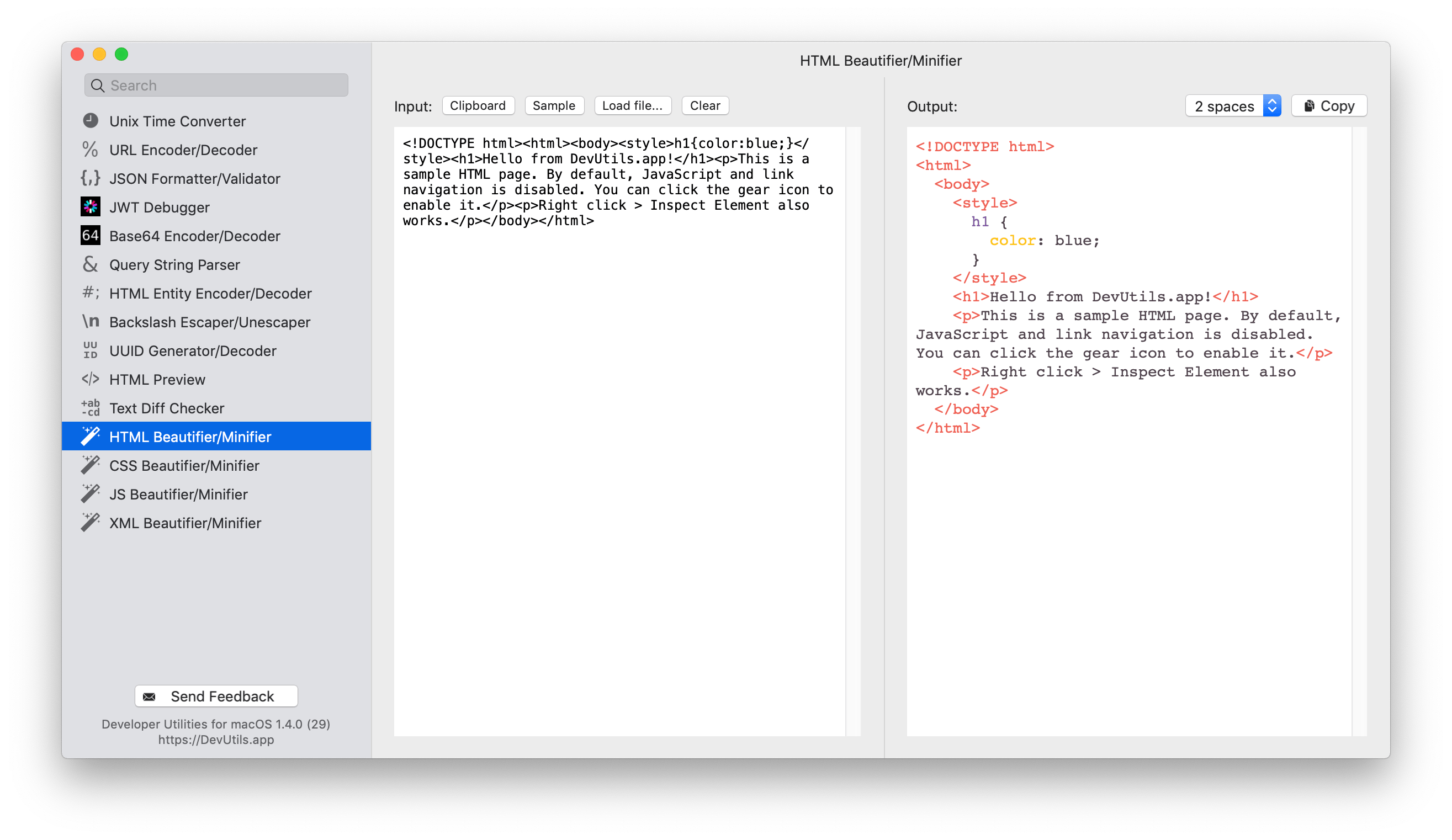
Beautify or minify your HTML source without online tools. [DevUtils.app](https://devutils.app) allows you to quickly format, beautify or minify an HTML source code without any internet connection. It works with incomplete HTML, supports embedded JS/CSS, and also syntax highlight the source code.
🚀 Download | 🎬 Demo & Screenshots | 📝 View source
Quickly format, beautify, or minify an HTML source
--------------------------------------------------
You can start to format, beautify or minify an HTML source from anywhere in your macOS (terminal, in email, web browser,...). Activate the app by:
* Copy text ► Press ⌃⌥⌘Space `(Or your own customized hotkey, up to you)`
* Copy text ► Click to icon  in the status bar
* Select text ► Right-click ► "Inspect in DevUtils.app" `(This menu appears after you install the app)`
Input
-----
Enter your HTML source in the left input textbox. You can also use the content of your clipboard as input, or load the HTML from a file in your computer.
Output
------
The tool will render the formatted source in the right text box. You can click "Copy" to copy the formatted source into your clipboard. The formatted source is also syntax highlighted.
Options
-------
Select the format you want in the select box in the top right corner. The currently supported formats are:
* 2 spaces
* 4 spaces
* 1 tab
* Minified