https://github.com/devutilsapp/urldecoder.app
URL Encoder/Decoder offline macOS app
https://github.com/devutilsapp/urldecoder.app
app decoder encoder macos native offline url
Last synced: about 1 year ago
JSON representation
URL Encoder/Decoder offline macOS app
- Host: GitHub
- URL: https://github.com/devutilsapp/urldecoder.app
- Owner: DevUtilsApp
- Created: 2020-11-21T03:11:27.000Z (over 5 years ago)
- Default Branch: main
- Last Pushed: 2020-11-25T14:13:23.000Z (over 5 years ago)
- Last Synced: 2025-03-16T00:19:14.282Z (about 1 year ago)
- Topics: app, decoder, encoder, macos, native, offline, url
- Language: HTML
- Homepage: https://urldecoder.app
- Size: 6.84 KB
- Stars: 2
- Watchers: 0
- Forks: 0
- Open Issues: 0
-
Metadata Files:
- Readme: README.md
Awesome Lists containing this project
README
URL Encoder/Decoder
===================
Encode or decode a URL without online tools. [DevUtils.app](https://devutils.app) allows you to quickly encode or decode a long URL without any internet connection. It also supports various URL encode/decode options like RFC3986 or Form Data.
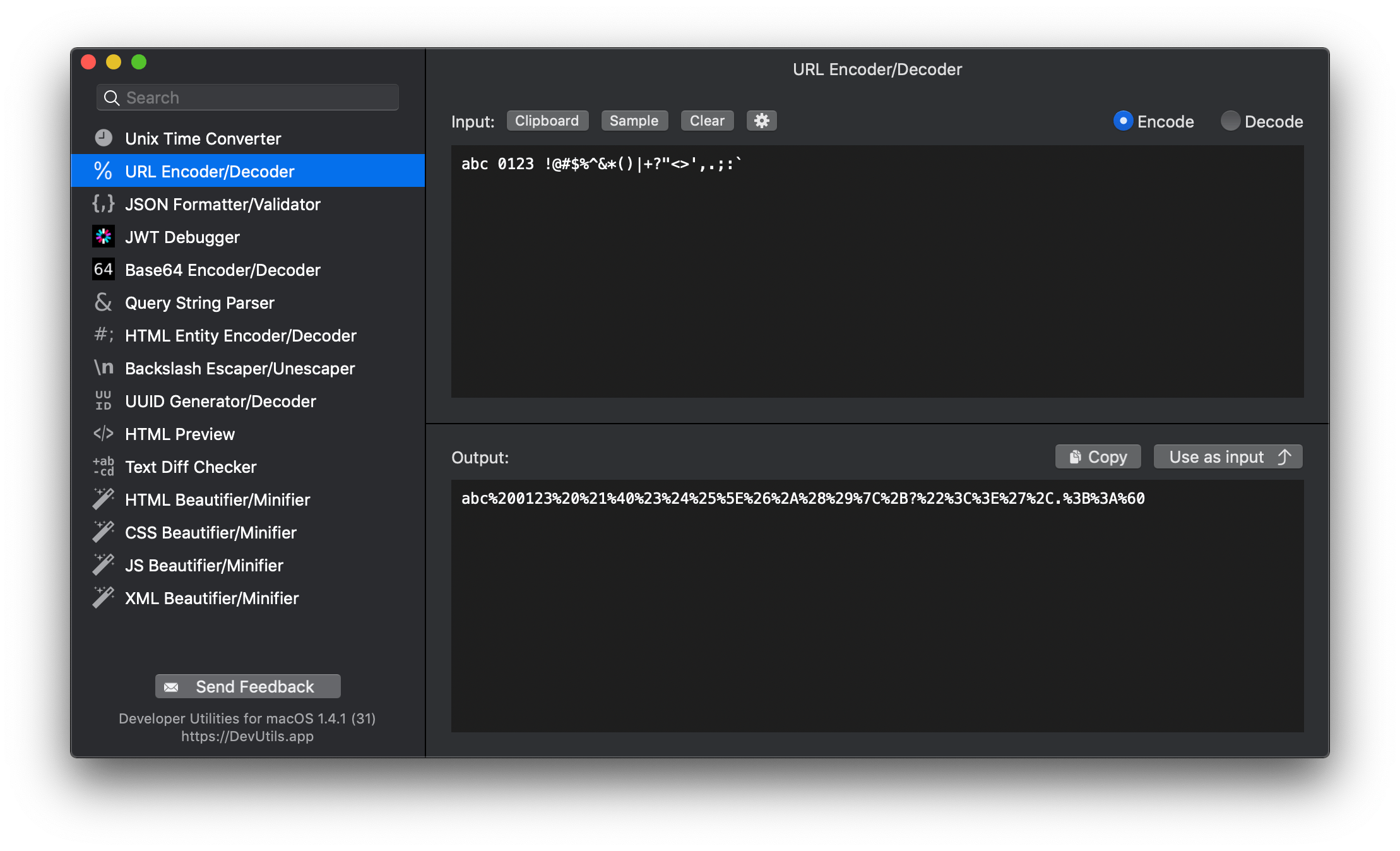
🚀 Download | 🎬 Demo & Screenshots | 📝 View source
Encode/Decode URLs
------------------
You can encode/decode URLs from anywhere in your macOS (terminal, in email, web browser,...). Activate the app by:
* Copy text ► Press ⌃⌥⌘Space `(Or your own customized hotkey, up to you)`
* Copy text ► Click to icon  in the status bar
* Select text ► Right-click ► "Inspect in DevUtils.app" `(This menu appears after you install the app)`
Input
-----
This tool received one input that is the string you want to encode/decode. You can click the "Sample" button to see an example input. If you wish to use the clipboard content as input, click the "Clipboard" button.
Select the option "Encode" or "Decode" on the top right of the screen.
Output
------
The output is the encoded/decoded string of the input. You can copy the output to the clipboard by clicking the "Copy" button, or you can use the output as input in case you want to encode/decode multiple times on the same string.
Options
-------
When you activate the app, DevUtils will inspect your clipboard content and automatically select the URL Encoder/Decoder tool if the content contains characters that can be decoded. You can disable this automatic feature by unticking the option in the setting panel (the gear icon).
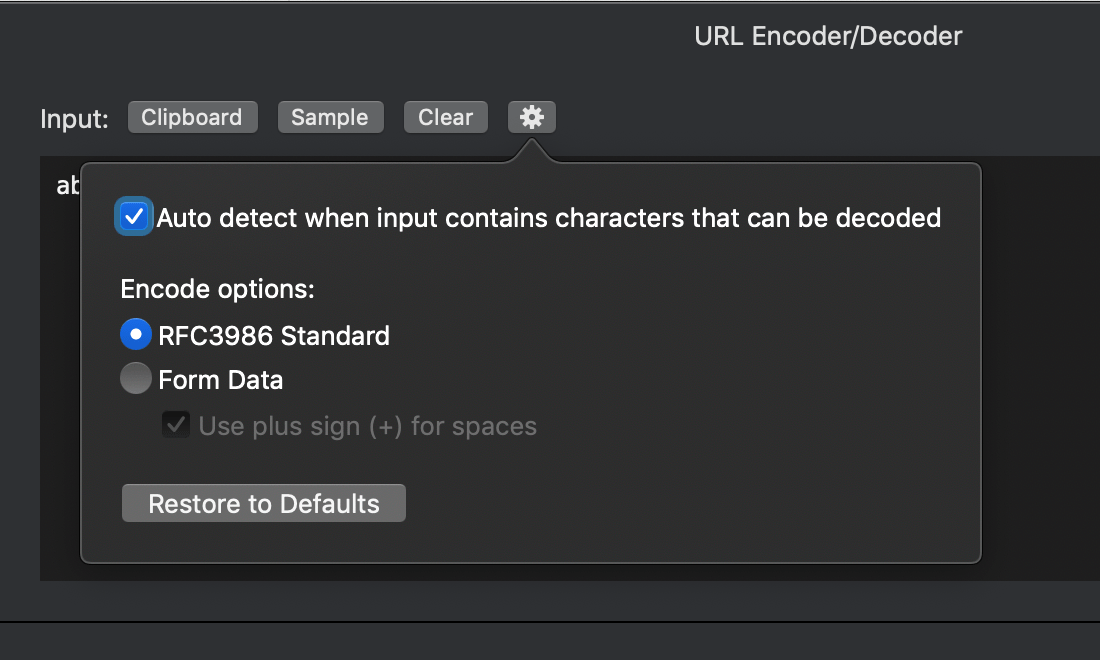
By default, the tool will encode the string using the RFC3986 standard. However, you may want to change this depending on your use cases.