https://github.com/dexter-xd/flavorfusion
Flavor Fusion: A Next.js web app for seamless food ordering, real-time payments, and delightful dining experiences.
https://github.com/dexter-xd/flavorfusion
nextauthjs nextjs13 postgresql prisma react-query stripe tailwindcss typescript zustand
Last synced: about 1 year ago
JSON representation
Flavor Fusion: A Next.js web app for seamless food ordering, real-time payments, and delightful dining experiences.
- Host: GitHub
- URL: https://github.com/dexter-xd/flavorfusion
- Owner: dexter-xD
- Created: 2023-09-04T09:39:30.000Z (almost 3 years ago)
- Default Branch: main
- Last Pushed: 2024-10-26T18:57:35.000Z (over 1 year ago)
- Last Synced: 2024-10-26T20:55:06.269Z (over 1 year ago)
- Topics: nextauthjs, nextjs13, postgresql, prisma, react-query, stripe, tailwindcss, typescript, zustand
- Language: TypeScript
- Homepage: https://flavor-fusion-dex.vercel.app/
- Size: 26.7 MB
- Stars: 2
- Watchers: 1
- Forks: 0
- Open Issues: 0
-
Metadata Files:
- Readme: README.md
Awesome Lists containing this project
README
# Flavor Fusion - Food Ordering Web App
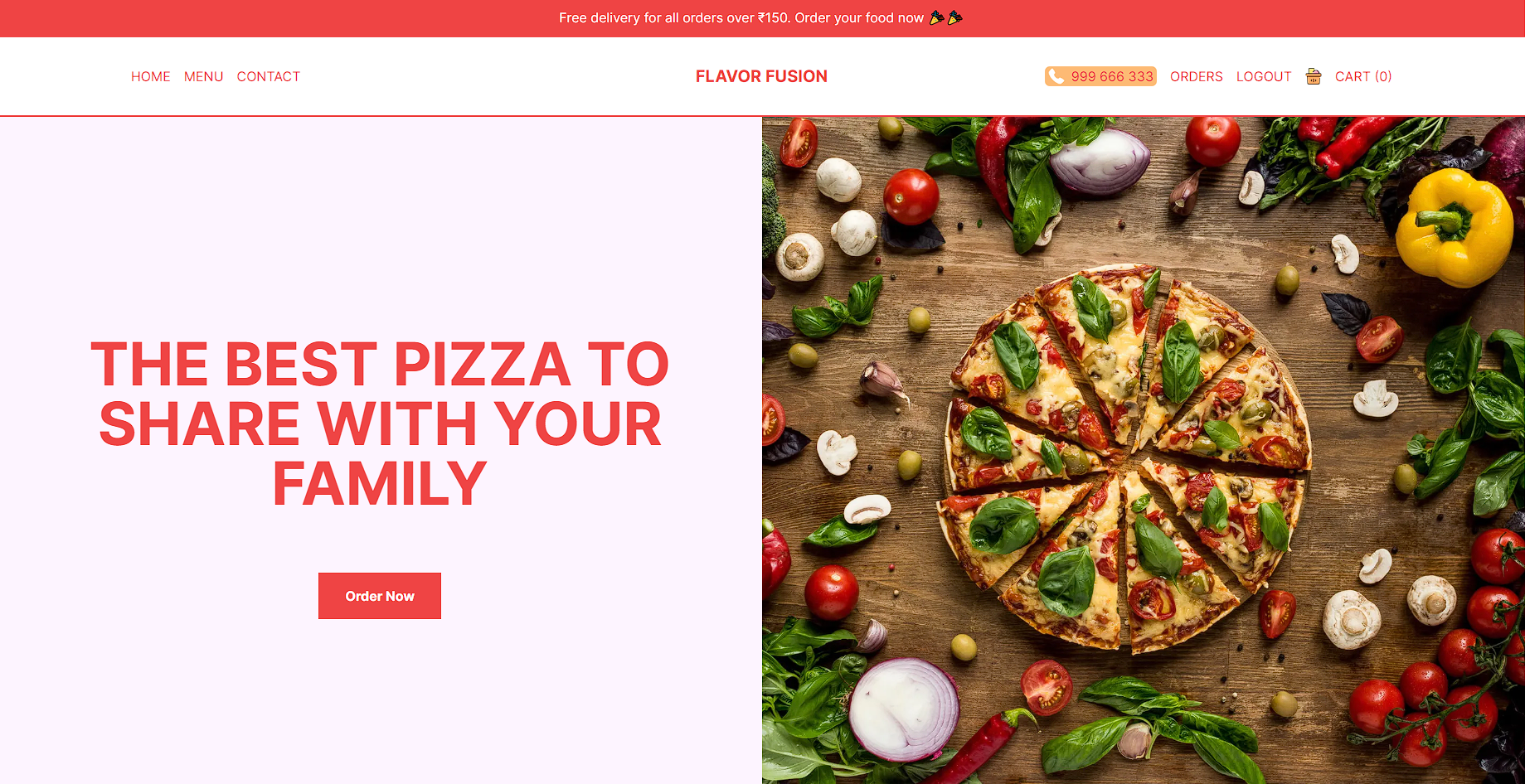
Flavor Fusion is a full-stack web application built with Next.js, Prisma, PostgreSQL, Tailwind CSS, Stripe, React Query, Zustand, and NextAuth.js. It provides users with a seamless food ordering experience, allowing them to explore and order a variety of delicious items with real-time payments. This web app is fully responsive, ensuring an optimal user experience on all devices.
## Demo
You can access the live demo of Flavor Fusion by following this link: [Flavor Fusion](https://flavor-fusion-dex.vercel.app/)
## Table of Contents
- [Features](#features)
- [Technologies Used](#technologies-used)
- [Installation](#installation)
- [Usage](#usage)
- [Authentication](#authentication)
## Features
- **User Authentication**: Users can create accounts, log in, and log out securely using NextAuth.js.
- **Browse and Order**: Users can explore a wide range of food items, including burgers, pizzas, pastas, and more.
- **Real-Time Payments**: Seamless integration with Stripe for real-time payment processing, ensuring secure and efficient transactions.
- **Responsive Design**: Flavor Fusion is fully responsive, providing a consistent experience across various devices and screen sizes.
- **State Management**: Zustand is used for efficient and centralized state management, enhancing the user experience.
- **Database**: Prisma is utilized to interact with a PostgreSQL database, enabling efficient data retrieval and storage.
- **React Query**: React Query optimizes API requests, ensuring fast and reliable data fetching.
## Technologies Used
- [Next.js](https://nextjs.org/)
- [Prisma](https://www.prisma.io/)
- [PostgreSQL](https://www.postgresql.org/)
- [Tailwind CSS](https://tailwindcss.com/)
- [Stripe](https://stripe.com/)
- [React Query](https://react-query.tanstack.com/)
- [Zustand](https://zustand.surge.sh/)
- [NextAuth.js](https://next-auth.js.org/)
## Installation
To run Flavor Fusion locally, follow these steps:
1. Clone the repository to your local machine:
```bash
git clone https://github.com/your-username/flavor-fusion.git
```
2. Navigate to the project directory:
```bash
cd flavor-fusion
```
3. Install the required dependencies:
```bash
npm install
```
4. Configure your environment variables. You may need to create a .env file with values for secrets, API keys, and database connection details.
5. Set up the PostgreSQL database using Prisma migrations:
```bash
npx prisma db push
```
6. Start the development server:
```bash
npm run dev
```
7. Access the web app in your browser at http://localhost:3000.
## Usage
- Register or log in to your Flavor Fusion account.
- Browse the menu to discover your favorite food items.
- Add items to your cart.
- Proceed to checkout and complete the payment using Stripe.
- Enjoy your delicious meal!
## Authentication
Flavor Fusion uses NextAuth.js for authentication. You can configure authentication providers and settings in the NextAuth configuration file (nextauth.js).
## Author
- **dexter**
- [GitHub](https://github.com/soham-basak)
- [Linkedin](https://www.linkedin.com/in/soham-basak-344746225/)