https://github.com/dfdx/activeappearancemodels.jl
Active Appearance Models
https://github.com/dfdx/activeappearancemodels.jl
Last synced: over 1 year ago
JSON representation
Active Appearance Models
- Host: GitHub
- URL: https://github.com/dfdx/activeappearancemodels.jl
- Owner: dfdx
- License: mit
- Created: 2015-01-12T18:19:44.000Z (over 11 years ago)
- Default Branch: master
- Last Pushed: 2020-04-29T13:50:02.000Z (about 6 years ago)
- Last Synced: 2025-01-22T07:16:55.819Z (over 1 year ago)
- Language: Julia
- Size: 1020 KB
- Stars: 8
- Watchers: 6
- Forks: 5
- Open Issues: 0
-
Metadata Files:
- Readme: README.md
- License: LICENSE
Awesome Lists containing this project
README

# Active Appearance Models
Port of Luca Vezzaro's [ICAAM](http://www.mathworks.com/matlabcentral/fileexchange/32704-icaam-inverse-compositional-active-appearance-models).
## Introduction
Active appearance models provide a way to find a set of related points on an image. AAMs are based on 2 main concepts: shape and appearance.
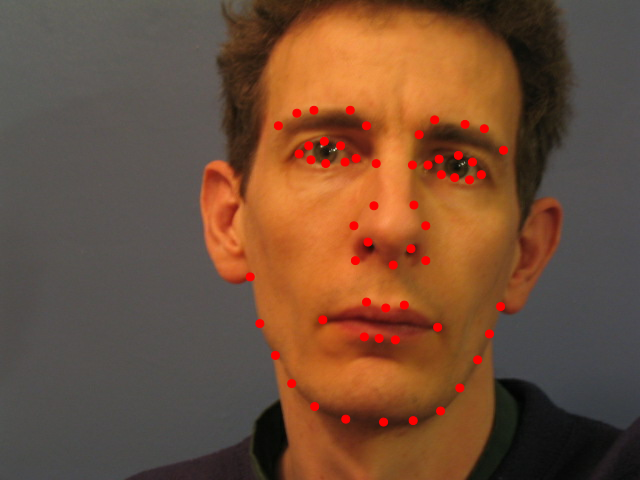
**Shape** consists of a fixed number of points (so-called landmarks) that describe configuration of some object on an image. For example, here's a shape describing some human's face:
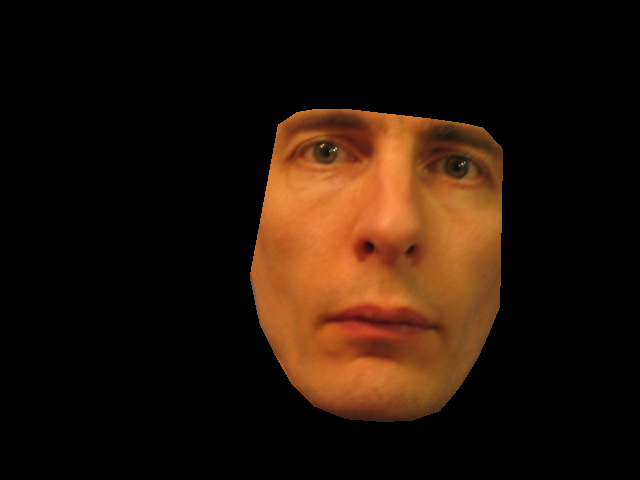
**Appearance** is made of all pixels on the image inside the shape. E.g. appearance, corresponding to the shape above looks like this:
Active appearance models are first trained on a bunch of `(image, shape)` pairs and then, given a new image and initial guess for a shape, are fitted to this image to find exact location of landmarks. Let's take a concrete example.
First, we need some data to train a model on. `FaceDatasets` package contains a simple dataset from original research by Tim Cootes et al. that fits our needs:
using FaceDatasets
imgs = load_images(CootesDataset)
shapes = load_shapes(CootesDataset)
We will use simple leave-one-one cross-validation to see how training and testing works:
tst = 6 # index of a test image
all_but_tst = [1:tst-1, tst+1:length(imgs)] # all other indexes
**Training** is simple:
using ActiveAppearanceModels
aam = AAModel()
train(aam, imgs[all_but_tst], shapes[all_but_tst])
Fitting model to a new image requires 2 more parameters: initial shape and number of iterations:
init_shape = shapes[3]
n_iter = 20
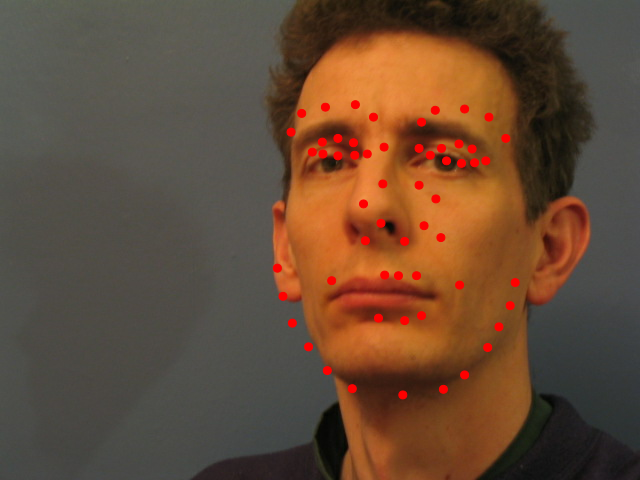
Before fitting let's see initial landmark position:
viewshape(imgs[tst], init_shape)
**Fitting** itself is straightforward:
fitted_shape, fitted_app = fit(aam, imgs[tst], init_shape, n_iter)
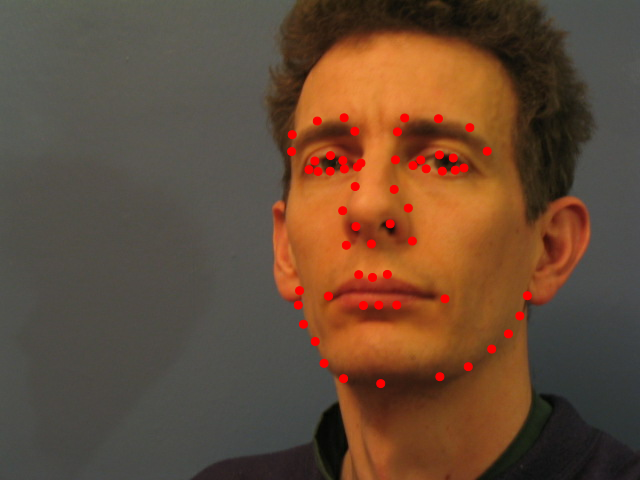
`fitted_shape` is what AAM believes is true position of landmarks, and `fitted_app` is corresponding appearance. Here's they are:
using ImageView
viewshape(imgs[tst], fitted_shape)
view(fitted_app)
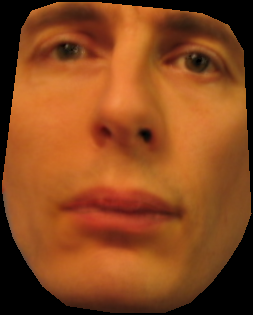
For interactive example of using AAMs see [`multu.jl`](https://github.com/dfdx/ActiveAppearanceModels.jl/blob/master/examples/multi.jl).
## When fitting diverges
Active appearance models use a variant of Lucas-Kanade algorithm and thus expect relatively small difference between initial and target shape. If difference is too large, fitting process will diverge (most often ending with `BoundsError`). This is easy to overcome, though, by repeating fitting with several variants of init shape.
## References
This package closely follows original code in [ICAAM](http://www.mathworks.com/matlabcentral/fileexchange/32704-icaam-inverse-compositional-active-appearance-models) project. ICAAM, in its turn, implements inverse compositional approach to AAMs first described in:
> Matthews, I., Baker, S. Active appearance models revisited. International Journal of Computer Vision 60 (2004) 135 – 164