https://github.com/dfface/xml2epub
Batch convert multiple web pages, html files or images into one e-book.
https://github.com/dfface/xml2epub
clipper ebook epub file html image images local python url web xml
Last synced: 4 months ago
JSON representation
Batch convert multiple web pages, html files or images into one e-book.
- Host: GitHub
- URL: https://github.com/dfface/xml2epub
- Owner: dfface
- License: mit
- Created: 2021-08-31T15:33:19.000Z (almost 5 years ago)
- Default Branch: main
- Last Pushed: 2026-02-12T15:04:27.000Z (5 months ago)
- Last Synced: 2026-03-03T08:51:33.979Z (4 months ago)
- Topics: clipper, ebook, epub, file, html, image, images, local, python, url, web, xml
- Language: Python
- Homepage:
- Size: 93 MB
- Stars: 20
- Watchers: 3
- Forks: 3
- Open Issues: 6
-
Metadata Files:
- Readme: README.md
- License: License.txt
Awesome Lists containing this project
README
# xml2epub


[](https://pypi.org/project/xml2epub/)
[](https://pypi.org/project/xml2epub/)
[](https://pypi.org/project/xml2epub/)
[](https://pypi.org/project/xml2epub/)

Batch convert web pages, HTML files or images to a single e-book.
Features:
* Auto-generate cover: Uses matching `` text (per [COVER_TITLE_LIST](./xml2epub/constants.py)) or a random generated cover default.
* Auto-extract core content: Filters HTML to retain key elements (see [SUPPORTED_TAGS](./xml2epub/constants.py)).
## ToC
- [xml2epub](#xml2epub)
- [ToC](#toc)
- [How to install](#how-to-install)
- [Basic Usage](#basic-usage)
- [API](#api)
- [Epub object](#epub-object)
- [`Epub(title)`](#epubtitle)
- [`Epub.add_chapter(chapter_object)`](#epubadd_chapterchapter_object)
- [`Epub.create_epub(output_directory)`](#epubcreate_epuboutput_directory)
- [`create_chapter_from_file(path_to_file)`](#create_chapter_from_filepath_to_file)
- [`create_chapter_from_url(url)`](#create_chapter_from_urlurl)
- [`create_chapter_from_string(html_string)`](#create_chapter_from_stringhtml_string)
- [`html_clean(input_string)`](#html_cleaninput_string)
- [Tips](#tips)
- [FAQ](#faq)
## How to install
`xml2epub` is available on pypi: https://pypi.org/project/xml2epub/
```bash
pip3 install xml2epub
```
## Basic Usage
```python
import xml2epub
## create an empty eBook, with toc located after cover
book = xml2epub.Epub("My New E-book Name", toc_location="afterFirstChapter")
## create chapters by url
#### custom your own cover image
chapter0 = xml2epub.create_chapter_from_string("https://cdn.jsdelivr.net/gh/dfface/img0@master/2022/02-10-0R7kll.png", title='cover', strict=False)
#### create chapter objects
chapter1 = xml2epub.create_chapter_from_url("https://dev.to/devteam/top-7-featured-dev-posts-from-the-past-week-h6h")
chapter2 = xml2epub.create_chapter_from_url("https://dev.to/ks1912/getting-started-with-docker-34g6")
## add chapters to your eBook
book.add_chapter(chapter0)
book.add_chapter(chapter1)
book.add_chapter(chapter2)
## generate epub file
book.create_epub("Your Output Directory")
```
After a short wait (no errors), "My New E-book Name.epub" will be generated in "Your Output Directory":
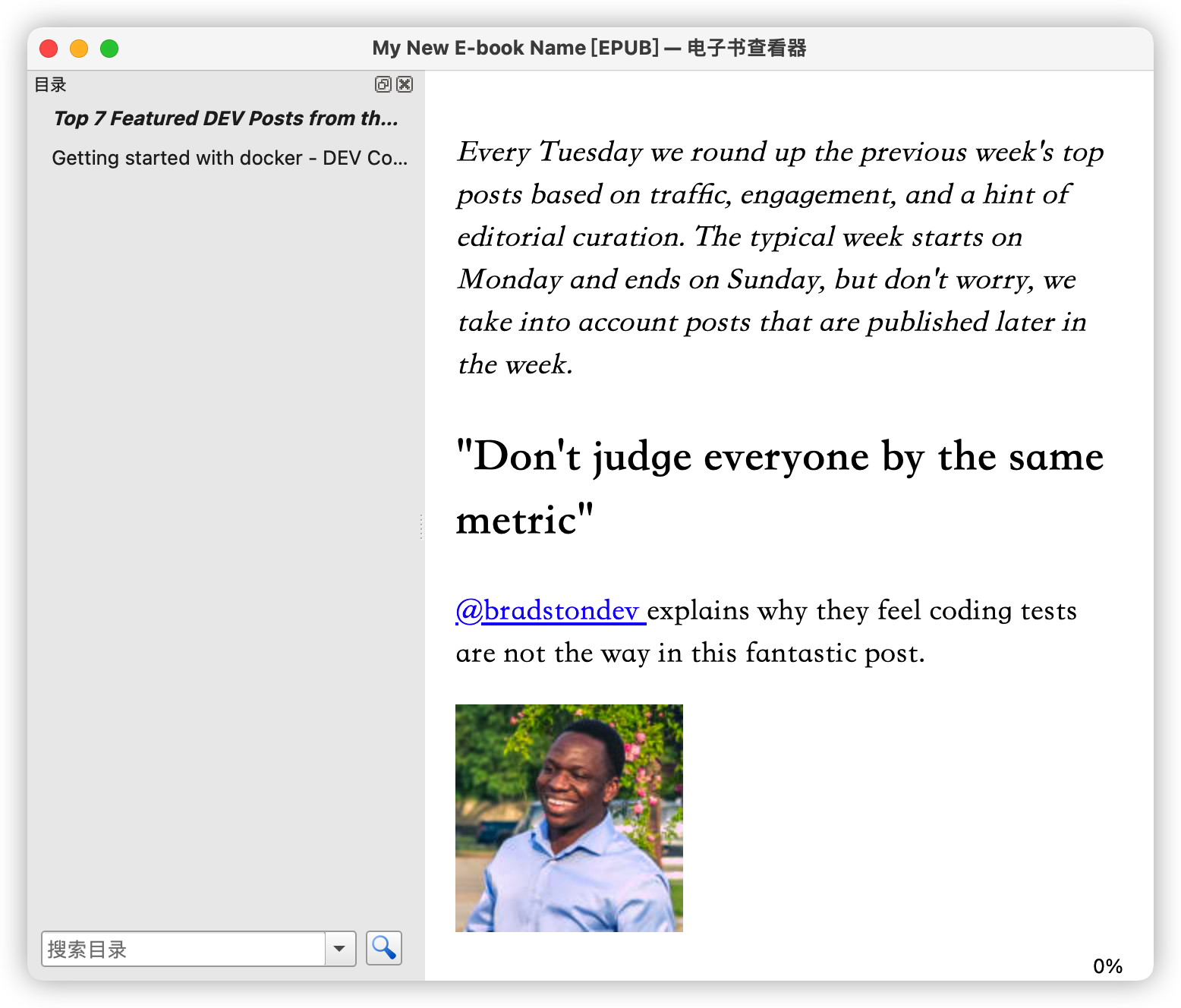
For more **examples**, check the [examples](./examples) directory.
If no cover is inferred from the HTML, a random cover is generated.

## API
### Epub object
#### `Epub(title)`
`Epub(title, creator='dfface', language='en', rights='', publisher='dfface/xml2epub', epub_dir=None, toc_location='end')`
Creates Epub object (adds book info/chapters, generates EPUB file).
* title (str): EPUB [title](http://kb.daisy.org/publishing/docs/epub/title.html) (per spec).
* creator (Optional[str]): EPUB [author](http://kb.daisy.org/publishing/docs/html/dpub-aria/doc-credit.html) (per spec).
* owner (Optional[str]): The owner of this file—yes, that's you! This affects the text in the top banner if you use our generated cover.
* language (Optional[str]): EPUB [language](http://kb.daisy.org/publishing/docs/epub/language.html) (per spec).
* rights (Optional[str]): EPUB [copyright](http://kb.daisy.org/publishing/docs/html/dpub-aria/doc-credit.html) (per spec).
* publisher (Optional[str]): EPUB [publisher](http://kb.daisy.org/publishing/docs/html/dpub-aria/doc-credit.html) (per spec).
* epub_dir (Optional[str]): Intermediate file path (default: system temp path).
* toc_location (Optional[str]): ToC position (default: end; options: beginning/afterFirstChapter/end):
* beginning: ToC → chapters
* afterFirstChapter: Chapter1 (cover) → ToC → chapters
* end: Chapters → ToC
#### `Epub.add_chapter(chapter_object)`
Add Chapter object (Created via 3 chapter creation methods) to EPUB.
#### `Epub.create_epub(output_directory)`
`Epub.create_epub(output_directory, epub_name=None, absolute_location=None)`
Generate EPUB file.
* `output_directory` (str): Output directory for EPUB.
* `epub_name` (Optional[str]): EPUB filename (no `.epub` suffix; printable chars only, defaults to `title`).
* `absolute_location` (Optional[str]): Absolute path/name (no `.epub` suffix; overrides default `${cwd}/${output_directory}/${epub_name}`.epub; requires write permissions).
### `create_chapter_from_file(path_to_file)`
`create_chapter_from_file(file_name, url=None, title=None, strict=True, local=False)`
Create Chapter from HTML/XHTML file.
* `file_name` (string): HTML/XHTML file path.
* `url` (Optional[string]): Infers title; recommended for relative links.
* `title` (Optional[string]): Chapter name (uses HTML `` if None).
* `strict` (Optional[boolean]): Strict cleaning (removes inline styles, trivial attrs); default True.
* `local` (Optional[boolean]): Use local resources (copy images/CSS via paths, no online fetch).
### `create_chapter_from_url(url)`
`create_chapter_from_url(url, title=None, strict=True, local=False)`
Create Chapter by extracting webpage from URL.
* `url` (string): Website link (recommended for resolving relative links).
* `title` (Optional[string]): Chapter name (uses HTML `` if None).
* `strict` (Optional[boolean]): Strict page cleaning (removes inline styles/attrs; default True).False allows image links for custom covers.
* `local` (Optional[boolean]): Use local resources (copy images/CSS via paths, no online fetch).
### `create_chapter_from_string(html_string)`
`create_chapter_from_string(html_string, url=None, title=None, strict=True, local=False)`
Create Chapter from string (base method for URL/file variants).
* `html_string` (string): HTML/XHTML string; or image URL (strict=False) / image path (strict=False + local=True). Image as cover if title is None/ in [COVER_TITLE_LIST] (e.g., cover).
* `url` (Optional[string]): Infers title; recommended for relative links.
* `title` (Optional[string]): Chapter name (uses HTML if None).
* `strict` (Optional[boolean]): Strict page cleaning (removes inline styles/attrs; default True).
* `local` (Optional[boolean]): Use local resources (copy images/CSS via paths, no online fetch).
### `html_clean(input_string)`
`html_clean(input_string, help_url=None, tag_clean_list=constants.TAG_DELETE_LIST, class_list=constants.CLASS_INCLUDE_LIST, tag_dictionary=constants.SUPPORTED_TAGS)`
Exposed internal default clean method for easy customization.
* `input_string` (str): HTML/XML string.
* `help_url` (Optional[str]): Current chapter URL (resolves relative links).
* `tag_dictionary` (Optional[dict]): Tags/classes to retain (default: [SUPPORTED_TAGS](./xml2epub/constants.py), can be `None`: **retain all tags** except those specified in `tag_clean_list`).
* `tag_clean_list` (Optional[list]): Tags to delete (full tag + subtags; default: [TAG_DELETE_LIST](./xml2epub/constants.py)). Preferably set `tag_dictionary` to `None`.
* `class_clean_list` (Optional[list]): Tags to delete (class matches list; full tag + subtags; default: [CLASS_DELETE_LIST](./xml2epub/constants.py)).
## Tips
* Custom cover: Use `create_chapter_from_string` – set `html_string` to image URL (with `strict=False`) or local path (with `local=True` + `strict=False`). Recommend adding `title='Cover'`.
* Custom web content cleaning: Fetch HTML via crawler → use exposed `html_clean` (recommend `tag_clean_list`, `class_clean_list`, url) → pass output to `create_chapter_from_string`'s `html_string` (keep `strict=False`).
* For `create_chapter_*` + `strict=False`: Recommend `url` (resolves relative links).
* For `html_clean`: Recommend `help_url` (resolves relative links).
* Post-EPUB generation: Use [Calibre](https://calibre-ebook.com/) to convert to standard EPUB/mobi/azw3 (fix compatibility) or edit/adjust styles.
* If the reading effect of the generated EPUB e-books is unsatisfactory on traditional readers such as Calibre, you can consider using [epub-browser](https://github.com/dfface/epub-browser) to read the generated EPUB e-books in your browser.
* Local images/CSS/resources: Set `local=True` in `create_chapter_*` – program copies local resources instead of fetching online.
## FAQ
1. Generated EPUB has no content?
Ensure the target URL is a static page accessible without login. If empty, fetch the HTML string (via crawler) and use `create_chapter_from_string` to generate EPUB.
2. Generated EPUB has unwanted content?
Our default HTML filtering may not cover all cases. Filter the HTML string yourself before using `create_chapter_from_string`.
3. Generate EPUB from HTML string without content sanitization?
Set `strict=False` in `create_chapter_from_string` to skip internal cleaning.
4. Self-fetch & clean HTML string (steps):
1. Get HTML string via crawler (e.g., `requests.get(url).text`).
2. Clean it with exposed `html_clean` (e.g., `html_clean(html_string, tag_clean_list=['sidebar'])`) or custom methods.
3. Generate Chapter via `create_chapter_from_string(html_string, strict=False)` (set `strict=False` to skip internal cleaning).
4. Generate EPUB per basic usage (see example: [hugo2epub.py](examples/hugo2epub/hugo2epub.py)).