https://github.com/dhth/dstll
dstll gives you a high level overview of various constructs in your code
https://github.com/dhth/dstll
tree-sitter
Last synced: about 1 year ago
JSON representation
dstll gives you a high level overview of various constructs in your code
- Host: GitHub
- URL: https://github.com/dhth/dstll
- Owner: dhth
- License: mit
- Created: 2024-04-05T15:50:22.000Z (over 2 years ago)
- Default Branch: main
- Last Pushed: 2025-06-15T11:41:16.000Z (about 1 year ago)
- Last Synced: 2025-06-15T12:26:33.267Z (about 1 year ago)
- Topics: tree-sitter
- Language: Go
- Homepage: https://tools.dhruvs.space/dstll
- Size: 452 KB
- Stars: 16
- Watchers: 2
- Forks: 0
- Open Issues: 0
-
Metadata Files:
- Readme: README.md
- License: LICENSE
Awesome Lists containing this project
README
dstll




`dstll` *(short for "distill")* gives you a high level overview of various
"constructs" in your code.
Motivation
---
Sometimes, you want to quickly understand how a project is organized. It could
be a new repo you're working on, or a specific part of a project you're
unfamiliar with. When given a list of files you're curious about, `dstll` shows
you a list of signatures representing various "code constructs" found in those
files, such as functions, methods, classes, traits, interfaces, objects, type
aliases, enums, etc.
📜 Languages supported
---
- 
- 
- 
- 
- more to come
💾 Installation
---
**go**:
```sh
go install github.com/dhth/dstll@latest
```
Or get the binary directly from a
[release](https://github.com/dhth/dstll/releases). Read more about verifying the
authenticity of released artifacts [here](#-verifying-release-artifacts).
⚡️ Usage
---
```bash
# print findings to stdout
dstll [PATH ...]
# write findings to a directory
dstll write [PATH ...] -o /var/tmp/findings
# serve findings via a web server
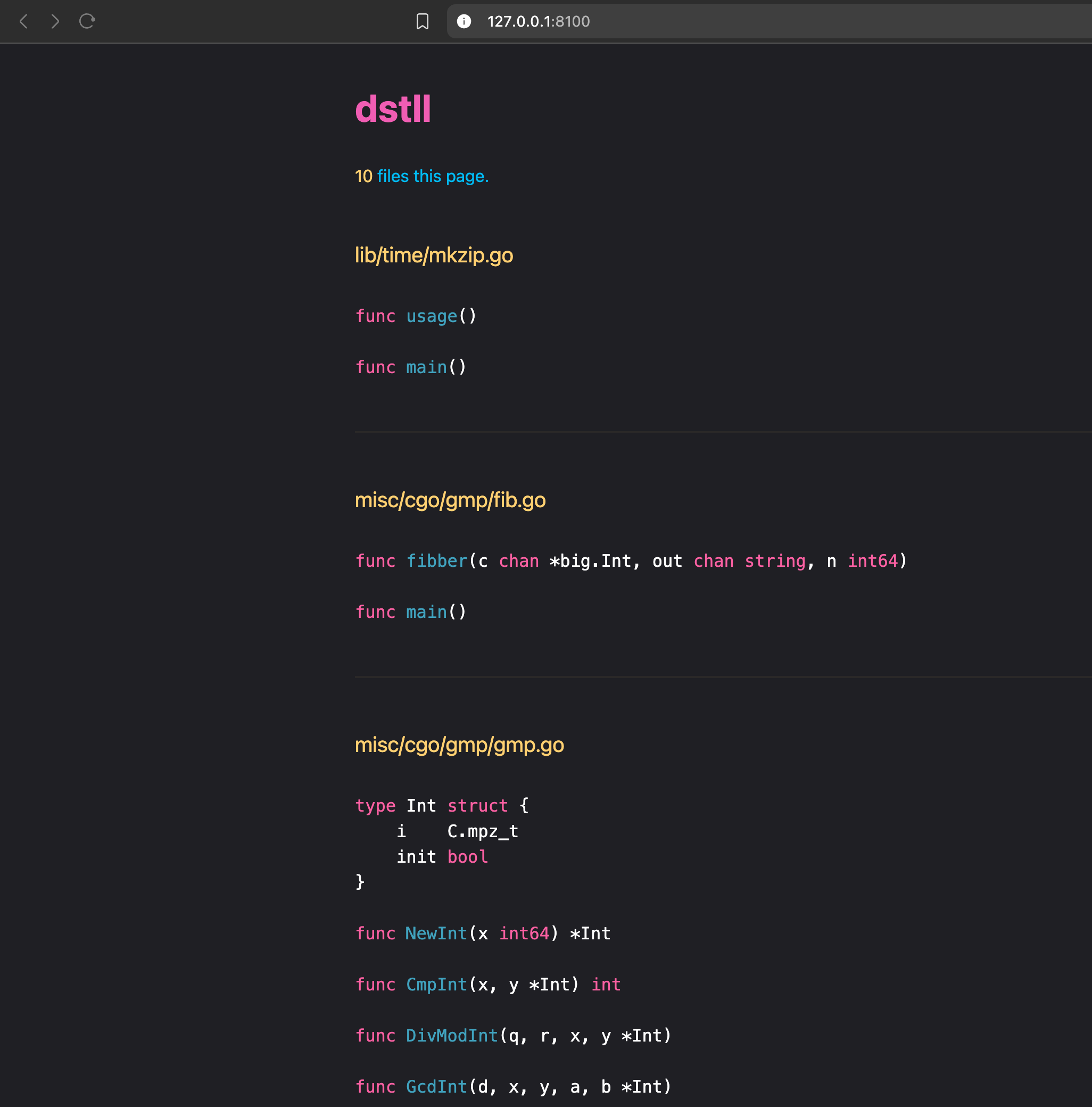
dstll serve [PATH ...] -o /var/tmp/findings
# open TUI
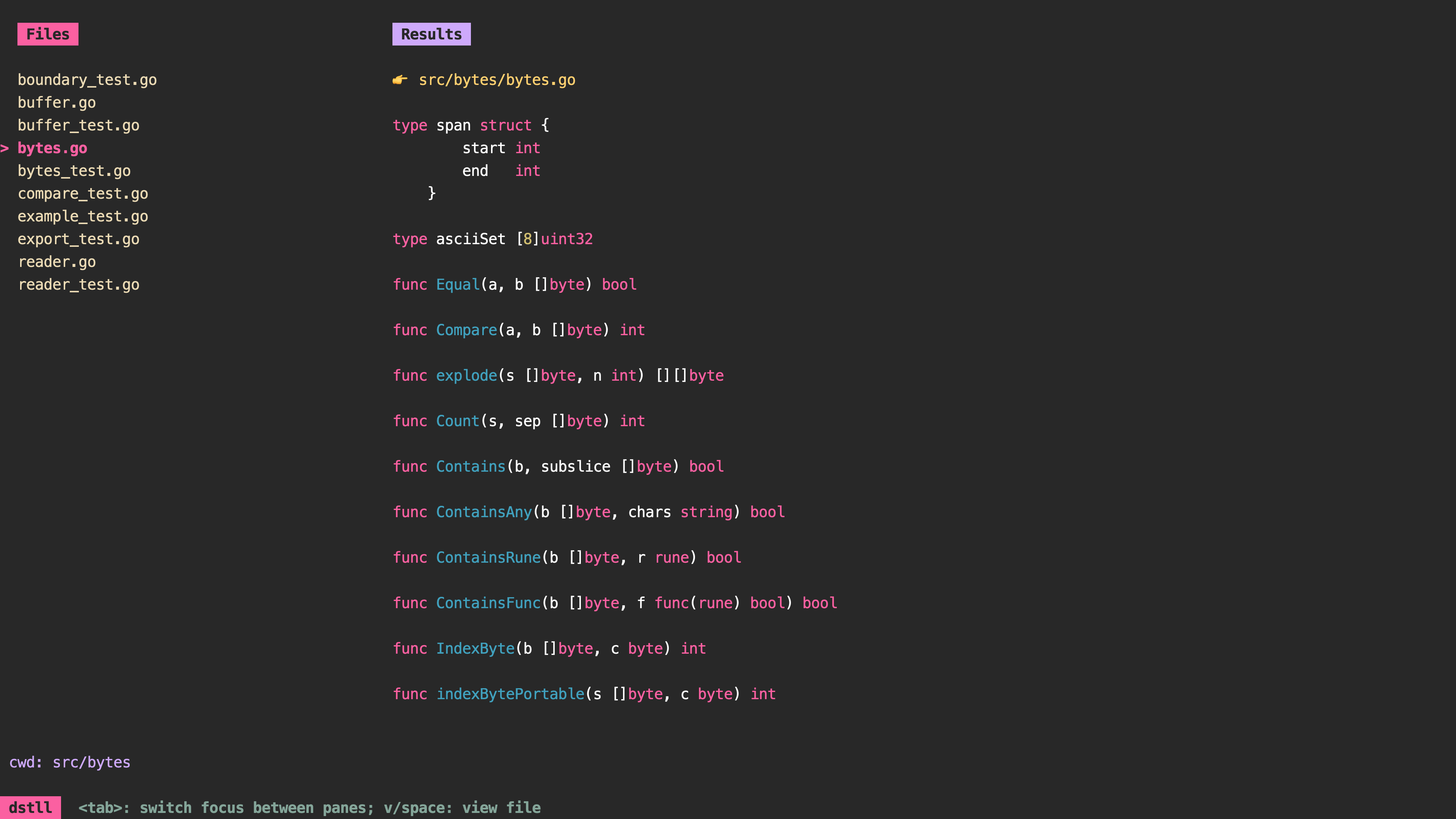
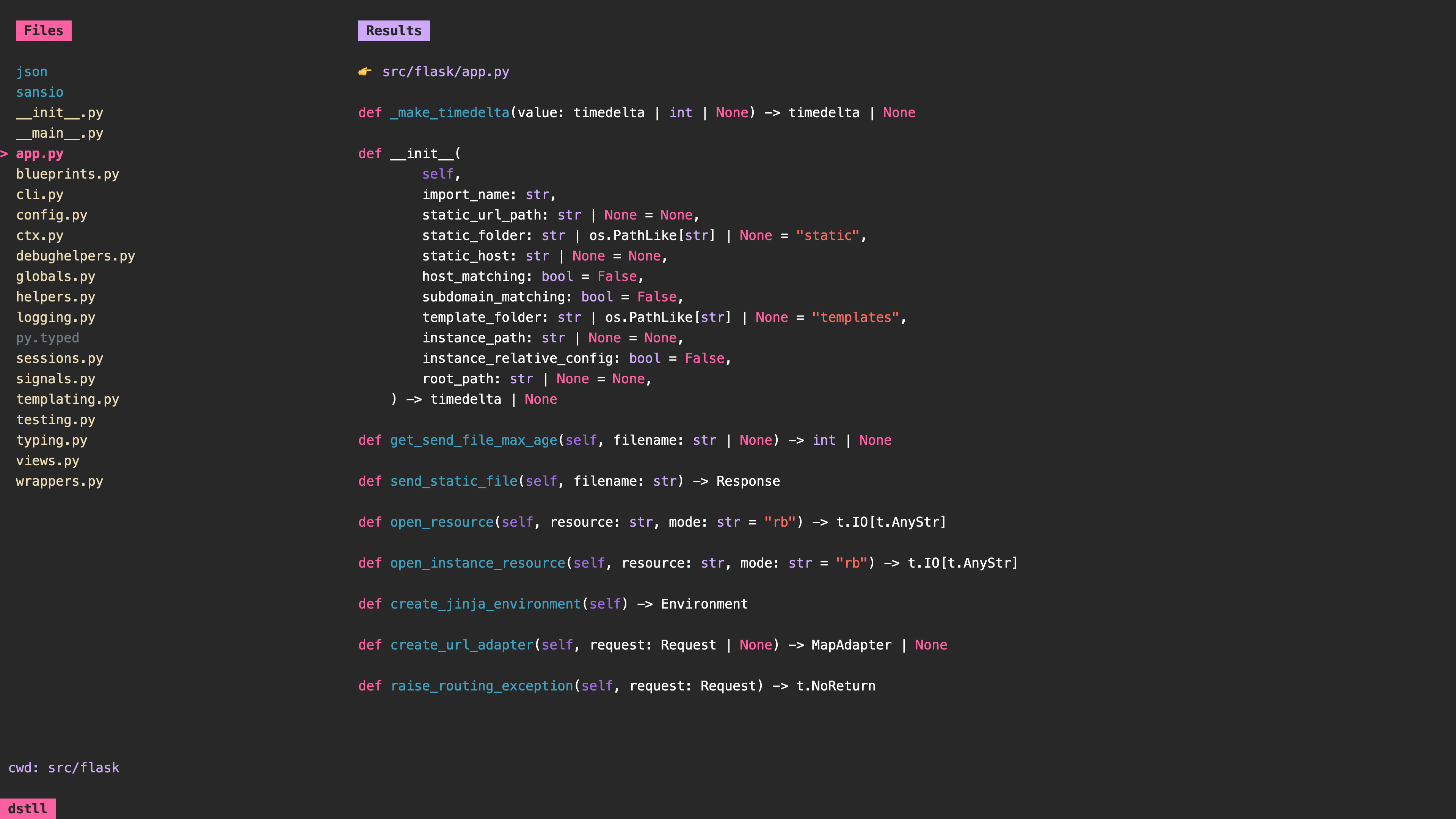
dstll tui
```
🛠️ Configuration
---
Create a configuration file that looks like the following. By default,
`dstll` will look for this file at `~/.config/dstll/dstll.yml`.
```toml
view-file-command = ["your", "command"]
# for example, ["bat", "--style", "plain", "--paging", "always"]
# will run 'bat --style plain --paging always '
```
Δ dstlled-diff
---
`dstll` can be used to generate specialized diffs that only compare changes in
signatures of "code constructs" between two git revisions. This functionality is
available as a Github Action via [dstlled-diff][2].
Examples
---
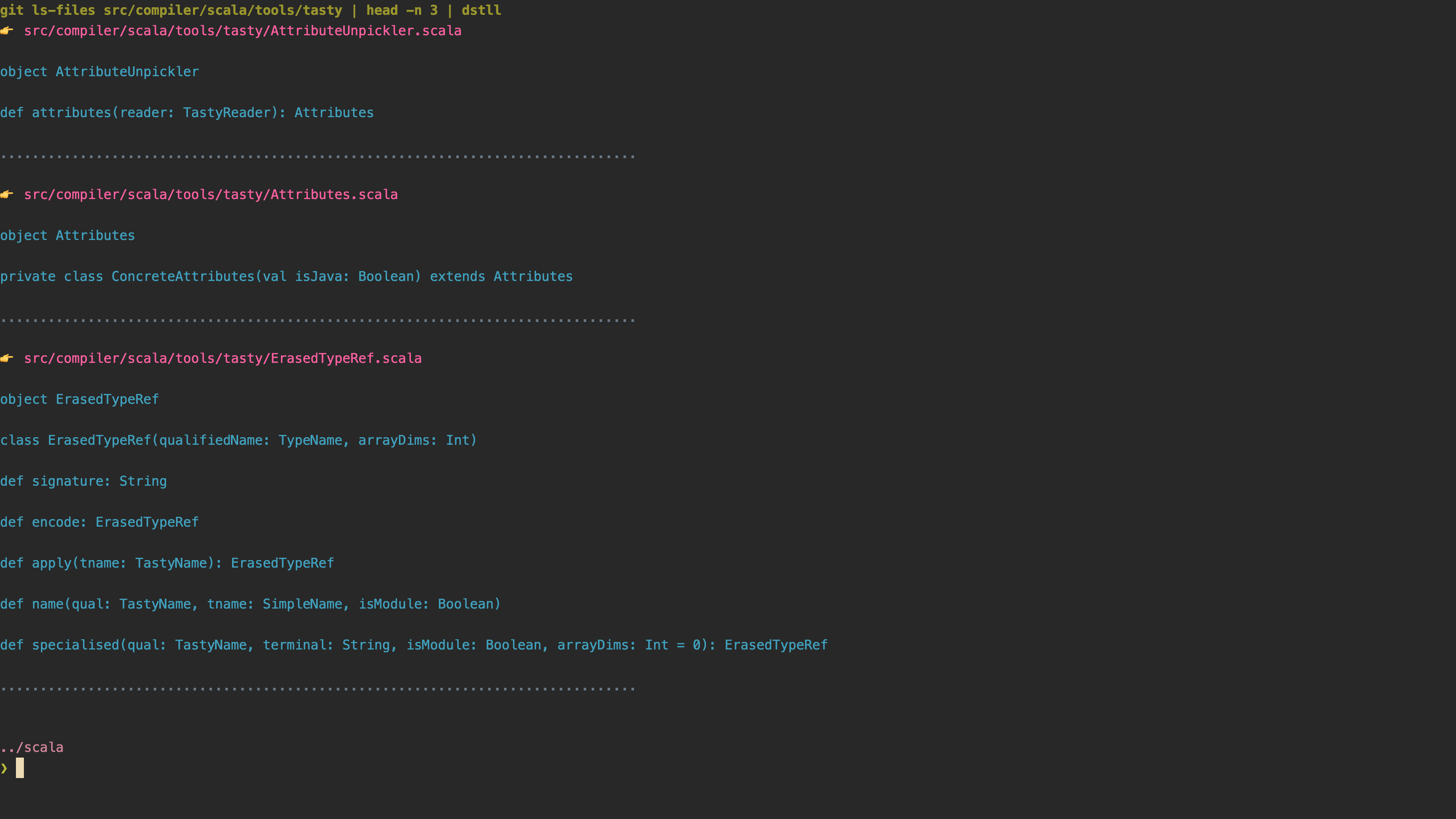
Running `dstll` in the [scala][1] repo gives the following output:
```
$ dstll $(git ls-files src/compiler/scala/tools/tasty | head -n 3)
-> src/compiler/scala/tools/tasty/ErasedTypeRef.scala
object ErasedTypeRef
class ErasedTypeRef(qualifiedName: TypeName, arrayDims: Int)
def apply(tname: TastyName): ErasedTypeRef
def name(qual: TastyName, tname: SimpleName, isModule: Boolean)
def specialised(qual: TastyName, terminal: String, isModule: Boolean, arrayDims: Int = 0): ErasedTypeRef
................................................................................
-> src/compiler/scala/tools/tasty/Attributes.scala
object Attributes
private class ConcreteAttributes(val isJava: Boolean) extends Attributes
................................................................................
-> src/compiler/scala/tools/tasty/AttributeUnpickler.scala
object AttributeUnpickler
def attributes(reader: TastyReader): Attributes
```
More examples can be found [here](./examples).
[1]: https://github.com/scala/scala
[2]: https://github.com/dhth/dstlled-diff-action
🔐 Verifying release artifacts
---
In case you get the `dstll` binary directly from a [release][2], you may want to
verify its authenticity. Checksums are applied to all released artifacts. Steps
to verify (replace `A.B.C` in the commands listed below with the version you
want):
1. Download the checksum file and the compressed archive you want, and validate
its checksum:
```shell
curl -sSLO https://github.com/dhth/dstll/releases/download/vA.B.C/dstll_A.B.C_checksums.txt
curl -sSLO https://github.com/dhth/dstll/releases/download/vA.B.C/dstll_A.B.C_linux_amd64.tar.gz
sha256sum --ignore-missing -c dstll_A.B.C_checksums.txt
```
2. If checksum validation goes through, uncompress the archive:
```shell
tar -xzf dstll_A.B.C_linux_amd64.tar.gz
./dstll -h
# profit!
```