https://github.com/dhth/envee
compare application versions across environments
https://github.com/dhth/envee
Last synced: 2 months ago
JSON representation
compare application versions across environments
- Host: GitHub
- URL: https://github.com/dhth/envee
- Owner: dhth
- License: mit
- Created: 2025-11-08T16:13:22.000Z (9 months ago)
- Default Branch: main
- Last Pushed: 2026-05-01T23:49:30.000Z (3 months ago)
- Last Synced: 2026-05-02T00:25:57.001Z (3 months ago)
- Language: Rust
- Size: 112 KB
- Stars: 1
- Watchers: 0
- Forks: 1
- Open Issues: 1
-
Metadata Files:
- Readme: README.md
- License: LICENSE
Awesome Lists containing this project
README
envee

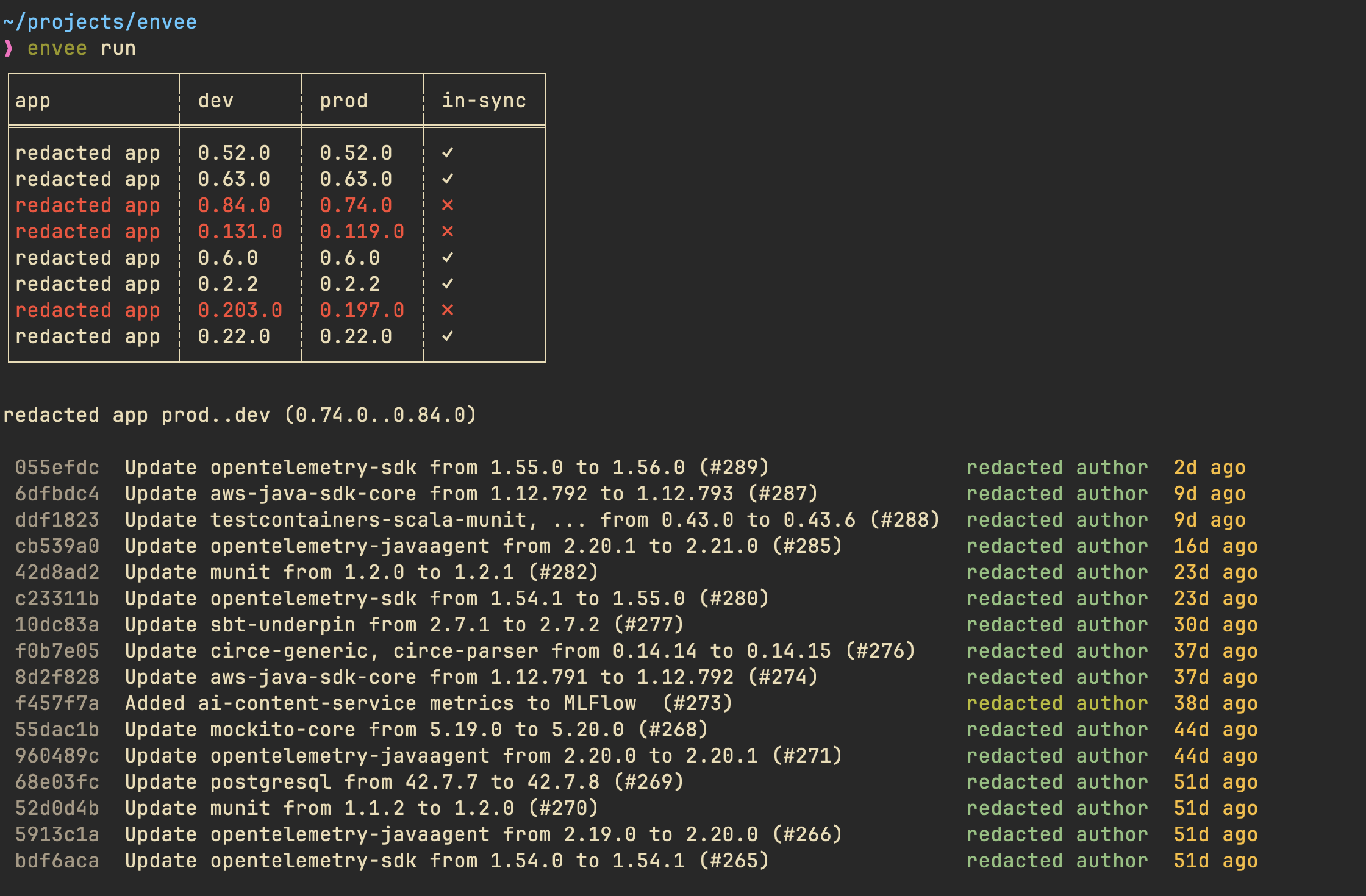
`envee` lets you quickly compare application versions across environments and
see git commits between them.
> [!NOTE]
> envee is alpha software. Its interface and behaviour might change in the near
> future.
🤔 Motivation
---
When you manage applications across multiple environments, it's easy to lose
track of which versions are running where. Understanding the version differences
tells you exactly what code will ship in the next deployment. Without
centralized visibility, you end up manually checking each environment and
repository. `envee` helps with this process by centralizing version differences
and commit logs in one place.
⚡️ Usage
---
`envee` requires a TOML file which holds data for the app versions. You will
most likely need to tap into your CICD system/GitOps repo to generate this file
(we use a GitOps repo at work, so I pull the versions from it using a simple
Python script).
```toml
# array of environments in the order you would like to see them in the results
# (required)
envs = ["dev", "prod"]
# github owner of the repositories
# (needed if you want to see commit logs)
github_org = "org"
# if you want to transform the versions in the versions TOML file to git tags
# eg. v{{version}} will convert 0.1.0 to v0.1.0
# (optional)
git_tag_transform = "v{{version}}"
[[versions]]
# also the name of the github repository for the app
app = "app-a"
env = "dev"
version = "0.1.2"
[[versions]]
app = "app-a"
env = "prod"
version = "0.1.0"
[[versions]]
app = "app-b"
env = "dev"
version = "1.2.0"
[[versions]]
app = "app-b"
env = "prod"
version = "1.2.0"
```
```text
$ envee run -h
Show results based on a versions file
Usage: envee run [OPTIONS]
Options:
-V, --versions Path to the versions file [default: versions.toml]
--debug Output debug information without doing anything
--validate-only Only validate versions file
-C, --no-commit-logs Show commits between tags corresponding to different environments (requires ENVEE_GH_TOKEN to be set)
-o, --output-format Output format [default: stdout] [possible values: stdout, html]
-f, --filter Regex to use for filtering apps
--stdout-table-style Table style for stdout output [default: utf8] [possible values: ascii, markdown, none, utf8]
--stdout-plain Whether to use output text to stdout without color
--html-output Path for the HTML output file [default: envee-report.html]
--html-title Title for HTML report [default: envee]
--html-template Path to custom HTML template file
-h, --help Print help
```
### stdout output
By default, `envee` prints its report to stdout.
[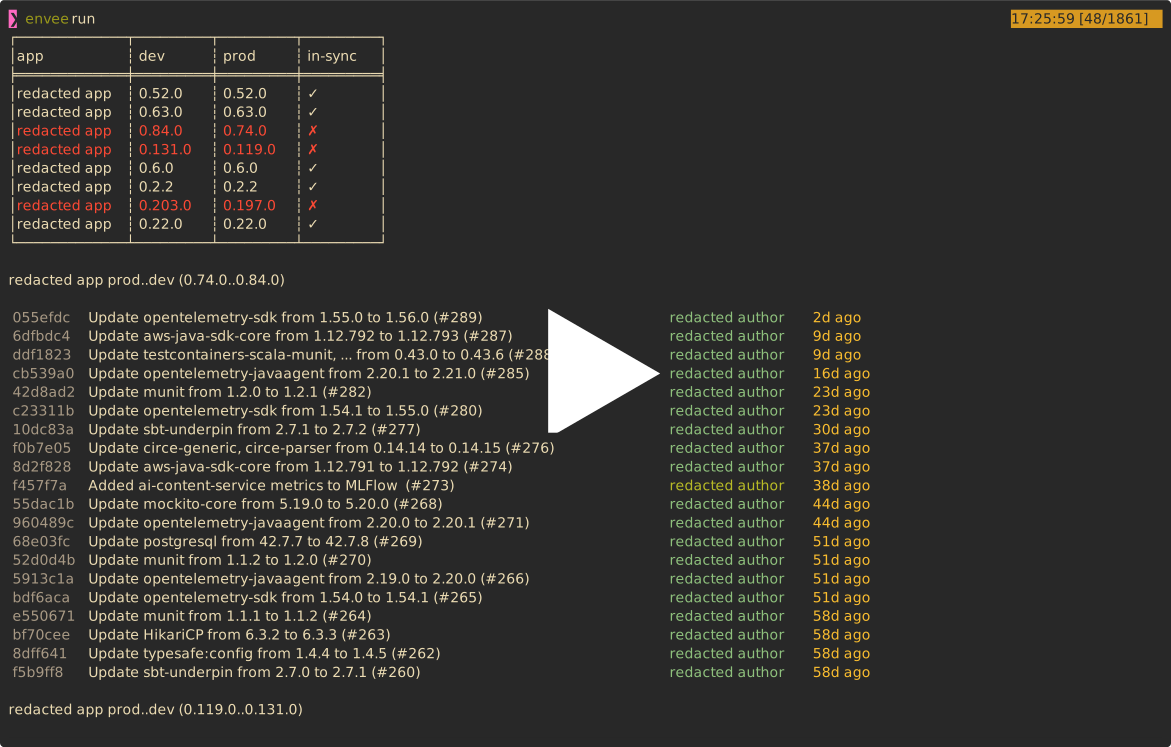](https://asciinema.org/a/iNdyYpBfYPxAhwPliICxjLMAY)
### HTML output
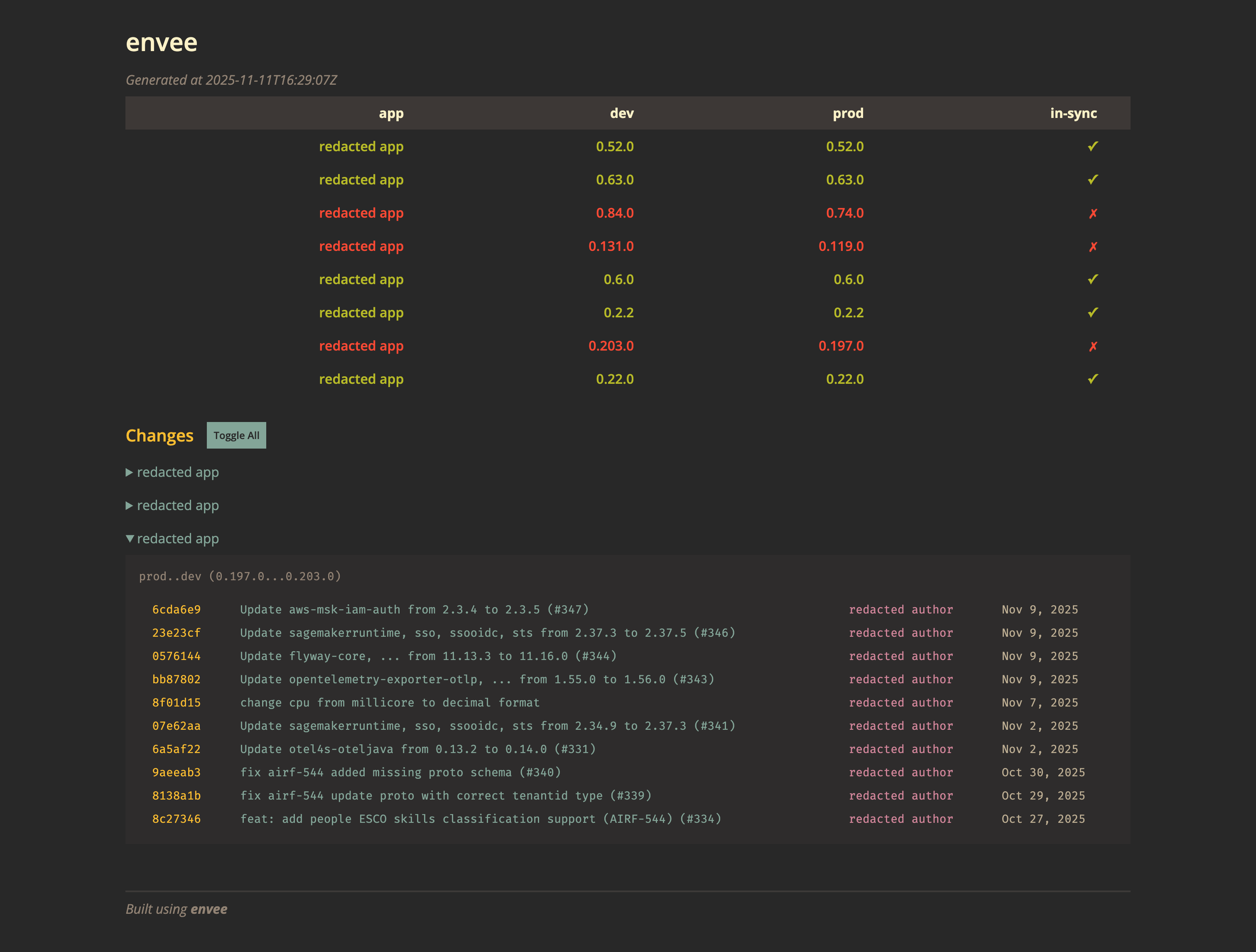
`envee` can also generate an HTML version of its report.
```
envee run --output-format html
```