https://github.com/dhth/ghx
An alternative to GitHub's UI for viewing commit logs between git tags
https://github.com/dhth/ghx
git github
Last synced: 3 months ago
JSON representation
An alternative to GitHub's UI for viewing commit logs between git tags
- Host: GitHub
- URL: https://github.com/dhth/ghx
- Owner: dhth
- License: mit
- Created: 2025-04-29T16:10:29.000Z (about 1 year ago)
- Default Branch: main
- Last Pushed: 2025-10-01T23:33:25.000Z (10 months ago)
- Last Synced: 2025-10-02T00:18:05.611Z (10 months ago)
- Topics: git, github
- Language: Gleam
- Homepage: https://ghx.handytools.store
- Size: 246 KB
- Stars: 1
- Watchers: 1
- Forks: 0
- Open Issues: 0
-
Metadata Files:
- Readme: README.md
- License: LICENSE
Awesome Lists containing this project
README
ghx

`ghx` provides an alternative to GitHub's UI for viewing commit logs between
git tags.
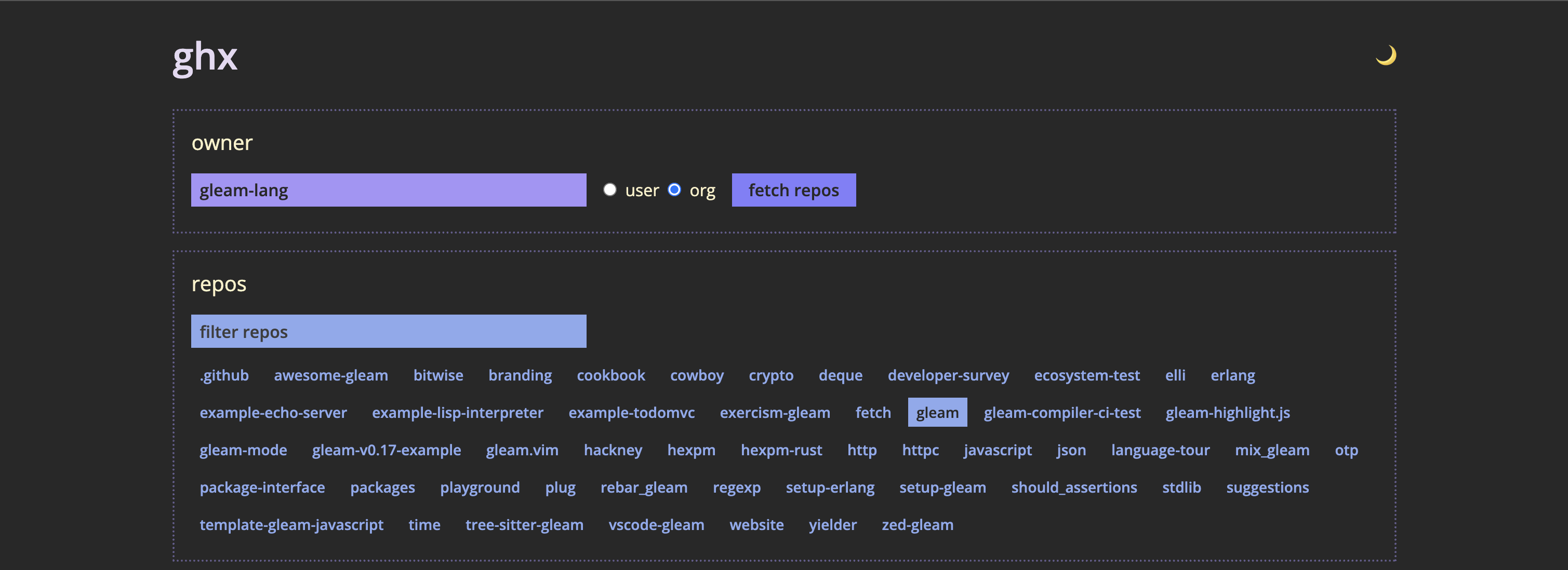
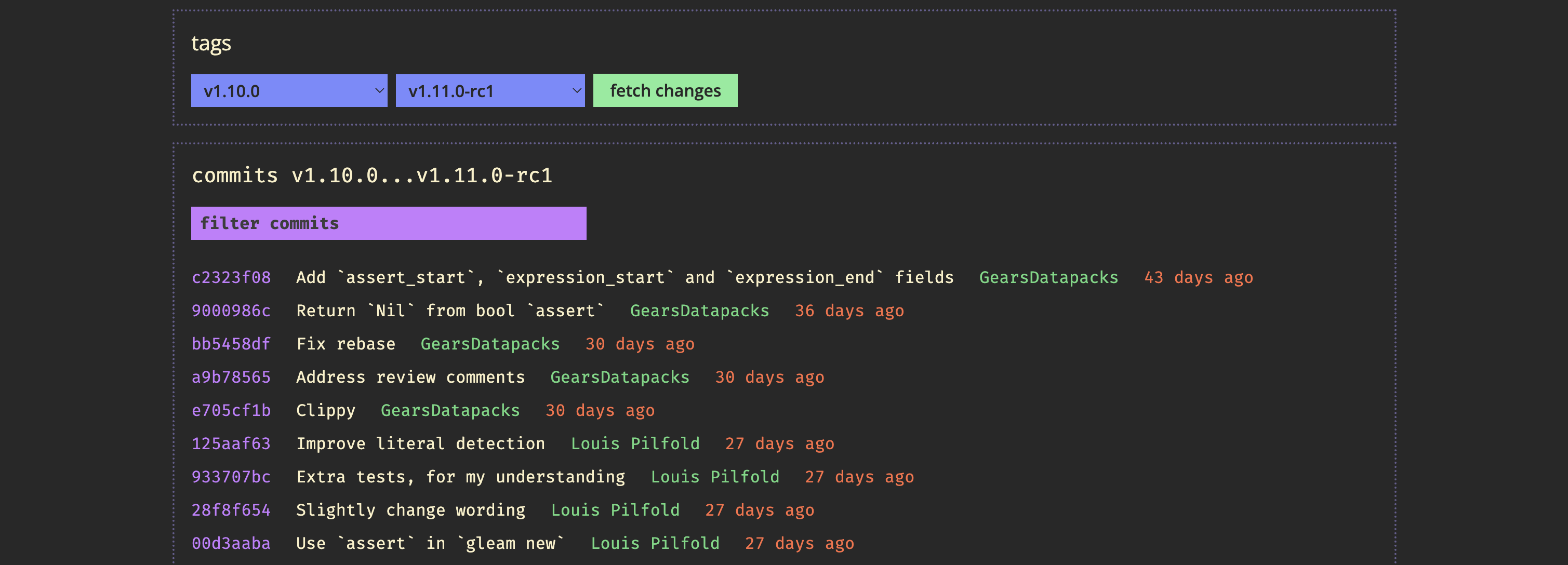
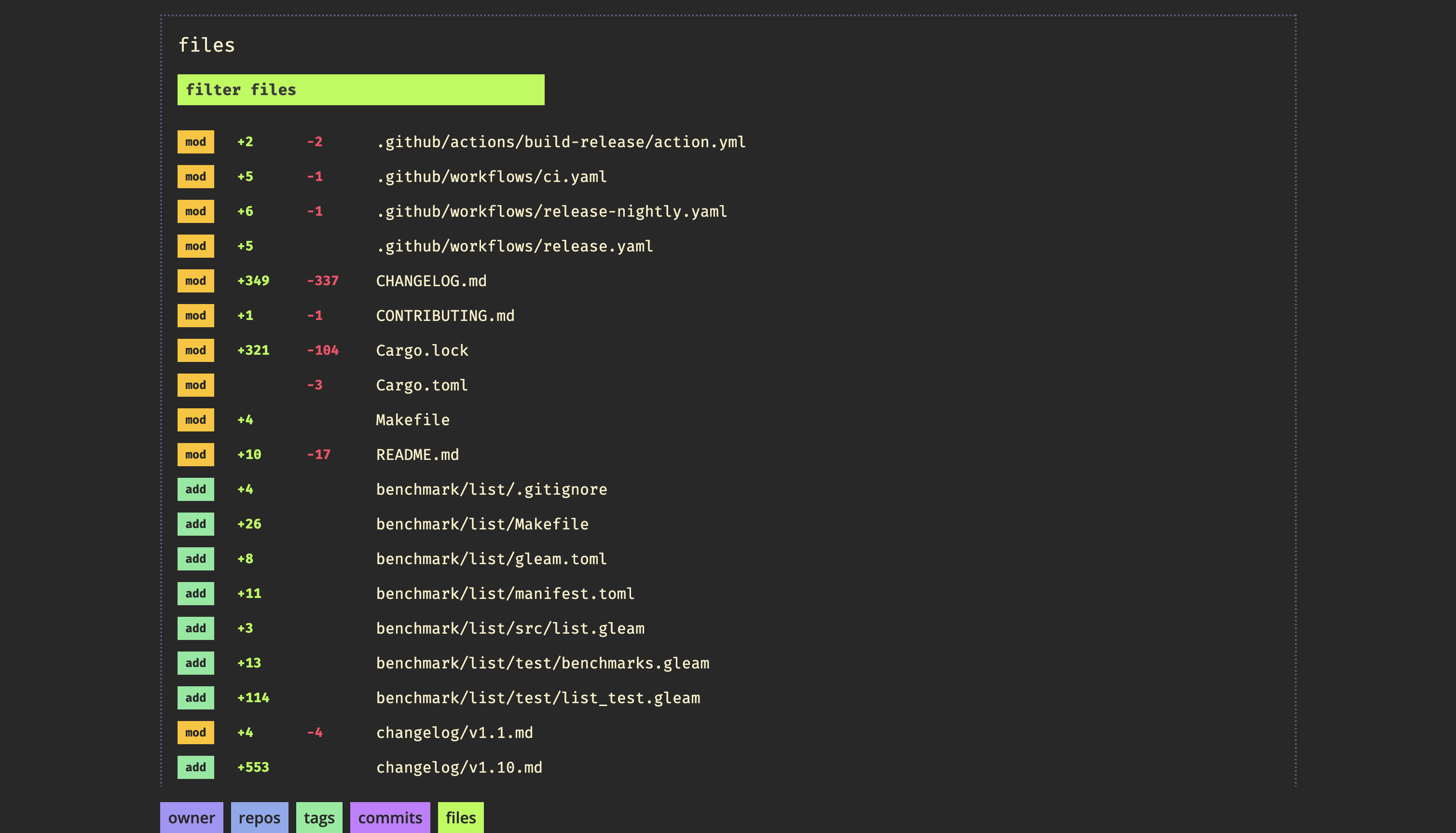
> [!NOTE]
> An unauthenticated public version of `ghx`'s web interface is running
> at [https://ghx.handytools.store](https://ghx.handytools.store).
🤔 Why does this exist?
---
I often need to view commit logs between two git tags for GitHub hosted
repositories. While GitHub's UI allows comparing refs, doing it for git tags is
a bit tedious. Additionally, comparing tags for multiple repositories involves a
lot of clicks. To simplify this process, I built `ghx`.
Everything that `ghx` does can be achieved locally using `git`; the goal is to
access commit logs quickly without having to clone a repository, or pull
changes, or run `git tag` to discover tags.
⚡️ Usage
---
```text
$ ghx serve -h
Serve ghx's web interface
Usage: ghx serve [OPTIONS]
Options:
-o, --owner Owner to show results for
-t, --owner-type Owner type [default: user] [possible values: user, org]
-T, --theme Theme to use [default: dark] [possible values: light, dark]
-p, --port Port to use
-s, --skip-opening Whether to skip opening the front-end in the browser
-h, --help Print help (see more with '--help')
```
🔑 Authentication
---
You can have `ghx` make authenticated calls to GitHub on your behalf in either
of two ways:
- Have an authenticated instance of [gh](https://github.com/cli/cli) available
in your `PATH` (recommended).
- Provide a valid Github token via the environment variable `GH_TOKEN`