https://github.com/dhth/outtasync
Identify cloudformation stacks that are not in sync with their template files
https://github.com/dhth/outtasync
bubbletea cloudformation tui
Last synced: 7 months ago
JSON representation
Identify cloudformation stacks that are not in sync with their template files
- Host: GitHub
- URL: https://github.com/dhth/outtasync
- Owner: dhth
- License: mit
- Created: 2024-03-02T01:43:36.000Z (over 2 years ago)
- Default Branch: main
- Last Pushed: 2024-05-28T22:00:51.000Z (about 2 years ago)
- Last Synced: 2024-05-29T01:52:51.031Z (about 2 years ago)
- Topics: bubbletea, cloudformation, tui
- Language: Go
- Homepage: https://tools.dhruvs.space/outtasync
- Size: 1.91 MB
- Stars: 3
- Watchers: 1
- Forks: 0
- Open Issues: 1
-
Metadata Files:
- Readme: README.md
- License: LICENSE
Awesome Lists containing this project
- charm-in-the-wild - outtasync - Identify CloudFormation stacks that are out of sync with their template files. (_built with Bubble Tea_) (Applications / Cloud and DevOps)
README
# outtasync
[](https://github.com/dhth/outtasync/actions/workflows/main.yml)
[](https://github.com/dhth/outtasync/actions/workflows/vulncheck.yml)
[](https://github.com/dhth/outtasync/releases/latest)
[](https://github.com/dhth/outtasync/releases)
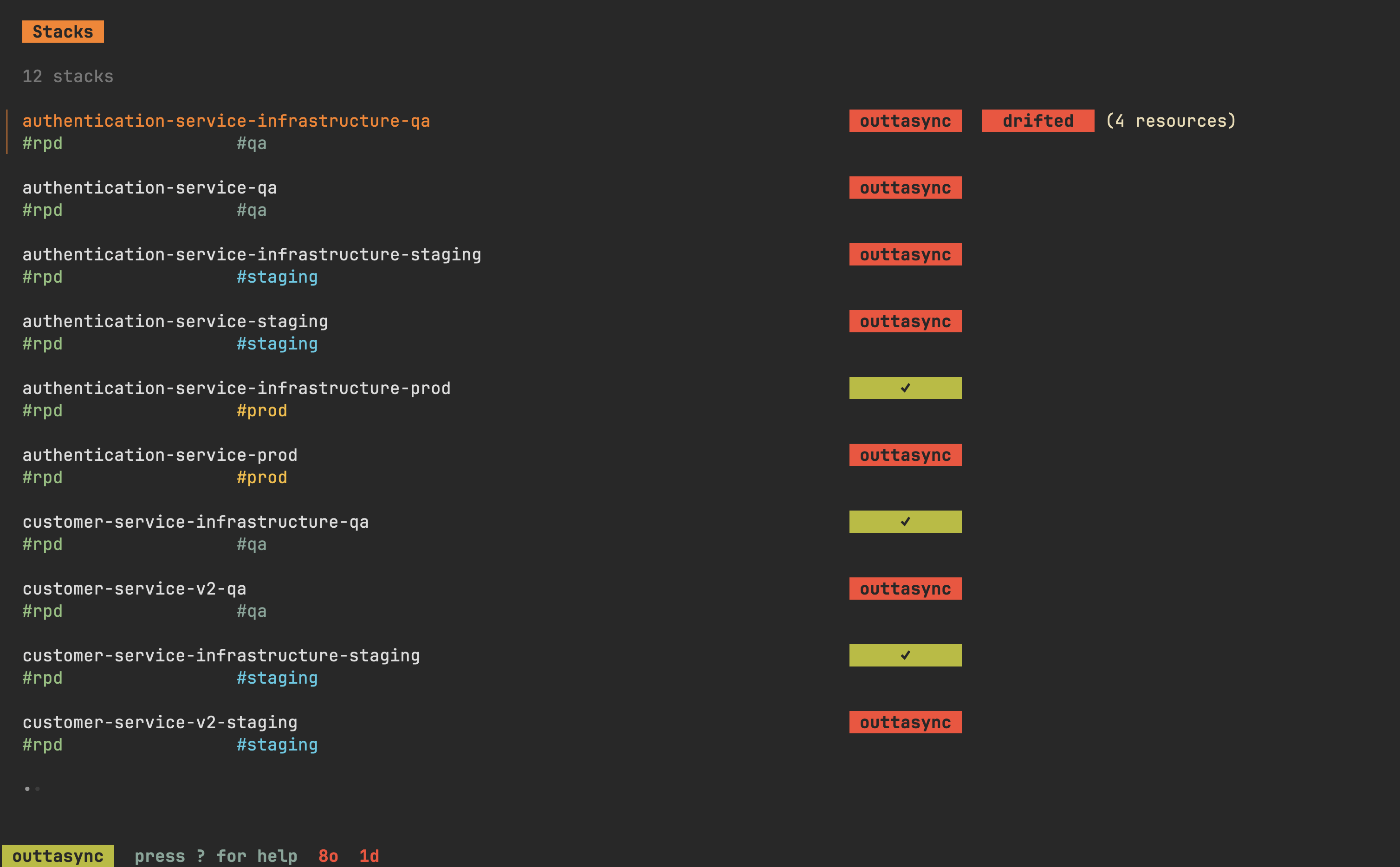
`outtasync` helps you identify Cloudformation stacks that have drifted or gone
out of sync with the state represented by their template files.
💾 Installation
---
**homebrew**:
```sh
brew install dhth/tap/outtasync
```
**go**:
```sh
go install github.com/dhth/outtasync@latest
```
Or get the binary directly from a
[release](https://github.com/dhth/outtasync/releases). Read more about verifying
the authenticity of released artifacts [here](#-verifying-release-artifacts).
🛠️ Pre-requisites
---
- `git` (used to compute diff for out-of-sync changes)
- `outtasync` doesn't change or override git's pager, so the diff will
follow your `.gitconfig` settings (if present).
🛠️ Configuration
---
Create a configuration file that looks like the following. To determine where
`outtasync` looks for this file by default on your OS, run `outtasync check -h`
and look at the output.
```yaml
stacks:
- name: bingo-service-qa
# use this to provide configuration and credentials via environment variables
# https://docs.aws.amazon.com/sdkref/latest/guide/environment-variables.html
config_source: env
arn: arn:aws:cloudformation:eu-central-1:000000000000:stack/bingo-service-qa/00000000-1111-2222-33333333333333333
template_path: ~/projects/bingo-service/cloudformation/infrastructure.yml
tags:
- qa
- name: papaya-service-staging
# use this to leverage a profile contained in the shared AWS config and credentials files
# https://docs.aws.amazon.com/sdkref/latest/guide/file-format.html
config_source: profile:
arn: arn:aws:cloudformation:eu-central-1:000000000000:stack/bingo-service-qa/00000000-4444-5555-66666666666666666
template_path: https://url.where/your/stack/template/file/is/located/cloudformation.yml
remote_call_headers:
- key: Authorization
value: "token $STACK_SPECIFIC_TOKEN"
- key: Header
value: "to use for sending request to the url defined by template_path"
tags:
- staging
- name: galactus-service-prod
# use this when you want to provide configuration and credentials via environment variables
# but want to assume another role for performing the actual operations
config_source: assume::
arn: arn:aws:cloudformation:eu-central-1:000000000000:stack/galactus-service-prod/00000000-7777-8888-99999999999999999
template_path: "$SOME_ENV_VAR/path/to/file.yml"
tags:
- prod
# these are applied globally to all stacks where template_path is a URL
remote_call_headers:
- key: Authorization
value: "token $GLOBAL_GH_TOKEN"
```
⚡️ Usage
---
`outtasync` provides the following subcommands:
- `outtasync tui`: for opening up outtasync's TUI
- `outtasync check`: for checking for drift status and template sync status on
the command line
- `outtasync config`: for interacting with outtasync's config
📟 TUI
---
```text
$ outtasync tui -h
open outtasync's tui
Usage:
outtasync tui [flags]
Flags:
-c, --config-file string location of outtasync's config file
-h, --help help for tui
-n, --name-filter string regex for name(s) (configured in outtasync's config) to filter stacks by
-t, --tags-filter string regex for tag(s) to filter stacks by
```
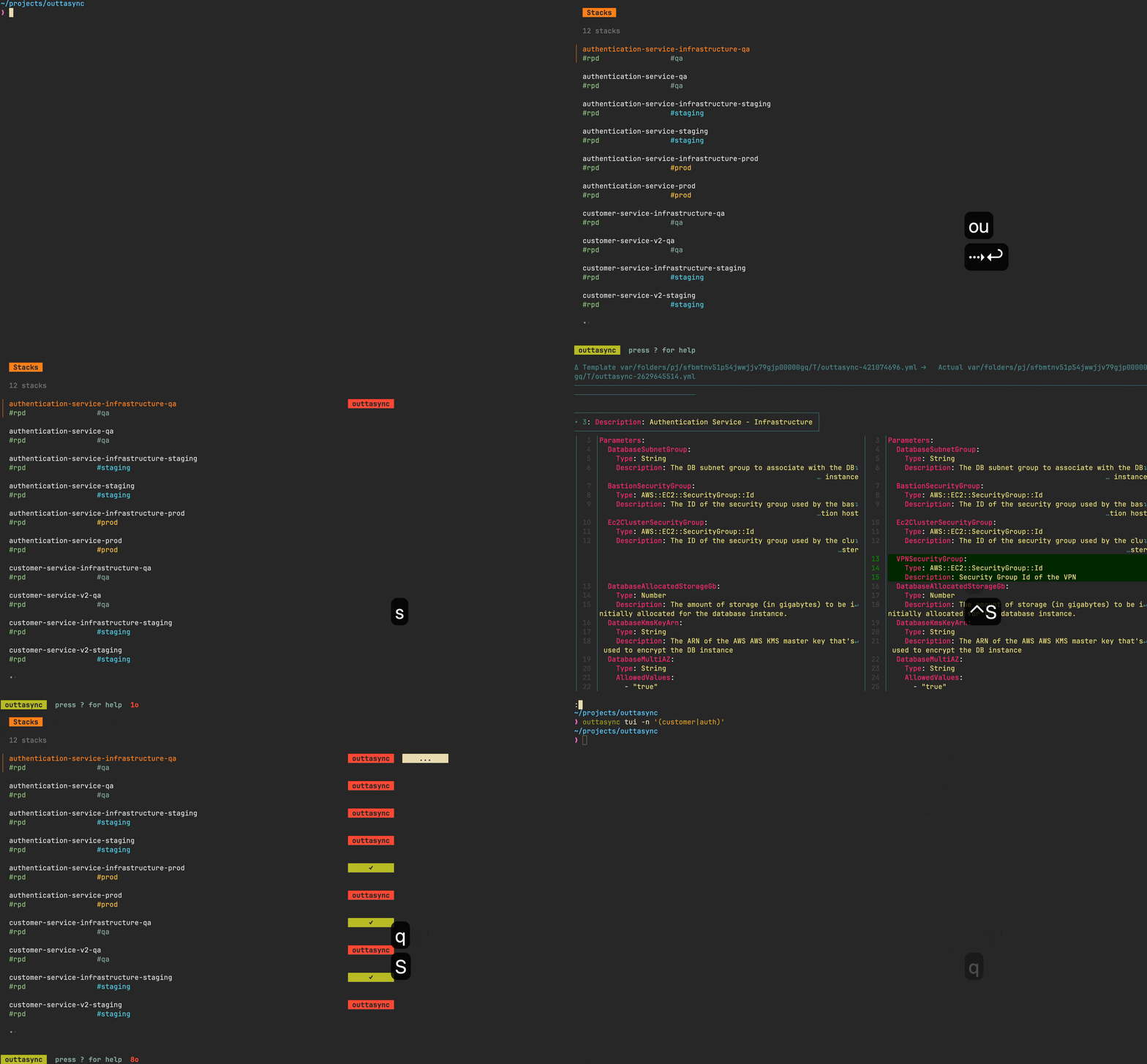
### ⌨️ TUI Keymaps
#### General
| Keymap | What it does |
|----------------|------------------|
| `q` | go back |
| `esc`/`ctrl+c` | quit immediately |
#### Stacks List
| Keymap | What it does |
|-----------------|---------------------------------------------------------------------|
| `j`/`↓` | move cursor down |
| `k`/`↑` | move cursor up |
| `h` | go to previous page |
| `l` | go to next page |
| `g` | go to the top |
| `G` | go to the end |
| `tab`/`` | move between filter states |
| `1` | filter for stacks with code mismatch |
| `2` | filter for stacks that've drifted |
| `3` | filter for stacks with errors |
| `s` | check template sync status for stack under cursor (when unfiltered) |
| `S` | check template sync status for all stacks (when unfiltered) |
| `` | show sync check results (requires git to be available in PATH) |
| `d` | check drift status for stack under cursor (when unfiltered) |
| `D` | check drift status for all stacks (when unfiltered) |
| `e` | show error details (if present) |
📋 Check
---
```text
$ outtasync check -h
check sync and drift status for stacks
Usage:
outtasync check [flags]
Flags:
-D, --check-drift check drift status (only applicable in cli mode) (default true)
-T, --compare-template compare actual template with template code (only applicable in cli mode)
-c, --config-file string location of outtasync's config file
-f, --format string output format [possible values: default, delimited, html] (default "default")
-h, --help help for check
-o, --html-open open html output in browser instead of outputting to stdout
--html-template-file string location of the template file to use for html output
--html-title string title of the html output (default "outtasync")
-N, --list-negatives-only list negatives only
-n, --name-filter string regex for name(s) (configured in outtasync's config) to filter stacks by
-p, --progress-indicator whether to show progress indicator (only applicable in cli mode) (default true)
-t, --tags-filter string regex for tag(s) to filter stacks by
```
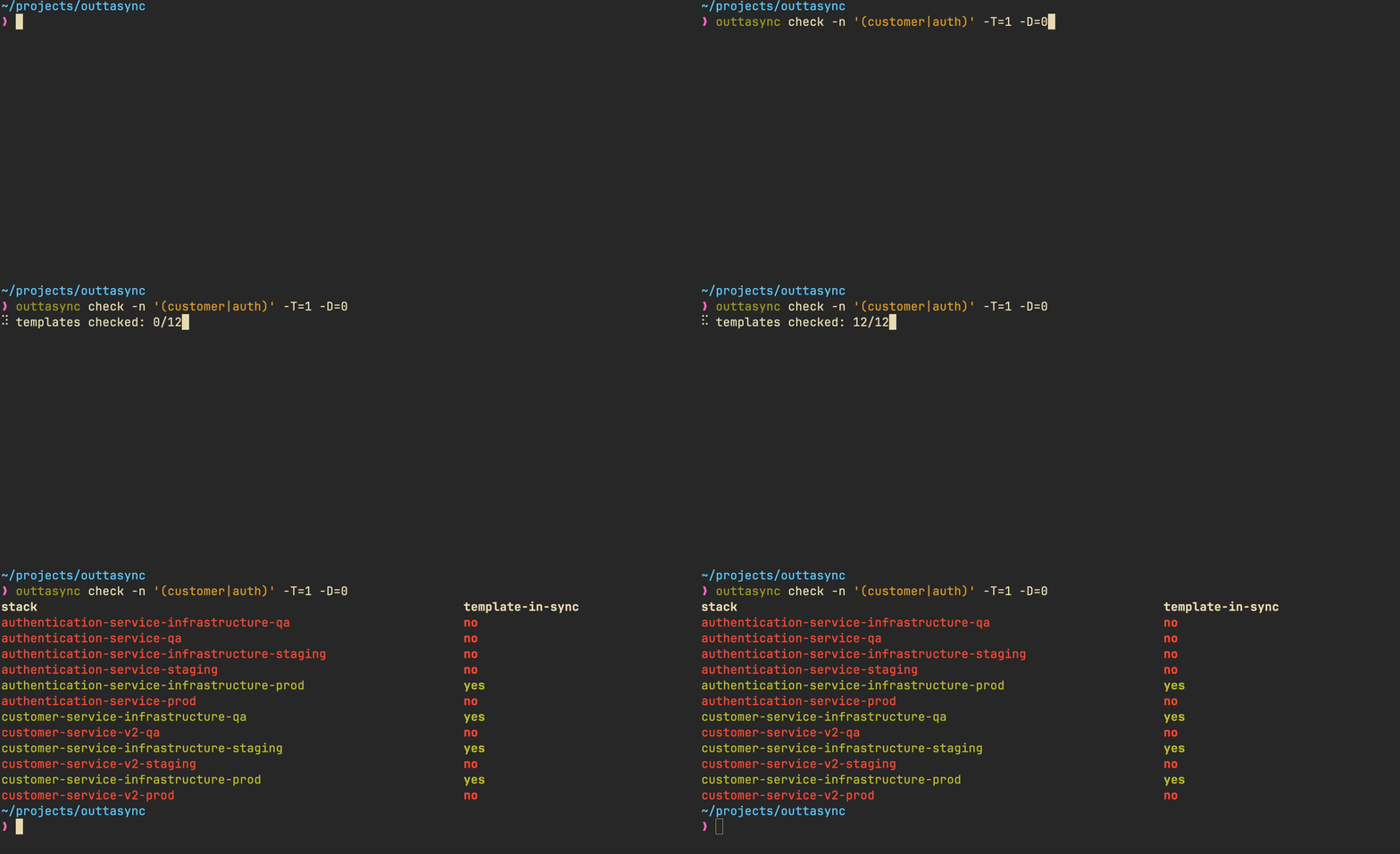
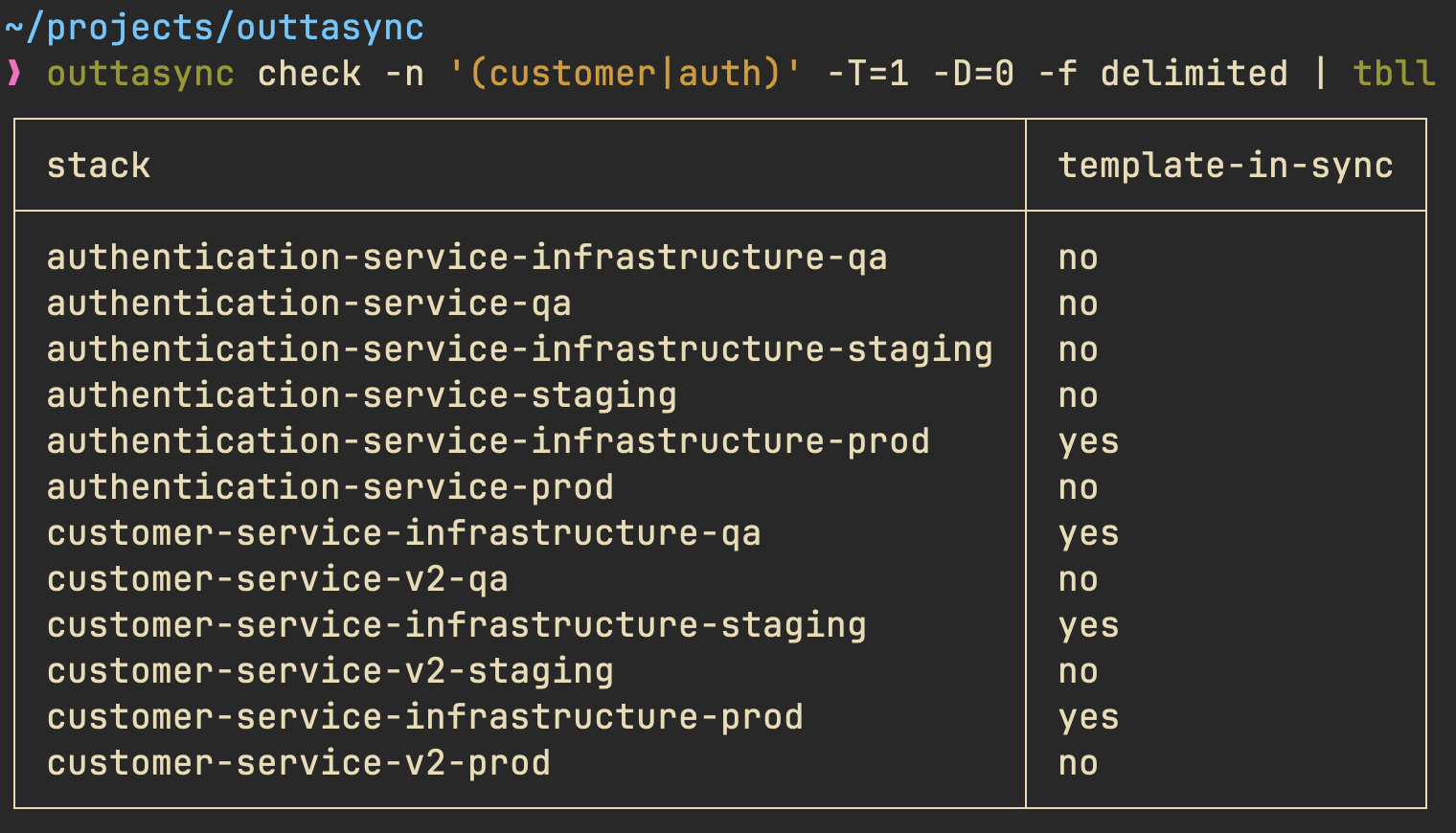
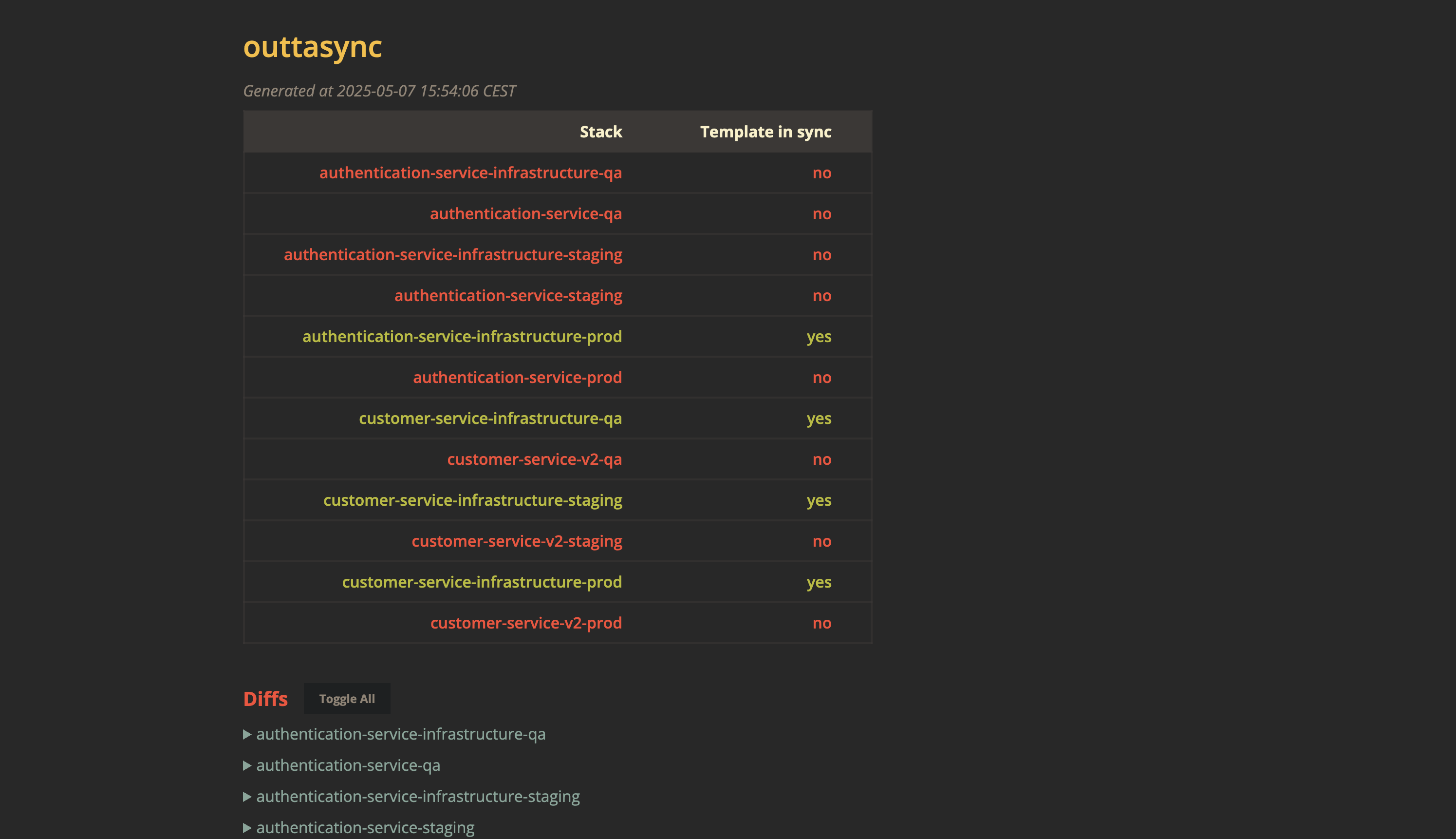
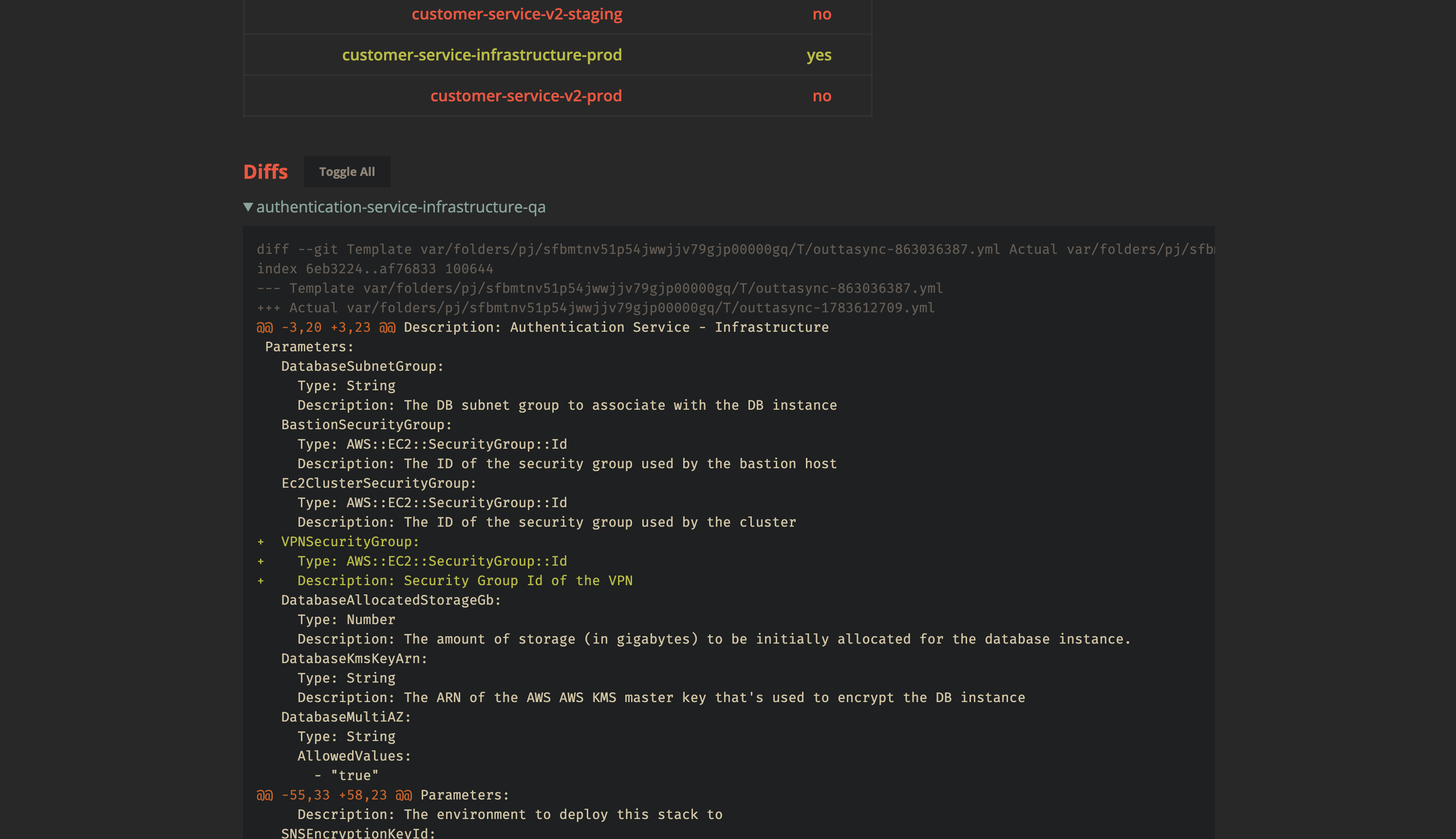
The `check` subcommand can output results in 3 formats: ansi colored text,
delimited, and HTML.
### Normal output
```bash
outtasync check -n '(customer|auth)' -T=1 -D=0
```
### Delimited output
```bash
outtasync check -n '(customer|auth)' -T=1 -D=0 -f delimited | tbll
```
### HTML output
```bash
outtasync check -n '(customer|auth)' -T=1 -D=0 -f html
```
🧰 Config
---
`outtasync` allows you to generate its own config.
```text
$ outtasync config generate
generate sample config
Usage:
outtasync config generate [flags]
Flags:
-c, --config-source string config source to use (default "env")
-h, --help help for generate
-n, --name-filter string regex for name(s) to filter stacks by
-t, --tags string comma separated list of tags to use
```
You can also validate a config file using `outtasync config validate`.
🔐 Verifying release artifacts
---
In case you get the `outtasync` binary directly from a
[release](https://github.com/dhth/outtasync/releases), you may want to verify
its authenticity. Checksums are applied to all released artifacts, and the
resulting checksum file is signed using
[cosign](https://docs.sigstore.dev/cosign/installation/).
Steps to verify (replace `x.y.z` in the commands listed below with the version
you want):
1. Download the following files from the release:
- outtasync_x.y.z_checksums.txt
- outtasync_x.y.z_checksums.txt.pem
- outtasync_x.y.z_checksums.txt.sig
2. Verify the signature:
```shell
cosign verify-blob outtasync_x.y.z_checksums.txt \
--certificate outtasync_x.y.z_checksums.txt.pem \
--signature outtasync_x.y.z_checksums.txt.sig \
--certificate-identity-regexp 'https://github\.com/dhth/outtasync/\.github/workflows/.+' \
--certificate-oidc-issuer "https://token.actions.githubusercontent.com"
```
3. Download the compressed archive you want, and validate its checksum:
```shell
curl -sSLO https://github.com/dhth/outtasync/releases/download/vx.y.z/outtasync_x.y.z_linux_amd64.tar.gz
sha256sum --ignore-missing -c outtasync_x.y.z_checksums.txt
```
3. If checksum validation goes through, uncompress the archive:
```shell
tar -xzf outtasync_x.y.z_linux_amd64.tar.gz
./outtasync
# profit!
```