https://github.com/dhyeythumar/helium-vscode
The Helium theme color for VS Code 💜
https://github.com/dhyeythumar/helium-vscode
helium theme-color vs-code-extenstion vs-code-theme
Last synced: 4 months ago
JSON representation
The Helium theme color for VS Code 💜
- Host: GitHub
- URL: https://github.com/dhyeythumar/helium-vscode
- Owner: dhyeythumar
- License: mit
- Created: 2020-12-01T12:49:05.000Z (over 5 years ago)
- Default Branch: main
- Last Pushed: 2021-05-07T08:30:08.000Z (about 5 years ago)
- Last Synced: 2025-12-28T18:04:05.788Z (6 months ago)
- Topics: helium, theme-color, vs-code-extenstion, vs-code-theme
- Homepage:
- Size: 537 KB
- Stars: 1
- Watchers: 1
- Forks: 0
- Open Issues: 0
-
Metadata Files:
- Readme: README.md
- Changelog: CHANGELOG.md
- License: LICENSE.md
Awesome Lists containing this project
README




## What’s In This Document
- [Example](#example)
- [Installation](#installation)
- [Recommended Settings](#recommended-settings)
- [Contributing](#contributing)
- [License](#license)
- [Acknowledgements](#acknowledgements)
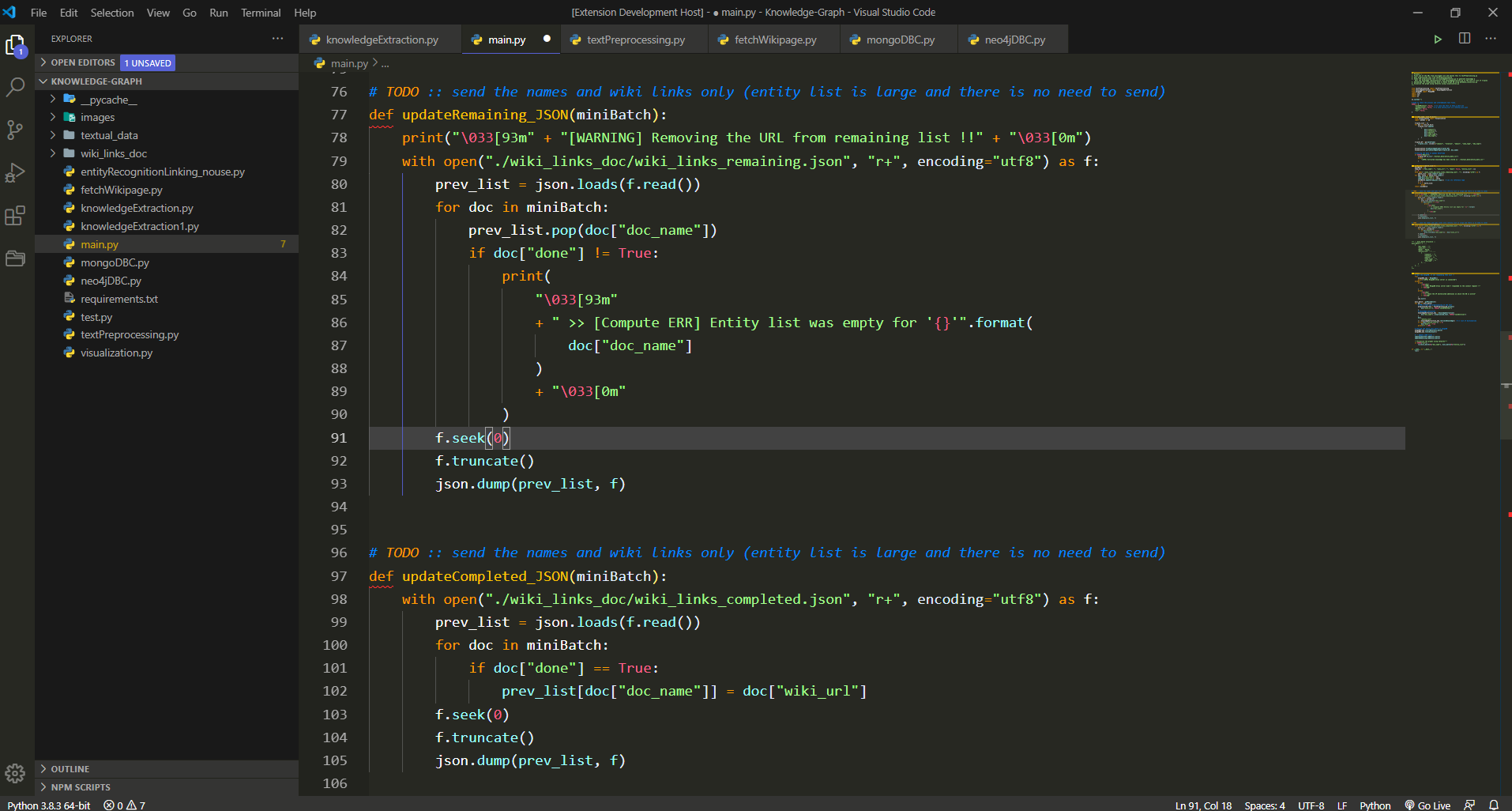
## Example
## Installation
1. Open **Extensions** sidebar panel in VS Code.
2. Search for **Helium** - find the one by **Dhyey Thumar**.
3. Click **Install**
4. Code > Preferences > Color Theme > **Helium**
Now the theme color is set 😀.
> Optional: For best experience use the recommended settings given below.
## Recommended Settings
```json
{
"workbench.colorTheme": "Helium",
"files.autoSave": "onFocusChange",
"editor.fontFamily": "'Droid Sans Mono', Consolas, 'Courier New', 'Baloo Tammudu 2'",
"editor.fontSize": 18,
"editor.lineHeight": 28,
"editor.letterSpacing": 0.2,
"editor.fontWeight": "500",
"editor.cursorSmoothCaretAnimation": true,
"editor.cursorBlinking": "smooth",
"editor.cursorStyle": "line",
"editor.cursorWidth": 2
}
```
## Contributing
To work on this theme:
1. Clone this repo and open in VS Code.
2. Open run `Activity Bar → Run`.
3. Click `Launch Extension`. This will open up another VS Code Editor.
4. Make changes to `helium.json`. You will see changes reflected in the other editor that was opened in step 3.
## License
Licensed under the [MIT License](./LICENSE).
## Acknowledgements
1. This VS Code theme color is inspired by [**Wesbos's cobalt2-vscode**](https://github.com/wesbos/cobalt2-vscode).
2. Description for each and every theme color attribute given in [**Theme Color Reference**](https://code.visualstudio.com/api/references/theme-color).