https://github.com/didierrlopes/jobanalysis
This repository aims to extract an insight from your job statistics. For that purpose it uses Jupyter notebook to process data gathered in an Excel data sheet.
https://github.com/didierrlopes/jobanalysis
diary job-analysis performance
Last synced: about 1 year ago
JSON representation
This repository aims to extract an insight from your job statistics. For that purpose it uses Jupyter notebook to process data gathered in an Excel data sheet.
- Host: GitHub
- URL: https://github.com/didierrlopes/jobanalysis
- Owner: DidierRLopes
- Created: 2019-02-08T23:04:20.000Z (over 7 years ago)
- Default Branch: master
- Last Pushed: 2019-02-09T00:28:49.000Z (over 7 years ago)
- Last Synced: 2025-04-10T03:56:48.893Z (about 1 year ago)
- Topics: diary, job-analysis, performance
- Language: Jupyter Notebook
- Homepage:
- Size: 194 KB
- Stars: 5
- Watchers: 1
- Forks: 0
- Open Issues: 0
-
Metadata Files:
- Readme: README.md
Awesome Lists containing this project
README
# JobAnalysis
This repository aims to extract an insight of your job statistics.
The idea is to have an easily readable Excel where you can update your work days, and use a Jupyter notebook (with common Python libraries for data science) to process this data and extract further insights.
The Excel is pretty straightforward. Each table corresponds to a week work where you can add:
* Entry and Exit hours, which will automatically calculate your working hours and update the total weekly hours.
This is particularly convenient when you have a flexible schedule as long as you respect the working hours.
* Status, which contains the project you are working on and your location, with the format: Project (location).
Notice that you should write "DAY OFF" or "BANK HOLIDAYS" on the Status column when you did not work on that day.
* Comment, allowing you to remember that particular day (e.g. Discussed with XXX about ZZZ product).

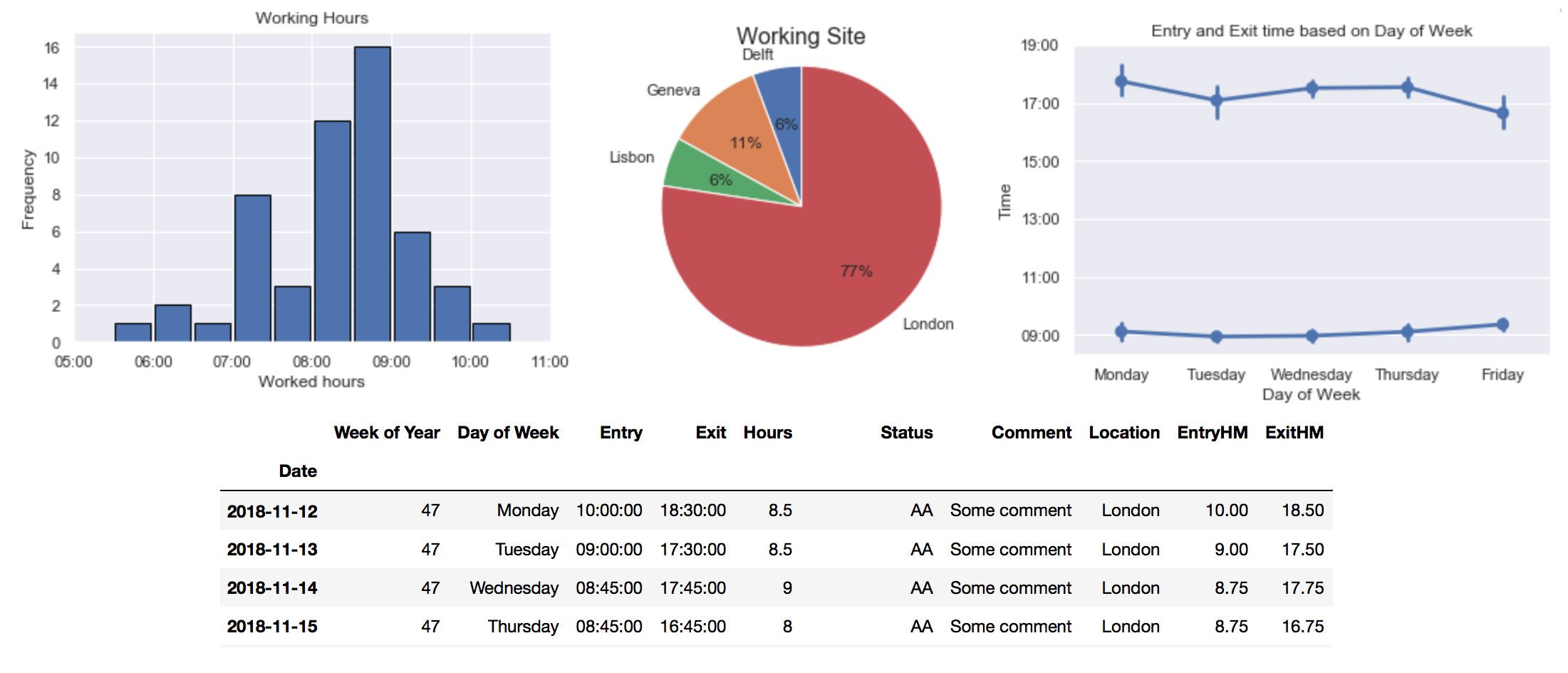
Here are some examples of the type of insights that you can extract from the data.