https://github.com/digitalutsc/drupal_libcal
This Drupal module provides a method to integrate LibCal Events to Drupal content by accessing and pulling data from LibCal Rest API.
https://github.com/digitalutsc/drupal_libcal
libcal
Last synced: about 1 year ago
JSON representation
This Drupal module provides a method to integrate LibCal Events to Drupal content by accessing and pulling data from LibCal Rest API.
- Host: GitHub
- URL: https://github.com/digitalutsc/drupal_libcal
- Owner: digitalutsc
- Created: 2020-09-01T20:55:29.000Z (almost 6 years ago)
- Default Branch: 1.x
- Last Pushed: 2024-09-12T04:54:51.000Z (almost 2 years ago)
- Last Synced: 2025-05-07T06:05:25.534Z (about 1 year ago)
- Topics: libcal
- Language: PHP
- Homepage:
- Size: 267 KB
- Stars: 1
- Watchers: 5
- Forks: 3
- Open Issues: 0
-
Metadata Files:
- Readme: README.md
Awesome Lists containing this project
README
# LibCal Integration for Drupal (8/9)
## Introduction
This Drupal module provides a method to integrate LibCal Events to Drupal content by pulling data from the LibCal Rest API. It is intended to be a sync of events found in libcal, meaning that if an event is deleted from libcal, it will be deleted from Drupal next time the sync runs.
## Requirements
* Already established LibCal API setup with client ID and secret. For more information, visit
* Drupal 8/9 installed and setup
## Installation
* Under the `repositories` section of your `composer.json` file, add this repo.
```json
{
"type": "vcs",
"url": "https://github.com/digitalutsc/drupal_libcal"
}
```
* Add the module by running `composer require digitalutsc/drupal_libcal`
* Enable the module via the Drupal interface or `drush` command
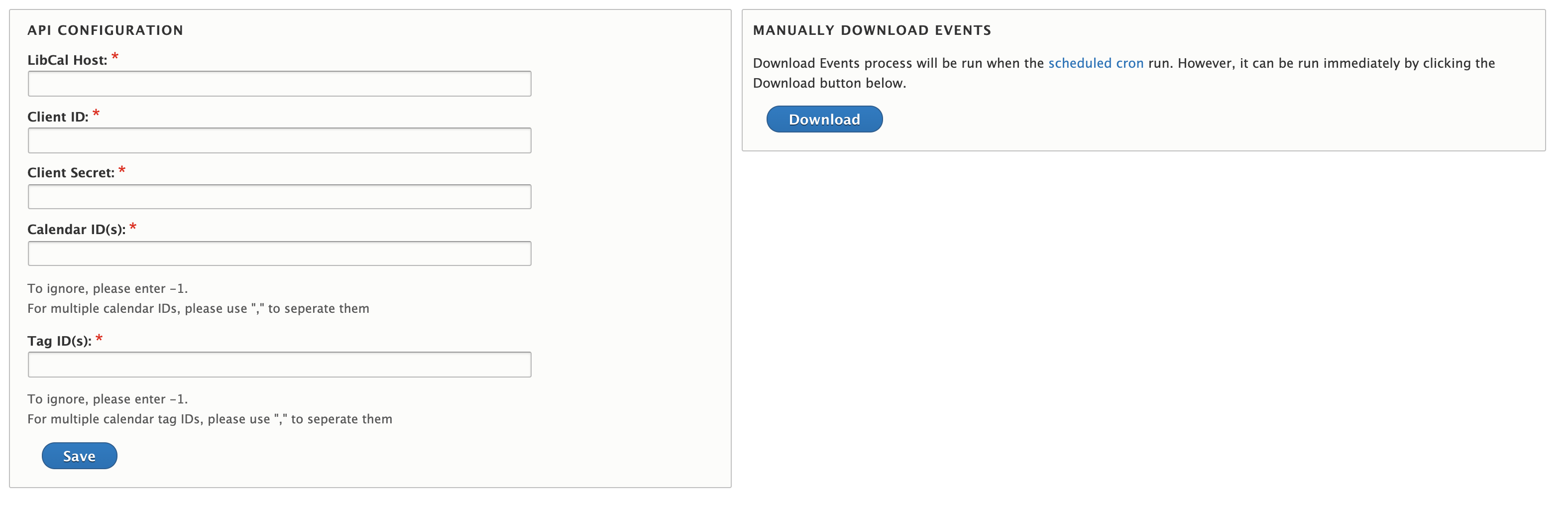
* Configure the LibCal Rest API information by going to Configuration > System > LibCal or visit , then fill out the setup form (Screenshot below)
## Configuration
* The only required configuration parameters are `LibCal Host`, `Client ID`, `Client Secret` and `Calendar ID(s)`. If you wish to pull data from multiple calendars, list all the calendar IDs separated by a comma `,`.
* You can also specify `Tag ID(s)` if you only want to pull in events with specific [internal event tags](https://ask.springshare.com/libcal/faq/1186). Multiple tags should be comma-separated, just like the calendar IDs.
* `Limit` is the maximum number of events to retrieve. The default to 20 and the maximum is 500.
* `Days` is the number of days in to the future to pull events. The default is 30 and the maximum is 365 days.
* If you check the box `Remove past events?`, event nodes in Drupal will be deleted if the event has passed. This prevents events from showing up in searches. This feature is enabled by default.
## Usage
* When the module is enabled, the Event content type will be created. For more details, visit Structure > Content Types or
* Events will be downloaded whenever your site's scheduled cron job runs. To modify how often this process runs, visit