https://github.com/dileepadev/terminal-configs
My custom terminal setup with themes, prompts, and configs.
https://github.com/dileepadev/terminal-configs
dileepadev oh-my-posh powershell terminal terminal-configuration
Last synced: about 2 months ago
JSON representation
My custom terminal setup with themes, prompts, and configs.
- Host: GitHub
- URL: https://github.com/dileepadev/terminal-configs
- Owner: dileepadev
- License: mit
- Created: 2026-01-03T17:42:58.000Z (6 months ago)
- Default Branch: main
- Last Pushed: 2026-01-25T15:15:34.000Z (5 months ago)
- Last Synced: 2026-01-26T08:11:30.248Z (5 months ago)
- Topics: dileepadev, oh-my-posh, powershell, terminal, terminal-configuration
- Language: Shell
- Homepage:
- Size: 59.6 KB
- Stars: 0
- Watchers: 0
- Forks: 0
- Open Issues: 0
-
Metadata Files:
- Readme: README.md
- Changelog: CHANGELOG.md
- Contributing: CONTRIBUTING.md
- License: LICENSE
- Code of conduct: CODE_OF_CONDUCT.md
- Security: SECURITY.md
Awesome Lists containing this project
README
# Terminal Configs
Welcome to my personal terminal configuration repository! This collection contains configuration files, scripts, and themes designed to create a productive, beautiful, and efficient terminal experience.
## Table of Contents
- [Terminal Configs](#terminal-configs)
- [Table of Contents](#table-of-contents)
- [Screenshots](#screenshots)
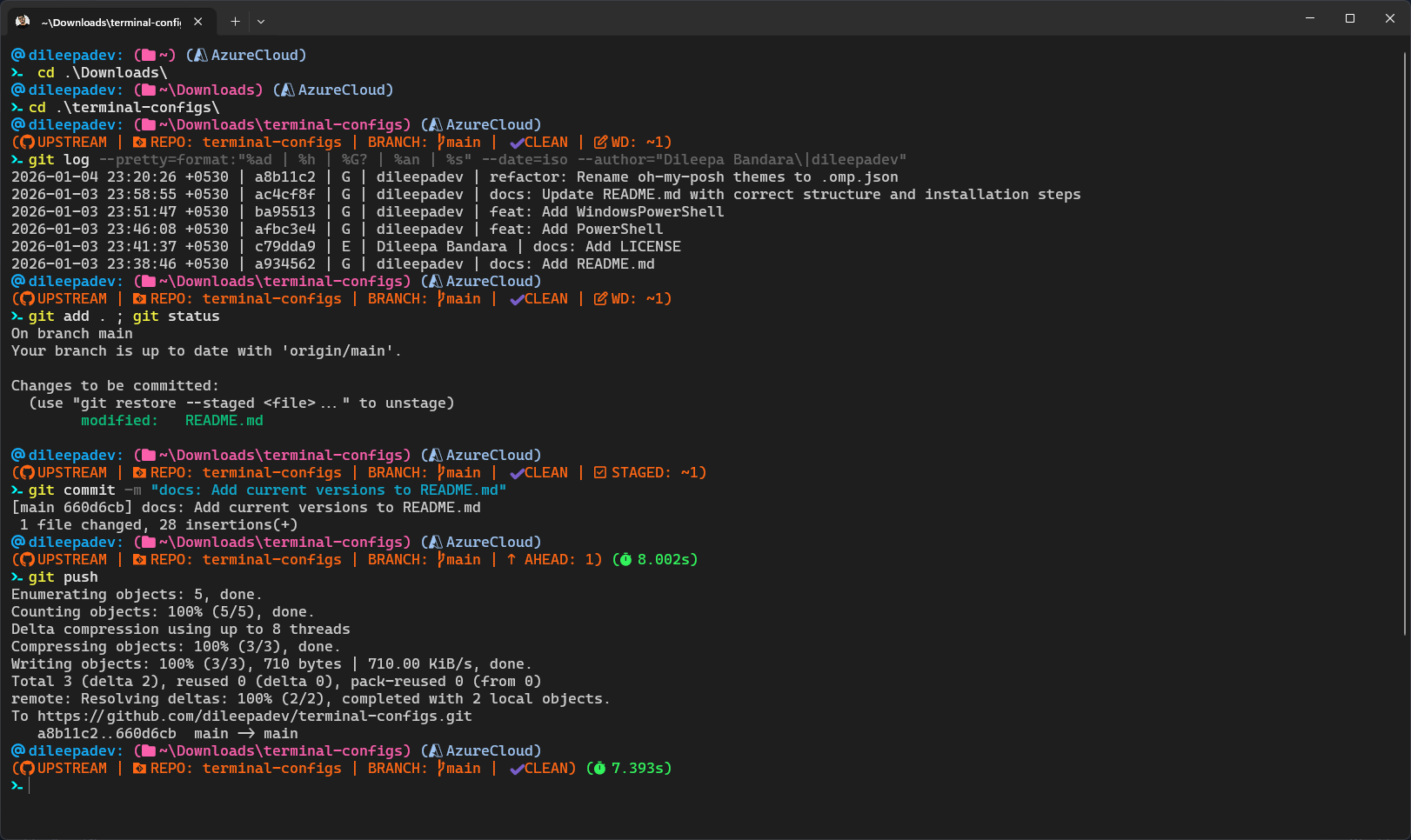
- [Terminal Configs v1.0.0](#terminal-configs-v100)
- [PowerShell with Oh My Posh Theme](#powershell-with-oh-my-posh-theme)
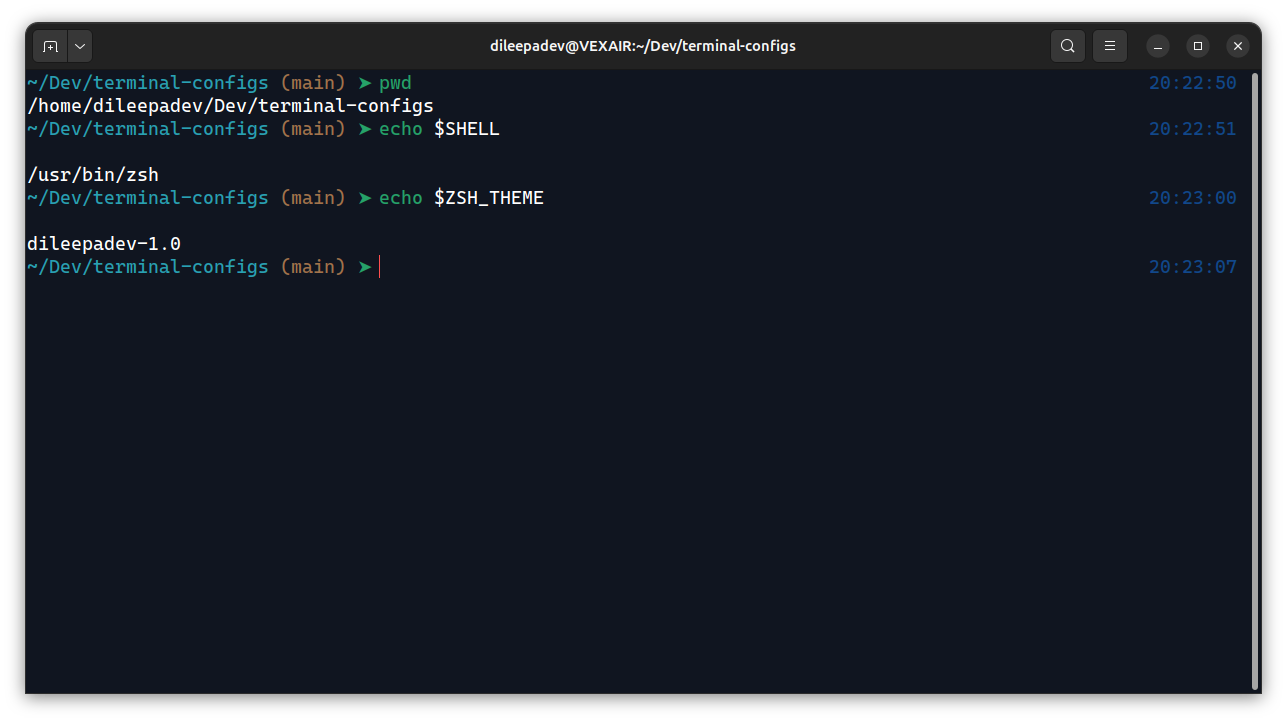
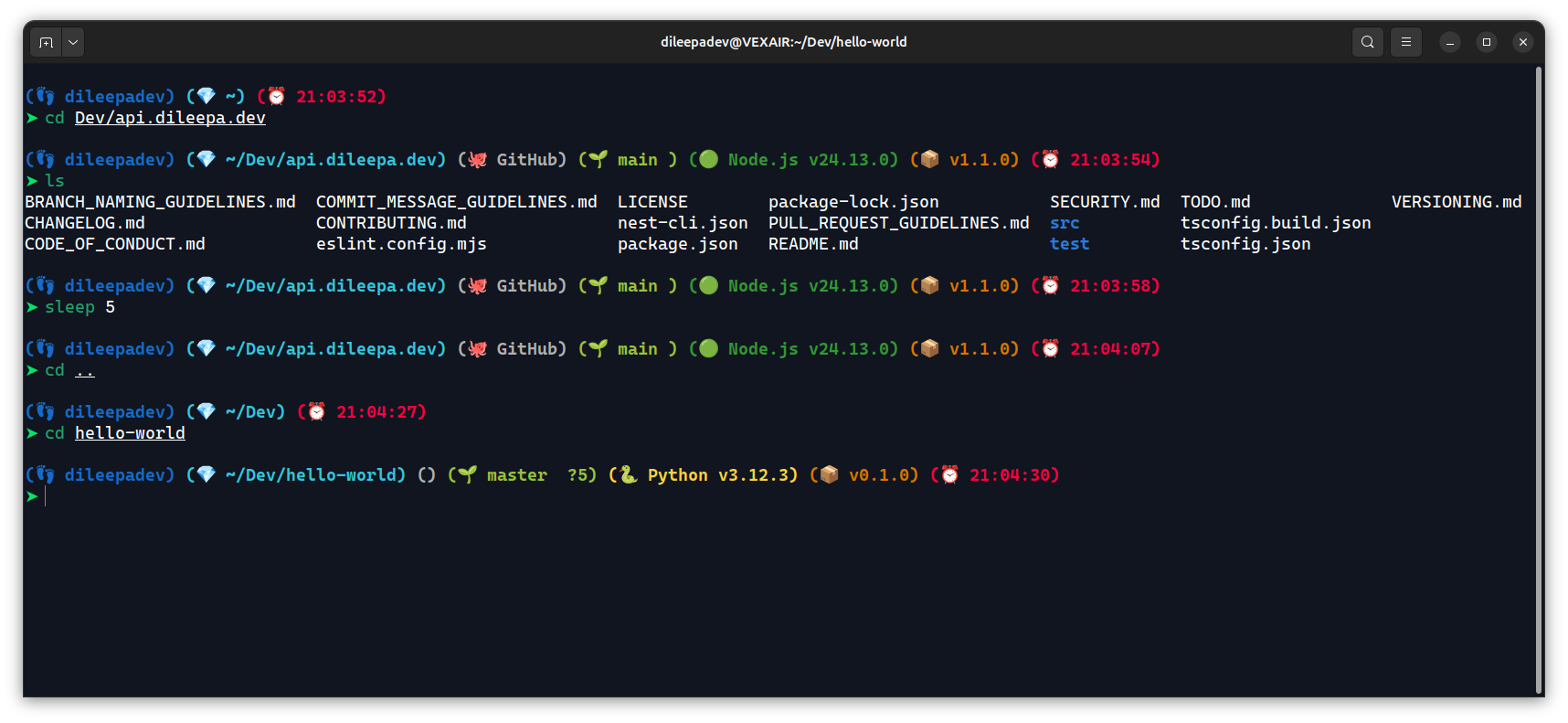
- [Terminal Configs v1.1.0](#terminal-configs-v110)
- [Ubuntu Terminal with Oh My Zsh Theme](#ubuntu-terminal-with-oh-my-zsh-theme)
- [Ubuntu Terminal with Starship Theme](#ubuntu-terminal-with-starship-theme)
- [Features](#features)
- [Prerequisites](#prerequisites)
- [Versions](#versions)
- [v1.0.0](#v100)
- [v1.1.0](#v110)
- [Installation](#installation)
- [Font Details](#font-details)
- [Repository Structure](#repository-structure)
## Screenshots
### Terminal Configs v1.0.0
#### PowerShell with Oh My Posh Theme
### Terminal Configs v1.1.0
#### Ubuntu Terminal with Oh My Zsh Theme
#### Ubuntu Terminal with Starship Theme
## Features
- **Shell Configuration**: Optimized setups for PowerShell / Bash.
- **Prompt Customization**: Custom themes using [Oh My Posh](https://ohmyposh.dev/).
- **Visuals**: Color schemes, font configurations, and layout settings.
## Prerequisites
Before using these configurations, ensure you have the following installed:
- A terminal emulator (e.g., Windows Terminal, GNOME Terminal).
- A [Nerd Font](https://www.nerdfonts.com/) (recommended for icons).
- [Git](https://git-scm.com/).
- [Oh My Posh](https://ohmyposh.dev/).
- [Zsh](https://www.zsh.org/) (for Ubuntu terminal).
- [Oh My Zsh](https://ohmyz.sh/) (for Ubuntu terminal).
- [Starship](https://starship.rs/) (for Ubuntu terminal).
## Versions
### v1.0.0
| Component | Version | Command |
| :--- | :--- | :--- |
| **Git** | `2.52.0.windows.1` | `git --version` |
| **PowerShell** | `7.5.4` | `pwsh --version` |
| **Windows Terminal** | `123.13503.0` | `wt --version` |
| **Oh My Posh** | `26.14.3` | `oh-my-posh --version` |
| **Nerd Fonts** | `v3.4.0` | N/A |
### v1.1.0
| Component | Version | Command |
| :--- | :--- | :--- |
| **Git** | `2.43.0` | `git --version` |
| **Ubuntu** | `24.04` | `lsb_release -a` |
| **GNOME Terminal** | `3.52.0` | `gnome-terminal --version` |
| **Zsh** | `5.9` | `zsh --version` |
| **Oh My Zsh** | `master (ec14da7)` | `omz version` |
| **Starship** | `1.24.2` | `starship --version` |
| **Nerd Fonts** | `v3.4.0` | N/A |
## Installation
1. **Clone the repository:**
```bash
git clone https://github.com/dileepadev/terminal-configs.git
cd terminal-configs
```
2. **Install Fonts:**
- Download and install your preferred Nerd Font (e.g., Cascadia Code NF, Meslo LGM NF).
- Configure your terminal to use this font.
3. **Apply Configurations:**
- For PowerShell:
- Copy the contents of `PowerShell/` to your PowerShell profile directory (usually `Documents/PowerShell`).
- Copy the contents of `WindowsPowerShell/` to your Windows PowerShell profile directory (usually `Documents/WindowsPowerShell`).
- Ensure the paths in `Microsoft.PowerShell_profile.ps1` point to the correct location of `dileepadev.omp.json`.
- For Ubuntu Terminal:
- Follow the instructions in the [`ubuntu-terminal/README.md`](ubuntu-terminal/README.md) to set up Zsh, Oh My Zsh, Starship, and apply the configurations.
## Font Details
In this version, I use below fonts for its clean look and excellent readability. You can download it from the [Nerd Fonts website](https://www.nerdfonts.com/font-downloads).
- `Caskaydia Cove Nerd Font`
- `'CaskaydiaCove Nerd Font Mono', monospace`
## Repository Structure
Below are the main directories and their purposes:
```text
terminal-configs/
├── PowerShell/ # PowerShell Core (pwsh) configuration
│ ├── dileepadev.omp.json
│ ├── dileepadev_icon.png
│ ├── Microsoft.PowerShell_profile.ps1
│ └── settings.json
├── WindowsPowerShell/ # Windows PowerShell configuration
│ ├── dileepadev.omp.json
│ ├── dileepadev_icon.png
│ └── Microsoft.PowerShell_profile.ps1
├── ubuntu-terminal/ # Ubuntu terminal (bash/zsh) configuration
│ ├── plugins/
│ ├── themes/
│ ├── .zshrc
│ ├── custom-oh-my-zsh-theme-guide.md
│ ├── custom-starship-theme-guide.md
│ ├── install-and-setup-starship-guide.md
│ ├── install-nerd-fonts-on-ubuntu-guide.md
│ └── README.md
├── BRANCH_NAMING_GUIDELINES.md
├── CHANGELOG.md
├── CODE_OF_CONDUCT.md
├── COMMIT_MESSAGE_GUIDELINES.md
├── CONTRIBUTING.md
├── LICENSE
├── PULL_REQUEST_GUIDELINES.md
├── README.md
├── SECURITY.md
└── VERSIONING.md
```