https://github.com/dimaslanjaka/bin
Node.js Executable Helpers: A collection of handy Node.js CLI tools for common development tasks like git diff, submodule installation, node_modules cleanup, npm run in series/parallel, and other helpful tools and CLI utilities
https://github.com/dimaslanjaka/bin
bash binary helper javascript nodejs
Last synced: 2 months ago
JSON representation
Node.js Executable Helpers: A collection of handy Node.js CLI tools for common development tasks like git diff, submodule installation, node_modules cleanup, npm run in series/parallel, and other helpful tools and CLI utilities
- Host: GitHub
- URL: https://github.com/dimaslanjaka/bin
- Owner: dimaslanjaka
- License: mit
- Created: 2023-04-18T15:08:02.000Z (about 3 years ago)
- Default Branch: master
- Last Pushed: 2026-03-19T11:28:03.000Z (3 months ago)
- Last Synced: 2026-03-20T04:24:46.714Z (3 months ago)
- Topics: bash, binary, helper, javascript, nodejs
- Language: JavaScript
- Homepage: https://webmanajemen.com
- Size: 11.9 MB
- Stars: 1
- Watchers: 1
- Forks: 0
- Open Issues: 7
-
Metadata Files:
- Readme: readme.md
- License: LICENSE
Awesome Lists containing this project
README
# Binary Collections
A comprehensive toolkit of Node.js CLI utilities for streamlining development workflows. Includes tools for git operations, dependency management, build processes, automation, and more.
## Features
- 🧹 **Cleanup Tools**: Remove node_modules, yarn caches, gradle builds
- 🔄 **Git Utilities**: Submodule management, repository purging, diff tools
- 📦 **Build Tools**: NPM script runners, package management utilities
- ⚡ **Development Helpers**: Process management, environment setup tools
## Installation
### Clone Repository
```bash
git clone -b master https://github.com/dimaslanjaka/bin bin
```
### NPM Installation
```bash
# Install locally
npm install binary-collections
# Install globally
npm install binary-collections -g
# Install from release archive
npm install binary-collections@https://github.com/dimaslanjaka/bin/raw/master/releases/bin.tgz
```
### Direct run
```bash
# Yarn berry
yarn dlx binary-collections@https://raw.githubusercontent.com/dimaslanjaka/bin/master/releases/bin.tgz
# NPX
npx binary-collections@https://raw.githubusercontent.com/dimaslanjaka/bin/master/releases/bin.tgz
```
## VS Code Setup
Create `.vscode/settings.json` to add binary tools to your PATH:
```jsonc
{
"terminal.integrated.env.linux": {
"PATH": "${env:PATH}:${workspaceFolder}/node_modules/.bin:${workspaceFolder}/bin"
},
"terminal.integrated.env.windows": {
"PATH": "${env:PATH};${workspaceFolder}\\node_modules\\.bin;${workspaceFolder}\\bin"
},
"terminal.integrated.profiles.windows": {
"PowerShell": {
"source": "PowerShell",
"icon": "terminal-powershell"
},
"Command Prompt": {
"path": [
"${env:windir}\\Sysnative\\cmd.exe",
"${env:windir}\\System32\\cmd.exe"
],
"args": [],
"icon": "terminal-cmd"
},
"Git Bash": {
"source": "Git Bash"
},
"Cygwin": {
"path": "C:\\cygwin64\\bin\\bash.exe",
"args": ["--login", "-i"],
"env": {
"CHERE_INVOKING": "1"
}
}
},
"terminal.integrated.defaultProfile.windows": "Command Prompt"
}
```
## Available Tools
### Quick Reference
| Category | Commands | Description |
|------------------|-------------------------------------------------------------------------|--------------------------------------------------|
| **Git** | `git-purge`, `git-diff`, `git-fix`, `git-reduce-size` | Git repository management and optimization |
| **Submodules** | `submodule`, `submodule-install`, `submodule-remove`, `submodule-token` | Git submodule operations |
| **NPM Scripts** | `nrs`, `run-s`, `run-series`, `npm-run-series` | Run npm scripts in series with pattern matching |
| **Package Mgmt** | `yarn-reinstall`, `pkg-resolutions-updater`, `pkg-res-updater` | Yarn/package resolutions management utilities |
| **Node.js Dev** | `find-node-modules`, `find-nodemodules`, `dev`, `prod`, `empty` | Node.js development helpers |
| **Process Mgmt** | `kill-process`, `nodekill`, `javakill`, `del-ps` | Process management and termination |
| **File System** | `rmfind`, `rmpath`, `rmx`, `print-tree`, `dir-tree` | File system operations |
| **Cleanup** | `del-nodemodules`, `del-yarncaches`, `del-gradle` | Cache and build directory cleanup |
| **GitHub Actions**| `clean-github-actions-caches`, `clean-github-actions-cache`, `clear-github-actions-cache`, `clear-github-actions-caches`, `clear-gh-caches` | Remove old GitHub Actions caches, keep only latest |
---
#### Binary List Generation & Source Code
The list of available binaries and utilities is auto-generated by the build script ([`build.mjs`](./build.mjs)).
- All CLI tools and binaries are collected from the `bin/`, `lib/`, and other relevant folders.
- The build process updates the `bin` field in `package.json` to reflect all available executables.
- Source code for utilities is located in the `src/` folder.
To update the binary list, run:
```bash
yarn run build
# or
node build.mjs
```
This scans the project and updates `package.json` with all available binaries. The list may change as files are added or removed.
See also:
- [Binary executables](https://github.com/dimaslanjaka/bin/tree/master/bin)
- [Library modules](https://github.com/dimaslanjaka/bin/tree/master/lib)
- [Package configuration](https://github.com/dimaslanjaka/bin/blob/master/package.json)
### Git Tools
#### Git Repository Purge
Clean and optimize git repositories by pruning reflogs:
```bash
git-purge
```
#### Git Diff Utility
Enhanced git diff functionality:
```bash
git-diff
```
#### Git Fix Utility
Comprehensive Git configuration fixer for cross-platform development (replaces `git-fix-encoding`):
```bash
git-fix # Apply all fixes
git-fix --lf-only # Force LF line endings only
git-fix --permissions # Ignore file permissions only
git-fix --normalize # Normalize existing files only
git-fix --user # Configure Git user from environment
git-fix --user NAME EMAIL # Configure Git user with specific values
git-fix --user --update-remote # Also update remote URL to match user
git-fix --user NAME EMAIL --update-remote # Configure user and update remote URL
```
Features:
- Forces LF line endings (`core.autocrlf = false`)
- Ignores file permission changes (`core.filemode = false`)
- Sets pull strategy to false (prevents auto-rebase)
- Normalizes existing line endings
- Creates/updates `.gitattributes` with proper line ending rules
- Configures Git user from environment variables or CLI arguments
- **Non-interactive:** All configuration is now argument-driven; no interactive prompts
- `--update-remote` flag: Update remote URL to match the configured user (for HTTPS remotes)
User Configuration:
- Environment variables: `GITHUB_USER`, `GITHUB_EMAIL`
- CLI arguments take precedence over environment variables
- Use `--update-remote` to update the remote URL with the configured user
- Examples:
```bash
git-fix --user "John Doe" "john@example.com" # Use CLI args
git-fix --user --update-remote # Use env vars and update remote
git-fix --user "Jane" "jane@example.com" --update-remote # CLI args and update remote
GITHUB_USER="Jane" GITHUB_EMAIL="jane@example.com" git-fix --user # Use env vars
```
#### Git Repository Size Reducer
Reduce git repository size by cleaning up history:
```bash
git-reduce-size
```
#### Submodule Management
- **`submodule`** - General submodule operations
- **`submodule-install`** - Install and setup submodules
- **`submodule-remove`** - Remove git submodules with interactive selection
- **`submodule-token`** - Manage submodule tokens

### NPM Script Runner
**Binaries**: `nrs`, `run-s`, `run-series`, `npm-run-series`
Run multiple npm scripts in series with pattern matching support.
#### Options
| Flag | Description |
|---------------------|---------------------------------------------|
| `--yarn` | Use `yarn run ` instead of npm |
| `--verbose`, `-v` | Enable verbose output |
#### Example
Execute all scripts matching the pattern `namescript:**`:
```json
{
"name": "package-name",
"version": "0.0.0",
"private": true,
"scripts": {
"namescript:xx": "echo xx",
"namescript:xxx": "echo xxx",
"namescript:xxxx": "echo xxxx",
"namescript:xxxxx": "echo xxxxx",
"namescript": "nrs --yarn=true --verbose=true \"namescript:**\""
},
"license": "ISC"
}
```
### Package Management Tools
#### Yarn Package Reinstaller
Reinstall yarn packages with dependency type flags:
```bash
yarn-reinstall [--dev|-D|--peer|-P|--optional|-O]
```
#### Package Resolutions Manager
Manage package resolutions in package.json (aliases: `pkg-resolutions-updater`, `pkg-res-updater`):
```bash
pkg-resolutions-updater
pkg-res-updater
```
### Node.js Development Tools
#### Node Modules Finder
Find all node_modules directories in a project:
```bash
find-node-modules # Library function
find-node-modules-cli # CLI tool
find-nodemodules # Alias
```
#### Development Environment Helpers
- **`dev`** - Development environment setup
- **`prod`** - Production environment setup
- **`empty`** - Empty utility tool
### Process Management Tools
#### Process Killers
Kill processes by name or pattern:
```bash
kill-process # General process killer
nodekill # Kill Node.js processes
javakill # Kill Java processes (Windows)
del-ps # Kill processes by command name
```
#### File System Tools
- **`rmfind`** - Find and remove files
- **`rmpath`** - Remove from PATH
- **`rmx`** - Remove executable files
### Cleanup Tools
#### GitHub Actions Cache Cleaner
[See full documentation](./docs-src/clean-github-actions-caches.md).
#### Node Modules Cleaner
Remove node_modules directories recursively:
```bash
del-nodemodules # Primary command
del-node-modules # Alternative
clean-nodemodule # Legacy
clean-nodemodules # Legacy
```

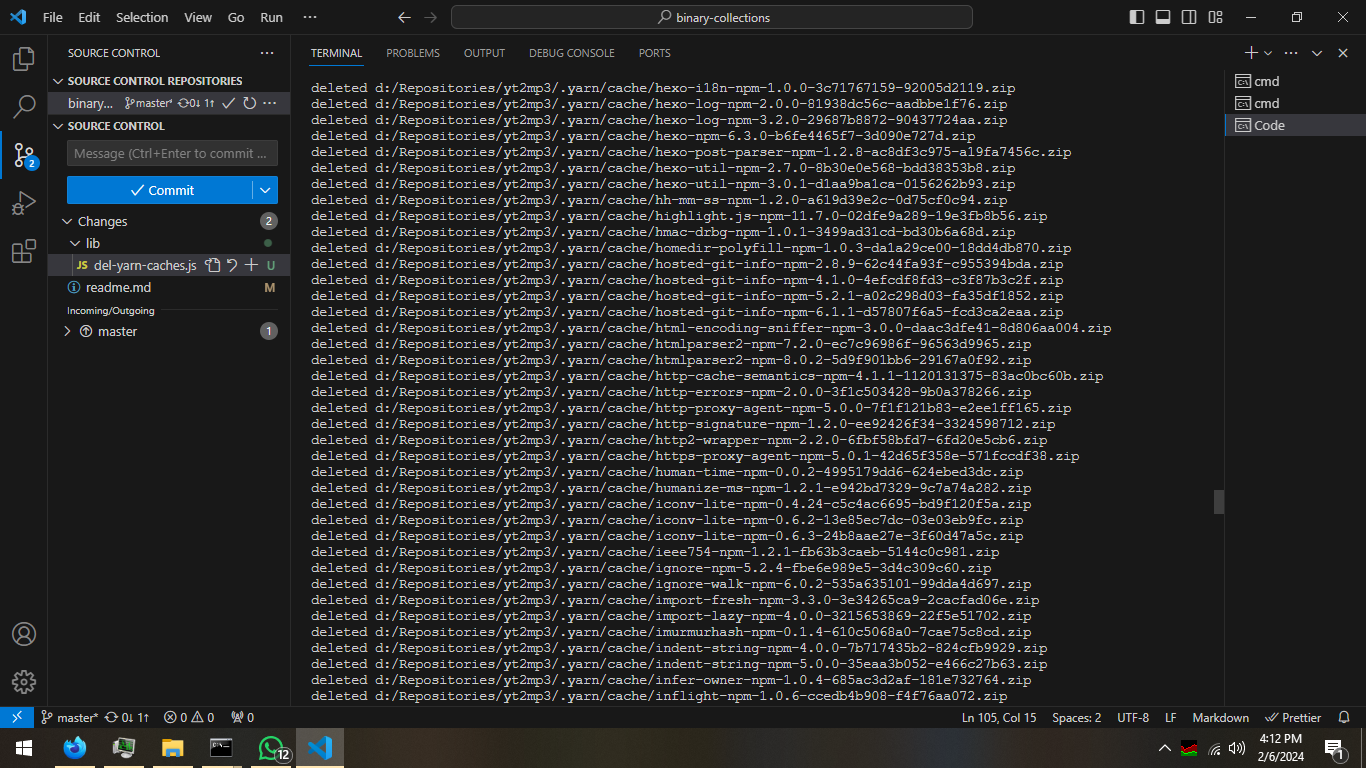
#### Yarn Cache Cleaner
Clear yarn cache directories:
```bash
del-yarncaches # Primary command
del-yarn-caches # Alternative
```
#### Gradle Build Cleaner
Delete gradle build folders:
```bash
del-gradle
```
#### Free ChatGPT automation tool
[See full documentation](./docs-src/free-chatgpt.md)
## Troubleshooting
### Submodule Installation Issues
If you encounter the following error:
```log
fatal: 'origin/' is not a commit and a branch '' cannot be created from it
fatal: unable to checkout submodule '/'
```
**Solution**: Delete `.git/modules` directory before running `submodule-install`.
#### Complete Submodule Setup Example
```bash
echo "Initializing submodules..."
git submodule init
git submodule foreach "git submodule init"
echo "Syncing submodules..."
git submodule sync
git submodule foreach "git submodule sync"
echo "Updating submodules..."
npx --yes rimraf .git/modules
npx --yes binary-collections@https://raw.githubusercontent.com/dimaslanjaka/bin/master/releases/bin.tgz submodule-install
```
## Contributing
Contributions are welcome! Please feel free to submit a Pull Request.
## License
This project is licensed under the terms specified in the LICENSE file.