https://github.com/dinostheo/oembedder
Delivers the embedded representation of a URL if one is provided or tries to create on with the information present on the given URL.
https://github.com/dinostheo/oembedder
nodejs oembed web-scraping
Last synced: 2 months ago
JSON representation
Delivers the embedded representation of a URL if one is provided or tries to create on with the information present on the given URL.
- Host: GitHub
- URL: https://github.com/dinostheo/oembedder
- Owner: dinostheo
- License: mit
- Created: 2018-06-21T18:58:53.000Z (about 8 years ago)
- Default Branch: master
- Last Pushed: 2025-07-18T07:29:37.000Z (11 months ago)
- Last Synced: 2025-09-10T21:22:30.227Z (10 months ago)
- Topics: nodejs, oembed, web-scraping
- Language: JavaScript
- Size: 591 KB
- Stars: 1
- Watchers: 1
- Forks: 1
- Open Issues: 19
-
Metadata Files:
- Readme: README.md
- License: LICENSE
Awesome Lists containing this project
README
# oembedder
[](https://circleci.com/gh/dinostheo/oembedder/tree/master) [](https://snyk.io/test/github/dinostheo/oembedder?targetFile=package.json)
[](https://app.fossa.io/projects/git%2Bgithub.com%2Fdinostheo%2Foembedder?ref=badge_shield)
Delivers the embedded representation of a URL if one is provided or tries to create it with the information present on the given URL.
## Installation
`npm i oembedder`
## Usage
The `oembedder` module exports a function that accepts two parameters, the url of the resource to get the oEmbed format and an optional configuration object that might contain custom selectors to extract values from a specific resource and/or the provider url.
If a provider url is given the custom selectors are superfluous.
### Configuration
The configuration consists of the following two properties (`provider`, `selectors`).
#### Provider
You can find the oEmbed provider from the [oembed.com](https://oembed.com/#section7) list, or you might know a provider that is not listed there.
_Example provider for youtube:_
```json
{
"provider_name": "YouTube",
"provider_url": "https://www.youtube.com/",
"endpoints": [
{
"url": "https://www.youtube.com/oembed",
"discovery": true
}
]
}
```
The above JSON is retrieved from [oembed.com](https://oembed.com/#section7) and the library expects the `https://www.youtube.com/oembed` endpoint from the `endpoints` array.
**_If you have a provider that is not included in the list you could follow the instructions and submit it._**
The oembedder returns a promise that resolves to the oEmbed format of the requested resource, as a javascript object.
##### Example with provider
_Usage:_
```js
const oembedder = require('oembedder');
const provider = 'https://www.youtube.com/oembed';
const url = 'https://www.youtube.com/watch?v=_avbO-ckwQw';
oembedder(url, provider)
.then(console.log)
.catch(console.log);
```
_Response_
```js
{
author_url: 'https://www.youtube.com/user/NBA',
type: 'video',
provider_url: 'https://www.youtube.com/',
thumbnail_url: 'https://i.ytimg.com/vi/_avbO-ckwQw/hqdefault.jpg',
thumbnail_width: 480,
html: '',
provider_name: 'YouTube',
thumbnail_height: 360,
height: 270,
title: '2018 NBA Finals Game 4 Mini-Movie',
author_name: 'NBA',
version: '1.0',
width: 480
}
```
##### Example without provider
If you don't know the provider or there is no oEmbed provider to a specific url. The library will try to resolve the oEmbed format of the resource.
_Usage:_
```js
const oembedder = require('oembedder');
const url = 'http://www.bbc.com/capital/story/20180626-why-owls-might-suffer-in-a-cashless-society';
oembedder(url)
.then(console.log)
.catch(console.log);
```
_Response_
```js
{
version: '1.0',
type: 'link',
title: 'The strange reason owl theft may be on the rise ',
provider_url: 'http://www.bbc.com/',
provider_name: 'www.bbc.com',
author_url: 'http://www.bbc.com/',
author_name: 'Richard Gray',
thumbnail_url:'http://ichef.bbci.co.uk/wwfeatures/live/624_351/images/live/p0/6c/29/p06c29f1.jpg',
thumbnail_width: 624,
thumbnail_height: 351
}
```
#### Selectors
You can use selectors to extract information from a specific page for a specific property of the oEmbed format. If no selectors are provided a set of default selectors will be used to extract this information. You can overwrite part or all of the default selectors by passing a custom selector for an oEmbed property.
The current library supports attribute values of matched element, text within its html tag, or the html content.
The selectors configuration accepts a set of selector objects per property, in case that the information needs to be extracted and combined from a series of html elements.
| Property | Default selector(s) | text | attribute | Default value |
| ------------ | ------------------------------- | ----- | --------- | ----------------- |
| title | `h1`, `h2`, `div[class$=title]` | true | | `undefined` |
| providerUrl | | | | `resource domain` |
| providerName | `meta[property=site_name]` | false | content | `resource host` |
| authorUrl | | | | `provider url` |
| authorName | `meta[name=author]` | false | content | `resource host` |
| thumbnail | `meta[property="og:image"]` | false | content | `undefined` |
| text\* | | | | `undefined` |
| htmlText\*\* | | | | `undefined` |
\* The `text` property is an extension to possibly extract the text of a resource, which is not defined in the [oembed.com provider response](https://oembed.com/#section2.3).
\*\* The `htmlText` property is another extension to possibly extract the text of a resource, similarly with the text property above, but including the html markup.
_Those too extensions intent to enrich the oEmbed format for a better representation on the web._
##### Example with custom selectors
The following configuration of selectors is set to extract the author name and url of blog post on [medium.com](https://medium.com).
```js
const oembedder = require('oembedder');
const selectors = {
authorName: [
{
selector: 'meta[property="author"]',
attribute: 'content'
}
],
authorUrl: [
{
selector: 'link[rel="author"]',
attribute: 'href'
}
]
};
const url = 'https://medium.com/the-node-js-collection/native-extensions-for-node-js-767e221b3d26';
oembedder(url, { selectors })
.then(console.log)
.catch(console.log);
```
#### Example with customer selectors (extract text)
```js
const oembedder = require('oembedder');
const selectors = {
authorName: [
{
selector: 'meta[property="author"]',
attribute: 'content'
}
],
authorUrl: [
{
selector: 'link[rel="author"]',
attribute: 'href'
}
],
text: [
{
selector: '.section-content',
text: true
}
]
};
const url = 'https://medium.com/the-node-js-collection/native-extensions-for-node-js-767e221b3d26';
oembedder(url, { selectors })
.then(console.log)
.catch(console.log);
```
#### Http options
The configuration of the module allows the user to set some information of the http GET request. The allowed options are the following:
| http option | Default value | Description |
| -------------- | ------------- | ------------------------------------------------------------------------------------------- |
| encoding | `utf-8` | The encoding to be used by the request |
| followRedirect | `true` | To follow or not `3xx` responses as redirects |
| gzip | `true` | Requests compressed content or not |
| headers | `undefined` | A JS object with [http header info](https://github.com/request/request#custom-http-headers) |
| timeout | | After the timeout in `ms` the request will respond with `ESOCKETTIMEDOUT` error |
##### Example with http options
```js
const oembedder = require('oembedder');
const url = 'https://medium.com/the-node-js-collection/native-extensions-for-node-js-767e221b3d26';
const httpOptions = {
timeout: 5000 // sets the request timeout to 5 seconds
};
oembedder(url, { httpOptions })
.then(console.log)
.catch(console.log);
```
## Limitations
At the moment the library only resolves oEmbeds of type link for the resources that no provider is given or matched.
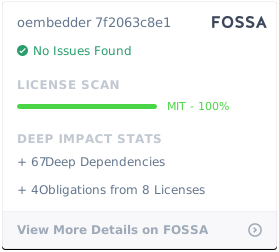
## License
[](https://app.fossa.io/projects/git%2Bgithub.com%2Fdinostheo%2Foembedder?ref=badge_large)