https://github.com/diomonogatari/stash-mcp
MCP Server to connect with your Bitbucket Server (aka Stash)
https://github.com/diomonogatari/stash-mcp
bitbucket mcp-server mcp-servers modelcontextprotocol
Last synced: about 2 months ago
JSON representation
MCP Server to connect with your Bitbucket Server (aka Stash)
- Host: GitHub
- URL: https://github.com/diomonogatari/stash-mcp
- Owner: diomonogatari
- License: mit
- Created: 2026-02-08T18:55:10.000Z (6 months ago)
- Default Branch: main
- Last Pushed: 2026-06-05T13:19:09.000Z (about 2 months ago)
- Last Synced: 2026-06-05T14:14:07.469Z (about 2 months ago)
- Topics: bitbucket, mcp-server, mcp-servers, modelcontextprotocol
- Language: C#
- Homepage:
- Size: 250 KB
- Stars: 4
- Watchers: 2
- Forks: 0
- Open Issues: 0
-
Metadata Files:
- Readme: README.md
- Changelog: CHANGELOG.md
- License: LICENSE
Awesome Lists containing this project
README
# Stash MCP Server
[](https://github.com/diomonogatari/stash-mcp/actions/workflows/build.yml)
[](https://codecov.io/gh/diomonogatari/stash-mcp)
[](https://hub.docker.com/r/diomonogatari/stash-mcp)
[](https://hub.docker.com/r/diomonogatari/stash-mcp)
[](https://github.com/diomonogatari/stash-mcp/releases)
[](https://github.com/diomonogatari/stash-mcp/blob/main/LICENSE)

A Model Context Protocol (MCP) server for Atlassian Bitbucket Server (Stash), distributed as a Docker image on [Docker Hub](https://hub.docker.com/r/diomonogatari/stash-mcp). It gives AI assistants access to your repositories, pull requests, code reviews, builds, and search — through 41 purpose-built tools.
## Features
**41 tools** covering comprehensive Bitbucket Server workflows:
| Category | Tools | Highlights |
|----------|-------|-----------|
| **Projects** | 1 | Discover projects |
| **Dashboard** | 5 | User-centric PR views + server info |
| **Repositories** | 3 | Repos, overview, file content |
| **Git** | 3 | Branches, tags, file listing |
| **Search** | 4 | Code, commits, PRs, users |
| **History** | 5 | List/inspect commits, compare refs, full commit context |
| **Pull Requests** | 8 | List/get/context/diff + create/update/merge + approve |
| **Comments** | 4 | Read, write, reply with code context |
| **Tasks** | 4 | Full CRUD for review tasks |
| **Builds** | 3 | CI/CD status per commit/PR/repo |
| **Integrations** | 1 | Jira issue links |
### Workflow-Optimized Tools
These tools reduce multiple API calls to a single invocation:
- `get_pull_request_context` — Complete PR with comments, tasks, diff, activity
- `get_repository_overview` — Branches, tags, and open PRs in one call
- `get_commit_context` — Commit details with changes and diff
### Resilience
- **Circuit Breaker** — Prevents cascading failures when Bitbucket is unavailable
- **Retry with Backoff** — Automatic retry for transient errors (429, 502, 503, 504)
- **Graceful Degradation** — Returns cached data when the API fails
- **Response Truncation** — 50 KB limit prevents context overflow
- **Cache Invalidation** — Write operations automatically refresh related caches
## Getting Started
### Prerequisites
- [Docker Desktop](https://www.docker.com/products/docker-desktop/) installed
- A Bitbucket Server (self-hosted) instance
- A Personal Access Token with repository read/write permissions
### VS Code / Copilot — MCP Configuration
Add the following to your VS Code MCP configuration file
(Command Palette → `MCP: Open user configuration`):
```json
{
"servers": {
"stash-bitbucket": {
"command": "docker",
"args": [
"run", "-i", "--rm",
"-e", "BITBUCKET_URL",
"-e", "BITBUCKET_TOKEN",
"diomonogatari/stash-mcp:latest"
],
"env": {
"BITBUCKET_URL": "https://your-stash-server.com/",
"BITBUCKET_TOKEN": "your_personal_access_token"
},
"type": "stdio"
}
}
}
```
That's it. VS Code will pull the image on first use and start the server automatically.
> **Tip — pin to a specific tag** instead of `latest` (e.g. `diomonogatari/stash-mcp:1.1.0`)
> to avoid running a stale local image when a new version is published.
> Docker skips the pull when a local image already has the `latest` tag.
> If you must use `latest`, force a pull with
> `docker run --pull=always ... diomonogatari/stash-mcp:latest`.
### Use with Claude Desktop
Open **Settings → Developer → Edit Config** (or edit `claude_desktop_config.json`
directly) and add the server under the `mcpServers` key:
```json
{
"mcpServers": {
"stash-bitbucket": {
"command": "docker",
"args": [
"run", "-i", "--rm",
"-e", "BITBUCKET_URL",
"-e", "BITBUCKET_TOKEN",
"diomonogatari/stash-mcp:latest"
],
"env": {
"BITBUCKET_URL": "https://your-stash-server.com/",
"BITBUCKET_TOKEN": "your_personal_access_token"
}
}
}
}
```
Config file location:
| OS | Path |
|----|------|
| macOS | `~/Library/Application Support/Claude/claude_desktop_config.json` |
| Windows | `%APPDATA%\Claude\claude_desktop_config.json` |
| Linux | `~/.config/Claude/claude_desktop_config.json` |
Quit and relaunch Claude Desktop after saving. The Bitbucket tools appear under
the tools (slider) icon. Docker Desktop must be running.
> **Note:** Claude Desktop uses the `mcpServers` key (and no `"type"` field),
> whereas the VS Code example above uses the `servers` key. The `command` and
> `args` are identical.
### Use with Claude Code
```bash
claude mcp add stash-bitbucket \
--transport stdio \
--env BITBUCKET_URL=https://your-stash-server.com/ \
--env BITBUCKET_TOKEN=your_personal_access_token \
-- docker run -i --rm -e BITBUCKET_URL -e BITBUCKET_TOKEN diomonogatari/stash-mcp:latest
```
This registers the server at **local** scope (current project, just you). Use
`--scope user` to make it available across all your projects, or `--scope project`
to commit it to a shared `.mcp.json`. Verify with `claude mcp list` or the `/mcp`
command inside a session (it should report `stash-bitbucket` connected with 41
tools), and remove it with `claude mcp remove stash-bitbucket`.
### Advanced Configuration
Pass additional environment variables to tune resilience and caching behaviour:
```json
{
"servers": {
"stash-bitbucket": {
"command": "docker",
"args": [
"run", "-i", "--rm",
"-e", "BITBUCKET_URL",
"-e", "BITBUCKET_TOKEN",
"-e", "BITBUCKET_RETRY_COUNT",
"-e", "BITBUCKET_CIRCUIT_TIMEOUT",
"-e", "BITBUCKET_CACHE_TTL_SECONDS",
"-e", "BITBUCKET_READ_ONLY_MODE",
"-e", "BITBUCKET_PROJECTS",
"diomonogatari/stash-mcp:latest"
],
"env": {
"BITBUCKET_URL": "https://your-stash-server.com/",
"BITBUCKET_TOKEN": "your_personal_access_token",
"BITBUCKET_RETRY_COUNT": "5",
"BITBUCKET_CIRCUIT_TIMEOUT": "60",
"BITBUCKET_CACHE_TTL_SECONDS": "120",
"BITBUCKET_READ_ONLY_MODE": "false",
"BITBUCKET_PROJECTS": "PROJ,TEAM"
},
"type": "stdio"
}
}
}
```
### Configuration Reference
| Setting | Environment Variable | Default | Description |
|---------|---------------------|---------|-------------|
| Server URL | `BITBUCKET_URL` | — | Bitbucket Server base URL (**required**) |
| Access Token | `BITBUCKET_TOKEN` | — | Personal Access Token (**required**) |
| Retry Count | `BITBUCKET_RETRY_COUNT` | 3 | Max retry attempts (0–10) |
| Circuit Timeout | `BITBUCKET_CIRCUIT_TIMEOUT` | 30 | Circuit breaker duration in seconds (5–300) |
| Cache TTL | `BITBUCKET_CACHE_TTL_SECONDS` | 60 | Cache time-to-live in seconds (10–600) |
| Read-Only Mode | `BITBUCKET_READ_ONLY_MODE` | false | Disable write operations (`true` or `1`) |
| Projects | `BITBUCKET_PROJECTS` | — | Comma-separated project keys to cache at startup (e.g. `PROJ,TEAM`). When omitted, derives scope from recent repositories. |
## Tool Reference
For detailed documentation of all 41 tools, see [docs/TOOLSET.md](docs/TOOLSET.md).
### Common Workflows
#### Code Review
```text
1. get_pull_request_context (with includeComments=true, includeDiff=true)
2. Review the diff and existing comments
3. add_pull_request_comment (for feedback)
4. create_pull_request_task (for required changes)
5. approve_pull_request (when satisfied)
```
#### Bug Investigation
```text
1. search_commits (messageContains="JIRA-123")
2. get_commit_context (includeDiff=true)
3. search_code (to find current implementation)
```
#### Repository Exploration
```text
1. get_repository_overview (quick overview)
2. list_files (browse structure)
3. get_file_content (read specific files)
```
### Output Optimization
For list operations, use `minimalOutput=true` to reduce response size:
- `list_repositories` — Returns repository slugs only
- `list_branches` — Returns branch names only
- `list_pull_requests` — Returns compact PR summary
## Contributing
### Setup
1. Clone the repository **with submodules**:
```bash
git clone --recurse-submodules https://github.com/diomonogatari/stash-mcp.git
```
If you already cloned without submodules:
```bash
git submodule update --init --recursive
```
2. Install the [.NET 10.0 SDK](https://dotnet.microsoft.com/download)
### Building
```bash
# Build the solution
dotnet build stash-mcp.slnx
# Run tests
dotnet test stash-mcp.slnx
```
### Running Locally
```bash
dotnet run --project src/StashMcpServer/StashMcpServer.csproj -- \
--stash-url https://your-server.com/ --pat your_pat
```
> The double dash (`--`) separates `dotnet run` arguments from application arguments.
#### CLI Flags
| Flag | Default | Description |
|------|---------|-------------|
| `--stash-url` | `BITBUCKET_URL` env var | Bitbucket Server base URL |
| `--pat` | `BITBUCKET_TOKEN` env var | Personal Access Token |
| `--log-level` | `Information` | Serilog log level: `Verbose`, `Debug`, `Information`, `Warning`, `Error`, `Fatal` |
### Building the Docker Image
```bash
docker build -t diomonogatari/stash-mcp:dev .
docker run -i --rm \
-e BITBUCKET_URL=https://your-stash-server.com/ \
-e BITBUCKET_TOKEN=your_personal_access_token \
diomonogatari/stash-mcp:dev
```
## Troubleshooting
### Docker image not updating
Docker skips the pull when the `latest` tag already exists locally.
Force a fresh pull:
```bash
docker pull diomonogatari/stash-mcp:latest
```
Or pin to a specific version tag (e.g. `diomonogatari/stash-mcp:1.1.0`).
### Connection refused / timeout
- Verify `BITBUCKET_URL` includes the trailing slash and protocol
(`https://your-server.com/`)
- Ensure the Docker container can reach your Bitbucket Server (check
corporate VPN, proxy, or firewall rules)
- For Docker Desktop on macOS/Windows, use `host.docker.internal` if
Bitbucket runs on the host machine
### Permission errors (401 / 403)
- Verify the Personal Access Token has **Repository Read** (and
**Repository Write** if you need write operations) permissions
- Check that the token has not expired
- Set `BITBUCKET_READ_ONLY_MODE=true` if only read access is needed
### Server unresponsive after startup
- Increase the log level to see what is happening:
`--log-level Debug` (CLI) or append `--log-level Debug` after the image
name in the `docker run` command
- Check that the `BITBUCKET_PROJECTS` variable (if set) contains
valid project keys — invalid keys cause the startup cache to fail
silently
## Architecture
```text
┌──────────────────────────────────────────────────────────┐
│ MCP Server Layer │
│ ┌──────────────────────────────────────────────────┐ │
│ │ Domain Tool Classes (9 classes, 41 tools) │ │
│ │ ProjectTools RepositoryTools PullRequestTools │ │
│ │ SearchTools GitTools HistoryTools │ │
│ │ BuildTools DashboardTools IntegrationTools │ │
│ └──────────┬───────────────────────────────────────┘ │
│ │ inherits ToolBase (shared helpers) │
│ ┌──────────▼───────────────────────────────────────┐ │
│ │ Formatting │ DiffFormatter ResponseTruncation │ │
│ │ │ MinimalOutputFormatter (50KB limit)│ │
│ └──────────┬───────────────────────────────────────┘ │
│ │ │
│ ┌──────────▼───────────────────────────────────────┐ │
│ │ ResilientApiService │ │
│ │ • Circuit Breaker (Polly) │ │
│ │ • Retry with Exponential Backoff │ │
│ │ • Graceful Degradation (stale cache) │ │
│ │ • Cache Invalidation on Writes │ │
│ └──────────┬───────────────────────────────────────┘ │
│ │ │
│ ┌──────────▼──────┐ ┌──────────────────────────────┐ │
│ │ Cache Layer │ │ IMemoryCache (TTL=60s) │ │
│ │ (Static) │ │ ConcurrentDict (projects) │ │
│ └──────────┬──────┘ └──────────────────────────────┘ │
│ │ │
│ Transport: stdio │
└─────────────┼────────────────────────────────────────────┘
│
▼
Bitbucket Server API (via Bitbucket.Net submodule)
```
For detailed architecture documentation, see [docs/ARCHITECTURE.md](docs/ARCHITECTURE.md).
## Security
**Never commit your Personal Access Token to source control.**
- Use environment variables (as shown in the configuration examples above)
- Restrict PAT permissions to the minimum required scopes
- Use secure credential storage where available
## Documentation
- [Architecture](docs/ARCHITECTURE.md) — System design and folder structure
- [Tool Reference](docs/TOOLSET.md) — Detailed documentation for all 41 tools
- [Contributing](CONTRIBUTING.md) — Development setup and pull request guidelines
- [Security](SECURITY.md) — Vulnerability reporting and credential safety
- [Changelog](CHANGELOG.md) — Version history and release notes
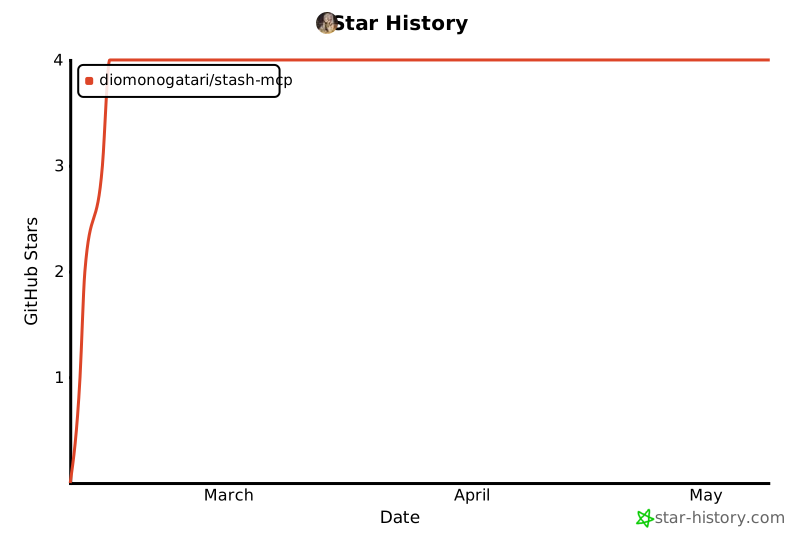
## Star History
## License
See [LICENSE](LICENSE) for details.