https://github.com/discoverydesign/filament-locksmith
🔒 Passwords inputs made easy in Filament PHP 🤫
https://github.com/discoverydesign/filament-locksmith
filament-plugin filamentadmin filamentphp filamentphp-plugin laravel livewire
Last synced: 4 months ago
JSON representation
🔒 Passwords inputs made easy in Filament PHP 🤫
- Host: GitHub
- URL: https://github.com/discoverydesign/filament-locksmith
- Owner: discoverydesign
- License: mit
- Created: 2024-08-06T15:25:57.000Z (almost 2 years ago)
- Default Branch: main
- Last Pushed: 2025-09-26T09:07:11.000Z (9 months ago)
- Last Synced: 2025-09-26T11:20:58.262Z (9 months ago)
- Topics: filament-plugin, filamentadmin, filamentphp, filamentphp-plugin, laravel, livewire
- Language: PHP
- Homepage:
- Size: 134 KB
- Stars: 15
- Watchers: 1
- Forks: 2
- Open Issues: 0
-
Metadata Files:
- Readme: README.md
- License: LICENSE
Awesome Lists containing this project
README
# Filament Locksmith
🔒 Passwords inputs made easy in Filament PHP 🤫
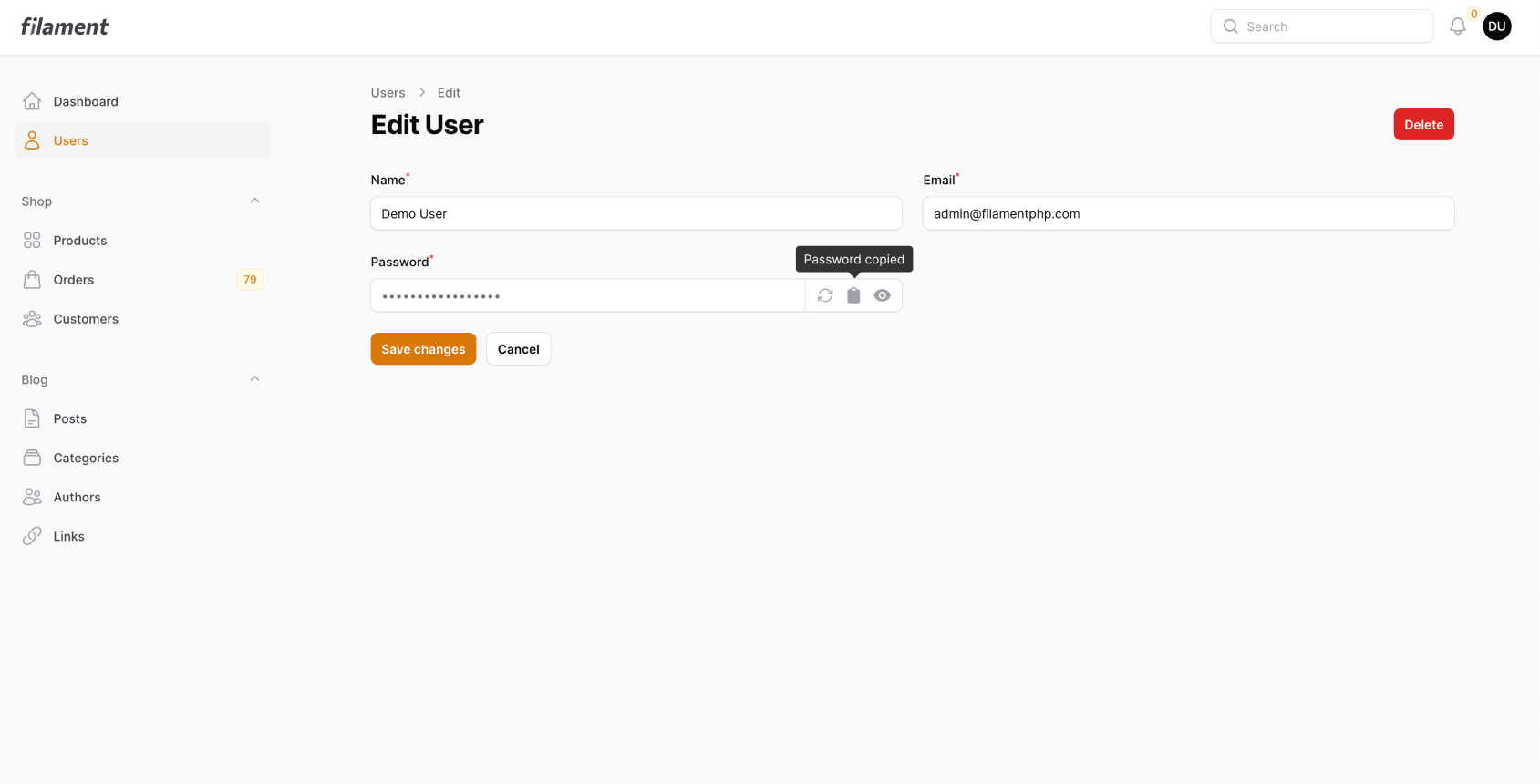


This package allows you to add a feature rich password input/field for Filament PHP.
https://packagist.org/packages/discoverydesign/filament-locksmith
```
composer require discoverydesign/filament-locksmith
```
## Features
- Ability to copy password
- Ability to automatically generate passwords. Default to 32 random character string.
- User-friendly preset generator, creates 3 word combo passwords. E.g: `elephant-plant-photo`.
- Automatically hash password when storing to database. Useful when a cast can't be used.
- Block password field being editable, forcing a randomly generated password.
## How to use
1. Install the package using `composer require discoverydesign/filament-locksmith`
2. Import the package inside your Filament Form with `use DiscoveryDesign\FilamentLocksmith\Forms\Components\PasswordInput`.
3. Add the `PasswordInput` form component to your form with `PasswordInput::make()`.
4. If required, publish the translation files with `php artisan vendor:publish --tag=filament-locksmith-translations`.
## Examples
### Basic Example
```php
schema([
PasswordInput::make('password')
->required()
->generatable()
->friendly()
->copyable()
->revealable(),
// ...
]);
}
// ...
}
```
### Advanced Example
```php
PasswordInput::make('password')
->required()
->advanced()
->copyable()
->revealable(),
```
### Custom Generators Example
```php
PasswordInput::make('password')
->required()
->advanced()
->setGenerators([
new DiscoveryDesign\FilamentLocksmith\Generators\RandomGenerator,
new DiscoveryDesign\FilamentLocksmith\Generators\MemorableGenerator
])
->copyable()
->revealable(),
```
### Only Required on Create
```php
PasswordInput::make('password')
->required(fn($record) => !$record) // Only required if no record
->advanced()
->copyable()
->revealable(),
```
## Docs
### `->generatable($state)`
#### Description
`generatable` can be used to set if this password field should allow for an automatic password to be generated. This by default will generate a 32 character random string.
#### Arguments
`state` - (optional, bool) If the password should be generatable.
### `->friendly()`
#### Description
`friendly` is a preloaded generator that creates a user friendly password. This password consists of 3 words that are combinred with '-'. E.g `time-shelf-bottle`
### `->copyable($state)`
#### Description
`copyable` can be used to set if this password field should copyable to clipboard.
#### Arguments
`state` - (optional, bool) If the password should be copyable.
### `->editable($state)`
#### Description
`editable` can be used to block the password field being edited. This is normally combined with `->generatable()`.
#### Arguments
`state` - (optional, bool) If the password should be editable.
### `->generator($func)`
#### Description
`generator` allows you to define a custom generator that is used to create a password.
#### Arguments
`func` - (optional, closure | bool) The function used to generate the password. This function **must** return a string.
### `->hashed($state)`
#### Description
`hashed` can be used if the password should be hashed before being stored. **In most cases, you should instead use a cast against your model.**
#### Arguments
`state` - (optional, bool) If the password should be hashed.
### `->revealable($func)`
#### Description
`revealable` can be used to allow the password to be revealed. This is just Filament's built in reveal functionality.
#### Arguments
`func` - (optional, closure | bool) If the password should be revealable. If a closure is passed, this should return a bool.
### `->advanced()`
#### Description
`advanced` will enable advanced mode which allows user configuration of their password, along with a selection of different password types.
#### Arguments
`state` - (optional, bool) If the password should be hashed.
### `->addGenerator($generator)`
#### Description
`addGenerator` can be used to add a generator to the advance mode password generator. You should pass in an instance of a class that extends `DiscoveryDesign\FilamentLocksmith\Generators\BaseGenerator`.
#### Arguments
`generator` - (class, extends BaseGenerator) The generator to add.
### `->setGenerators($generators)`
#### Description
`setGenerators` will override all existing generators assigned to this PasswordInput and instead use the ones passed in. You should pass in an array of instances of a class that extends `DiscoveryDesign\FilamentLocksmith\Generators\BaseGenerator`.
#### Arguments
`generators` - (array) The generators to set.
### `->getGenerators()`
#### Description
`getGenerators` can be used to get an array of all the current generators.
## Creating a generator
If you want to create a generator, you should first start by creating a new class that extends `DiscoveryDesign\FilamentLocksmith\Generators\BaseGenerator`.
Inside your `__construct` you should include any options that you want to use to generate the password. It is encouraged to use a unique name for your form inputs.
The `generate` function should return a string that is the password.
```php
setOptions([
Forms\Components\TextInput::make('mygenerator_length')
->label('length')
->default(20)
->type('number')
->required()
]);
}
public function generate($get)
{
$length = $get('mygenerator_length');
return Str::password($length);
}
}
```
You can then add this generator to your password input with `->addGenerator(new MyCustomGenerator)`.
## Author
🚀 [Discovery Design](https://discoverydesign.co.uk)