https://github.com/dj0nny/react-recordshop-server
The backend for the react-recordShop app
https://github.com/dj0nny/react-recordshop-server
backend express graphql mongodb node-js
Last synced: 3 months ago
JSON representation
The backend for the react-recordShop app
- Host: GitHub
- URL: https://github.com/dj0nny/react-recordshop-server
- Owner: dj0nny
- License: mit
- Created: 2018-12-24T11:03:41.000Z (over 7 years ago)
- Default Branch: develop
- Last Pushed: 2026-01-22T10:16:34.000Z (5 months ago)
- Last Synced: 2026-01-23T01:07:58.092Z (5 months ago)
- Topics: backend, express, graphql, mongodb, node-js
- Language: JavaScript
- Size: 153 KB
- Stars: 0
- Watchers: 1
- Forks: 0
- Open Issues: 33
-
Metadata Files:
- Readme: README.md
- License: LICENSE.md
Awesome Lists containing this project
README
# React-recordShop-server
[](https://snyk.io/test/github/dj0nny/react-recordShop-server?targetFile=package.json)
__This is the backend for the [react-recordShop](https://github.com/dj0nny/react-recordShop) app.__
For storing the data it'll be use [mLab](https://mlab.com/), a mongoDB cloud service.
This app was developed using [Express](http://expressjs.com/), [GraphQL](https://graphql.org/) and [MongoDB](https://www.mongodb.com/)
## Getting started
### Prerequisites
You must have NodeJS installed on your machine with npm or yarn.
You'll find them on the official websites:
__NodeJS__: https://nodejs.org/en/
__Npm__: https://www.npmjs.com/
__Yarn__: https://yarnpkg.com/en/
For storing all the data, in this project it will be use __mLab__. For getting a free development key visit: https://mlab.com/
### Installing
__Using Git__
Clone the repository: `git clone https://github.com/dj0nny/react-recordShop-server.git`
__Download__
You can download the repository [here](https://github.com/dj0nny/react-recordShop-server/archive/develop.zip)
- - - -
Install the dependecies using:
`npm install` or `yarn install`
For running the server type on a CLI: `node app.js` or `nodemon app.js` if you have [nodemon](https://nodemon.io/) installed on your machine.
For install nodemon on your computer, open a terminal and type `npm install -g nodemon` or `yarn global nodemon`
Open a browser and navigate to http://localhost:4000/graphql.
## Running the test
### Quering the database
For first, inside the `app.js` file, you have to insert the connection URL for your Mongo database gave from mLab:
`mongoose.connect('...') // the url goes here`
Once you have navigated to http://localhost:4000/graphql, you'll see something like this:
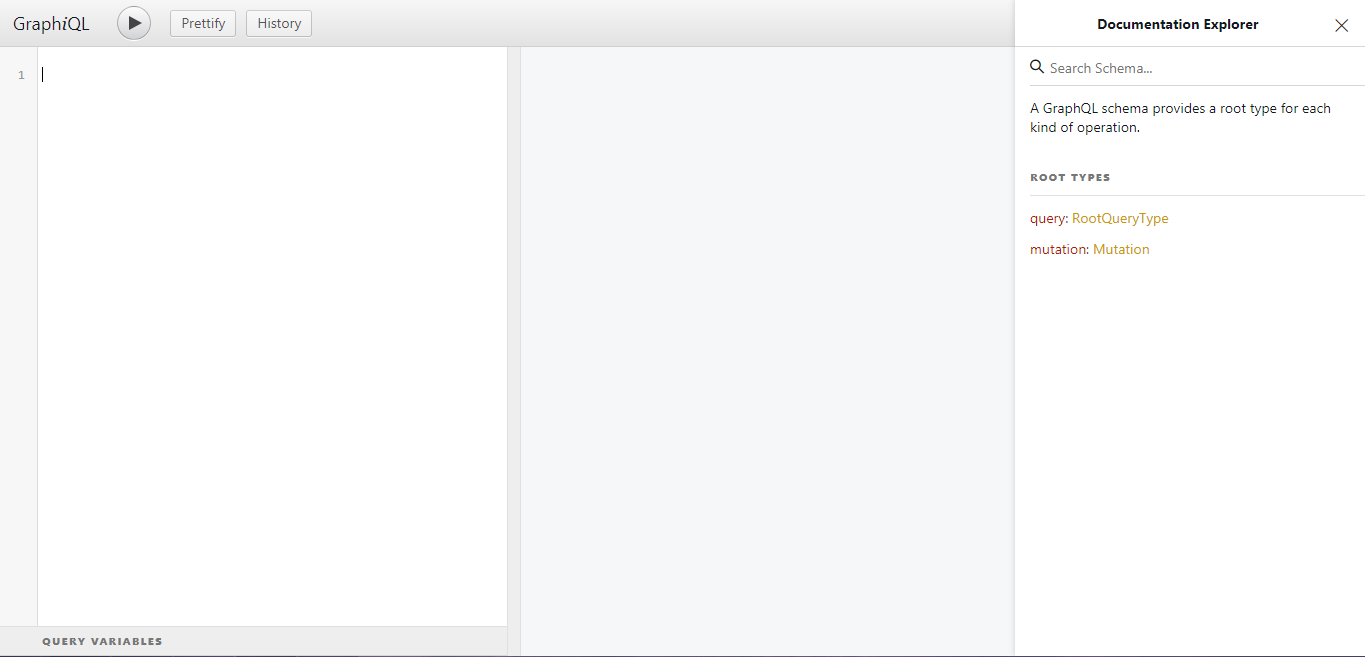
All the queries will be write on the left and the results will be print on the right.
#### Fetch all bands with all their records
```javascript
{
bands{
id
name
nation
records {
id
title
genre
releaseYear
}
}
}
```
#### Fetch all bands
```javascript
{
bands{
id
name
nation
}
}
```
#### Fetch all records
```javascript
{
records{
id
title
genre
releaseYear
}
}
```
#### Fetch one record (by id) and the band who composed it
```javascript
{
record(id: "idValue"){
id
title
genre
releaseYear
band {
name
nation
}
}
}
```
#### Fetch one band (by id) and the all its records
```javascript
{
band(id: "idValue") {
name
nation
records{
title
genre
releaseYear
}
}
}
```
### Mutations
MongoDB (as a NoSQL DBMS) doesn't have the `INSERT, UPDATE, DELETE, DROP`, ecc.. statements: they are replaced with the __mutations__. A mutation is a changing inside the data.
#### Add a new band
```javascript
mutation{
addBand(name: "bandName", nation: "nation") {
name
nation
}
}
```
#### Add a new record
```javascript
mutation{
addRecord(title: "recordTitle", genre: "genreName", releaseYear: yearAsInt, bandID: "bandId") {
title
genre
releaseYear
}
}
```
## Built with ❤ using
* [NodeJS](https://nodejs.org/en/) - JavaScript runtime
* [Express](http://expressjs.com/) - Web framework for NodeJS
* [GraphQL](https://graphql.org/) - Query language for APIs
* [MongoDB](https://www.mongodb.com/) - A NoSQL DBMS
* [Npm](https://www.npmjs.com/) - Package manager
## Contributing
If you want to improve this project Pull Request ⇄ and Stars ★ are welcome.
## License
This project is licensed under the MIT License - see the [LICENSE.md](https://github.com/dj0nny/react-recordShop-server/blob/develop/LICENSE.md) file for details.