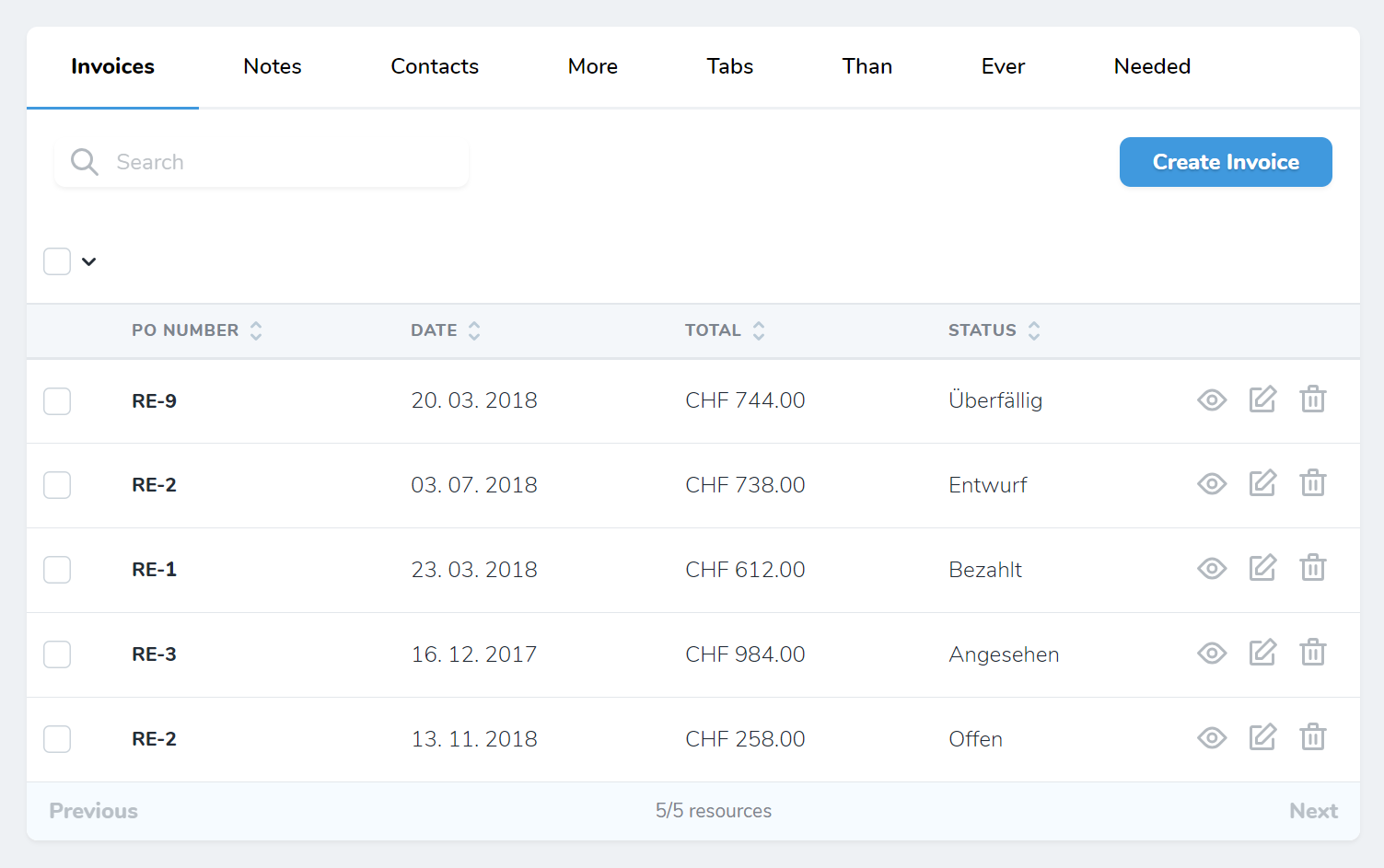
https://github.com/dkulyk/nova-tabs
Another Laravel Nova Tabs Package
https://github.com/dkulyk/nova-tabs
laravel nova tabs
Last synced: 5 months ago
JSON representation
Another Laravel Nova Tabs Package
- Host: GitHub
- URL: https://github.com/dkulyk/nova-tabs
- Owner: dkulyk
- Archived: true
- Created: 2019-01-19T23:00:08.000Z (over 7 years ago)
- Default Branch: master
- Last Pushed: 2022-05-11T18:14:22.000Z (about 4 years ago)
- Last Synced: 2025-11-13T19:29:31.520Z (8 months ago)
- Topics: laravel, nova, tabs
- Language: Vue
- Size: 38.1 KB
- Stars: 58
- Watchers: 2
- Forks: 7
- Open Issues: 4
-
Metadata Files:
- Readme: README.md
Awesome Lists containing this project
README
# Another Laravel Nova Tabs Package
[](https://packagist.org/packages/dkulyk/nova-tabs)
[](https://packagist.org/packages/dkulyk/nova-tabs)
[](https://www.patreon.com/bePatron?u=16285116)
1. [Installation](#user-content-installation)
2. [Usage](#user-content-usage)
1. [Tabs Panel](#user-content-tabs-panel)
2. [Tabs Panel with Toolbar](#user-content-tabs-panel-with-toolbar)
3. [Relationship Tabs](#user-content-relationship-tabs)
4. [Combine Fields and Relations in Tabs](#user-content-combine-fields-and-relations-in-tabs)
3. [Customization](#user-content-customization)
## Installation
You can install the package in to a Laravel app that uses [Nova](https://nova.laravel.com) via composer:
```bash
composer require dkulyk/nova-tabs
```
## Usage
### Tabs Panel

You can group Fields of a Resource into Tabs.
```php
// in app/Nova/Resource.php
use DKulyk\Nova\Tabs;
public function fields()
{
return [
// ...
new Tabs('Tabs', [
new Panel('Balance', [
Number::make('Balance', 'balance')->onlyOnDetail(),
Number::make('Total', 'total')->onlyOnDetail(),
]),
'Other Info' => [
Number::make('Paid To Date', 'paid_to_date')->onlyOnDetail(),
],
]),
// ...
];
}
```
### Tabs Panel with Toolbar
If you are only using a Tabs without another default Panel, you can call `withToolbar` method like in Panel.

```php
// in app/Nova/Resource.php
use DKulyk\Nova\Tabs;
public function fields(Request $request)
{
return [
(new Tabs('Contact Details', [
'Address' => [
ID::make('Id', 'id')->rules('required'),
Text::make('Email', 'email')->sortable(),
Text::make('Phone', 'phone')->sortable(),
],
'Relations' => [
BelongsTo::make('User'),
MorphTo::make('Contactable')->types([
Client::class,
Invoice::class,
]),
]
]))->withToolbar(),
];
}
```
### Relationship Tabs

You can also group Relations into Tabs.
```php
// in app/Nova/Resource.php
use DKulyk\Nova\Tabs;
public function fields(Request $request)
{
return [
// ...
new Tabs('Relations', [
HasMany::make('Invoices'),
HasMany::make('Notes'),
HasMany::make('Contacts')
]),
// ...
];
}
```
### Combine Fields and Relations in Tabs


```php
use DKulyk\Nova\Tabs;
public function fields(Request $request)
{
return [
(new Tabs(__('Client Custom Details'), [
new Panel(__('Details'), [
ID::make('Id', 'id')->rules('required')->hideFromIndex(),
Text::make('Name', 'name'),
]),
HasMany::make('Invoices')
])
];
}
```
## Customization
By default, the Tabs component moves the search input and the create button to the tabs. If you have a lot of tabs, you can move them back down to its own line:
```php
// in app/Nova/Resource.php
use DKulyk\Nova\Tabs;
public function fields(Request $request)
{
return [
// ...
(new Tabs('Relations', [
HasMany::make('Invoices')
]))->defaultSearch(true),
// ...
];
}
```
If you want to hide card label you can use `->hideLabel()` for Tabs panel.
Set `->defaultSearch(true)` to revert it to its default.