https://github.com/dmcp89/harambot
A Yahoo Fantasy Sports bot for Discord
https://github.com/dmcp89/harambot
bot discord fantasy-sports python yahoo-fantasy-api
Last synced: over 1 year ago
JSON representation
A Yahoo Fantasy Sports bot for Discord
- Host: GitHub
- URL: https://github.com/dmcp89/harambot
- Owner: DMcP89
- License: mit
- Created: 2019-07-23T00:08:36.000Z (almost 7 years ago)
- Default Branch: main
- Last Pushed: 2024-09-17T05:10:52.000Z (almost 2 years ago)
- Last Synced: 2024-09-17T07:59:58.732Z (almost 2 years ago)
- Topics: bot, discord, fantasy-sports, python, yahoo-fantasy-api
- Language: Python
- Homepage:
- Size: 6.75 MB
- Stars: 30
- Watchers: 4
- Forks: 17
- Open Issues: 7
-
Metadata Files:
- Readme: README.md
- Contributing: .github/CONTRIBUTING.md
- Funding: .github/FUNDING.yml
- License: LICENSE.md
Awesome Lists containing this project
README

# Harambot
_An interactive Yahoo Fantasy sports bot for Discord._
   
[](http://harambot.io)
## Commands
/ping - Gives the latency of harambot
/RIP - Pay respects
/standings - Returns the current standings of the current league
/roster Team - Returns the roster of the given team
/stats Player - Returns the details of the given player
/trade - Create a poll for latest trade for league approval
/matchups week - Returns the matchups for the given week, defaults to the current week
/waiver days - Returns the waiver wire transactions from the previous number of days
/configure - Configure the bot for your guild
/reports - Set what channel transaction reports should be sent to.
You can find example output of these commands [here](https://github.com/DMcP89/harambot/wiki#command-examples)
## Roll your own instance
### Prerequisites
In order to properly configure your bot you will need the following:
* [Discord API Token](https://github.com/DMcP89/harambot/wiki/Prerequisites#discord-api-token)
* [Yahoo API Client Id & Secret](https://github.com/DMcP89/harambot/wiki/Prerequisites#yahoo-api-client-id--secret)
* [Yahoo League ID](https://github.com/DMcP89/harambot/wiki/Prerequisites#yahoo-league-id)
_Visit our [wiki](https://github.com/DMcP89/harambot/wiki) for a step by step guide on how to obtain these values._
#### Generate a key for your local database
Parts of the database are encrypted, which means we need to generate a key. Using the python interactive interpreter, you can generate one by running these three lines inside the interpreter:
```
from cryptography.fernet import Fernet
fernet_key = Fernet.generate_key()
print(fernet_key.decode())
```
Your key will appear below.
### Run the bot on [Render](https://render.com/)
[](https://render.com/deploy?repo=https://github.com/DMcP89/harambot)
### Run the bot locally using pip package
1. Install the harambot package using pip
pip install harambot
2. Export the following environment variables
```
export DISCORD_TOKEN='[YOUR DISCORD TOKEN]'
export YAHOO_KEY='[YOUR YAHOO API CLIENT ID]'
export YAHOO_SECRET='[YOUR YAHOO API CLIENT SECRET]'
export DATABASE_URL='[YOUR DATABASE URL]' # which can be a pathway to a file, such as 'sqllite:///harambot.db'
export HARAMBOT_KEY='[YOUR ENCRYPTION KEY]' # A URL-safe base64-encoded 32-byte key
```
3. Run the bot
harambot
### Run the bot locally using docker
1. Pull the latest image from docker hub
docker pull dmcp89/harambot
2. Export the following environment variables
```
export DISCORD_TOKEN='[YOUR DISCORD TOKEN]'
export YAHOO_KEY='[YOUR YAHOO API CLIENT ID]'
export YAHOO_SECRET='[YOUR YAHOO API CLIENT SECRET]'
export DATABASE_URL='[YOUR DATABASE URL]'
export HARAMBOT_KEY='[YOUR ENCRYPTION KEY]' # A URL-safe base64-encoded 32-byte key
```
3. Run the bot
docker run --name harambot \
-e DISCORD_TOKEN=$DISCORD_TOKEN \
-e YAHOO_KEY=$YAHOO_KEY \
-e YAHOO_SECRET=$YAHOO_SECRET \
-e DATABASE_URL=$DATABASE_URL \
-e HARAMBOT_KEY=$HARAMBOT_KEY \
--rm dmcp89/harambot
## Setup
### Add the bot to your guild
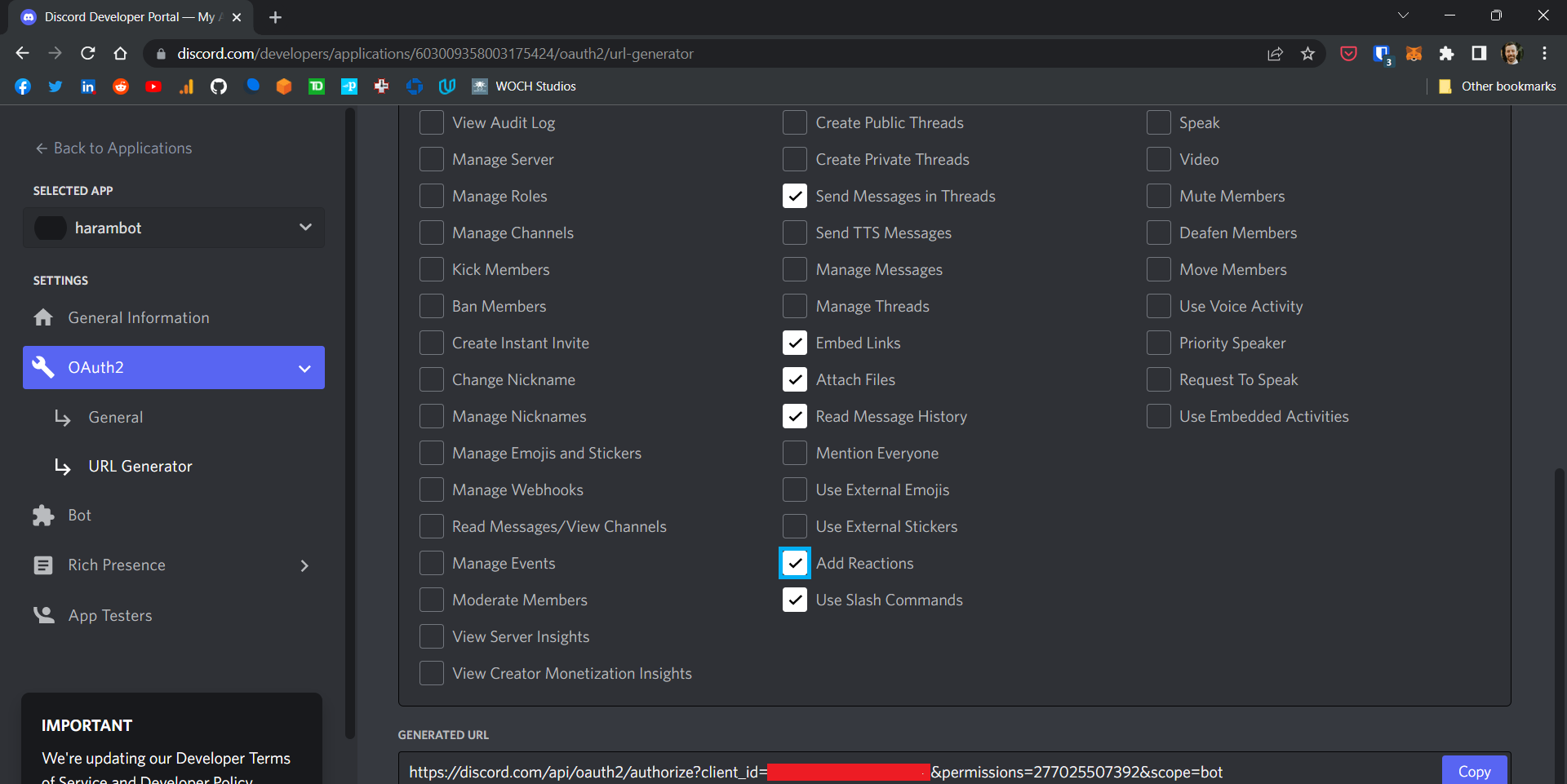
1. Generate a OAuth url from the discord developer portal using the bot scope and the following permissions:
* Send Messages
* Send Messages in Threads
* Embed Links
* Attach Files
* Read Message History
* Add Reactions
* Use Slash Commands
* Manage WebHooks
The permission value should be 277562378304
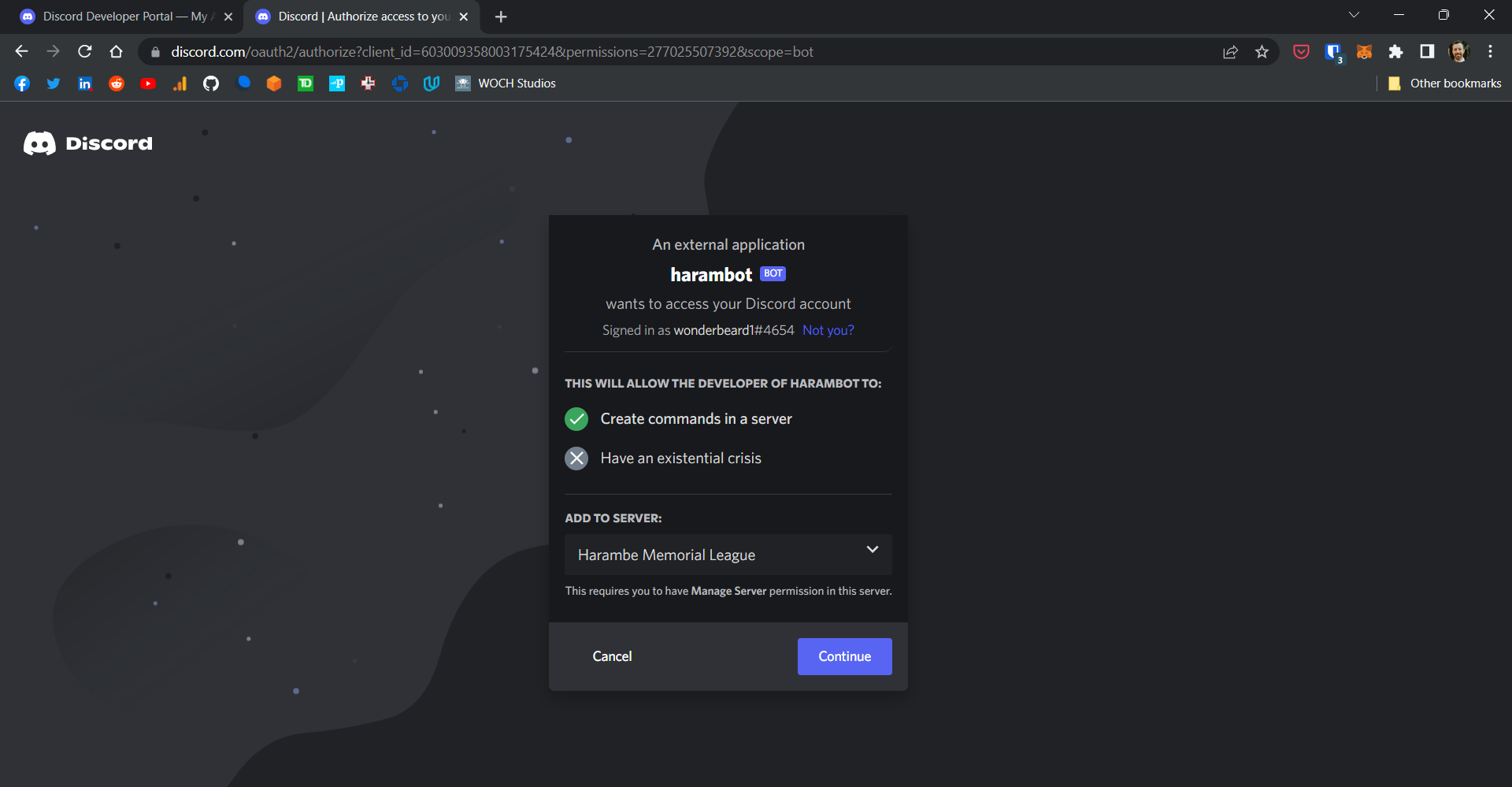
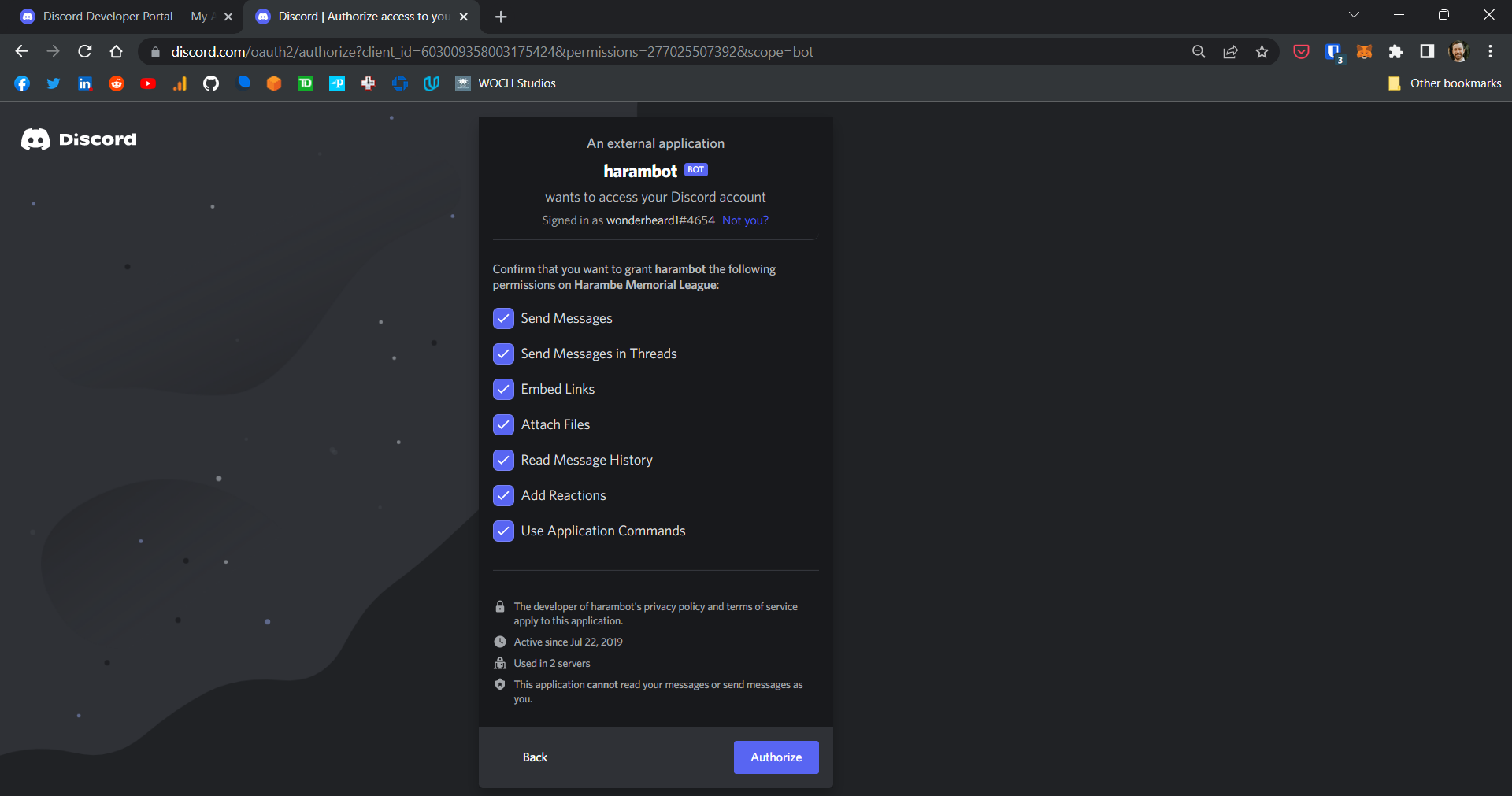
2. Navigate to the generated url in a web browser and authorize the bot for your guild
### Configure your guild
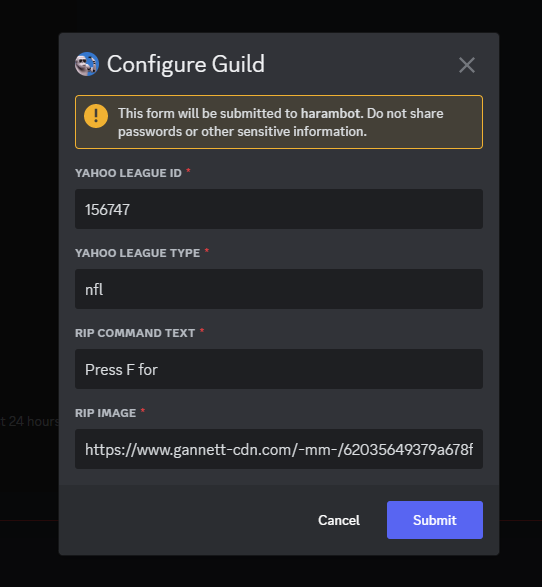
* Once your bot is added to your guild you can configure it by using the /configure command:
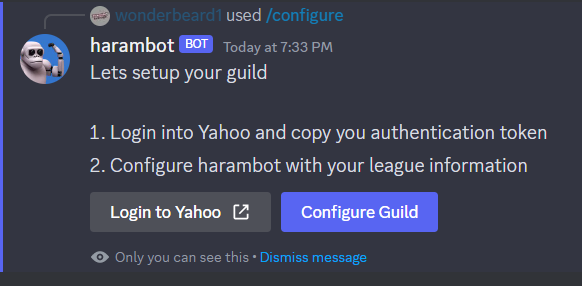
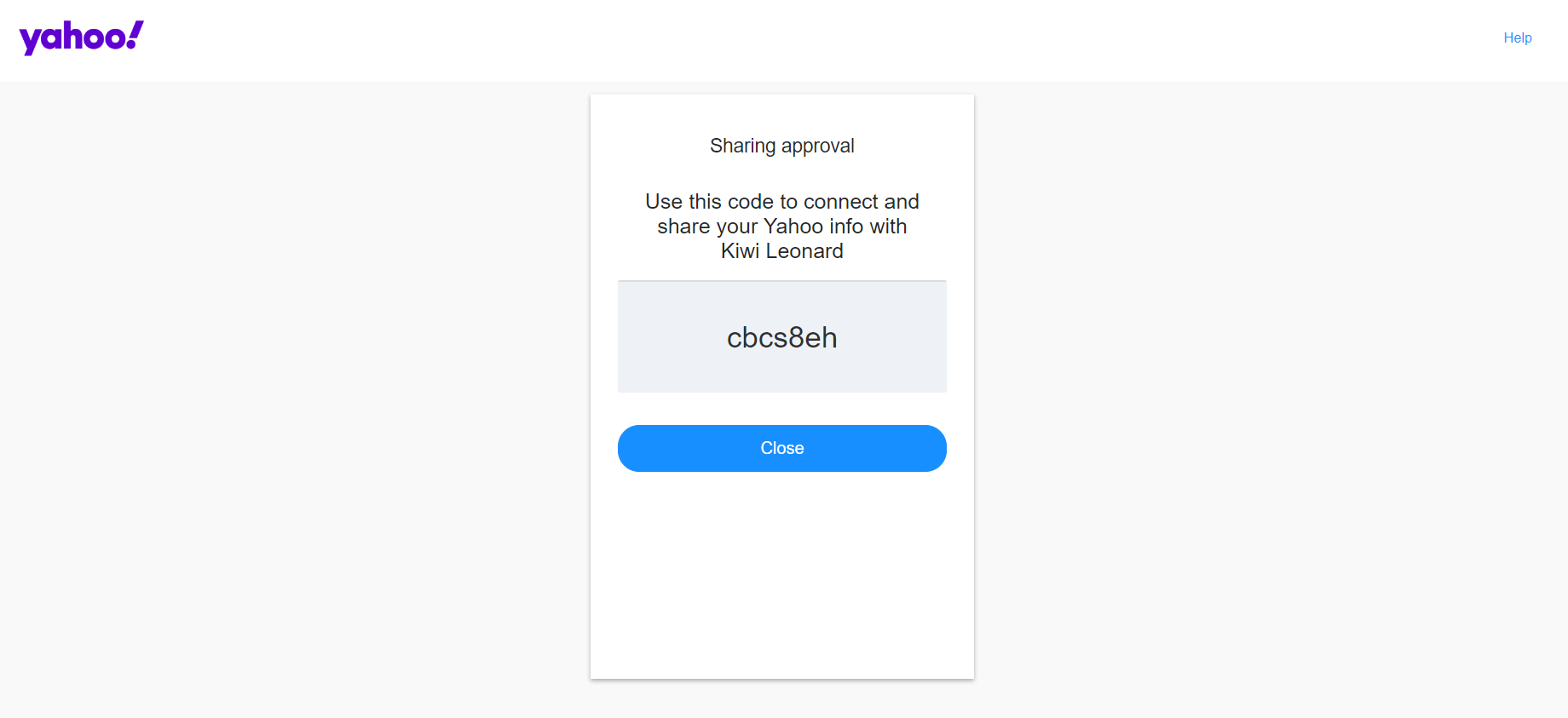
* Use the Login with Yahoo button to authenticate with Yahoo and get your Yahoo token (this is a one time token)
* Use the Configure Guild button to configure your guild for the bot
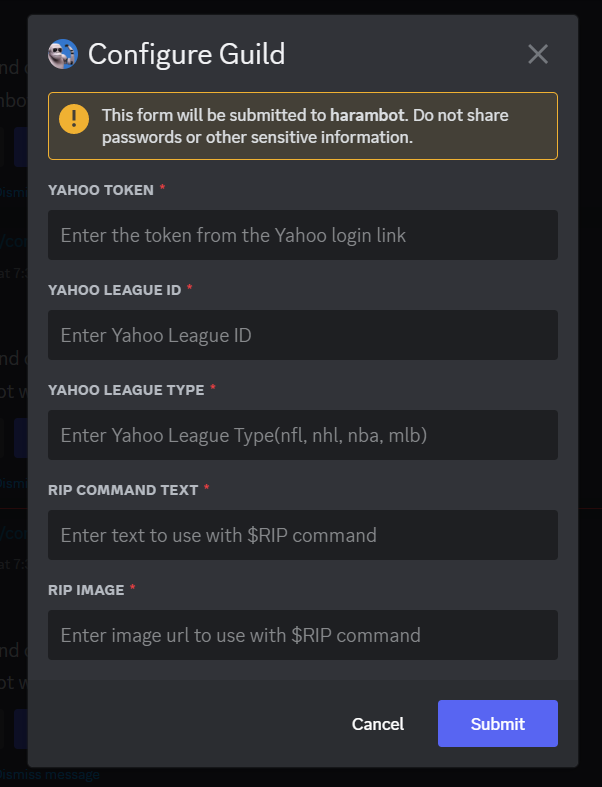
* You can reconfigure your guild by running the configure command and clicking the Configure Guild button.