https://github.com/dmuth/septastats
Real-time dashboards, graphs, and analytics for Philadelphia's Regional Rail train system.
https://github.com/dmuth/septastats
Last synced: about 1 year ago
JSON representation
Real-time dashboards, graphs, and analytics for Philadelphia's Regional Rail train system.
- Host: GitHub
- URL: https://github.com/dmuth/septastats
- Owner: dmuth
- License: apache-2.0
- Created: 2016-03-30T03:00:55.000Z (about 10 years ago)
- Default Branch: main
- Last Pushed: 2022-09-30T19:35:31.000Z (over 3 years ago)
- Last Synced: 2024-05-02T06:07:38.604Z (about 2 years ago)
- Language: PHP
- Homepage: http://www.septastats.com/
- Size: 3.62 MB
- Stars: 15
- Watchers: 3
- Forks: 0
- Open Issues: 9
-
Metadata Files:
- Readme: README.md
- Funding: .github/FUNDING.yml
- License: LICENSE
- Code of conduct: CODE_OF_CONDUCT.md
Awesome Lists containing this project
README
# Septa Stats
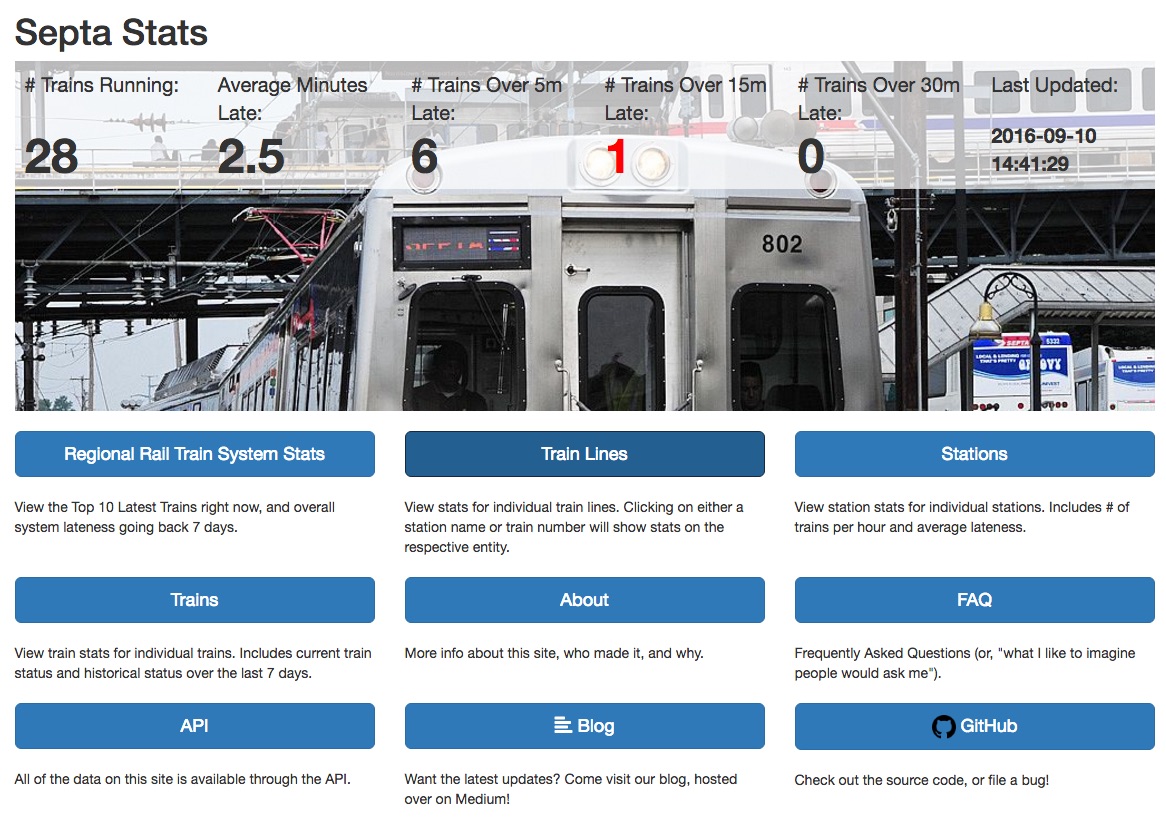
Source code for http://www.SeptaStats.com/
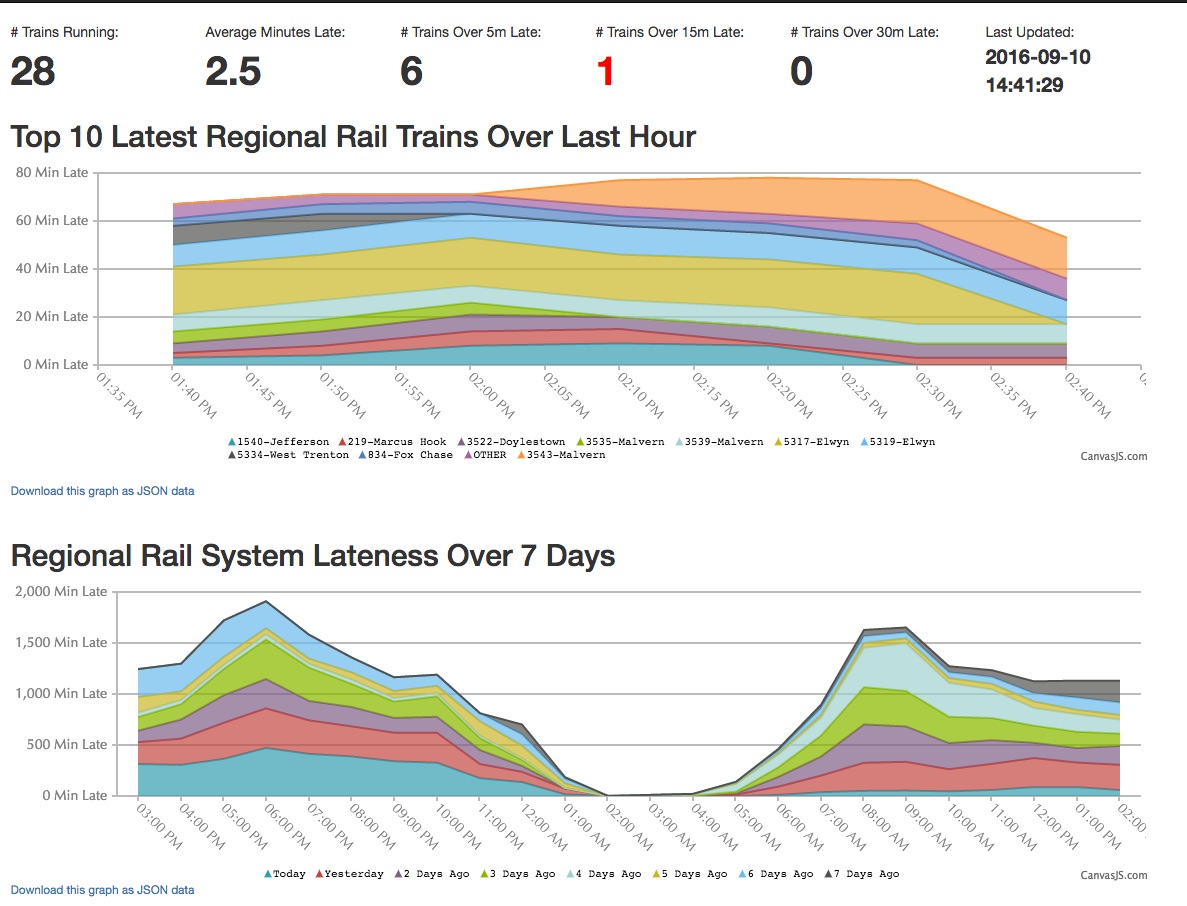
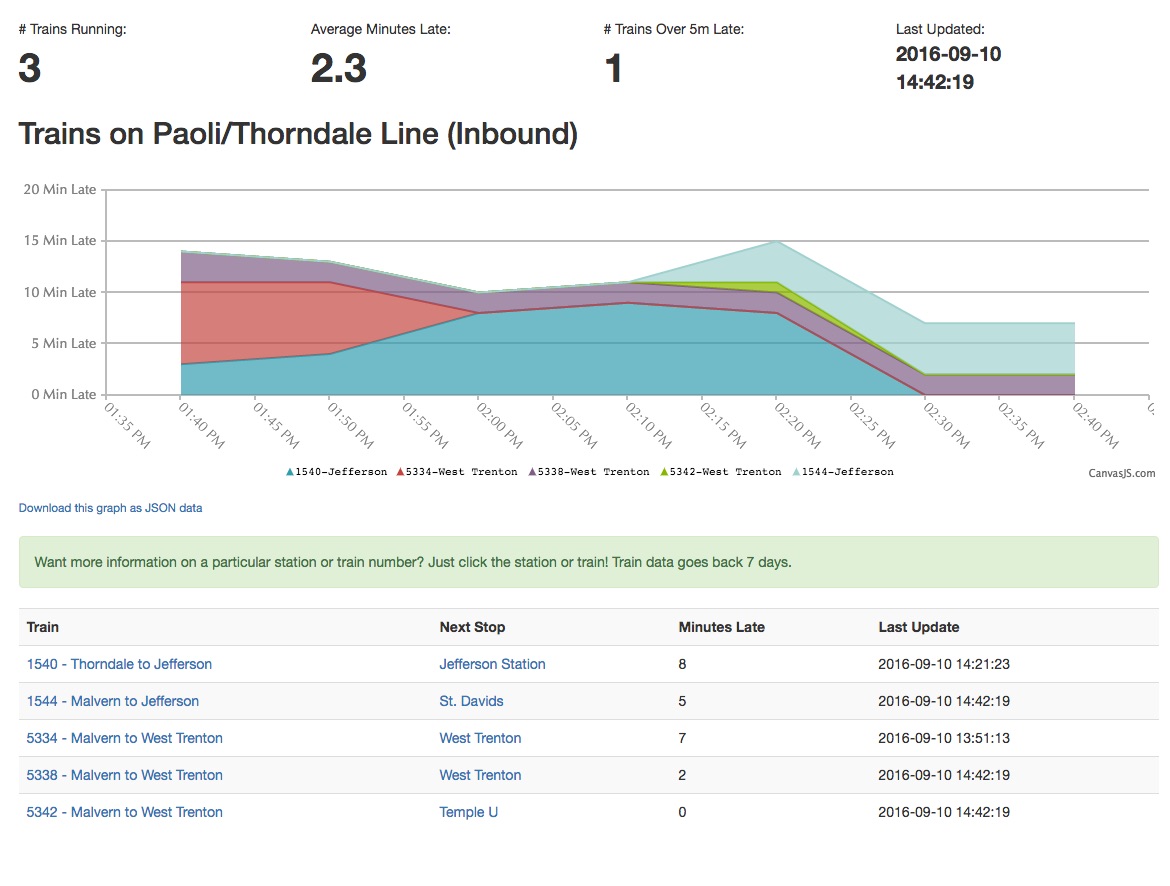
This is a Splunk app which downloads Regional Rail train stats from SEPTA's public API
once per minute and contains dashboards and reports for visualizing that data.
## Installation Instructions
- Clone this repo
- Make sure Docker is installed
- Run `docker-compose up -d` to start all the Docker containers
- Splunk can be found at http://localhost:8001/, login is admin/password.
- This instance should NOT be made available over the Internet. Seriously. Don't do it.
- The web app can be found at http://localhost:8002/
- I recommend blocking this port off from the Internet and using your own instance of Nginx to proxy to it, with HTTPS.
- AWS credentials should be in `aws-credentials.txt`
- Note that if you create a policy for your IAM credentials (as you should!), the ARN in the Resource array must end in `/*`. Exammple: `arn:aws:s3:::septa-stats/*`. There is a bug in the policy generator where this won't happen and your backups will fail. Be careful.
## Architecture Overview
The Docker containers in this project are as follows:
- `splunk`: Runs a PHP script to fetch from SEPTA's API every 55 seconds, and saves the data to a Splunk Index.
- Configuration of Splunk is saved in `splunk-files/`.
- `web`: Nginx webserver
- `php`: PHP running in FCGI mode to run PHP code
- `redis`: Used to cache the results of Splunk queries
- `backup`: Make regular backups of train data to AWS S3
## Development
### Working on PHP Code
- `cp docker-compose.yml.example docker-compose.yml`
- `docker-compose up`
- PHP code lives under `htdocs/`
- Go to https://localhost:8000/ in your web browser for Splunk. Password is in `docker-compose.yml`.
- Go to http://localhost:8001/ in your web browser to view the website
### Working on Splunk
This will stand up Splunk and spawn a shell in it:
```
docker-compose kill splunk; \
docker-compose rm -f splunk; \
docker-compose build splunk; \
docker-compose up -d splunk; \
docker-compose exec splunk bash
```
Test the PHP script inside the container with:
- `/opt/splunk/etc/apps/septa-stats/bin/get-regional-rail-trainview.php | jq .`
### How to run the `backup` script in the foreground for development:
```
docker-compose kill backup \
&& docker-compose rm -f backup \
&& docker-compose build backup \
&& docker-compose up backup
```
## Deployment
- SSH to the webserver
- `cd /var/septa-stats/`
- `git pull`
- If you're doing an HTML or PHP update, you're done. Otherwise, restart the affected containers.
## Exporting Data
The Spunk Index is written to `splunk-data/`, so that when the container is restarted, no data is lost.
The Redis data is written to `redis-data/`, so that no data is lost when that container is restarted.
## Importing Data
Assuming you exported the raw events from Splunk to a text file, you can import those events with these commands:
- `docker-compose exec splunk bash`
- `/opt/splunk/bin/splunk add oneshot ./septa-stats.txt -sourcetype oneshot -index septa_analytics`
## FAQ: Why is Composer's vendor/ directory included?
I'm a huge fan of reproducable builds, and I'm a little concerned about the possibility of things like this happening,
which can cause both large amounts of breakage and application build failures.
**That said**, I've been having some conversations with folks on r/PHP and other places, and while
they acknowledged that my concern is legitimate, the risk is very low, and including vendor/
just adds so much more noise to code reviews. That's a valid point, and I am reconsidering my
decision to include the vendor/ directory. Feel free to reach out to me if you feel strongly
one way or the other on this issue.
## Credits
This package uses the `timewrap` command, available at https://splunkbase.splunk.com/app/1645/.
## Additional Questions?
More Questions? Please email me at **dmuth@dmuth.org**, **doug.muth@gmail.com**, or open an issue here.