https://github.com/dnaka91/otti
The one-time password manager for the terminal, with interactive and fancy TUI
https://github.com/dnaka91/otti
cli hacktoberfest hotp one-time-password otp rust totp tui
Last synced: 10 months ago
JSON representation
The one-time password manager for the terminal, with interactive and fancy TUI
- Host: GitHub
- URL: https://github.com/dnaka91/otti
- Owner: dnaka91
- License: agpl-3.0
- Created: 2021-07-08T13:32:56.000Z (about 5 years ago)
- Default Branch: main
- Last Pushed: 2024-02-06T05:20:36.000Z (over 2 years ago)
- Last Synced: 2024-05-01T17:04:01.240Z (about 2 years ago)
- Topics: cli, hacktoberfest, hotp, one-time-password, otp, rust, totp, tui
- Language: Rust
- Homepage:
- Size: 261 KB
- Stars: 17
- Watchers: 1
- Forks: 2
- Open Issues: 0
-
Metadata Files:
- Readme: README.md
- License: LICENSE
- Codeowners: .github/CODEOWNERS
Awesome Lists containing this project
README
# 🦦 Otti
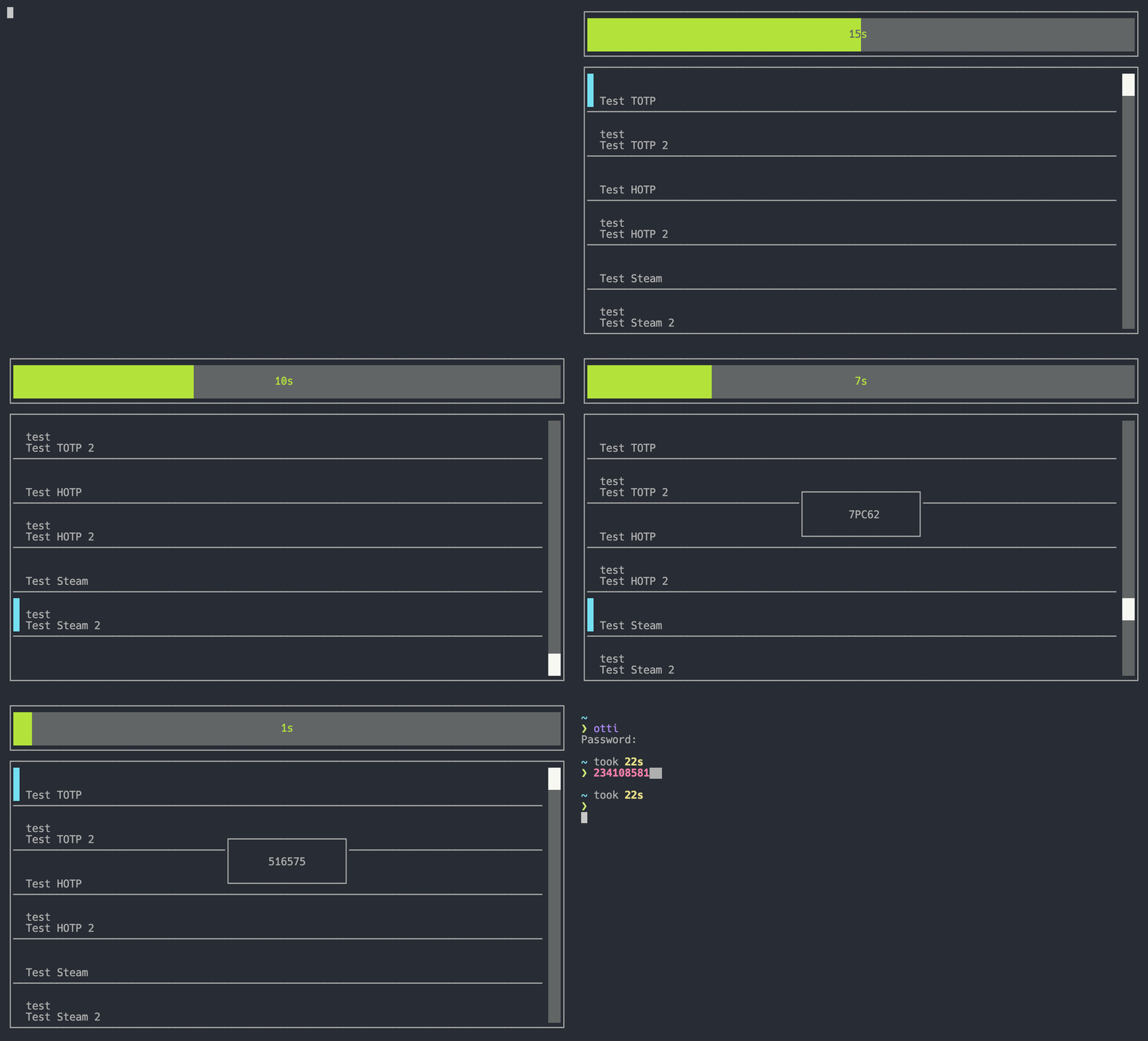
The one-time password (OTP for short) manager for the terminal, with interactive and fancy TUI.
## What's an OTP?
An OTP is the abbreviation for **O**ne-**T**ime **P**assword and is usually part of a two-factor
authentication setup. That is, when a second password is required for a login to some service as
extra security measure.
It usually involves scanning a QR-Code from the service's website or inputting it into an
authenticator manually.
For more information check out [this Wikipedia article](https://en.wikipedia.org/wiki/One-time_password).
## Yet another OTP account manager?
I wanted an OTP manager app for the terminal that behaves similar as mobile managers but couldn't
find any that work in that way. Most CLI-based existing managers use single commands to manage the
OTP accounts, which are non-interactive.
Therefore, this is a different approach by using the awesome [tui-rs] crate to build a TUI variant
that is as similar to the mobile apps as possible but still simplistic.
Additionally, I felt the way some OTP managers save the account information is to simple and weak in
regards to security. **Otti** uses the [orion] crate for the credential storage which is very
similar to **libsodium**, but fully implemented in Rust.
[tui-rs]: https://github.com/fdehau/tui-rs
[orion]: https://github.com/orion-rs/orion
## Installation
### Pre-built binaries
Grab the binary for your OS from the [releases](https://github.com/dnaka91/otti/releases), extract
it and put it in a folder that's on your `$PATH` like `/usr/local/bin`.
### From source
Make sure to have the latest Rust compiler and Cargo installed and run:
```sh
cargo install --git https://github.com/dnaka91/otti.git --tag v0.1.0
```
You can omit the `--tag` flag to install the latest development version, but make backups of your
store file just in case.
### From AUR
Arch Linux users can install **Otti** from the [AUR](https://aur.archlinux.org/) using an [AUR helper](https://wiki.archlinux.org/title/AUR_helpers). For example:
```sh
paru -S otti
```
## Usage
Currently **Otti** is read-only, that means you can not add any new accounts to its database.
Instead you have to import from an external OTP manager until editing features are implemented.
To do so, first export your OTP accounts from one of the supported external apps (currently
**Aegis** and **andOTP**), then run `otti import ` and optionally give a password with the `--password` argument if the import file is protected.
After the import completed successfully simply run `otti`, enter your password and use the TUI. For
further help inside the TUI hit the `h` hotkey.
## License
This project is licensed under [AGPL-3.0 License](LICENSE) (or
).