https://github.com/dnlzrgz/tictot
tictot is a time tracker for the terminal made with textual.
https://github.com/dnlzrgz/tictot
cli command-line command-line-tool terminal terminal-based textual time-tracker timer
Last synced: over 1 year ago
JSON representation
tictot is a time tracker for the terminal made with textual.
- Host: GitHub
- URL: https://github.com/dnlzrgz/tictot
- Owner: dnlzrgz
- Created: 2023-02-11T15:53:43.000Z (over 3 years ago)
- Default Branch: master
- Last Pushed: 2023-03-12T12:26:11.000Z (over 3 years ago)
- Last Synced: 2025-02-15T14:25:14.386Z (over 1 year ago)
- Topics: cli, command-line, command-line-tool, terminal, terminal-based, textual, time-tracker, timer
- Language: Python
- Homepage:
- Size: 1.15 MB
- Stars: 3
- Watchers: 2
- Forks: 0
- Open Issues: 0
-
Metadata Files:
- Readme: README.md
Awesome Lists containing this project
README
# tictot
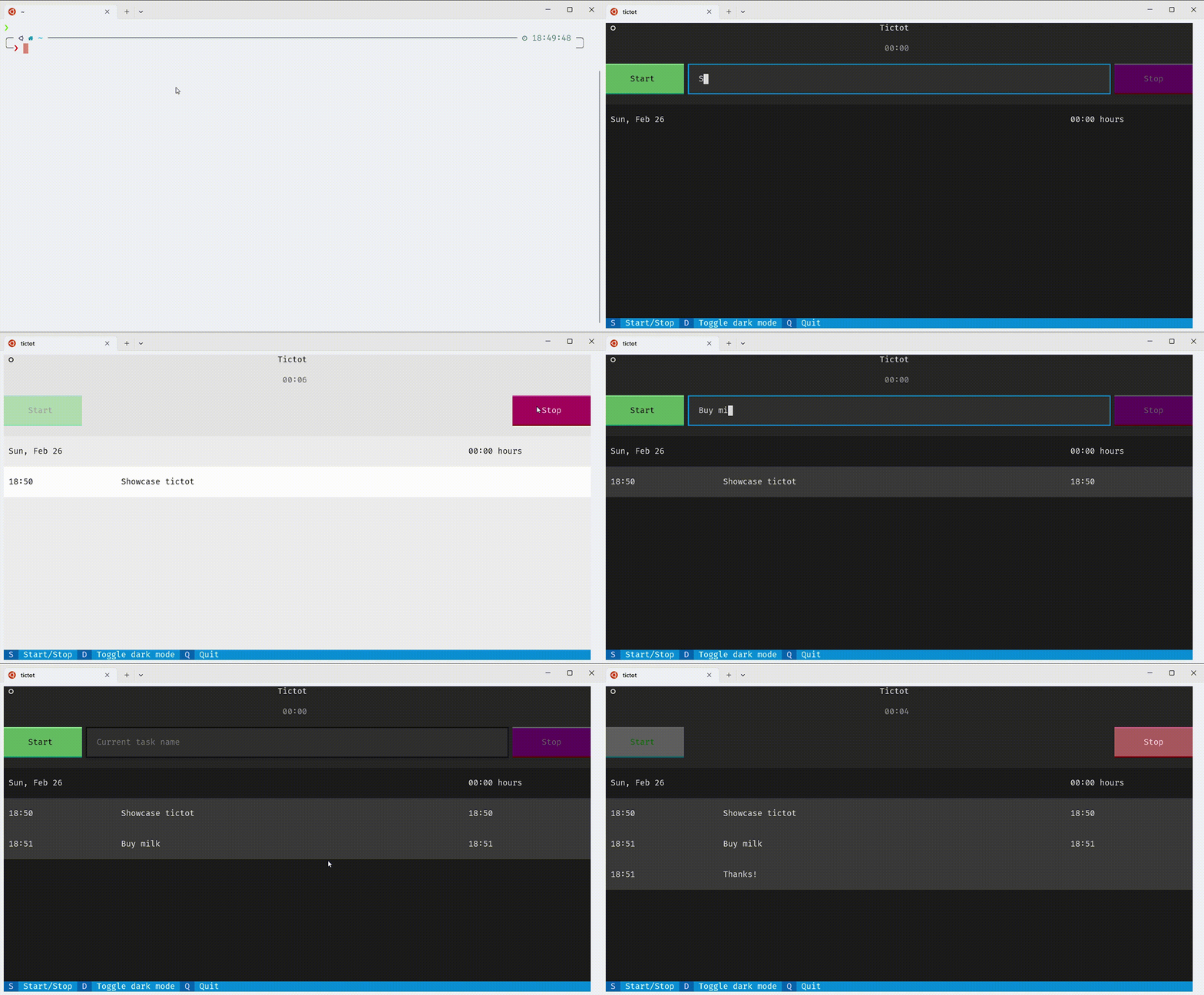
tictot is a simple time tracker for the terminal that is easy and fast to use. With tictot you can track the time spent on different tasks and keep a record of your worked hours. The application is built with [textual](https://textual.textualize.io/), an awesome framework for building applications for the terminal.
tictot is also inspired by the [textual's example application](https://textual.textualize.io/tutorial/).
## Work in progress
For the moment tictot only supports tracking time for a single task at a time. It also doesn't support tags, categories or any other fancy stuff. Also you can't update past entries or delete them. But I'm working on it.
## Installation
### Using pip
```bash
pip install tictot
```
### From source
```bash
git clone https://github.com/daniarlert/tictot.git
```
Now, install the application:
```bash
cd tictot && pip install .
```
## To Do
- [ ] Update past entries.
- [ ] Delete entries.
- [ ] Support tags.
- [ ] Support user configuration.
- [ ] Statistics.