https://github.com/do-community/learning-labs
LearningLabs is a Shark-a-Hack 2021-Q1 Project
https://github.com/do-community/learning-labs
Last synced: 2 months ago
JSON representation
LearningLabs is a Shark-a-Hack 2021-Q1 Project
- Host: GitHub
- URL: https://github.com/do-community/learning-labs
- Owner: do-community
- License: mit
- Created: 2021-04-29T10:55:57.000Z (about 5 years ago)
- Default Branch: main
- Last Pushed: 2021-05-26T15:10:47.000Z (about 5 years ago)
- Last Synced: 2026-04-21T12:47:59.460Z (2 months ago)
- Language: CSS
- Homepage:
- Size: 39.6 MB
- Stars: 5
- Watchers: 3
- Forks: 2
- Open Issues: 1
-
Metadata Files:
- Readme: README.md
- License: LICENSE
Awesome Lists containing this project
README
# DevEd LearningLabs
LearningLabs is an experimental project created for Shark-a-Hack 2021-q1, the internal hackaton from DigitalOcean.
This is a space for experimentation in alternative ways to present educational content we have in our community website.
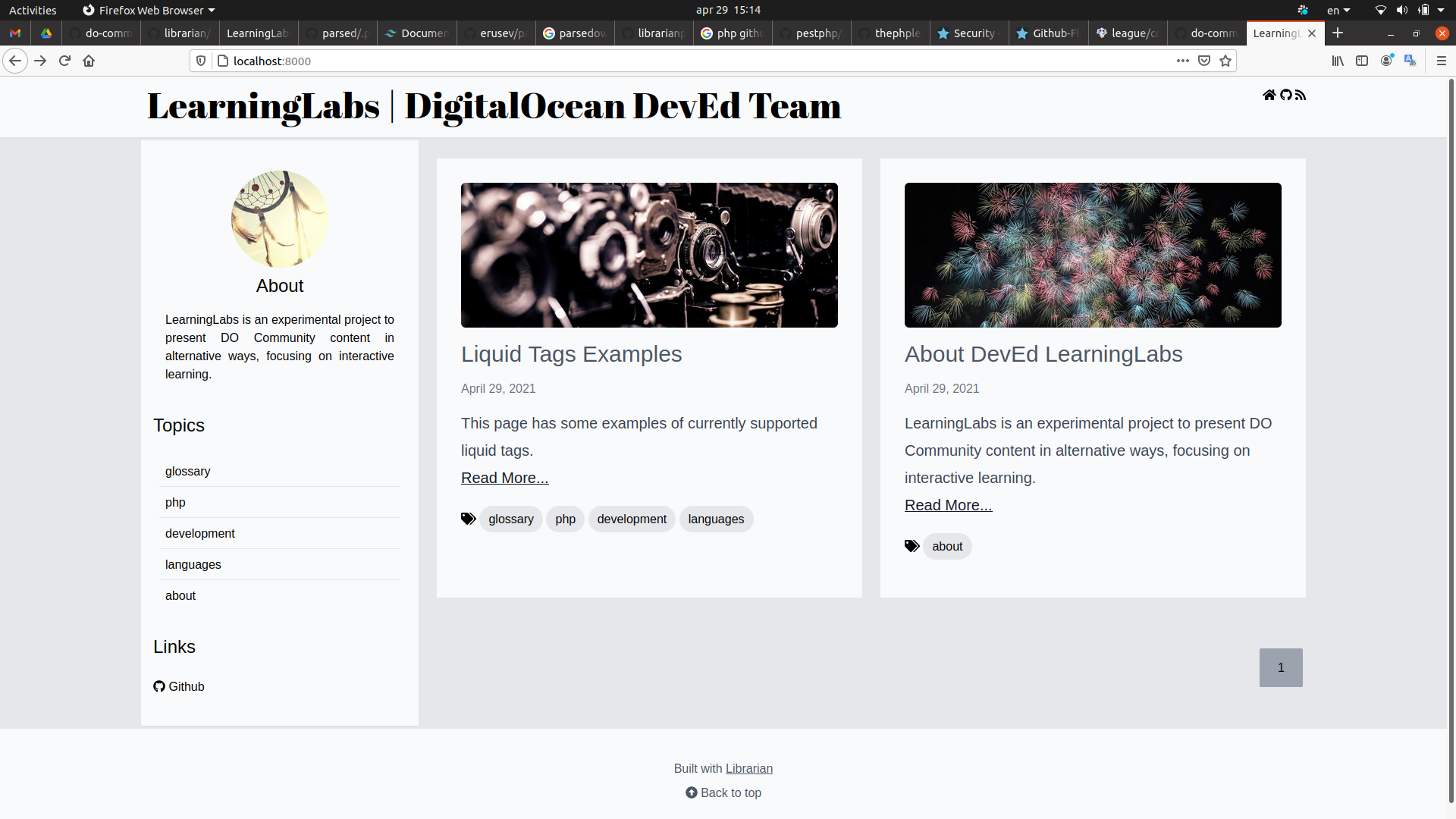
LearningLabs is built with [Librarian](https://github.com/librarianphp/librarian).
## Installation
To run LearningLabs locally, you'll need a development environment with the following:
- PHP 7.4+ (cli only)
- [Composer](https://getcomposer.org)
This can be accomplished with the Docker setup that is included in the repository. In this case, you'll need to have Docker and Docker Compose installed locally.
Start by cloning this repository:
```shell
git clone https://github.com/do-community/learning-labs
cd learning-labs
```
If you are running LearningLabs with Docker, you should get your environment up and running now with:
```shell
docker-compose up -d
```
Then run `composer install` to install the PHP dependencies.
### With Docker Compose
```command
docker-compose exec app composer install
```
Then you can access the application from your browser at `localhost:8000`.
### With a local PHP server
```command
composer install
```
Then, you can run the built-in PHP web server with:
```shell
php -S 0.0.0.0:8000 -t web/
```
You can now access the application from your browser at `localhost:8000`.
### Customizing Layouts
To customize the views, you'll need to be able to compile CSS assets and that requires `npm` running on your development environment. Otherwise you won't have access to all that Tailwind has to offer!
To install Tailwind dependencies, run:
```shell
npm install
```
To compile the CSS assets (needed when you make significant changes to the layout), run:
```shell
npm run dev
```
## Creating Content
Content uses overall the same format of DEV.to posts, but the front matter is fluid and can be customized for your needs.
All content should be organized into subdirectories inside `app/Resources/data`. The name of the subdirectory is used as content type, so right now we have:
- `app/Resources/data/glossary` - glossary entries following the convention `name-of-term.md`. So the URL for these will be `/glossary/name-of-term`
- `app/Resources/data/_p` - pages like "about".
If you want to create a new content type, you just need to create a new directory there, and store your `.md` files for that content in there.
### Contributing with the Audio Glossary
The audio glossary is based on our [glossary](https://www.digitalocean.com/community/tags/glossary) tutorials. These are short tutorials explaining a concept.
You can contribute by recording the audio voice-over for a glossary item and sending a PR with:
- audio in MP3 format named after the glossary term name (ex: `ansible.mp3`), placed on `web/audio`
- new `.md` file named after the glossary term name (ex: `ansible.md`), placed on `data/glossary`
You can use the `ansible` glossary entry as reference: [data/glossary/ansible.md](https://raw.githubusercontent.com/do-community/learning-labs/main/app/Resources/data/glossary/ansible.md)
### Liquid Tags Currently Supported:
- **DigitalOcean Tutorial (custom tag):**
- {% tutorial how-to-install-linux-nginx-mysql-php-lemp-stack-on-ubuntu-20-04 %}
- **Local Audio:**
- {% audio /audio/test_cafe.mp3 %}
- **Local Video:**
- {% video /video/test.mp4 %}
- **Tweet:**
- {% twitter 1387740559385767941 %}
- **GitHub File:**
- {% github https://github.com/librarianphp/librarian/blob/main/web/.htaccess %}
- **YouTube Video:**
- {% youtube iom_nhYQIYk %}
## Creating Custom Liquid Tags
Liquid tags are classes that implement the `CustomTagParserInterface`. They need to implement a method named `parse`, which receives the string provided to the liquid tag when called from the markdown file.
For instance, this is the full code for the `video` liquid tag parser class:
```php
" .
"" .
"Your browser does not support the video tag." .
"";
}
}
```
You'll have to include your custom tag parser class within the ContentParser:
```php
$parser = new \Parsed\ContentParser();
$parser->addCustomTagParser('video', new VideoTagParser());
```
_Note: The built-in tag parsers are already registered within ContentParser. These are: `video`, `audio`, `twitter`, `youtube` and `github`._
For instance, if you have in your markdown:
```
{% video /videos/test.mp4 %}
```
It will convert to the tag into the following code:
```html
Your browser does not support the video tag.
```
### About Librarian
[Librarian](https://github.com/librarianphp/librarian) is a stateless CMS / document indexer based on static markdown files.
* No database
* No sessions
* No users