https://github.com/doctorfree/kasm-registry
Workspace registry for Kasm
https://github.com/doctorfree/kasm-registry
kasm kasm-workspaces registry workspaces
Last synced: over 1 year ago
JSON representation
Workspace registry for Kasm
- Host: GitHub
- URL: https://github.com/doctorfree/kasm-registry
- Owner: doctorfree
- Created: 2023-10-22T19:48:20.000Z (over 2 years ago)
- Default Branch: 1.0
- Last Pushed: 2024-03-03T21:48:33.000Z (over 2 years ago)
- Last Synced: 2024-05-02T01:02:38.572Z (about 2 years ago)
- Topics: kasm, kasm-workspaces, registry, workspaces
- Language: JavaScript
- Homepage: https://doctorfree.github.io/kasm-registry/
- Size: 5.31 MB
- Stars: 10
- Watchers: 2
- Forks: 1
- Open Issues: 0
-
Metadata Files:
- Readme: README.md
Awesome Lists containing this project
README

Record Technologies Workspace Registry
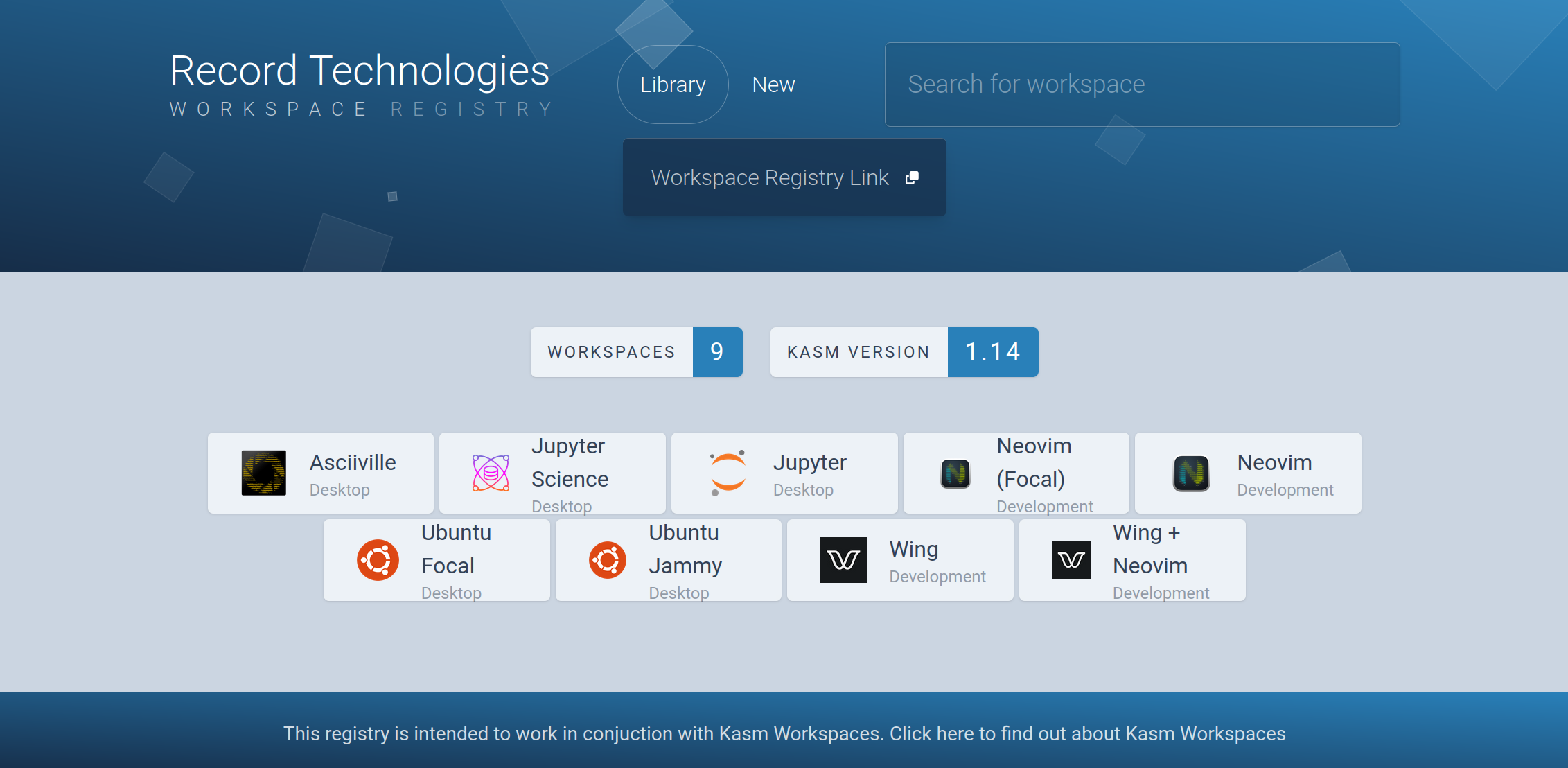
This repository is home to the Record Technologies Kasm Workspaces registry. A front end website is automatically generated for the registry looking similar to:
## Contents
- [Record Technologies Workspaces](#record-technologies-workspaces)
- [Workspace features](#workspace-features)
- [Workspace deployment](#workspace-deployment)
- [Docker deployment](#docker-deployment)
- [Repository template](#repository-template)
- [Schema](#schema)
- [Discovery](#discovery)
## Record Technologies Workspaces
This registry primarily serves as the distribution mechanism for Kasm workspaces
generated from [Doctorfree Open Source Projects](https://github.com/doctorfree).
Currently available workspaces in this registry include:
* `AppImage`: Customized Ubuntu 22.04 desktop with [AppImage Launcher](https://github.com/TheAssassin/AppImageLauncher)
* [Asciiville](https://github.com/doctorfree/Asciiville#readme): Ascii art, utilities, games, more
* [Ascii Games](https://github.com/doctorfree/asciigames#readme): Collection of Ascii games
* `CloudStorage`: Utilizes [rclone](https://github.com/rclone/rclone), a command-line program to manage files on cloud storage
* `Deluxe`: Asciiville, Neovim, Spiderfoot, Wing and more all in one workspace
* [Kitty](https://sw.kovidgoyal.net/kitty): Terminal session with customized Kitty terminal emulator
* [LM Studio](https://github.com/lmstudio-ai): Discover, download, and run LLM's with `LM Studio`
* [Neovim](https://github.com/doctorfree/nvim-lazyman#readme): Neovim, neovide, lazyman, much more
* [Open-Source Intelligence](https://en.wikipedia.org/wiki/Open-source_intelligence): Reconnaissance tools to query public data sources and gather intelligence
* [Project Jupyter](https://en.wikipedia.org/wiki/Project_Jupyter): Jupyter notebooks
* [Ubuntu desktops](https://en.wikipedia.org/wiki/Ubuntu): Customized Ubuntu Focal and Jammy desktops
* [Visual Studio Code](https://code.visualstudio.com): Code editor with support for development operations
* [Wing cloud programming language](https://www.winglang.io): Wing programming language, examples, and editors
* `WingPlus`: The Wing workspace with the Neovim hyper-extensible text editor
* More to come ...
### Workspace features
Record Technologies workspaces all include customized desktops with several
additional productivity and development packages preconfigured for ease of use.
For example, the Wing workspaces include Visual Studio Code with the Wing
extension; the Neovim workspaces include Neovide and Lazyman - the Neovim
Configuration Manager, several workspaces include the
[Ranger File Manager](https://github.com/ranger/ranger)
with customized launch configurations and the
[Btop++ system monitor](https://github.com/aristocratos/btop)
with customized configuration and theme.
In most Record Technologies workspaces the
[Kitty terminal emulator](https://sw.kovidgoyal.net/kitty)
is installed along with the `JetBrains Mono`
[Nerd Font](https://github.com/ryanoasis/nerd-fonts).
Kitty is preconfigured and Kitty sessions are tailored for each
use case.
Where appropriate Record Technologies workspaces perform a `postinstall`
which installs and configures many additional utilities in the Kasm user's
home directory. When used in conjunction with Kasm persistent profiles
this feature enables a rich persistent user runtime environment across
workspace sessions.
### Workspace deployment
All Record Technologies workspaces are designed for deployment using
[Kasm Workspaces](https://kasmweb.com). The Docker images can be deployed
directly with Docker but they will not provide persistent user profiles
and thus will not be as usable, requiring initialization on every start.
The use of Kasm Workspaces for deployment is strongly encouraged.
To deploy using Kasm Workspaces, add the Record Technologies registry to
your Kasm deployment by visiting the
[Record Technologies workspace registry](https://doctorfree.github.io/kasm-registry)
and clicking on the `Workspace Registry Link`. This will copy
`https://doctorfree.github.io/kasm-registry/` to your clipboard.
Once you have the Workspace Registry Link for Record Technologies, in Kasm
as an administrator click on `Workspaces` -> `Registry` -> `Registries`.
Click `Add new` and enter the Record Technologies registry link copied above.
Click `ADD REGISTRY` and you should now see the Record Technologies workspaces
in Kasm.
After adding a 3rd party workspace registry to Kasm, clicking on `Workspaces` ->
`Registry` should now show the new registry under `Available Workspaces`.
Clicking on `Record Technologies` will filter the available workspaces and
display only those workspaces available from Record Technologies.
Click on any of the Record Technologies workspaces and then click `Install`
to install that workspace. Once installed go to `Workspaces` -> `Workspaces`
and click the right arrow button on the right hand side of the newly installed
workspace then click the pencil icon to edit the workspace. Adjust any of
the settings you like but most importantly scroll down to the
`Persistent Profile Path` and add a path to save changes users make to their
workspace. I use the following setting for a persistent profile:
```
/u/kasm_profiles/{image_id}/{user_id}
```
Where the `/u/kasm_profiles/` folder has been created on the Kasm host. Note that
this folder can grow quite large depending on how many workspaces are configured
to use it and how many users are active. I place this folder along with any
volume mappings and the Docker library folders on a large second drive using XFS.
### Docker deployment
These images are designed for use as streaming containers in `Kasm`. However,
they can be run using `docker`. For example, to run the `Wing` workspace:
```bash
# Pull the image from Docker Hub
docker pull doctorwhen/kasm:wing
```
```bash
myip=`ip addr show | awk '$1 == "inet" && $3 == "brd" { sub (/\/.*/,""); print $2 }' | head -1`
printf "\n\nThe Wing container is now accessible via a browser : https://${myip}:6901"
printf "\n\tUser : kasm_user"
printf "\n\tPassword: password\n"
docker run --rm -it --shm-size=512m -p 3000:3000 -p 6901:6901 -e VNC_PW=password doctorwhen/kasm:wing
```
**NOTE:** Several of the Record Technologies Kasm workspaces perform extensive
post-installation configuration. For this reason they are not well suited for
use with `docker run ...` since each time they are run in this manner they will
perform the time consuming initialization. The recommended use for these images
is as Kasm Workspaces streamed containers with a persistent profile configured.
## Repository template
This repository was created from the registry repository template at
[https://github.com/kasmtech/workspaces_registry_template](https://github.com/kasmtech/workspaces_registry_template).
## Schema
**Version** 1.0
| Property | Required | Type | Description |
| --------------------- | -------- | --- | --- |
| friendly_name | True | String | The name to show |
| name | True | String | The docker image to use |
| description | True | String | A short description of the workspace |
| image_src | True | String | The name of the workspace icon used |
| architecture | True | Array | Json list containing either "amd64", "arm64" or both |
| compatability | True | Array | A list of Kasm versions the workspace should work with |
| uncompressed_size_mb | True | Integer | Integer of the approximate size of the workspace when it's uncompressed in MB. This doesn't take into account layers. For example if an image is 2.46GB you would enter 2460 |
| categories | False | Array | Json list containing the categories the workspace belongs too. This should be limited to a max of 3. |
| docker_registry | False | String | Which docker registry to use |
| run_config | False | Object | Any additional parameters to add to the run config |
| exec_config | False | Object | Any additional parameters to add to the exec config |
| notes | False | String | Notes about running the workspace, such as if it requires libseccomp. |
| cores | False | Integer | Specify the amount of cores to use for this workspace |
| memory | False | Integer | Specify the amount of memory to use for this workspace |
| gpu_count | False | Integer | Specify the amount of GPUs to use for this workspace |
| cpu_allocation_method | False | String | What CPU allocation method to use for this workspace. Can be either "Inherit", "Quotas" or "Shares" |
Head to the **Actions** tab to check your progress and once `Page build and deployment` is complete, your site should be ready.
### New schema version
When a new schema version comes out, you just need to create a new branch that refrlects the new schema, for example `1.1` and make it the default branch.
In the new branch, make any updates that are needed, when the changes are committed a new version will be built.
Kasm Workspaces will automatically pull the version of the schema that it understands.
## Discovery
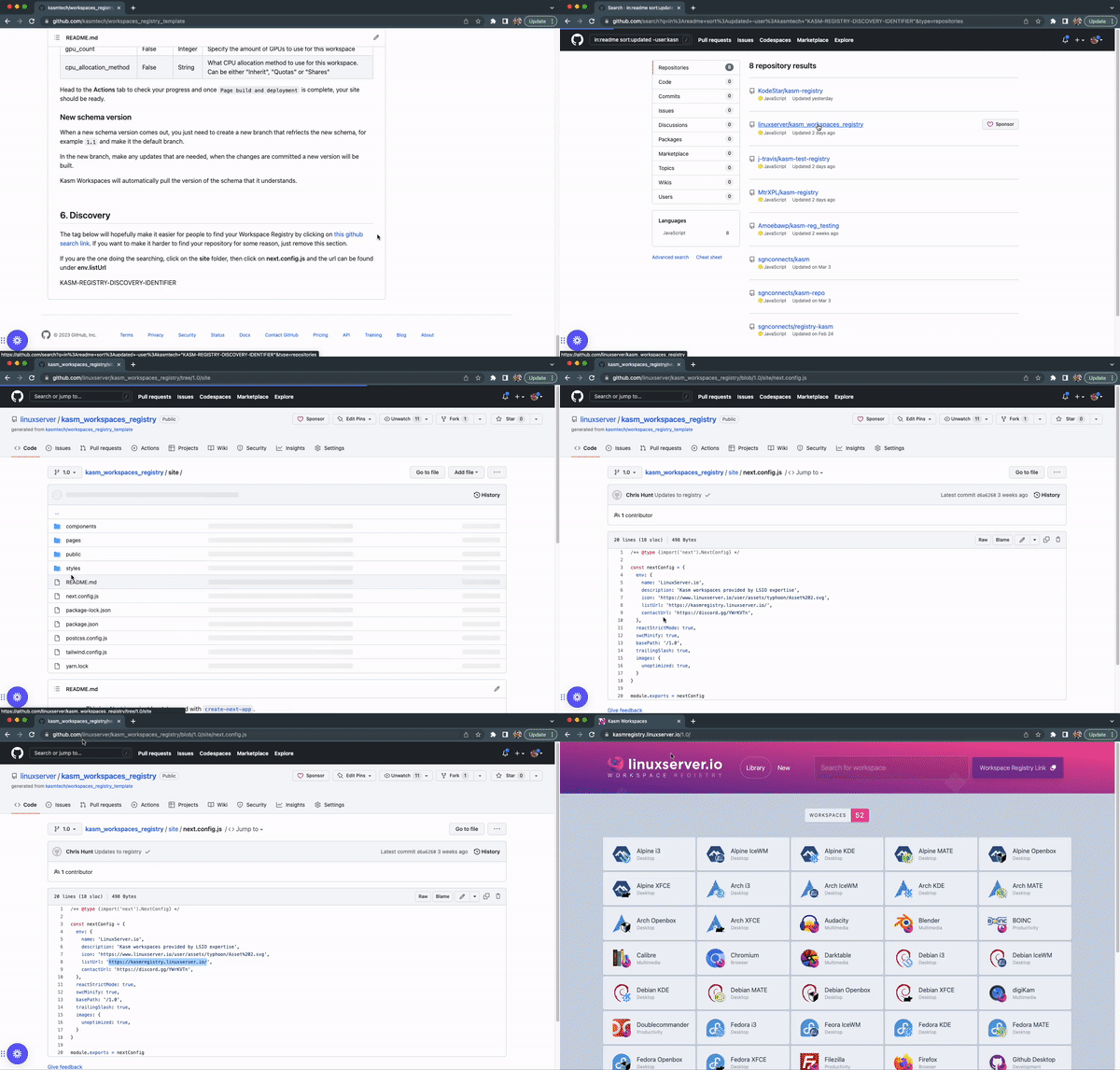
The tag below will hopefully make it easier for people to find your Workspace Registry by clicking on [this github search link](https://github.com/search?q=in%3Areadme+sort%3Aupdated+-user%3Akasmtech+%22KASM-REGISTRY-DISCOVERY-IDENTIFIER%22&type=repositories). If you want to make it harder to find your repository for some reason, just remove this section.
If you are the one doing the searching, click on the **site** folder, then click on **next.config.js** and the url can be found under **env.listUrl**
KASM-REGISTRY-DISCOVERY-IDENTIFIER