https://github.com/donejs/donejs-streaming-product-page
A product page that is super streaming fast!
https://github.com/donejs/donejs-streaming-product-page
Last synced: 3 months ago
JSON representation
A product page that is super streaming fast!
- Host: GitHub
- URL: https://github.com/donejs/donejs-streaming-product-page
- Owner: donejs
- License: mit
- Created: 2017-06-12T15:20:43.000Z (about 9 years ago)
- Default Branch: master
- Last Pushed: 2019-06-20T16:46:06.000Z (almost 7 years ago)
- Last Synced: 2024-12-31T22:28:56.572Z (over 1 year ago)
- Language: JavaScript
- Size: 36.1 KB
- Stars: 1
- Watchers: 5
- Forks: 0
- Open Issues: 2
-
Metadata Files:
- Readme: README.md
- License: LICENSE
Awesome Lists containing this project
README
# Dog Things
**Dog Things** is a [DoneJS](https://donejs.com/) application that allows users to view dog products like leashes and bones, and to add items to their cart. This application shows off the advantages of [streamable](https://www.bitovi.com/streamable) web applications and how DoneJS facilitates building them.
This readme walks through getting the project set up locally, and the features used to build the app.
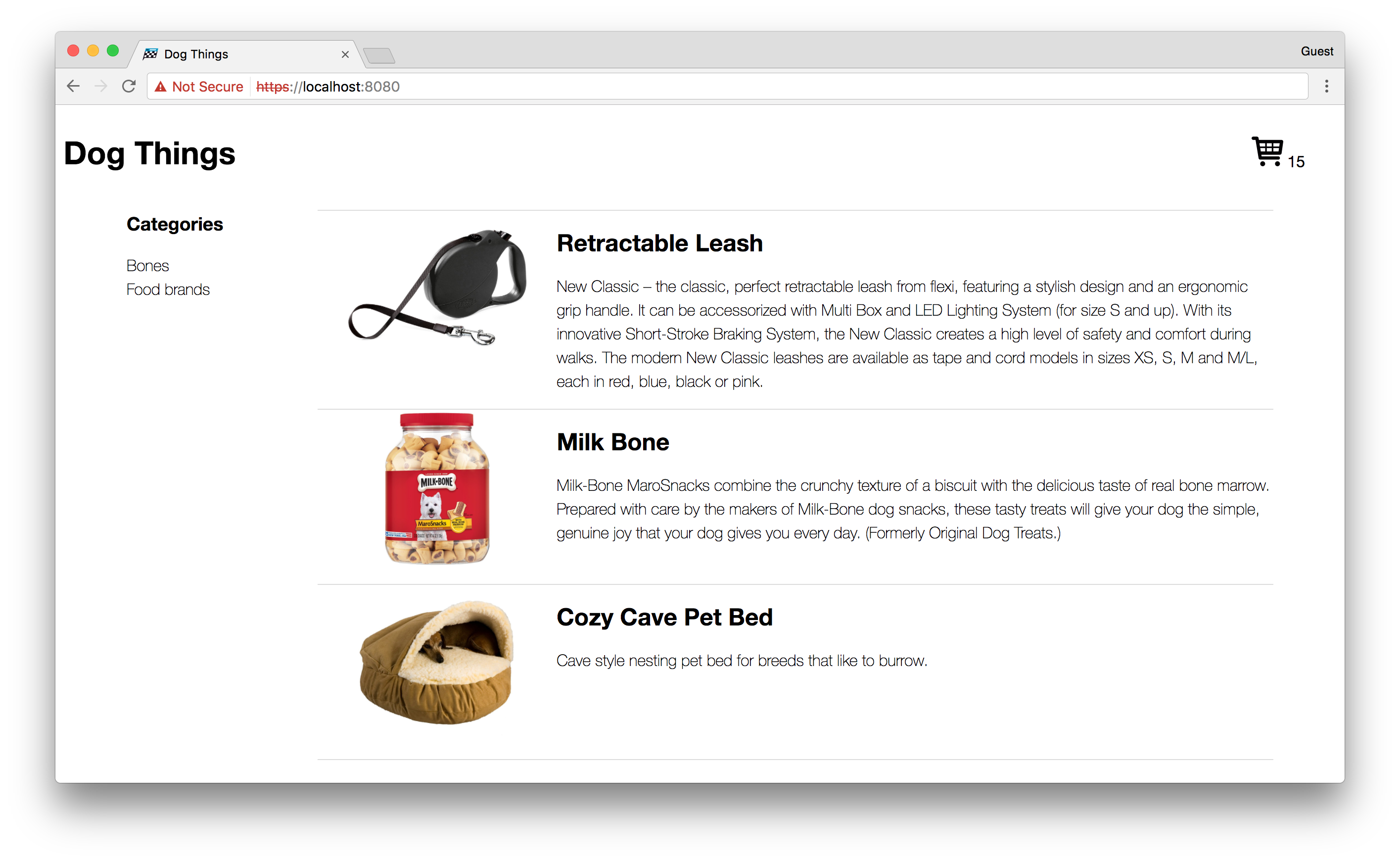
## Setting up
To get *Dog Things* set up locally, first clone the repository:
```
git clone git@github.com:donejs/donejs-streaming-product-page.git
```
And then install the dependencies with [npm](https://www.npmjs.com/).
```
cd donejs-streaming-product-page
npm install
```
### SSL
This application uses [HTTP/2](https://http2.github.io/) to provide the fastest possible rendering. HTTP/2 requires SSL, so to debug the application locally you'll need to first create a [self-signed certificate](https://en.wikipedia.org/wiki/Self-signed_certificate).
To create the certificate and private key use the `openssl` command like so:
```shell
openssl req -nodes -new -x509 -keyout server.key -out server.cert
```
This will create a `server.key` and `server.cert` file in the local directory. Since you don't want to include these in version control, move them somewhere else in the file system. I keep a directory for these certificates so that I can reuse them when working locally.
```
mkdir -p ~/.localhost-ssl
mv server.key server.cert ~/.localhost-ssl
```
### Turning on incremental rendering
Now that you have a certificate you can use for development, update the `develop` script in your package.json:
```json
{
"scripts": {
"develop": "done-serve --develop --port 8080 --proxy http://localhost:8084 --key ~/.localhost-ssl/server.key --cert ~/.localhost-ssl/server.cert --strategy incremental"
}
}
```
This app uses a locally hosted API. In your scripts also add this:
```json
{
"scripts": {
"api": "node api/server.js"
}
}
```
First start the API server in one terminal window:
```shell
donejs api
```
And in another terminal window start the server:
```shell
donejs develop
```
And open the page in the browser at `https://localhost:8080`. The first time you open the page you will get a security error because the certificate is not signed by a CA the browser recognizes. Since you are using this for local development you can ignore this error, it will only happen the first time.
In Chrome first click on the link that says *ADVANCED*:
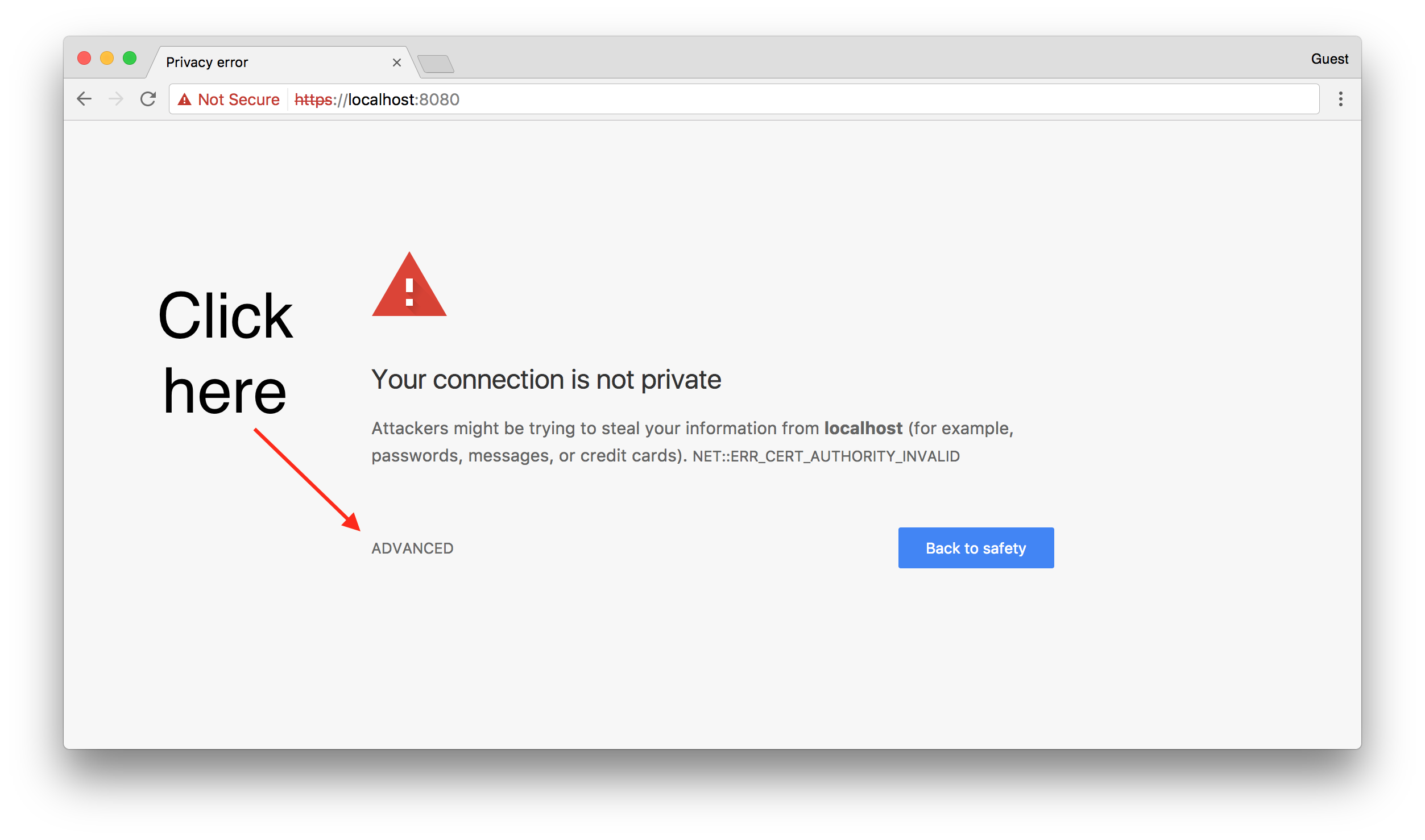
And then click on the link saying *Proceed to localhost (advanced)*:

Which should load up the app.
## Features
This demo application shows off some of the streaming capabilities of DoneJS. DoneJS utilizes HTTP/2 and the [fetch API](https://developer.mozilla.org/en-US/docs/Web/API/Fetch_API) to stream data from the server.
### Incremental rendering
*Incremental rendering* is a term we have come up with to describe a new streaming technique we've invented as part of DoneJS. Since *most* applications are made up of various dynamic parts, waiting for everything to load before rendering will result in a poor experience for your users. With the incremental rendering strategy DoneJS can provide many of the benefits of server-side rendering without forcing your users to wait on the slowest part.
When you load this example app you'll see this to start:

Notice that the cart shows **0** items. This is because the cart is still being loaded on the server. Meanwhile 1 product has already loaded.
When implementing a traditional HTML streaming approach you would have to wait on the cart to load before streaming out any other content below it. Incremental rendering isn't biased in favor of top-down loading, so *the fastest parts of your app load first*.
This mirrors what happens in the real world, where often times something like a product listing will load fast from the database, and user profile things (that tend to be at the top of the page, like the cart) might require more complex database queries.
Waiting a second or so longer and you should see this now:

The numbers demonstrate the loading order. First 2 product items load, then the cart, and finally more products.
If you open up your devtools you can see the stream of commands. It will come from a URL prefixed with `_donessr_instructions/`. It looks like:
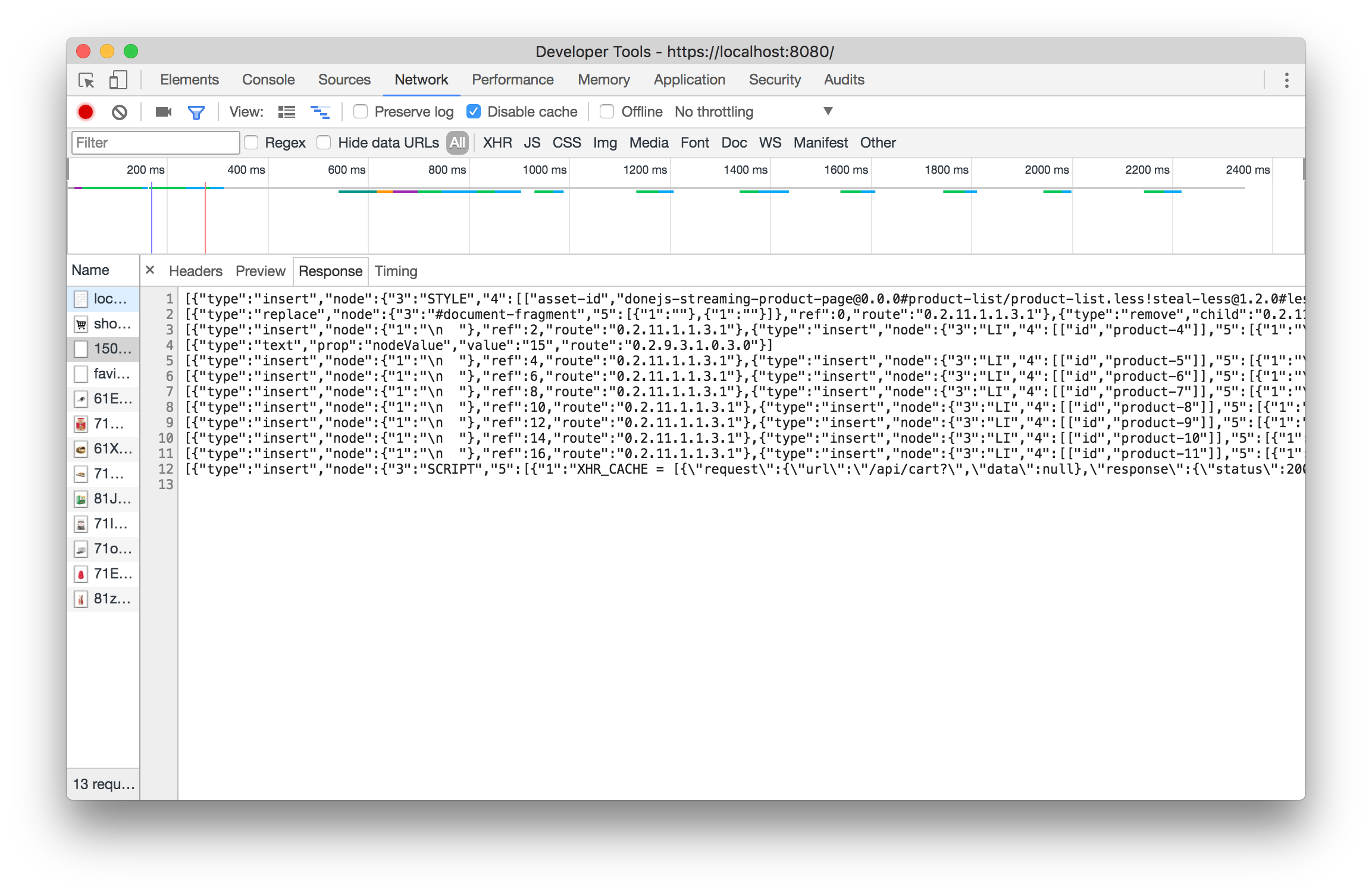
### NDJSON
The Dog Things app uses [NDJSON](https://davidwalsh.name/streaming-data-fetch-ndjson) to stream in the product list from the server. NDJSON is a format of data that delimits rows (from list queries) with newlines. It looks like this:
```ndjson
{ "product": "Bones", "img": "https://..." }
{ "product": "Treats", "img": "https://..." }
```
If you look in `src/models/products.js` you will see the import of [can-connect-ndjson](https://github.com/canjs/can-connect-ndjson):
```js
import ndjson from "can-connect-ndjson";
```
and then the use:
```js
Product.connection = connect([
constructor, connectMap, constructorStore,
dataUrl, ndjson
], {
url: loader.serviceBaseURL + '/api/product',
ndjson: loader.serviceBaseURL + '/api/product',
Map: Product,
List: Product.List,
name: 'product',
algebra
});
```
Notice that this utilizes an **ndjson** property on the connection. In this case it is the same url as used for JSON, but if you wanted you could use different URLs. This would allow you to use ndjson streaming data for users with supported browsers and then to fallback to a JSON service for those that do not.